If you've made it this far, it's because you already have your flight (or ferry) to the island and just need to decide how many GB to buy for Montserrat. I'll tell you upfront: it's one of the destinations where you'll use the fewest data in the entire Caribbean, and not because the connection is bad, but because the island is tiny, the inhabited part can be driven across in half an hour, and the other half—the volcanic exclusion zone—has no coverage whatsoever, nor anything to upload to Instagram in real-time. In this guide, I'll give you the specific number based on how you travel, with tables of actual consumption by activity and profile, and explain the unique characteristics of Montserrat that make the number different from Cancun or Punta Cana.
The number: how many GB for Montserrat
For a 3 to 5-day trip to Montserrat, most people will find 1 GB to be more than enough, and 3 GB will be extremely generous. You only need more if you work remotely, make long video calls, or upload videos daily: in that case, we're talking about 5 to 10 GB.
I know this sounds odd coming from someone who sells data, but it's the truth, and I'd rather you come back to buy from us than sell you three times what you need. Montserrat is an island of about 100 km², of which only the northern half is accessible: about 4,000-5,000 people live there, and everything is there—Brades, Salem, Little Bay, Woodlands, Gerald's Airport. Distances are in minutes, not hours.
That completely changes the calculation. On a typical Caribbean trip, you'd burn through data on long journeys, at airport waits, and constantly searching for places. Here, there are no long journeys, the airport is a small room, and you'll know the map by heart on the first day. What you will use is WhatsApp to show your loved ones where you are, some social media at night, and little else.
If you're coming from a chained trip (Antigua, St. Kitts, Guadeloupe...), it makes sense to look at a regional Caribbean plan instead of one just for Montserrat, because you'll be away for more days and the gigabyte allocation changes. But if Montserrat is your main stop, start small.
Why Montserrat uses less data than other destinations
Each destination has its quirks with data. There are countries where you burn through 3 GB in a week without realizing it because you constantly need a camera translator, taxi apps that are constantly refreshing the map, QR codes for everything, and four-hour bus rides with your phone in hand. Montserrat is the exact opposite.
These are the factors that drive consumption down on this island:
- English is spoken. It's a British Overseas Territory: you won't need a camera translator even once, and that saves quite a bit of data and battery.
- No essential transportation apps. Uber or equivalents don't work; you get around by pre-arranged taxi, rental car, or organized tour. Zero consumption from apps refreshing maps in the background.
- Distances are tiny. From the airport to Little Bay is just a few minutes. There are no long idle travel times where you'd watch videos.
- Half the island has no coverage and cannot be entered without permission, so you won't use any data there even if you wanted to.
- A typical day is outdoors: viewpoints, Centre Hills trails, black sand beach, diving. With your phone in your pocket.
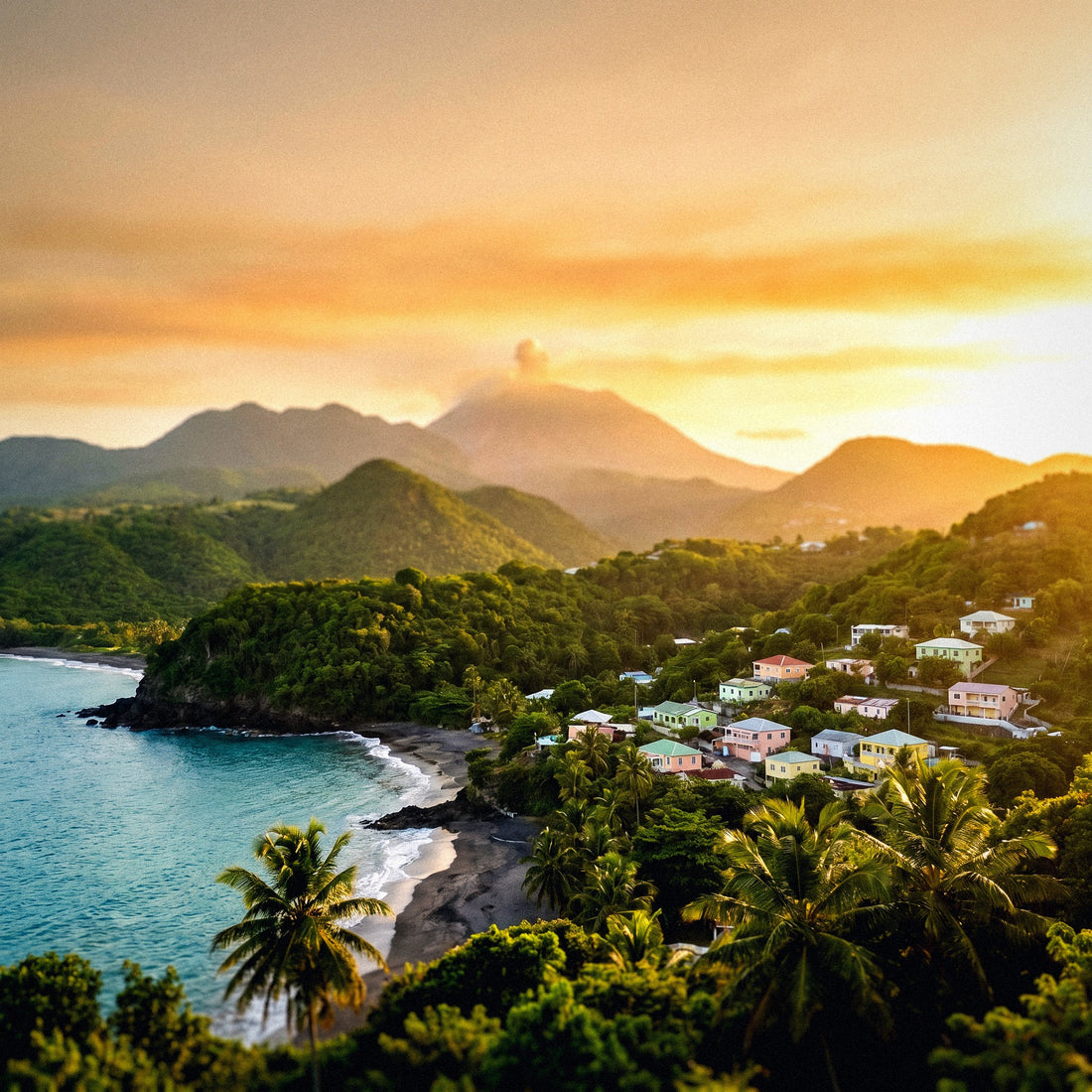
The only factor that pushes consumption up is emotional: Montserrat is very impressive, and you'll want to send photos and videos to everyone as soon as you see Plymouth buried under ash. That's your real expense, and it's perfectly manageable with a small package. If you want details on how to connect there, you can find it in the internet in Montserrat guide.
The exclusion zone: half an island with no coverage
This is the unique feature of this destination and the one I get asked about the most. The eruption of the Soufrière Hills volcano, which began in 1995 and had severe episodes until 2010, buried Plymouth, the capital, under meters of ash and pyroclastic material. The southern half of the island was declared an exclusion zone: no one lives there, you can't enter freely, and there's no infrastructure standing. There are no cell towers either.
Translated into data: in the south, your phone will have no signal. Neither ours nor anyone else's, because there's no network to provide. And that's not a problem; it's useful information for planning:
| Where you are | Coverage | What it means for your data |
|---|---|---|
| Brades, Salem, Woodlands, Little Bay | Stable 4G | You'll use most of your package here |
| Gerald's Airport and northern road | Good 4G | Check-in, messages, uploading photos |
| Viewpoints (Jack Boy Hill, Garibaldi Hill) | Variable but usually available | You can upload the volcano photo right there |
| Centre Hills trails | Irregular | Have your map downloaded |
| Exclusion zone / Plymouth | No coverage | Zero consumption: record and upload upon return |
| Helicopter or boat over the south | No coverage | Airplane mode and look out the window |
Tours to the restricted zone are done with authorized guides and permits, and flying over it by helicopter is the other common way to see it. In both cases, you'll be disconnected for a good while. I see it as an advantage: these are travel hours that don't deduct from your package. Record everything you want and upload it when you return north.
How much each app truly consumes
Before deciding on the size, it's good to have the real numbers in front of you, because almost everyone overestimates what they spend on typing and underestimates what they spend on watching videos. These are the orders of magnitude I work with:
| Activity | Approximate Consumption | Real impact on a short trip |
|---|---|---|
| Navigating maps (Google Maps) | 5-10 MB per hour | Insignificant |
| WhatsApp: text, audio messages, individual photos | 2-5 MB per hour of use | Low |
| Voice call via WhatsApp | 30-40 MB per hour | Low |
| Video call | 300-450 MB per hour | High |
| Instagram or TikTok (feed, stories, reels) | 600-750 MB per hour | Very high |
| Uploading 20 photos from phone | 100-150 MB | Medium |
| Uploading a 1-minute video | 50-100 MB | Medium |
| Streaming music (high quality) | 100-150 MB per hour | Medium |
| Video at 480p | ~300 MB per hour | High |
| Video at 1080p | 1-1.5 GB per hour | Very high |
| Browsing web, news, email | 30-60 MB per hour | Low |
| Background apps and notifications | 20-50 MB per day | Low, but constant |
Notice the jump: an hour of maps costs the same as two minutes of scrolling on Instagram. That's why the enemy is never GPS, it's video. If you want the extended breakdown by application type, I've developed it in the mobile data usage statistics by activity.
Recommendation by profile and duration
This is the table that truly matters. Find your profile, cross-reference it with the number of days you'll be staying, and that's your number. I've rounded up with a reasonable margin, not a salesperson's margin.
| Traveler Profile | 5 days | 10 days | 15 days | 30 days |
|---|---|---|---|---|
| Tourist using maps and WhatsApp | 1 GB | 2 GB | 3 GB | 5 GB |
| Photos and social media user | 3 GB | 5 GB | 8 GB | 15 GB |
| Digital nomad / remote work | 10 GB | 20 GB | 30 GB | 50 GB |
| Family sharing one phone | 5 GB | 10 GB | 15 GB | 25 GB |
A couple of nuances specific to Montserrat. First: almost no one stays for 15 or 30 days. The usual stay is three to five nights, fitted between flights from Antigua or taking advantage of the ferry, so the column you should almost always look at is the 5-day one. Second: the "digital nomad" profile is a minority here but real, because some people extend their stay for the peaceful atmosphere; if that's your case, count work video calls separately, as they are what consumes the most data.
If you're traveling as a couple and each has their own plan, each of you should go down one step on the table: consumption is shared, and you rarely both use data at the same time. And if you're going to visit several islands, check the topic hub at how much data do I need to travel, where I compare scenarios for several countries consecutively.
A typical day in Montserrat, in megabytes
Tables are great, but what convinces me is seeing the day broken down. This is a realistic day for a tourist on the island: morning at the volcano observatory and viewpoints, lunch in Salem, afternoon at the beach or diving, and evening on a terrace recounting the day via WhatsApp.
| Time of Day | Activity | Data |
|---|---|---|
| Morning | Maps to the Volcano Observatory and viewpoints | 10-15 MB |
| Morning | Checking schedules, sending volcano photos to the group | 60-80 MB |
| Midday | Finding a place to eat, checking reviews, email | 30-40 MB |
| Afternoon | Excursion to the exclusion zone (no coverage) | 0 MB |
| Afternoon | Music while at the beach (1 hour) | 120 MB |
| Night | Uploading 15 photos to cloud or group | 90-110 MB |
| Night | Half an hour of social media in bed | 300-350 MB |
| All day | Notifications and background apps | 30-50 MB |
Total: between 650 and 750 MB on a day of liberal use. And if you skip the social media time that night or do it with the accommodation's Wi-Fi, the same day will only amount to 250-350 MB.
Multiply: four days of conservative use are a little over 1 GB; four days of liberal use are around 3 GB. There you have the reason for the initial recommendation. You can see that the difference between 1 GB and 3 GB is half an hour of scrolling each night, not the fact of being on a trip.
Wi-Fi on the island: when to count on it
Another part of the calculation: how much free Wi-Fi you'll get, because every hour of Wi-Fi is an hour that doesn't count against your plan. In Montserrat, the situation is acceptable but not like a European capital, so it's advisable not to be overly optimistic.
Where you usually find reasonable Wi-Fi:
- Accommodations. Villas, guesthouses, and rental apartments almost always include it. This is your main source and where you should schedule backups.
- Restaurants and bars in the north (Salem, Olveston, Little Bay area). Many have it, some with a password given if you make a purchase.
- Public library and public centers. Internet access exists, although with limited hours.
- Observatory interpretation center and some tourist spots. Irregular.
Where not to count on it: in the street, on beaches, on trails, at viewpoints, and of course throughout the entire southern zone. Don't take it for granted on journeys or at the airport, which is small.
My practical advice: use the accommodation's Wi-Fi for heavy tasks—uploading the day's camera roll, updates, downloaded series—and save mobile data for what happens outside, which is very little. With this distribution, a 1 GB plan easily covers four full days. And a warning I always give: on public Wi-Fi, avoid online banking or use a VPN, as on small islands, networks are often shared by half the town.
How to calculate your own consumption before leaving
All of the above are averages, and you are not an average. There's a simple and honest way to know your real number, and you can do it today in two minutes without installing anything.
On Android: Settings → Network & Internet (or Connections) → Data usage. You'll see the mobile data consumed in the current cycle and, if you go into the details, the breakdown by application. On iPhone: Settings → Mobile Data, and there you'll find the accumulated usage and consumption by app; the problem is that the iPhone counter doesn't reset itself, so check the "Last Reset of Statistics" date.
With that number, you do the math:
Take your mobile data GB from the last month, divide it by 30, and multiply it by the number of travel days. Then subtract 30-40%, because in Montserrat you'll spend more hours outdoors and without your phone than in your routine, and because half the island has no coverage. That's your honest number.
Example: if you use 6 GB per month, that's 200 MB per day; for 4 days, that's 800 MB; minus 35% leaves you with about 520 MB. With 1 GB, you'll have half left over. If the result is right on the edge of a size, upgrade to the next one, but only then.
And a warning: if you have Wi-Fi all day at home and therefore your mobile consumption is very low, that calculation falls short, because when traveling, your phone works more hours without Wi-Fi. In that case, multiply the result by two and rest assured.
Tips to stretch your data on the island
If you want to make the most of a small package, four adjustments made before leaving home can save you more than half your consumption. These aren't guru tricks; they're things that work:
- Download an offline map of Montserrat before traveling. It's a small island, takes up very little space, and this way GPS works without using any data. Essential if you're hiking in the Centre Hills.
- Disable video autoplay on Instagram, TikTok, X, and Facebook. This is by far the biggest data-saving setting.
- Backups only over Wi-Fi. Google Photos, iCloud, and Dropbox can upload your entire camera roll as soon as they have data. Check this before boarding.
- Activate System Data Saver (Android) or Low Data Mode (iPhone). This cuts background traffic from apps you're not using.
- Lower video and music quality to medium. You won't notice the difference on your phone, and consumption drops by half or more.
- Download playlists, podcasts, and series for your flight and ferry before you leave.
- Upload photos at night, using your accommodation's Wi-Fi, instead of throughout the day.
With these settings, I've seen consumption drop from a 3 GB trip to less than 1 GB without sacrificing anything important. If you want the long version with screenshots and use cases, I have it in how to save data on a trip. My mental rule is simple: all heavy tasks are done at the accommodation, and outdoors only messages and maps.
What happens if you run out
Let me be clear: running out is not a drama, and buying too much is throwing money away. That's why my recommendation always leans towards the smaller side.
When your data plan runs out, nothing dramatic happens: you simply stop having mobile internet. There are no surprise bills or surcharges, which is exactly the problem with the old roaming system from your home provider. You still have Wi-Fi at your accommodation and you still have your normal number for SMS and calls if you keep it active.
And recharging takes minutes: it's done from the app or website itself, with your phone connected to the hotel's Wi-Fi, and the new data is added to the same profile you already have installed. You don't have to move anything or reconfigure your phone.
Compare the two scenarios:
| Scenario | What it costs you | Verdict |
|---|---|---|
| You buy 1 GB and run out | Five minutes to top up from Wi-Fi | Minor inconvenience |
| You buy 10 GB and use 1.5 GB | You paid for 8.5 GB that expires unused | Money wasted |
| You buy the right size | Nothing | Ideal |
The only exception: if you're going to be without reliable Wi-Fi and have work to do, then the extra margin is worth it, because running out of data in the middle of a work video call costs more than a few extra gigs. For everything else, start small and top up if necessary. If you've never used this system, take a look at what an eSIM is to understand how topping up works.
Frequently Asked Questions
How many GB do I need for 4 days in Montserrat?
1 GB is fine, and 3 GB is more than enough. A day of light use is about 300 MB, and a day of heavy use is about 700 MB, so four days will be between 1.2 and 2.8 GB. If you sleep with Wi-Fi, go for the small package.
Is there coverage in the exclusion zone and Plymouth?
No, there is no mobile coverage in the exclusion zone. The eruption of Soufrière Hills devastated that half of the island, and there is no infrastructure or antennas left standing. Visits are made with an authorized guide or by helicopter, and in both cases, you will be without a signal. Take advantage to record and upload when you return north.
Does 4G work well in the inhabited part?
Yes, 4G works normally in the north of the island. The two local operators, Flow and Digicel, deployed LTE around 2017-2018, and the inhabited area is so small that coverage reaches Brades, Salem, Woodlands, and Little Bay well. On trails and in the mountains, it may fail occasionally.
Does the same plan work if I'm also going to Antigua?
It depends: only if the plan is Caribbean regional. Since almost everyone arrives in Montserrat via Antigua, with a 20-minute flight or a 1.5-hour ferry, it's worth looking for a plan that covers several islands instead of one per destination. Add the days of both stops when calculating.
Do I need more data if I go diving or hiking?
No, quite the opposite: you use less. Diving, beach, and trails mean hours with your phone put away, and in the case of the Centre Hills, with irregular coverage. The only thing that increases is the volume of photos and videos, and you can upload those at night from your accommodation's Wi-Fi.
What if I work from the island?
Count 10 GB for five days and 20 GB for ten. Video calls use 300-450 MB per hour, so two hours of daily meetings are almost 1 GB per day. If your accommodation has decent Wi-Fi and you work from there, you can significantly reduce that number.
Can I top up if I run out of data while I'm there?
Yes, in a few minutes and without changing anything on your phone. You top up from the website or app using the accommodation's Wi-Fi, and the gigabytes are added to the profile you already have installed. There's no need to reconfigure your phone or install anything new.
How much space do the photos I upload of the volcano take up?
About 5-8 MB per photo and 50-100 MB per minute of video. Twenty photos are about 120 MB. It's an acceptable expense, but if you're going to record a lot of video of the flyover, save the upload for the night via Wi-Fi and don't deduct it from your plan.
Conclusion
Montserrat is one of those destinations where I can give you a short and honest answer: for 3-5 days, 1 GB if you travel with maps and WhatsApp, and 3 GB if you're one to upload photos and check social media every night. Only exceed that if you work remotely, and then we're talking about 5 to 10 GB.
The reason is the island itself: the inhabited north can be traversed in minutes, there's Wi-Fi in almost all accommodations, the star excursion – the exclusion zone and buried Plymouth – takes place without coverage, and a good part of the trip is spent looking at the volcano or underwater, not a screen. I prefer to tell you this way so you'll return, rather than selling you a 20 GB package that would expire with 18 unused.
If you're already clear, the next step is to install it before leaving home, as you won't find a phone store on every corner there. You can choose your data plan for Montserrat here: eSIM for Montserrat, and if you prefer to read the details on sizes, coverage, and compatibility first, you can find it on the Montserrat eSIM page. Start small, top up if needed, and enjoy the Pompeii of the Caribbean with your phone in your pocket.