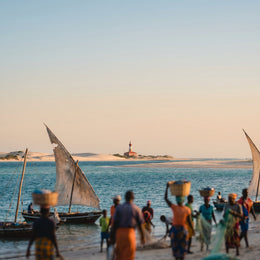
If you've already decided to buy data and just need to know how many GB you'll need for Mozambique, this article gets straight to the point. I'm not here to compare connection options —I'll tell you about that in another guide— but to give you a sensible number based on your type of trip, the number of days, and, something very specific to this region, how much time you'll spend on islands and resorts with almost no coverage.
The quick estimate for Mozambique
I'll give you the number first, because that's why you're here. A typical trip to Mozambique is 10 to 14 days of beach and diving, with a good chunk of those days spent on islands and resorts where coverage ranges from weak to non-existent. In practice, this works in your favor: you spend significantly less data than you would in a European city, simply because you can't always spend it.
For 10 days in Mozambique, most people will have more than enough with 5 GB: you spend a good portion of your trip on islands and resorts with little to no coverage, so you spend less than you think. If you upload a lot of diving videos, aim for 8-10 GB.
If you're someone who just checks maps, sends WhatsApp messages, and uploads a photo occasionally, 3 GB for ten days will be ample. If you're into photos, stories, and some evening scrolling at the resort, budget 5-6 GB. And if you telecommute or upload diving videos every day, then it's advisable to go for 8-10 GB or more. In the following sections, I break down the reasoning behind each figure, and if you're still unsure about the general size, you can refer to the data calculation for travel as a master guide on the topic.
Why Mozambique changes the calculation
Here's what makes this destination different and why you can't rely on a generic rule. Mozambique is a long country of contrasts: Maputo and the cities have decent 4G from Vodacom or Movitel, the tourist coast (Tofo, Vilankulo) works reasonably well, but the interior and remote north have scarce or no signal. Your consumption doesn't just depend on what you do, but on where you can do it.
Three particularities significantly affect the calculation:
- Islands consume time, not data. In the Bazaruto archipelago or Quirimbas, between dives, boat trips, and beach time, you'll spend hours without being able to use your mobile even if you want to. That time doesn't count.
- Resort Wi-Fi is a mirage. It's usually slow, shared, and sometimes paid. Don't count on it for uploading heavy video; rely on your data for urgent matters and save large uploads for when you return to the mainland.
- It's a Portuguese-speaking country. If you don't speak a little Portuguese, the camera translator and map use more data than you think, especially in the first few days.
On the bright side: there's no mandatory VPN or blocks that force you to consume extra, and taxi apps mostly work in Maputo. For "how to connect" itself, see the guide to internet in Mozambique; here we'll continue with gigabytes.
How much data each activity consumes
Before assigning you a number, it's worth seeing how much each activity truly weighs. These figures are approximate and average real consumption; they vary with video quality, photo resolution, and the connection quality at that moment. I'm giving them to you in MB per hour or per action so you can make your own calculations.
| Activity | Approximate Consumption | Note for Mozambique |
|---|---|---|
| Maps (Google Maps navigation) | 3-5 MB/h | Almost zero if you have the map downloaded offline |
| WhatsApp (text, audio, photos) | 5-15 MB/h | Voice calls ~0.5 MB/min |
| Social media (normal scrolling) | 150-250 MB/h | Increases significantly if videos autoplay |
| TikTok / Reels (video scrolling) | 500-840 MB/h | Most engaging and most data-consuming |
| Upload 10-20 photos to the cloud | 50-150 MB | Depending on phone resolution |
| Upload a diving video (1-2 min, HD) | 100-300 MB | In 4K, multiply by x3-x4 |
| Video call (WhatsApp / FaceTime) | 300-500 MB/h | Showing the sea to family |
| Work video call (Zoom / Meet) | 600-1,200 MB/h | Per connected person |
| Music streaming | 60-150 MB/h | Downloaded offline = 0 |
| Video (YouTube / Netflix) | 0.7-3 GB/h | Depends on selected quality |
You'll see that video (watching and uploading) and video calls are expensive; everything else barely moves the needle. If you want the long detail per app, you have the data usage statistics by activity.
Recommendation by traveler profile and days
This is the table you came looking for. It cross-references your traveler profile with the number of days you'll be there and gives you the package that will put your mind at ease, already discounting the time you'll spend on islands and at sea without coverage. I round up with a healthy margin, not to upsell you: if you have extra, better that than running out mid-trip.
| Traveler Profile | 5 days | 10 days | 15 days | 30 days |
|---|---|---|---|---|
| Map and WhatsApp tourist | 1.5 GB | 3 GB | 4 GB | 7 GB |
| Photos and social media | 3 GB | 5 GB | 8 GB | 15 GB |
| Diver uploading video | 5 GB | 9 GB | 13 GB | 25 GB |
| Digital nomad / remote worker | 8 GB | 15 GB | 22 GB | 40 GB |
| Family sharing (2-3 phones) | 6 GB | 12 GB | 18 GB | 35 GB |
How to read it? Choose the row that best matches you on a normal travel day, not on your worst day. If you're torn between two rows, go for the higher one only if you'll be spending a lot of time on the mainland (Maputo, Tofo) where there is coverage to use. If your plan is mostly island and resort, stick to the lower row: you won't be able to spend that much even if you want to.
The underwater video factor
If you're going to Tofo, you're going for the whales, manta rays, and whale sharks, and you'll come back with a gallery full of underwater video. This is, by far, the biggest wildcard in your consumption in Mozambique, so it deserves its own section. Recording doesn't consume data — that's phone memory — but sharing does, and video weighs much more than photos.
A two-minute HD clip is around 100-300 MB; in 4K, you easily go over half a gigabyte. If your habit is to upload every dive to Instagram, send the best moments via WhatsApp to family, and back up everything to the cloud on the same day, you can burn through 1-2 GB in a single afternoon. Multiply that by ten days and you understand why the "diver uploading video" profile requires 8-10 GB or more.
My honest advice: record all you want, but decide what you upload using data and what you save for Wi-Fi. 4K video backups are what eat up data plans without you even noticing.
The smart move is to only upload the clip you really want to share immediately using data, and save the full backup for when there's truly good Wi-Fi — usually upon returning to Maputo or mainland accommodation — or directly for when you're back home. This way, a very "video-heavy" trip fits into 8-10 GB instead of soaring to 20 GB.
Islands and resorts: where you won't spend data
This particularity is what most people miscalculate, almost always overestimating. During a beach trip in Mozambique, there are entire stretches where connection simply isn't available, and that reduces your actual consumption. It's worth knowing where so you don't buy too much or too little.
| Area | Coverage | What to expect |
|---|---|---|
| Maputo and cities | Good 4G (Vodacom/Movitel) | Work and browse without issue |
| Tofo and Vilankulo (tourist coast) | Decent but inconsistent 4G | Good in town, weak on the beach |
| Bazaruto Archipelago (island resorts) | Weak or intermittent signal | Slow or paid resort Wi-Fi |
| Quirimbas (remote north) | Very limited or no signal | Prepare to truly disconnect |
| Mozambique Island (UNESCO) | Basic in town | Sufficient for essentials |
| Interior and parks (Gorongosa) | Scarce | Offline maps essential |
The practical conclusion: if your itinerary is mostly island and diving, don't buy thinking of big-city consumption, because you won't reach it. Have data for the mainland stretches and for urgent matters on the islands, and let the sea force you to disconnect. To have data ready from the moment you land without looking for a shop, the Mozambique eSIM saves you the hassle of a physical card.
Calculate your own consumption before traveling
The best estimate isn't mine: it's yours. Before choosing a package, take two minutes to see how much you actually spend in a normal month, and thus adjust the number to your real life instead of an invented average. This is the most honest advice I can give you.
On iPhone, you can find it under Settings > Mobile Data: scroll down to the period summary and check the total and which apps consume the most. On Android, it's Settings > Network & internet > SIM > App data usage. Look at a full month's usage and keep one important thing in mind: at home, many apps run on Wi-Fi, so when traveling, that number goes up because everything uses mobile data.
- Check your GB usage for the last month (mobile data, not total with Wi-Fi).
- Divide by 30 to get your typical daily usage.
- Multiply it by your travel days.
- Subtract 20-30% for the time you'll be on islands without coverage.
- Add a margin if you're going to upload a lot of diving videos.
That result, rounded up, is your figure. If it falls between two packages, opt for the larger one only if your trip involves a lot of mainland time; if it's mostly islands, the smaller one will suffice.
How to stretch your data in Mozambique
With four adjustments made before leaving, a modest package performs like a large one. It's not about being stingy, it's about not wasting data on things you can solve with Wi-Fi or directly offline. These are the ones that truly make a difference on a beach and diving trip.
- Offline maps. Download the areas of Maputo, Tofo, Vilankulo, and your route on Google Maps before leaving home. Navigating offline uses almost zero data and even works where there's no signal.
- Backups only via Wi-Fi. Go to Google Photos or iCloud and set backups to "Wi-Fi only." This prevents your diving videos from uploading automatically using data.
- Lower video quality. For streaming and video calls, standard quality consumes half or less than high quality, and on a mobile phone, you'll barely notice the difference.
- Disable autoplay. On Instagram, TikTok, X, and Facebook, preventing videos from autoplaying saves you hundreds of MB per day.
- Activate the mobile's Data Saver Mode so background apps don't consume data while you're diving.
With this, a traveler who uses photos and social media can go from needing 8 GB to managing with 5 GB without sacrificing anything important. You can find more ideas in the guide on data-saving tips.
What happens if you run short
Here's an idea that will save you money: it's better to run a little short and top up than to have too much. Buying a huge package "just in case" almost always results in unused gigabytes that expire, and in Mozambique, with so much time without coverage, that extra margin is wasted even more than in other destinations.
If you run out of data midway through your trip, it's not a big deal: topping up takes just a couple of minutes from your phone, without needing to go to a store or change anything. What you don't want is the opposite: buying 20 GB, using 6 GB between islands and diving, and seeing the rest expire. That's why my general recommendation is to start by being conservative and top up if you truly need it.
The only exception: if you work remotely and a dropped video call costs you money or trouble, then it's worth buying ample data from the start, because running out of data in the middle of a meeting has no quick fix. For the rest of us mortals, a conservative approach with the option to top up is the calm and cheap way to go.
Combining with South Africa and Eswatini
Many trips to Mozambique aren't just about Mozambique: they combine with South Africa (Kruger, Johannesburg) and sometimes include a jump to Eswatini. Here's an important warning that directly affects your data and your estimate.
As soon as you cross a land border, your connection switches to the neighboring country's network. If your package is only for Mozambique, when you cross into South Africa, you'll lose data until you return; and vice versa. This "network jump" catches many people off guard, who find their phone without internet precisely when they need it most, searching for accommodation after crossing.
You have two clean paths: either a regional package that covers all three countries at once, or a package per country that you activate upon crossing. Which one suits you depends on how many days you spend in each place; if the bulk is Mozambique with a short getaway, sometimes the latter is better. What I don't recommend is crossing without a plan and figuring it out on the fly. Think about your data per country, not as a single bag, and you'll have coverage from end to end of your trip.
Frequently asked questions
How many GB do I need for 7 days in Mozambique?
For one week, between 2 and 5 GB depending on your profile. Map and WhatsApp tourist: 2-3 GB. Photos and social media: 4-5 GB. If you dive and upload videos every day, aim for 6-7 GB. Remember to deduct time spent on islands without coverage.
Is 3 GB enough for two weeks?
Yes, if you're a low-consumption traveler. With offline maps, WhatsApp, and an occasional photo, 3 GB will comfortably last 12-15 days, especially since you'll spend many hours on islands and at sea without consuming data. If you're into social media or video, you might run short.
Does resort Wi-Fi save me data?
Less than you expect. Island resort Wi-Fi is usually slow, shared, and sometimes paid. It works for messages and email, but don't rely on it for uploading diving videos. Have your own data for important things.
Do I use data while diving or on the islands?
Hardly any, because there's no signal. In the Bazaruto archipelago, Quirimbas, and underwater, there's no coverage, so that time doesn't consume data. This is precisely why you spend fewer GB in Mozambique than you would in a city.
Do I need more data because it's a Portuguese-speaking country?
A little more in the first few days. If you don't speak Portuguese, the camera translator and searches will use more data at first. It won't significantly affect the total, but download the Portuguese language offline in Google Translate to almost eliminate this consumption.
What happens to my data if I cross into South Africa or Eswatini?
A Mozambique-only package stops working when you cross. The network switches to the neighboring country. If your route includes South Africa or Eswatini, choose a regional package that covers all three or a country-specific one that you activate when crossing the border.
Is it better to overbuy just in case?
No, in Mozambique, you almost always have too much. With so much time without coverage, large packages end up with unused data that expires. Buy just enough and recharge in two minutes if you run out; only remote work justifies buying extra.
How do I know my actual consumption before I go?
Check it in your phone's settings. In Settings > Mobile Data (iPhone) or Data Usage (Android), you can see your GB usage for the last month. Divide that by 30, multiply by your travel days, and subtract 20-30% for time spent on islands.
Conclusion
To summarize without overcomplicating: for a typical 10-14 day beach and diving trip in Mozambique, 5 GB is more than enough for most people, and only if you upload a lot of underwater video should you consider 8-10 GB. The key to this destination is that the islands, diving, and resorts keep you disconnected a good portion of the time, so you spend less than you think: buy just enough, activate offline maps, and back up only over Wi-Fi, and recharge without drama if you run short. If your route includes South Africa or Eswatini, consider the amount per country and not as a single package. With that, you'll have plenty and won't overpay. Once you're clear, check out the eSIM for Mozambique and have it ready before you leave; and if you still don't know how this works, you'll get it in two minutes with what is an eSIM.