
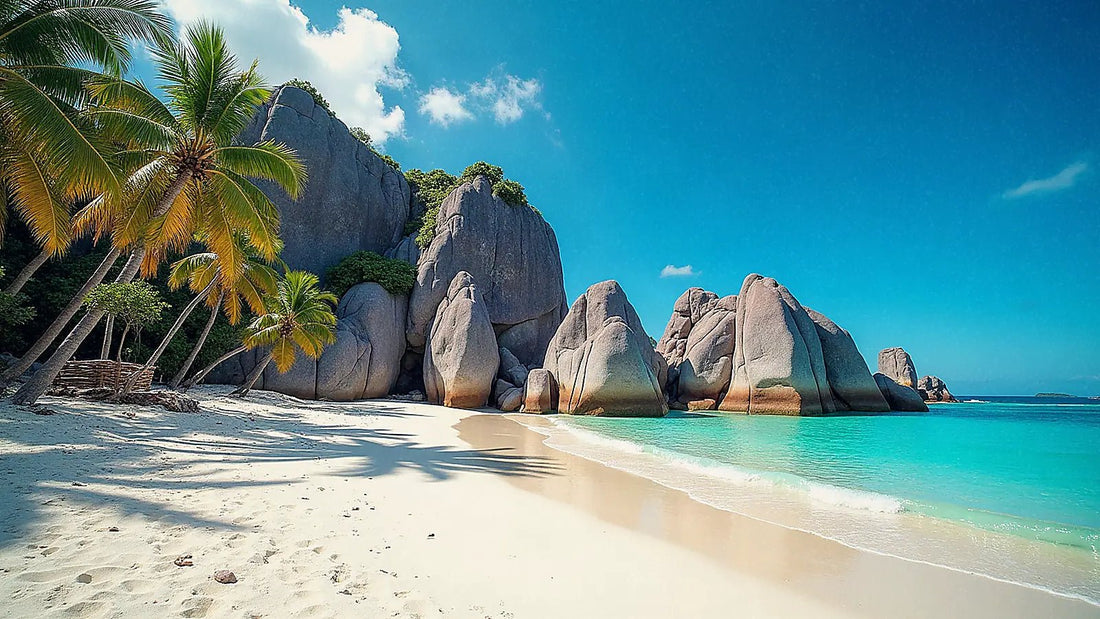
You've decided to buy data and chosen your paradise; the only thing stopping you is knowing how many GB I need for Seychelles without running out or overpaying. Let's get straight to the point: I won't repeat the comparison of connection options here, but instead give you a well-reasoned number based on your travel style. Seychelles has a peculiarity that significantly changes the calculation — resort Wi-Fi — and I'll explain it before giving you the table by profile so you buy exactly what you'll use.
The quick answer for Seychelles
For 10 days in Seychelles, most people will have plenty with 3 GB using maps and WhatsApp and relying on resort Wi-Fi for heavy use. If you upload many photos and videos instantly, budget 5-6 GB. Only remote work or multiple phones require 10 GB or more.
That's the short answer, and I stand by it even though we sell larger packages: on a resort trip to Seychelles, you'll spend a good part of the day on hotel Wi-Fi, on the beach not looking at your phone, or diving, so the actual mobile data usage is less than in a European city where you're constantly on 4G. A typical trip to Seychelles lasts between 7 and 12 days, and the reference duration that almost everyone buys is 10 days of data.
The key to getting it right is to separate two things: what you consume when moving around the islands (maps, messaging, uploading a few photos) and what you consume in streaming or heavy backups, which should be saved for Wi-Fi. If you make that mental separation, a small package goes a long way. Below is the table by profile, but if you want the general framework for calculating gigabytes for any trip, I elaborate on it in the main guide on how much data I need for travel. Here, we delve into the specific details for Seychelles.
Why Seychelles changes the number
Seychelles is not a high data consumption destination, and there are specific reasons. The first is resort Wi-Fi: almost all hotels and guesthouses have included Wi-Fi, and that absorbs your streaming, backups, and long video calls. The honest nuance is that this Wi-Fi often runs slow on small islands like La Digue, is sometimes paid in common areas or villas, and gets saturated at night during peak season. It's useful for heavy tasks, but don't rely on it for everything.
The second reason is island hopping. You travel by ferry or small plane between Mahé, Praslin (with Vallée de Mai), and La Digue (with Anse Source d'Argent), and during these journeys, the signal comes and goes: on the ferry, you use almost no data. The third is coverage: good 4G on the main islands, weak on remote islands and in the granite interior, where you won't use data at all because there's no signal.
| Area | Mobile coverage | Do you use data here? |
|---|---|---|
| Victoria and Eden Island (Mahé) | Solid 4G+/5G | Yes, no problem |
| South Mahé and coves | Fluctuating 4G | Yes, sometimes |
| Praslin (Côte d'Or, Vallée de Mai) | Functional 4G | Yes |
| La Digue (village vs. Anse Source d'Argent) | 4G in village, weak in coves | Little |
| Ferry between islands | Intermittent | Almost none |
| Remote islands and granite interior | Very weak or none | None |
If you want details on how to connect, which operator covers each island, and how to activate everything, you can find it in the guide to internet in Seychelles; this article focuses only on gigabytes.
How much each app actually consumes
Before choosing a package, it's worth seeing what each thing consumes, because intuition can be misleading: people think WhatsApp devours data and maps are free, but in practice, it's the opposite. These are average real figures; they vary depending on video quality and signal, but they serve as a guide for calculating your own usage in Seychelles.
| Activity | Approximate consumption |
|---|---|
| Maps and navigation (Google Maps) | 5-30 MB/hour (much less with offline map) |
| WhatsApp (text and voice notes) | 1-5 MB/day |
| WhatsApp voice call | 20-30 MB/hour |
| Social media (Instagram, TikTok scroll) | 600-900 MB/hour |
| Uploading photos | 3-5 MB per photo |
| Uploading a reel or video | 60-100 MB per minute in HD |
| Video call (WhatsApp, FaceTime) | 300 MB/hour |
| Music streaming (Spotify) | 40-150 MB/hour depending on quality |
| Video streaming (YouTube, Netflix) | 300 MB/hour in SD, 1.5-3 GB/hour in HD |
What stands out: browsing and messaging cost very little, while high-quality video can devour an entire package in an afternoon. In Seychelles, this works in your favor, because you'll do your streaming over resort Wi-Fi. If you're interested in the complete breakdown by app and activity, I have it expanded in the data usage statistics by activity guide.
How many GB per profile and duration
This is the important table. I've crossed four traveler profiles with the most common durations, assuming what's realistic in Seychelles: that streaming and large backups go over resort Wi-Fi, and that mobile data is used for moving around, messaging, and uploading content instantly. Find your row, look at your column for days, and you have the number.
| Traveler profile | 5 days | 10 days | 15 days | 30 days |
|---|---|---|---|---|
| Map and WhatsApp tourist | 1-2 GB | 2-3 GB | 3-5 GB | 6-8 GB |
| Instant photos and social media | 3 GB | 5-6 GB | 8-10 GB | 15-20 GB |
| Digital nomad / remote worker | 6-8 GB | 12-15 GB | 18-22 GB | 40 GB or more |
| Sharing family (2-4 phones) | 4-5 GB | 8-10 GB | 12-15 GB | 25-30 GB |
Look at the 10 days column, which is the most popular duration for Seychelles. The classic tourist will have more than enough with 2-3 GB; someone who lives on Instagram and uploads everything instantly goes up to 5-6 GB; and only if you genuinely work remotely or share with multiple phones do you need 10 GB or more. If you're unsure between two rows, err on the side of less: recharging is easy and cheap, so you don't pay for gigabytes that will go unused. These figures already include a reasonable buffer, they're not cut to the absolute limit.
The beach photo and video factor
If anything drives up consumption in Seychelles, it's not maps or chat: it's that the beaches are so absurdly beautiful you want to upload everything instantly. Anse Source d'Argent, Anse Lazio, the pink granite at sunset... your finger just goes to share. And there lies the nuance that separates a "maps" profile from a "social media" one.
The calculations are simple. A single photo is around 3-5 MB, so uploading a batch of 30 photos is about 120 MB: nothing dramatic. The problem is video: every minute of an HD clip uploaded to Instagram or saved to the cloud consumes 60-100 MB, meaning three one-minute reels are already 300 MB in a single beach session. Repeat that every day, and you understand why the social media profile needs twice as many gigabytes.
Honest tip: take photos and videos whenever you want, but let automatic cloud backup happen only over Wi-Fi. Share only what's necessary instantly (one photo, one story) and upload the rest at night from the resort. This single adjustment can save you several GBs on your trip.
If you're traveling with the idea of documenting everything in video, don't stress about a giant package: better a medium one and recharge if needed. Almost no one uploads as much video on 4G as they think they will.
Diving, snorkeling, and areas without coverage
Here's good news for your data bill: in Seychelles, you'll spend many hours without touching your phone. Diving and snorkeling take up entire mornings, and underwater, obviously, you spend nothing. The same goes for hiking excursions in the granite interior, where there's also no coverage, and for ferry trips between islands, where the signal is intermittent.
This changes the calculation compared to a city break. In a European capital, you're continuously using 4G; in Seychelles, you have long blocks of "disconnect mode" that don't add a single MB. That's why the numbers in the table are lower than you might expect for so many travel days.
- Diving and snorkeling: zero consumption while in the water; you only spend when uploading photos afterward.
- Inland excursions: little to no coverage, so download your map before you go.
- Ferries and small planes: intermittent signal; take advantage of it to listen to downloaded music, not streaming.
- Resort days: hotel Wi-Fi for heavy use, mobile data only if you go out.
The practical consequence: don't buy thinking "it's 10 days, I need a ton." For much of those days, you'll barely touch your data. Buy for actual hours of active connection, which are considerably fewer.
Calculate your own consumption
The most honest way to get it right is not to blindly trust my table, but to look at your own history. Your phone has been precisely measuring what you spend for months, so use it. It's the most reliable data available, because it reflects your actual habits and not an invented average.
On an iPhone, go to Settings > Mobile Data and scroll down to see usage for the period; it's a good idea to reset the statistics at the beginning of the month for a clean figure. On Android, it's Settings > Network & Internet > Data usage, where you see the monthly total and breakdown by app. See how much you spent last month during normal street use (without home Wi-Fi) and you'll have your daily rate.
Now adjust it for Seychelles with two sensible corrections:
- Subtract what you'll do over resort Wi-Fi: streaming, backups, large downloads.
- Subtract the hours on the beach, diving, and ferry when you don't touch your phone.
What's left, multiplied by your travel days, is your personal figure. It almost always comes out below what people buy out of fear. And remember: it's okay not to get it exact, because you can always recharge on the fly if you find yourself running low.
How to stretch your GBs on the islands
With a few adjustments, you can make a small package last your entire trip without stress. It's not about tightening your belt; it's common sense: use data for what truly requires a connection and save the rest for the hotel Wi-Fi.
| Tip | How much it saves |
|---|---|
| Offline maps of Mahé, Praslin, and La Digue (via Wi-Fi) | Almost all navigation data |
| Social video quality set to "data saver" or 480p | 50-70% |
| Photo backup to cloud only via Wi-Fi | Hundreds of MBs daily |
| Disable video autoplay | 20-40% |
| Voice notes instead of video calls | ~90% of that call |
The most effective is the first: download maps of the three islands via Wi-Fi before leaving the hotel, and you can navigate without using virtually any data, plus they work in the granite interior where there's no coverage. The second big saving is activating your phone's Data Saver Mode, which cuts off background app downloads. You can find the complete list of tips in the guide on how to save data while traveling. With these, even a social media profile can manage with fewer gigabytes than they might expect.
What happens if you run out
Let me be clear so you can buy with peace of mind: it's better to fall short and recharge than to overbuy. If you run out of data, you're not stranded — you still have resort Wi-Fi for essentials — and recharging takes just a moment from your phone, without going to any store or changing any settings.
The logic is economic. If you buy too much, you pay for gigabytes that expire unused and you don't get them back. If you buy just enough and run short a couple of days before returning, you add a small package and you're all set; you will have paid only for what you use. That's why my advice is always to go for the lowest row in the table when in doubt between two.
With a Seychelles eSIM, recharging is immediate: you choose another package and it activates instantly on the same profile, without removing or changing anything. That's precisely why it's not worth over-buying "just in case": the "just in case" is resolved in 30 seconds if it happens.
Pocket rule for Seychelles: start with the package indicated for your profile in the table, monitor your usage halfway through the trip from your phone settings, and only recharge if you see you're running low. Nine out of ten times, it won't be necessary.
Frequently asked questions
How many GB do I need for 7 days in Seychelles?
2-3 GB will be plenty for a week if you use maps and WhatsApp and rely on resort Wi-Fi for heavy use. If you upload many photos and videos instantly, increase to 4-5 GB. This is the most common case, as most trips are around 7-12 days.
Is resort Wi-Fi alone enough?
Mostly yes, but don't rely 100% on it. Resort Wi-Fi in Seychelles covers a good part of the trip, but it tends to be slow on small islands like La Digue, is sometimes paid in villas, and gets saturated at night. A small data package gives you independence when moving between islands.
Do I need data on the ferry between Mahé, Praslin, and La Digue?
Little: the signal is intermittent during the journey. You'll use almost no data during the crossing. Take advantage of it to have downloaded music and the destination island's map saved offline, so you're ready upon arrival without depending on coverage.
How much data does uploading beach photos and videos consume?
Photos are cheap; video is not. A photo is around 3-5 MB (a batch of 30 is about 120 MB), but each minute of HD video consumes 60-100 MB. If you document everything in video, estimate double the gigabytes or save large uploads for Wi-Fi.
Is there 4G coverage throughout Seychelles?
Good on the main islands, weak on remote ones. Mahé, Praslin, and La Digue have functional 4G in tourist areas, with 4G+/5G in Victoria. In the granite interior, remote islands, and some coves, the signal drops or disappears; you won't use data there.
What happens if I run out of data?
You recharge instantly from your phone, no drama. You won't be without communication: you'll have hotel Wi-Fi and can add another package that activates immediately. That's why it's better to buy just enough and recharge if needed, instead of overpaying for gigabytes that expire unused.
Is an eSIM or a local SIM better for Seychelles?
An eSIM saves you a trip to a store upon arrival. You activate it before leaving home, and it works as soon as you arrive, with no airport queues or changing your physical card. If you want to understand the technology before deciding, check out what an eSIM is.
Do apps consume more data when in a remote island?
No: app consumption is the same everywhere. What changes is coverage, not how much each app consumes. One hour of Instagram consumes the same in Victoria as in La Digue; the difference is that in areas without signal you simply won't be able to use it, and you won't consume any data.
Conclusion
In summary, without exaggeration: for a typical 7-12 day trip to Seychelles, a tourist who uses maps and takes photos will have plenty with 3 GB; someone who uploads everything to social media instantly will need 5-6 GB; and only remote work or sharing a connection with multiple phones justifies 10 GB or more. Resort Wi-Fi will cover streaming and large backups, and hours spent on the beach, diving, and ferries don't add to data consumption. So, buy based on your actual connection needs, not by the number of days. If in doubt, opt for less and recharge if you run short. You can choose your package and activate it before flying with PuraSIM's Seychelles eSIM, and adjust on the fly without overpaying for gigabytes you won't use.







