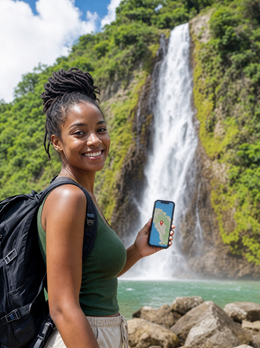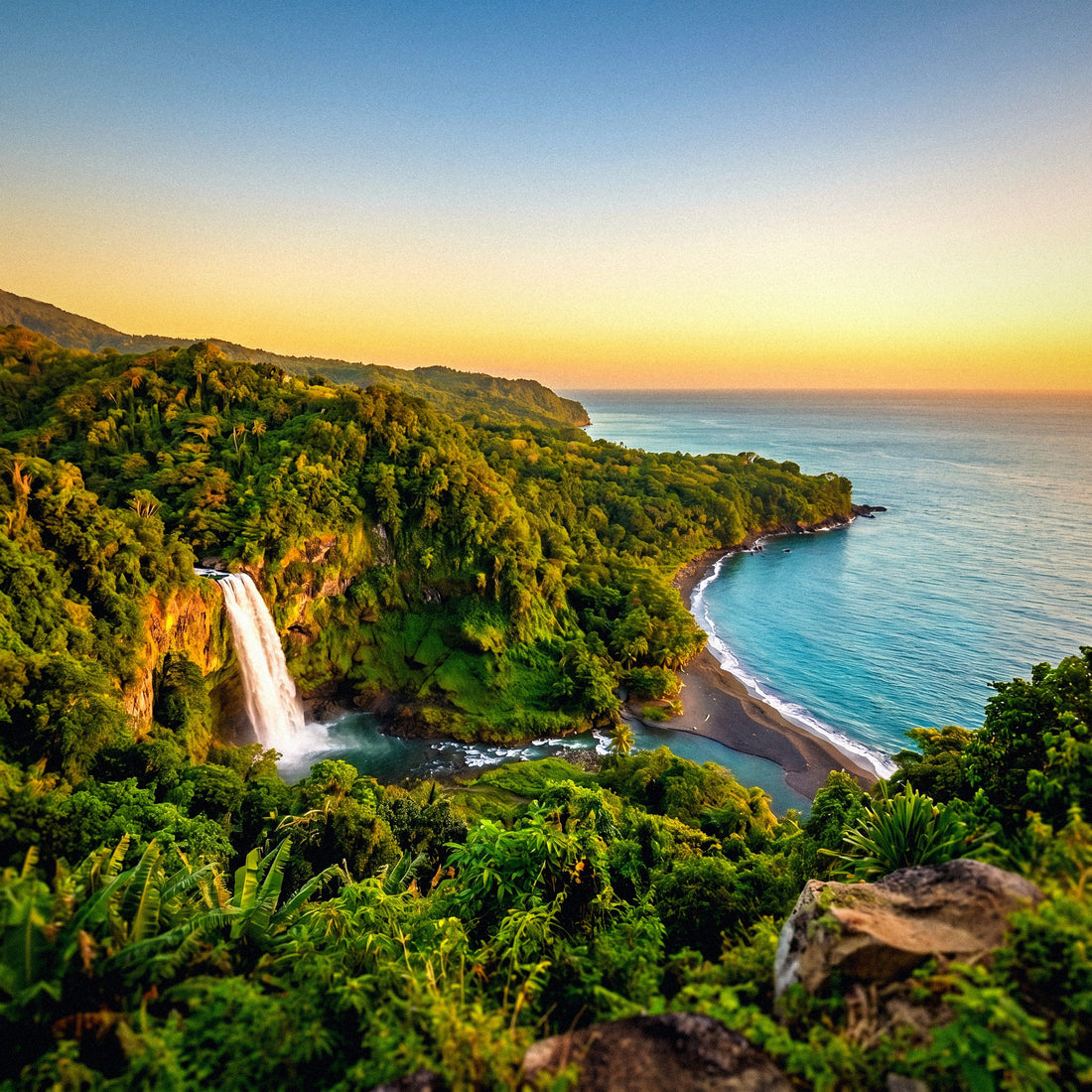
First of all, a clarification that avoids ninety percent of the confusion with this destination: Dominica is not the Dominican Republic. The Dominican Republic shares an island with Haiti, speaks Spanish, and thrives on Punta Cana tourism. Dominica is a different country: the nature island of the Eastern Caribbean, independent, English-speaking, with its capital in Roseau, nestled between Guadeloupe and Martinique. It has hardly any resorts, but it does have 365 rivers, waterfalls, hot springs, and a trail that crosses the entire island. And that completely changes the answer to how many GB I need for Dominica, because here you won't spend the day lying down with your phone in hand: you'll spend it in the jungle, without coverage and with no desire to look at your screen.
The short answer: how many GB for Dominica
For 10 days in Dominica, most people will find 3 GB to be plenty: maps, WhatsApp, some social media, and uploading photos at night. If you're going to work remotely or share with family, increase to 10 GB. Less than you think, because you'll spend the day in the jungle.
I know it sounds odd for someone who sells data to tell you to buy little. But in Dominica, the numbers just work out that way. A typical week-and-a-half trip to the island involves five or six excursion days —Boiling Lake, Trafalgar Falls, Middleham, a segment of the Waitukubuli— plus a couple of sea days and another couple of transfer days. On excursion days, your phone stays in your pocket, with the map already downloaded and no signal for hours. On sea days, it doesn't do much either. Consumption is concentrated at night, at your accommodation, and often there's Wi-Fi there.
To put it in perspective: in an urban European destination, with subways, restaurants, and leisurely scrolling, an average traveler easily uses 300-500 MB per day. In Dominica, that same traveler drops to 150-250 MB. A ten-day trip comes out to a comfortable 2-3 GB with room to spare. If you've read our general guide on how much data you need for travel, apply the lower end of the range here, not the higher end.
Why Dominica uses less data than you think
There are three things about this specific destination that push your consumption down, and it's good to understand them before choosing a package.
One: the language. Dominica is English-speaking —official English, French Creole in many people's daily lives— so you won't be using a camera-enabled translator all the time like in Japan, Morocco, or Thailand. That app, used in camera mode, is one of those that quietly drains a small package. Here, you simply don't need it.
Two: no Uber. On the island, you get around by taxi with an agreed-upon fare, shared minibus, or rental car. There's no ride-hailing app burning GPS and data while you wait for a car. What you will use a lot is WhatsApp: in the Eastern Caribbean, it's common to arrange guides, taxis, and excursions via message, and that costs very little data.
Three: long days without coverage. A day at Boiling Lake is six or seven hours round trip, much of it without signal. A mountain section of the Waitukubuli, the same. These are hours when your package is literally untouched.
In return, there's one factor that increases: photos and videos. Dominica is outrageously photogenic, and you'll be shooting a lot. If you upload all of that to the cloud or social media using mobile data, your package will indeed run out. In practice, the decision between 3 GB and 10 GB for your eSIM for Dominica largely hinges on what you do with your photos.
How much each app consumes, in real figures
These are the figures I use for calculation. They are estimates of average consumption with each app's default settings: they can vary depending on quality, version, and network, but they serve to avoid going in blind.
| Activity | Approximate Consumption | Note for Dominica |
|---|---|---|
| Google Maps navigating live | 5-10 MB per hour | With map downloaded, practically 0 |
| WhatsApp, text and voice only | 10-20 MB per day | Your main app here, and the cheapest |
| WhatsApp video call | 300-480 MB per hour | Save it for your accommodation's Wi-Fi |
| Instagram or TikTok, scrolling | 700-800 MB per hour | The biggest silent data hog |
| Uploading a photo from your phone | 3-5 MB each | 50 photos a day are 150-250 MB |
| Uploading a 1-minute video in 1080p | 60-100 MB | A waterfall reel will cost you dearly |
| Streaming music | 70-150 MB per hour | Download it beforehand; there's no network on the trail |
| Streaming video (medium quality) | 700 MB per hour | Up to 3 GB per hour in high quality |
| Email and web browsing | 10-20 MB per hour | Irrelevant in the total count |
| Work video call (Zoom, Meet) | 500-900 MB per hour | The big one if you work remotely |
Notice the disproportion: an hour of scrolling consumes as much as a hundred hours of map usage with the route already downloaded. Almost no one runs out of data from using Maps; people run out of data because of video. If you want the numbers broken down by app and by profile, you can find them in our mobile data usage statistics by activity.
How many GB per profile and per travel days
This is the important table. Find your profile, cross-reference it with the number of days you're staying, and that's your number. It's calculated for Dominica, assuming you'll have Wi-Fi at your accommodation some nights and that several days will be spent in the jungle.
| Profile | 5 days | 10 days | 15 days | 30 days |
|---|---|---|---|---|
| Tourist with maps and WhatsApp | 1 GB | 2 GB | 3 GB | 5 GB |
| Photos and social media (uploads daily) | 2 GB | 3 GB | 5 GB | 10 GB |
| Family or couple sharing | 3 GB | 5 GB | 8 GB | 15 GB |
| Digital nomad or remote worker | 5 GB | 10 GB | 15 GB | 30 GB |
| Pure hiker (full Waitukubuli) | 1 GB | 2 GB | 3 GB | 5 GB |
A couple of honest caveats. The hiker profile comes out really low: if you're doing the entire Waitukubuli, which is about two weeks of walking, you'll spend most of your time in sections without signal and with your phone in battery saver mode. In that case, 3 GB for fifteen days is more than enough, and I say that even though we sell larger packages.
The family profile assumes two or three phones connected at once, one of them sharing via Wi-Fi hotspot. If there are four of you and everyone is watching video, move up one tier. And the digital nomad profile assumes one or two video calls a day plus normal work: this is the only profile where I recommend buying plenty from the start, because running out in the middle of a meeting isn't worth the savings.
Where there is coverage in Dominica and where there isn't
The island is small but very mountainous and forested, and this affects the signal. The two local operators are Digicel and Flow, both with 4G; as of today, there is no 5G deployment. In the towns and on the west coast, things work well; as soon as you go inland, it ends.
| Area | Mobile Coverage | Wi-Fi | What to Expect |
|---|---|---|---|
| Roseau and west coast | Stable 4G | Hotels, cafes, Fort Young | The best on the island |
| Portsmouth and north (Cabrits, Indian River) | 4G, sometimes 3G | In accommodations | Sufficient for everything |
| Northeast coast (Calibishie, airport) | Irregular 4G | In accommodations | Depends on the exact spot |
| Interior and Morne Trois Pitons | Intermittent or none | No | Assume there will be no signal |
| Waitukubuli mountain sections | None for hours | No | Download everything the night before |
| At sea (sperm whales, Champagne Reef) | Weak or none | No | Airplane mode and enjoy the water |
Accommodation Wi-Fi deserves a warning. Dominica has hardly any large resorts: eco-lodges, guesthouses, and B&Bs predominate, and in many of them Wi-Fi is only in common areas and is just barely sufficient. Some limit it on purpose, because their proposal is precisely to help you disconnect. Don't count on uploading forty photos from your room: expect to check messages and little else. If you want details on operators, local SIM cards, and connection options, I elaborate on that in the guide to internet in Dominica.
The hiking days: Boiling Lake and Waitukubuli
Here's the crux of the matter. In Dominica, a day trip uses less data than an evening on the couch at home, and if your trip consists of five or six such days, your data package can be small without any drama.
| Type of day in Dominica | What you do with your phone | Typical consumption |
|---|---|---|
| Boiling Lake day | 6-7 hours without signal, photos not uploaded | 50-100 MB |
| Waitukubuli stage | Offline map, WhatsApp on arrival | 60-120 MB |
| Hot springs and nearby waterfalls | Maps, some photos, messages | 150-250 MB |
| Diving or snorkeling at Champagne Reef | Phone put away for half a day | 100-200 MB |
| Transfers and walks around Roseau | Active navigation, WhatsApp with guides | 200-350 MB |
| Rest day with social media | Scrolling and uploading reels | 800 MB - 1.2 GB |
| Remote work day | Email, chat, two video calls | 1.5-2.5 GB |
The ascent to Boiling Lake requires a mandatory guide and takes six or seven hours round trip through the Valley of Desolation. The signal quickly disappears and does not return until well into the return journey. The Waitukubuli National Trail, which crosses the island from end to end in fourteen segments, is the Caribbean's first long-distance trail and has entire sections with no coverage.
The golden rule in Dominica: what you don't download the night before, you won't have. Map, route, music, podcasts, and your guide's contact in your phone's address book, not just in a chat.
Sperm whales, Champagne Reef, and the photos that do use data
Dominica proudly boasts, and rightly so, of being the only country where sperm whales live in its waters year-round, with the peak season between November and March. Add to that Champagne Reef, where volcanic vents release bubbles, and snorkeling feels like stepping into a glass of soda. These are the two experiences that generate the most video of the entire trip.
And therein lies the consumption trap. Recording doesn't use data; uploading does. A one-minute video in 1080p is 60-100 MB; in 4K, it skyrockets. If you get off the boat and publish three clips and twenty photos, you've used half a gigabyte in twenty minutes, more than during the entire hike to Boiling Lake. Multiply that by the good days and you understand why the "photos and social media" profile needs three times as much as the hiker.
My practical recommendation, which also saves you money: record everything you want and publish it at night from your accommodation's Wi-Fi. If the Wi-Fi is slow, only publish a selection, in standard quality, and leave the full upload for when you return home.
- Disable automatic photo backup over mobile data: this is the number one mistake.
- Lower the upload quality in Instagram and TikTok ("use less data" option).
- On boat excursions, airplane mode: there's no signal and you save battery, which you will need.
- If sharing an album with family or friends, do it via Wi-Fi and all at once, not photo by photo.
Working remotely from the nature island
More and more people are coming to Dominica to work for a few weeks, and the country has had a digital nomad visa since 2020. If that's your case, forget everything I've said about small packages: your number is different.
A normal workday with email, messaging, and two video calls will cost you 1.5-2.5 GB. Ten days like that is a real 15-25 GB, and that's the range you should buy even if there's Wi-Fi where you're staying, because the Wi-Fi in an eco-lodge in the jungle isn't a fiber optic cable: it can drop, get saturated in the afternoon, and worsen with heavy rain. Mobile data is your safety net, not your primary network.
Specific tips I apply when working from places like this:
- Meetings with the camera off by default: an audio-only video call drops from 900 MB per hour to less than 100.
- Have your phone ready to share the connection before the meeting, not during it.
- Download heavy files in the early morning, when the local network is less congested.
- Stay on the west coast or in Portsmouth if you work daily: inland, the signal isn't reliable enough.
One advantage of working with an eSIM is that you can keep your home number active to receive bank verification codes while data runs on the local line. For those who work, that's worth more than the gigabytes: being able to validate a payment without depending on the lodge's Wi-Fi saves you more than one headache.
Calculate your own consumption before leaving home
Tables are good, but you have a better data point than any estimate of mine: your own history. It takes two minutes to check it and refines the calculation significantly.
On iPhone, go to Settings, Mobile Data, and scroll down to Current Period Usage; if you've never reset the statistics, you'll see the accumulated data since you've had the phone, so reset them now and check again in a week. On Android, go to Settings, Network & Internet, SIM, and there you'll find the month's data usage with a breakdown by app. Take the monthly total, divide it by thirty, and you have your daily average.
Now apply the Dominica adjustment. If at home you use 500 MB a day, here you'll use between 40% and 60% of that, because you lose the hours of commuting with your phone in hand, you don't use a translator, you don't use ride-hailing apps, and you'll spend several days in the forest. Multiply that corrected figure by your travel days, add a 20% buffer, and you have your package. If the number falls between two sizes, go with the smaller one and top up if necessary.
A detail almost no one checks: also note which app takes up the most data. If it's Instagram or YouTube, your consumption in Dominica will drop much more than you think, because here you simply won't have the time or desire to be on your phone. If it's Maps or email, your consumption will remain similar to at home.
How to stretch your gigabytes and what to do if you run short
Stretching data in Dominica is easy because the destination itself works in your favor. These are the most effective measures, ordered by real impact:
- Downloaded maps. Google Maps lets you save an offline area; the entire island fits easily. Do it from home, with Wi-Fi, including Roseau, Portsmouth, and the south.
- Wi-Fi only backups. Google Photos, iCloud, Drive, and WhatsApp: check all four. An automatic backup can eat up a 3 GB plan in an afternoon.
- Data Saver Mode activated on your phone and within Instagram, TikTok, YouTube, and Spotify.
- Video autoplay disabled on social networks and WhatsApp (automatic media download only on Wi-Fi).
- Music and podcasts downloaded before each excursion. There's no network on the trail, so either you bring them or you don't hear them.
- App updates only on Wi-Fi, which can be hundreds of MB on an uncared-for phone.
You'll find the details of each setting, screen by screen, in the data saving tips for travel guide.
What if you run out? Then you recharge, that's it. That's exactly why I prefer you start with the small plan: if you have leftover gigabytes, that money doesn't come back; if you run out, you can add more in five minutes from your phone, as long as you have a signal or Wi-Fi to do so. In Dominica, there's a nuance to this: don't try to recharge in the middle of a hike. Do it at night, from your accommodation, when you see that you've used more than half and still have more than half of your trip left.
Frequently Asked Questions
Is Dominica the same as the Dominican Republic?
No, they are two different countries and are not even on the same island. The Dominican Republic is on Hispaniola, shares territory with Haiti, speaks Spanish, and its capital is Santo Domingo. Dominica is the Commonwealth of Dominica, an independent country in the Eastern Caribbean between Guadeloupe and Martinique, English-speaking, with its capital in Roseau and known as "the nature island." Data plans, operators, and even the power outlet are different: make sure to buy the one for the correct country.
Is 1 GB enough if I'm only on a cruise stop in Roseau?
Yes, 1 GB is more than enough for a day stopover. Eight to ten hours on land allows for maps, WhatsApp, a few searches, and uploading a handful of photos: it rarely exceeds 300-400 MB. Plus, a good part of the time you'll be on an organized excursion. If the ship has expensive paid Wi-Fi, 1 GB local will make you laugh at it.
Will I have coverage at Boiling Lake or Waitukubuli?
Assume not. Dominica's mountainous and forested interior has intermittent or non-existent signal, and there are sections of the Waitukubuli where you can go hours without a bar. That's why a guide is required for routes like Boiling Lake. Have your map downloaded, your guide's phone number saved in contacts, and plenty of battery, as it drains quickly in network search mode.
Do eco-lodges have Wi-Fi?
Almost all do, but it's limited and often only in common areas. Dominica thrives on ecotourism, not resorts, and many accommodations offer a connection sufficient for messaging and email but not for uploading video or long video calls. Some deliberately restrict it as part of their disconnection proposal. Ask before booking if you depend on the internet for work.
How many GB do I need if I'm going to telework from Dominica?
Between 15 and 25 GB for two weeks, depending on how many video calls you make. A typical workday consumes 1.5-2.5 GB with email, chat, and two meetings. Buy with a margin and treat the accommodation's Wi-Fi as an extra, not your primary connection: in the jungle, it drops more than you'd like, especially with rain.
Can I share data with my partner or family?
Yes, by activating your phone's Wi-Fi hotspot, and it's usually cheaper than a plan per person. For two people for ten days, 5 GB shared works well if the second phone is limited to messaging and maps. Be careful with battery: sharing a connection consumes it quickly, and that matters on an excursion. If both of you are going to upload content daily, a plan each is better.
What happens if I run out of data halfway through the trip?
You recharge in five minutes and continue, as long as you have Wi-Fi or some signal. That's why it's a good idea not to push it to the last megabyte: when you have about 20% left, recharge that same night from your accommodation instead of waiting to run out in the middle of the northeast coast. Running short and recharging is always better than overspending by buying too much.
Do I need more gigabytes if I travel during hurricane season?
Not more gigabytes, but more margin and more foresight. The season runs from June to November, and the island, heavily hit by Hurricane Maria in 2017, has since been working on more resilient infrastructure. In case of a weather alert, you'll consult your phone more, and there may be power and network outages, so bring an external battery, save screenshots of your reservations, and have official warnings downloaded instead of relying on streaming.
Conclusion
My unvarnished recommendation: for a standard ten-day trip to Dominica, buy 3 GB. If you upload photos and videos every night, 5 GB. If you're going to telework, 10 GB or more. And if you're coming to hike the Waitukubuli, 2 or 3 GB is plenty for two weeks, because you'll spend most of the trip without signal, and that's precisely the beauty of coming here.
It's a destination where phones are used sparingly and effectively: a downloaded map, WhatsApp for your guide, a photo of the waterfall, and then put the phone away. Save the big data plans for other trips; on the nature island, you'll have plenty of screen-free time. Choose your plan on our eSIM for Dominica, activate it before you leave home, and land at Douglas-Charles with data from the very first minute, because there's a mountain road from the airport to Roseau and you'll want to have your map handy.