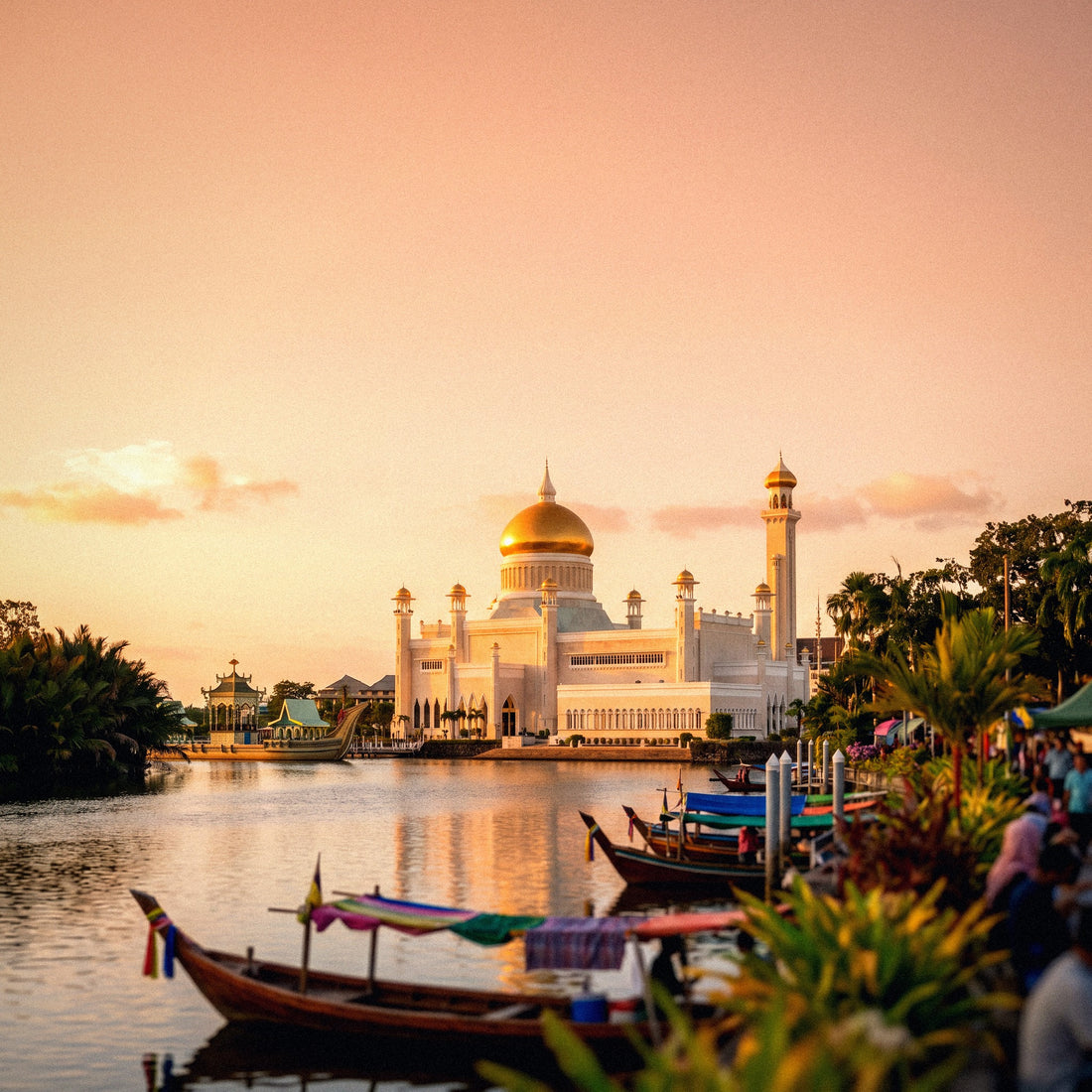
If you've made it this far, it's because you've already decided to get data and you just need to choose the right package size. Let's get straight to the point: I'll tell you how many GB you really need for Brunei, with figures and no exaggeration, because in such a small, well-connected country where almost everyone spends two or three days, the temptation to overbuy is huge.
First, the number: how many GB for Brunei
For a 2 or 3-day stop in Brunei, 1 GB is enough for most people. If you stay five days, take many photos and upload them instantly, count on 3 GB. Only if you're teleworking or sharing your connection with family does it make sense to go over 5 GB.
I know it sounds little compared to what is recommended for other destinations, but Brunei is a rare case in Southeast Asia. It's a tiny country — almost five times smaller than the Community of Madrid — very rich, with a good mobile network in the capital and free Wi-Fi in almost all hotels, shopping centers, and cafes. And, above all, hardly anyone goes to Brunei for long vacations: they enter from Kota Kinabalu or Miri, see the mosques, cross to Kampong Ayer, and leave. Two or three nights.
When the trip is so short, the expensive mistake is not running out of data: it's buying a 10 GB package to use 700 MB. My advice is to start with the smallest tier that gives you peace of mind and top up if necessary, which can be done in two minutes from your phone. If you want the general criteria I apply to any country, you can find it in my guide on how much data I need for traveling; here I go into detail for Brunei.
Why Brunei uses less data than its neighbors
There are three specific reasons, and none of them are marketing.
The first is Wi-Fi. Brunei has a high standard of living, and that's reflected in its infrastructure: hotels in central Bandar Seri Begawan offer free and stable Wi-Fi, and the same goes for large shopping centers and cafes. You'll sleep with Wi-Fi, have breakfast with Wi-Fi, and have dinner with Wi-Fi. All the heavy stuff — uploading the day's camera roll, backups, a video call home — you can do there without touching your data package.
The second is distances. From the airport to the center is about 15 minutes. From the Omar Ali Saifuddien Mosque to the Gadong market, about the same. There are no six-hour bus journeys where you end up watching videos out of boredom, which is where gigabytes are used up in Indonesia or Vietnam.
The third is the country's pace. Brunei is a Muslim sultanate with strict rules: no alcohol is sold, discreet dress is expected, and respect for prayer times and Ramadan is required. I say this without judgment, because it's part of what makes the place special, but it has a practical consequence: there's no nightlife, evenings end early at the hotel, and there you're back under Wi-Fi coverage. If you want the complete overview of how to connect there, I elaborate on it in internet in Brunei.
How much data each application really consumes
Before choosing a number, it's good to know what each thing consumes, because intuition can be very misleading. People think Google Maps eats up data and WhatsApp uses nothing, and it's almost the other way around once videos are involved. These are the figures I use:
| Activity | Approximate Consumption | On a 3-day stopover |
|---|---|---|
| Google Maps navigating | 5 MB per hour | 30-50 MB |
| WhatsApp, text and audio only | 5-10 MB per hour | 50-100 MB |
| Voice call on WhatsApp | 20-30 MB per hour | Depends on how much you talk |
| Video call | Up to 300 MB per hour | Better via hotel Wi-Fi |
| Instagram, browsing feed | Around 220 MB per hour | 200-400 MB |
| Reels and video on Instagram | 600-900 MB per hour | It's the biggest drain |
| TikTok full screen | 900 MB - 1.2 GB per hour | Around 360 MB/h with data saver |
| Uploading 30 photos from phone | 100-150 MB | Kampong Ayer is good for that and more |
| Streaming music | 50-150 MB per hour | Download it before leaving |
| Standard quality video | 500 MB - 1 GB per hour | In 1080p, it goes up to 1.5-3 GB/h |
| Browsing and checking email | 10-25 MB per hour | 100-200 MB |
The takeaway is simple: video is what will define your bill. Maps, messaging, and looking up a restaurant are pennies. If you control the time you spend scrolling through videos, three days in Brunei will comfortably fit within 1 GB. I have a more detailed breakdown in the mobile data usage statistics by activity.
Recommendation by profile and by days
This is the table that really matters. It's calculated for normal use outside of Wi-Fi, which in Brunei is fewer hours than you might imagine. The profiles are the usual ones, and I've allowed myself to be conservative: I'd rather you have 200 MB left over than run out.
| Traveler Profile | 5 days | 10 days | 15 days | 30 days |
|---|---|---|---|---|
| Tourist using maps and WhatsApp | 1 GB | 2 GB | 3 GB | 5 GB |
| Photos and social media | 3 GB | 5 GB | 8 GB | 15 GB |
| Digital nomad or teleworking | 5 GB | 10 GB | 15 GB | 30 GB |
| Family sharing connection | 5 GB | 10 GB | 15 GB | 25 GB |
| Not using hotel Wi-Fi | 5 GB | 8 GB | 12 GB | 20 GB |
Now, the Brunei nuance: almost no one stays five days. The typical stay is two or three nights, so for the map and messaging tourist, the actual column is half of the five-day one, and there the smallest tier available is the correct one. 1 GB will be plenty for that kind of trip, and I say this even though we sell larger packages: I'm not interested in you buying too much and then thinking you were ripped off.
If your case is teleworking, the calculation changes completely: work video calls are the most aggressive consumption there is, and in that case, it's good to have plenty, especially if you're going to connect from a cafe and not from the hotel. You can see the specific sizes available in the description of the eSIM for Brunei.
Day by day: actual consumption for a three-day stopover
I'll break down the classic itinerary, which is practically what everyone does, with what each day consumes. These figures come from adding the activities in the previous table applied to a normal day of visiting, not from a survey or a study: they are an honest estimate so you can see how things stand.
| Day | What you do | Estimated Data |
|---|---|---|
| Day 1 | Arrival, transfer to center, Omar Ali Saifuddien Mosque, first walk | 150-300 MB |
| Day 2 | Kampong Ayer by boat, Jame'Asr Hassanil Bolkiah Mosque, museums, lots of photos | 250-500 MB |
| Day 3 | Excursion to Ulu Temburong, almost all day without coverage | 20-80 MB |
| Total | Three full days | 0.5-0.9 GB |
Look at day 2. Kampong Ayer, the floating village, is toured by boat from the Bandar Seri Begawan jetty and is a pure photographic feast: wooden houses on stilts, reflections in the water, the mosque in the background. That's where people take two hundred photos and upload them immediately. That's the moment of the trip when you use up your megabytes, not the mosques or museums.
And there's a logistical detail that does require data: in Brunei, the international transport applications you use in other countries don't operate, and the local service is requested through its own application, with location activated. It's low consumption, but having a connection when leaving the airport saves you a headache.
Ulu Temburong: the day you won't spend anything
This is the argument that ruins any optimistic calculation by a gigabyte seller. The star excursion in Brunei is Ulu Temburong, the primary jungle in the Temburong district, reached by speedboat through the mangroves. In the deep part of the national park, there is no signal from any operator: the camps rely on very limited Wi-Fi, and for the rest of the day, you are literally disconnected.
For your data, that means zero consumption for eight or ten hours. For your trip, it means two practical things:
- Download the map beforehand. Google Maps allows you to save the area offline from the hotel; do it the night before.
- Download your music and podcasts for the speedboat ride, which is long.
- Let people at home know that you won't be responding that day. It's not that anything's wrong: it's that there's no network.
- Save your photos for the evening, when you return to the hotel's Wi-Fi. Uploading 300 photos from the canopy walkway from the jungle won't work anyway.
A whole day without coverage is not a problem to solve: in Brunei, it's part of the experience. Nobody goes to Ulu Temburong to answer emails.
The same reasoning applies, to a lesser extent, to the boat trip between districts. When planning how many gigabytes to buy, directly subtract the jungle days from the count. On a three-day trip, that's a third of the total.
If Brunei is just a stopover on your Borneo trip
This is the most common scenario of all, and the one that most people miscalculate. Very few people fly to Brunei and back; usually, Brunei is a two or three-day stop on a larger itinerary through Borneo, encompassing Sabah, Sarawak, and perhaps Kalimantan. Or a layover taking advantage of a flight that already stopped there.
If that's your case, stop thinking about "gigabytes for Brunei" and think about gigabytes for the entire trip. A regional package covering Malaysia, Brunei, and Indonesia will be better priced and save you the hassle of changing plans every three days. And pay attention to this: the other parts of Borneo will consume significantly more than Brunei, because there are long road trips, simpler accommodations with weak Wi-Fi, and many more hours spent on your phone.
My rule for a two-week Borneo trip including Brunei: 5 regional GB if you're a map and messaging user, 10 GB if you live on social media or are sharing your connection with someone. Of that total, Brunei will consume less than a gigabyte.
One more thing. If you've never used this type of connection and you're not sure how it works before you take off, check out the explanation of what an eSIM is: it's installed from home, and you arrive in Brunei with data from the moment you land, without looking for stores or counters.
How to know how much data you use
Everything above is an average, and you are not an average. The honest way to get it right is to check your own consumption, and it only takes a minute.
On Android, go to Settings, then Network & Internet or Connections, and look for "Data usage". On iPhone, go to Settings, then Mobile Data, and scroll down to the period summary. You'll see how many GB you've used in the last month with mobile data only, not counting your home Wi-Fi.
Now do the math: divide that total by 30, and you have your real daily consumption. Multiply by the number of travel days, and you have your personal number, much better than any table of mine.
Two corrections to that result, applied to Brunei:
- Subtract 25-30% for hotel Wi-Fi, which is good there and you'll use it much more than at home.
- Subtract the days without coverage, i.e., the Ulu Temburong day.
- Add a little if you know that when traveling you take more photos, more videos, and go live more often than in your normal life. Almost all of us do.
An extra note: in Brunei, English is spoken perfectly normally and signage is clear, so you won't need your camera translator all the time, unlike in China or Japan. That's another consumption you can cross off your forecast.
Tricks to stretch your GB in Brunei
If you've opted for the smaller package and want to make sure it lasts, here's what truly works, ordered from most to least effective:
- Downloaded maps. Save Bandar Seri Begawan and the Temburong district offline. With your phone's GPS, which doesn't use data, you'll still see where you are.
- Backups only via Wi-Fi. This is the number one thing everyone forgets: Google Photos or iCloud uploading your daily camera roll via mobile data can eat up a gigabyte without you realizing it. Set it to "Wi-Fi only" before you leave home.
- Disable automatic video playback on Instagram, TikTok, Facebook, and X. That's where megabytes go without you making any decision.
- Activate the system's Data Saver Mode and for each application. On TikTok, for example, it lowers the quality and significantly reduces consumption.
- Downloaded music and podcasts for the boat ride to Temburong and for travel.
- Upload photos at night from the hotel. You have Wi-Fi, you have time, and the country goes to sleep early.
With these six things, the difference between a traveler who uses 2 GB in three days and one who uses 400 MB is precisely this list, not the destination. I have more ideas in the article on tricks to save data while traveling, but if you only apply the backup and auto-playback tips, you've already done 80% of the work.
What happens if you run out
Well, not much, which is why my advice is always to err on the side of caution. When you run out of data, the plan stops working and you lose mobile connection, but nothing is blocked, and you don't get a surprise bill. You still have hotel Wi-Fi, shopping mall Wi-Fi, and cafe Wi-Fi to sort out what you need.
And from there, you can buy another package in two minutes, without looking for a store, without showing your passport, and without changing anything on your phone. In a country as small and with as much Wi-Fi as Brunei, running out of data in the middle of the street and not being able to fix it at the next corner is practically impossible.
Compare that to the opposite scenario: buying 10 GB for a three-day trip. You spend eight, nine euros more, and the leftover gigabytes go to no one but the seller. It's wasted money, and it's the mistake I see made most often.
My mental process, summarized:
- Buy the tier that covers your estimate, without large buffers.
- Check consumption on the second day. With one day of real travel, you'll know your pace.
- Recharge only if the pace demands it. Usually, it won't.
Running short costs two minutes and the price of the top-up. Going over costs double the package and you don't get it back.
Frequently Asked Questions
Is 1 GB really enough for three days in Brunei?
Yes, for a tourist using maps, messaging, and moderate photos, 1 GB covers three days with room to spare. A classic itinerary consumes between 0.5 and 0.9 GB, and that's assuming you use hotel Wi-Fi at night. If you're a continuous video user, upgrade to 3 GB and be at ease.
Is there coverage in Ulu Temburong?
In the deep jungle of the national park, there is no signal from any operator. Camps have very limited Wi-Fi and little else. Download maps, music, and whatever you need the night before, and assume that you'll be almost completely disconnected that day.
Do I need a VPN in Brunei, and does it consume more data?
For a normal tourist trip, you don't need one. Common apps work; what's blocked is gambling and adult content. If you still use it for privacy, keep in mind that a VPN adds a small overhead due to traffic encryption, in the order of 5-15% depending on the configuration.
Does Google Maps work well in Bandar Seri Begawan?
Yes, in the capital, the mobile network is more than enough for navigation. Real speeds in the city are perfectly ample for maps and messaging. Even so, download the offline area: it covers your journey to the airport, the roads to Temburong, and any temporary signal drops.
Can I use the same package in Malaysia and Brunei?
Yes, if you choose a regional plan that includes both countries. This is the most logical choice when Brunei is a stop within a Borneo itinerary, as it saves you from managing different plans. Always check that Brunei appears in the coverage list before purchasing.
Do I need data to order a taxi?
Yes, and it's one of the few things for which it's convenient to arrive already connected. In Brunei, major international ride-sharing apps don't operate: the local service is used, which works with its own app, activated location, and payment in cash or with a pre-loaded card. It consumes very little, but you need to have it ready before leaving the airport.
Is hotel Wi-Fi good?
Generally, yes, and it's the main reason you'll use less data in Brunei. Hotels in the capital, shopping centers, and cafes offer free and stable Wi-Fi. Large establishments catering to business travelers offer the best connections.
What if I run out of data halfway through my trip?
You can top up from your phone in a couple of minutes. Connect to hotel or cafe Wi-Fi, buy another package, and continue. There are no penalties or surprise bills: the plan simply stops providing service until you recharge it.
Conclusion
Brunei is one of the few destinations where I can honestly tell you to buy the small package. Two or three days, very short distances, Wi-Fi everywhere, a full day in the jungle with no coverage, and a slow pace of travel due to the country's rules. Everything pushes consumption down.
So remember this: 1 GB for a two or three-day stop, 3 GB if you're into photos and social media or extending to five days, and 5 or 10 GB regional if Brunei is just one leg of a longer Borneo trip. If you have data left over, you don't get it back; if you run out, you recharge in two minutes. The math is clear.
Once you've decided, install your eSIM for Brunei before leaving home and land in Bandar Seri Begawan with data from minute one, ready to order a taxi and get to the mosques without wasting time.