If you've already decided to take data with you and the only thing left is to choose the size, this guide is about that: how many GB you need for Belize without overspending or getting stranded on the Caye Caulker dock. Belize is an unusual destination in this regard: you spend hours without coverage —underwater, in the jungle, on a boat— and then you want to upload five minutes of underwater video all at once. These two things pull the number in opposite directions, so here are specific figures per profile and per day.
The short answer: how many GB you need for Belize
For 10 days in Belize, most people will be fine with 5 GB. If you're using maps, WhatsApp, and little else, 2-3 GB will suffice. If you're diving and want to upload video almost daily without waiting for Wi-Fi, go up to 10-15 GB. For remote work, count 20 GB.
Such a wide range isn't due to laziness: in Belize, consumption depends almost entirely on a single decision, whether or not to upload heavy material from your phone. A trip involving cayes, ruins, and dinners in San Pedro is surprisingly cheap on data, because for much of the day you're in places where there's nothing to consume. An identical trip where you also post a daily reel of the Great Blue Hole can multiply your data usage by five.
My criterion, after seeing many similar trips, is this: buy for your normal use, not for your dream use. People calculate thinking about the day they'll record nurse sharks in Shark Ray Alley and forget that on the other eight days they'll open Google Maps three times and reply to their guide on WhatsApp. If you want to fine-tune the general number before delving into the specifics of Belize, I have a parent guide on how much data you need for travel that provides the framework; here we get down to specifics, where the numbers change.
Why Belize uses less data than you might imagine
Belize has a combination of factors that work in your favor financially. The first and most obvious: the official language is English. You don't need a camera translator pointing at a menu every time you sit down, which is one of the biggest data drains in Asia. In the interior and northern villages, a lot of Spanish is also spoken, so as a Spanish-speaking traveler, you can manage practically without translation apps.
The second: there is no ride-sharing app ecosystem like Uber. In Belize, you get around by golf cart on the cayes, by street taxi, by bus, and, most importantly, by boat. Ferry tickets between Belize City, Caye Caulker, and San Pedro are bought at the ticket office or online once; you're not constantly glued to an app ordering cars. This removes a constant background data consumption that weighs quite heavily in other destinations.
The third: for much of the day, you can't use your phone even if you want to. Two dives on the reef mean four or five hours with your phone kept dry. A trip to Caracol means hours on a dirt road within the Chiquibul reserve. Tubing through the caves of Actun Tunichil Muknal doesn't even allow a camera. All of this is time that in another country you'd be scrolling, but here you're not.
Add to that the fact that almost all accommodations, restaurants, and dive schools have Wi-Fi. It's slow and sometimes drops, but it's sufficient for messaging and email.
Underwater video: what really drives up consumption
This is the real reason someone runs out of data in Belize. You come back from the Blue Hole with 40 photos and eight minutes of GoPro footage, and if you let your phone upload that to the cloud or post it uncompressed, you'll eat up your entire data plan in one afternoon. The numbers are frightening when you see them together:
| What you upload | Approximate size | Comment |
|---|---|---|
| Mobile photo (12 MP) | 3-5 MB | 40 photos from a diving day: ~150-200 MB |
| Uncompressed camera/GoPro photo | 8-12 MB | Increases significantly if auto-backup is enabled |
| 1 minute of mobile 1080p video | 60-100 MB | Reasonable format for sharing |
| 1 minute of mobile 4K video | 170-200 MB | With modern HEVC codec |
| 1 minute of GoPro 4K video | 350-500 MB | Can exceed 700 MB in 4K/60 |
| 30-second compressed reel or story | 15-40 MB | App recompresses before sending |
| 3-min video via WhatsApp | 30-60 MB | WhatsApp compresses quite a bit |
The practical takeaway is simple: posting one reel a day costs less than 1 GB for the whole week, but uploading raw GoPro footage can cost 5 GB in a single day. These are completely different scenarios, and the difference lies in a setting, not in your travel style.
My advice: leave automatic backup for Wi-Fi only and edit on your phone before publishing. A well-trimmed 30-second clip looks better on Instagram than three minutes of raw footage, and it costs you twenty times less data.
How much each app consumes, in real MB
These are the figures I use for my calculations. They are average values from real usage, not laboratory tests, and are perfectly suitable for estimating a trip:
| Activity | Consumption | On a trip to Belize |
|---|---|---|
| Google Maps navigating | 3-5 MB/hour | Minimal; with offline maps, almost zero |
| WhatsApp text and photos | 10-20 MB/day | This is the channel for talking to guides and hotels |
| WhatsApp voice call | 20-30 MB/hour | Cheap; use it freely |
| WhatsApp video call | 300-480 MB/hour | Half an hour a day is already 150-240 MB |
| Instagram (scrolling) | 600-900 MB/hour | The invisible expense in the hammock |
| TikTok (scrolling) | 900 MB-1.2 GB/hour | The most expensive thing you can do with your phone |
| YouTube at 480p | 250-300 MB/hour | At 1080p, it goes up to 1-1.5 GB/hour |
| Music streaming | 40-70 MB/hour | Download it before your flight and it's 0 MB |
| Email and web browsing | 10-20 MB/hour | Insignificant unless working remotely |
| Work video call (Zoom/Meet) | 800 MB-1.2 GB/hour | The big data guzzler for the digital nomad |
Notice the contrast: navigating with Google Maps for an entire week costs less than two minutes of scrolling on TikTok. That's why it annoys me when someone buys 20 GB "just in case for maps." Maps aren't the problem; video is. If you like to see these figures broken down in more detail, I've compiled them in mobile data usage statistics by activity, which I use as a reference for all these calculations.
The best rule of thumb for me: add 50 MB per day for "normal life" (messaging, maps, a couple of searches) and then separately add whatever video you're going to watch or upload. That second sum is what determines your package.
Where you use data in Belize and where you don't use any
Belize does not have uniform coverage. There are two main mobile operators, and their network works well in towns and tourist areas, but it fades once you go into the jungle or out to sea. This is good for your data plan: hours without signal are hours without consumption.
| Area | What you'll find | Impact on your GB |
|---|---|---|
| San Pedro (Ambergris Caye) | Decent 4G in town and resort strip; gets saturated at peak times | High: this is where you'll use your phone the most |
| Caye Caulker | Usable signal in town and at the Split; patchy elsewhere | Medium |
| Small cayes and atolls | You depend on resort Wi-Fi, often satellite-based | Low, but very slow Wi-Fi |
| Boat trips between cayes | Intermittent signal, with long cuts | Almost none |
| Blue Hole and diving trips | Hours on a boat far from shore, phone stored away | Zero |
| San Ignacio and the interior | Good coverage in town | Medium |
| Caracol and Xunantunich | Dirt road and jungle; no reliable signal | Zero |
| Placencia and Hopkins | Reasonable coverage in the urban core | Medium |
Translated: a classic seven-day itinerary easily gives you three or four days with almost no data consumption. That's why I insist so much on not inflating your data package. What is advisable is to download the map of Belize offline before leaving your hotel, because the country is small and fits entirely into a modest offline download. If you want the complete picture of how to connect there (options, operators, and what to expect from the network), I cover it in the guide to internet in Belize.
Recommendation by profile and duration (the key table)
This is the table I'm here to give you. It's calculated with the figures above, assuming you'll sleep in places with Wi-Fi and account for Belize's typical coverage gaps:
| Profile | 5 days | 10 days | 15 days | 30 days |
|---|---|---|---|---|
| Tourist using maps and WhatsApp | 1 GB | 2-3 GB | 3-5 GB | 5-8 GB |
| Photos and social media (normal use) | 3 GB | 5 GB | 8 GB | 15 GB |
| Diving and video, uploads content daily | 8 GB | 15 GB | 20 GB | 40 GB |
| Digital nomad / remote work | 10 GB | 20 GB | 30 GB | 50 GB or unlimited |
| Family sharing a single plan | 5 GB | 10 GB | 15 GB | 25 GB |
Two important nuances. First: if two people are traveling, a plan per phone is almost always better than a large shared plan via hotspot, because sharing internet drains the battery enormously and there are occasional power outages in Belize. Second: if your trip is 7 days, don't look for the exact 7-day package; take the 10-day one with the GB from the 10-day column and you'll avoid anxiety on the last day.
I'd much rather you buy 5 GB and top up if you run short, than buy 20 GB and return home with 14 unused. Unused gigabytes are not refunded by anyone.
If you're hesitating between two adjacent sizes, stick with the smaller one: topping up on the fly takes minutes and you only pay for what you actually need. All the details on specific plans and coverage for the country can be found in the guide to eSIM for Belize.
Borders: network hopping in Chetumal and Tikal
Almost no one goes to Belize alone. The typical route is Mexico (Chetumal or Bacalar) → Belize → Guatemala (Tikal, Flores), or some variation. And here's a technical detail worth understanding before buying: a Belize data plan works in Belize, not in neighboring countries. As soon as you cross the Santa Elena border into Melchor de Mencos, or the Corozal border into Chetumal, your phone connects to a Guatemalan or Mexican network, and your Belizean plan stops providing service.
There's an extra nuance that confuses many people: in border areas, your phone hops networks before you even cross. In Corozal and Benque Viejo del Carmen, it's common for your phone to connect to a tower on the other side without you even realizing it. So, if you're crossing, it's better to do so with the correct country's plan already active, rather than relying on "I'm still in Belize."
The sensible options are two:
- Regional plan covering Mexico, Belize, and Guatemala: less management, a single package for the entire route, ideal if you'll cross more than once.
- One plan per country: usually cheaper per gigabyte in euros if you're staying several days in each, but you'll have to activate each one at the right time.
My criterion: if Belize is 7-10 days of a 20-day trip, go for a plan per country. If you make a quick day trip to Tikal and come back, don't complicate things: there's hardly any coverage inside the park in Tikal, and the hotel will provide Wi-Fi.
How to know your real consumption before flying
Everything above is an average. Your exact number is already in your pocket, you just need to look it up. It's the most honest trick I can give you, and it costs nothing:
- On Android: Settings → Network & Internet → SIM / Data usage. You'll see the month's consumption and a breakdown by app.
- On iPhone: Settings → Cellular. Scroll down to the app list; it's a good idea to reset statistics on the 1st of a month to get a clean reading.
Take a full month's consumption, divide it by 30, and you'll have your daily average. But don't apply it as is: at home, you have Wi-Fi at work and in the living room, but not when traveling. My adjustment is this: multiply that daily average by 1.5 and subtract the video you watch at home at night, because in Belize at that time you'll be eating dinner or sleeping, not watching series.
Real example to make it clear. If you use 6 GB per month, your average is 200 MB per day. Multiplied by 1.5, that's 300 MB daily, and for ten days, that's 3 GB. Rounding up just in case, 5 GB for ten days in Belize. Which is exactly what the table in the previous section says, so the method works.
A warning: if you're someone who watches a lot of video using data because you have an unlimited plan, your monthly average won't serve as a reference; it will be an inflated number. In that case, only look at your consumption for maps, messaging, and browsing, and then separately add whatever video you decide to watch during the trip.
Stretching your gigabytes and what to do if you run short
With four adjustments made before boarding, the same trip can cost you half the data:
- Download the offline map of Belize in Google Maps. The entire country takes up little space, and GPS works without data.
- Backups only via Wi-Fi: Google Photos, iCloud, and Drive upload your diving videos without asking. This is the number one cause of surprises.
- Disable auto-play for video on Instagram, Facebook, and X.
- Lower video quality to 480p on YouTube and activate the system's data-saving mode.
- Download music, podcasts, and series before leaving: boat waits are long and boring.
I have a complete review of these settings, step-by-step and by operating system, in the article on how to save data on your travel eSIM.
What if you still run out of data halfway through your trip? It's not a big deal. To top up, all you need to do is buy another package and activate it, and for that, the Wi-Fi at your hotel, restaurant, or dive shop is sufficient, as there are plenty of them on every corner in San Pedro and Caye Caulker. Running short can be fixed in five minutes; overspending can never be fixed, because that money is already gone.
That's why my recommendation is always to go for less. Buy the package that covers your realistic usage, and if on the third day you see that you're using more data than expected, you can always top up. It's cheaper and causes fewer headaches than the opposite approach.
Frequently Asked Questions
How many GB do I need for 7 days in Belize?
For a week in Belize, 3 GB is more than enough for a normal traveler using maps, WhatsApp, and some social media. If you dive and want to upload videos daily without waiting for Wi-Fi, aim for 8-10 GB. With 1 GB, it's also possible if you only use messaging and offline maps.
Can I rely on hotel Wi-Fi in the cayes?
For messaging and email, yes; for uploading video, no. Many accommodations on the small cayes rely on satellite connections or shared links, with slow speeds and disconnections. In San Pedro and Caye Caulker, the Wi-Fi at bars and hotels is decent, but it gets saturated at night when everyone connects at once.
Is there coverage in the Great Blue Hole and at the Mayan ruins?
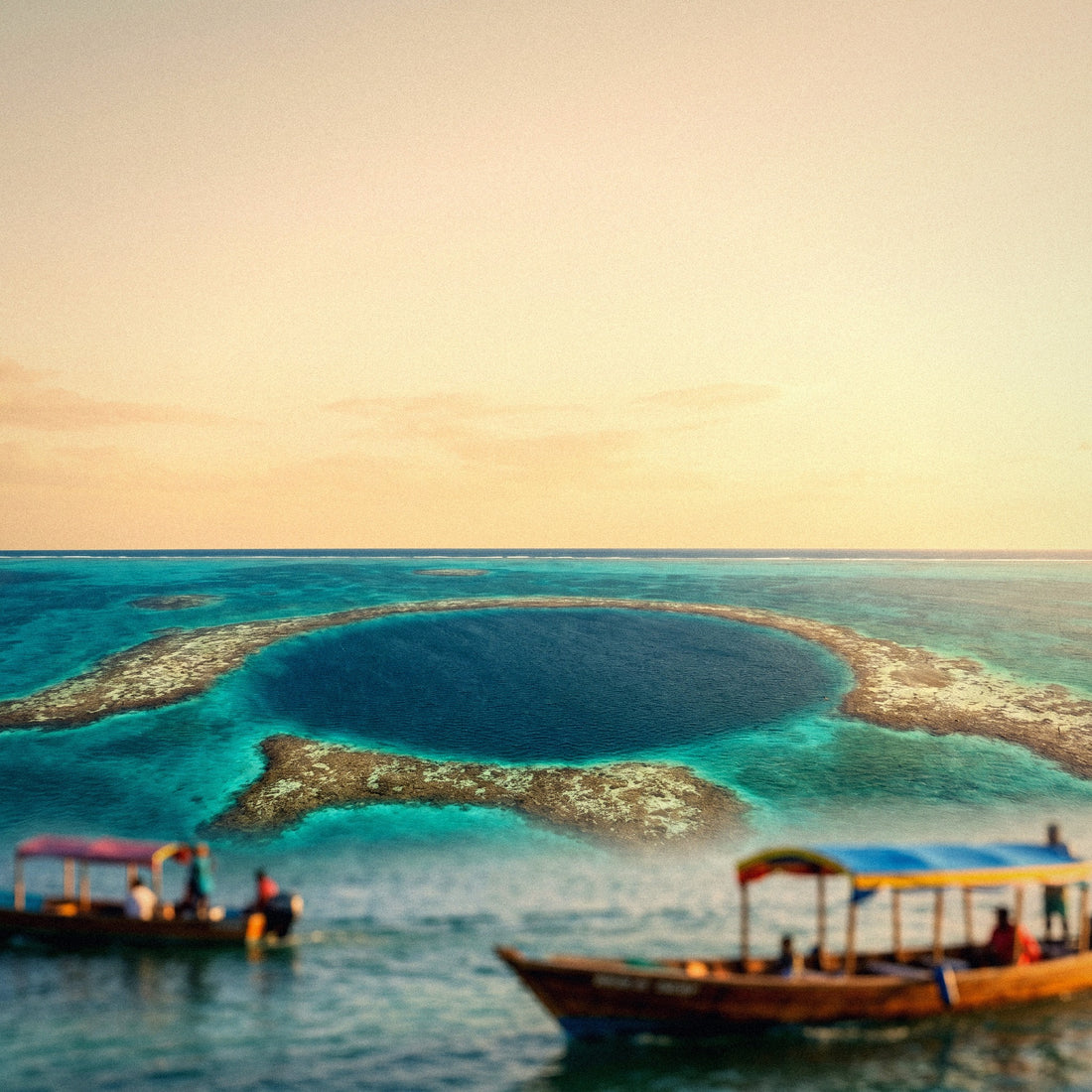
No, and that's good news for your gigabytes. The Blue Hole is more than two hours by boat from the coast, and there's no mobile signal there. In Caracol, within the Chiquibul reserve, don't expect reliable coverage either; in Xunantunich, being near Benque, there's a bit more luck but it's inconsistent.
Does my Belize plan work in Tikal or Chetumal?
No: when you cross the border, you switch networks and need coverage from that country. Guatemala and Mexico have different networks. If your route includes all three countries, either buy a regional plan that covers them, or buy one per country and activate it when you cross. Be careful, near the border your phone might switch networks prematurely.
What happens if I run out of data halfway through my trip?
You top up and continue, in five minutes. You'll need a temporary Wi-Fi connection to buy the new package, and you can find that at any hotel, restaurant, or dive shop in San Pedro, Caye Caulker, San Ignacio, or Placencia. That's why I always say it's better to run short than to overspend.
Can I share data with my partner or family?
Yes, by tethering from your phone, but it uses a lot of battery. It works well for a short period. For an entire trip with two people, it's usually better to have a plan on each phone: you avoid relying on a single mobile and ensuring that mobile is always charged, which is rarely guaranteed in the cayes.
Do I need more data for recording underwater video?
Only if you upload it uncompressed from your phone. Recording doesn't consume anything; uploading does. One minute of GoPro in 4K weighs between 350 and 500 MB. Edit a short clip and publish it from the app, which recompresses it: a 30-second reel is around 15-40 MB, about twenty times less.
Do unused GB carry over to another trip?
No: plans have a validity period, and any unused data expires with it. This is exactly why I insist on not overbuying. If this is your first time with this technology and you want to understand how activation and validity work, I explain it in what is an eSIM.
Conclusion
In short: 5 GB for ten days in Belize is sufficient for the vast majority. With 2-3 GB, you'll be fine if you mostly use maps and messaging, and you'll only need 10-15 GB if you plan to upload diving videos almost every day. Belize offers many hours without coverage—underwater, in the jungle, on the boat—and those hours are gigabytes you don't use.
If your route crosses into Mexico or Guatemala, decide beforehand whether a regional plan or a plan per country is worth it for you, and activate it before reaching the border to avoid being caught without service when you need it most. And save backups for hotel Wi-Fi: it's the only adjustment that truly changes your data bill in this destination.
When you're clear on that, choose your size and stop worrying: here's the eSIM for Belize, with activation before leaving home and the option to top up if you run short halfway through your trip.