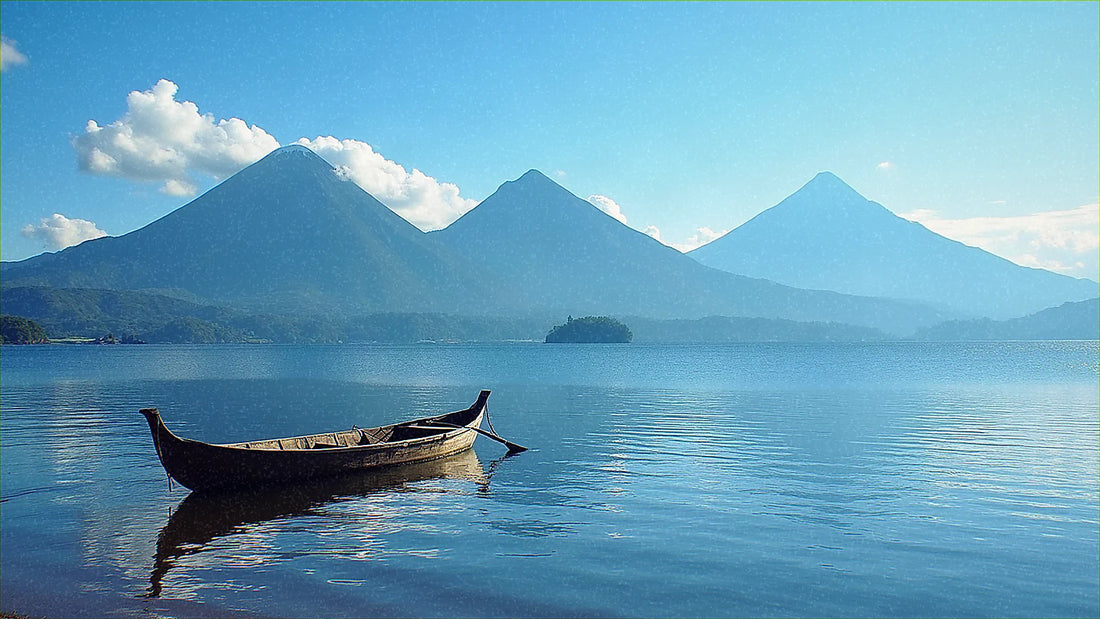
If you've already decided to get data for Guatemala and all you need to know is how many GB to buy, you've come to the right place. Guatemala has a precious peculiarity for your wallet: half of the classic route takes place in places where, simply put, you won't be able to use data even if you wanted to. Here's the number, the table by profile, and the exact stretches where your phone will go silent.
The short answer: the number for Guatemala
For 10 days on the classic route through Guatemala —Antigua, Lake Atitlán, Chichicastenango, Semuc Champey, and Tikal—, most people will find 5 GB to be more than enough. If you primarily use maps and WhatsApp, 3 GB will get you through the trip without stress. If you work or upload videos daily, plan for 15 GB.
I didn't invent that number or inflate it to sell you a bigger package. It comes from three very specific things about this country: there's decent and free Wi-Fi in almost all cafes in Antigua and Panajachel, there are two or three days of the itinerary where your phone won't get a signal, and the apps that a traveler truly uses in Guatemala (maps, WhatsApp, the camera) are the ones that consume the least data.
Before continuing, here are three assumptions upon which this entire guide is built. If any of them don't fit you, adjust upwards:
- You use Wi-Fi when you sleep. Backups, updates, and long calls go over your hotel or hostel Wi-Fi, not your data.
- You don't watch series with mobile data. One HD episode consumes more gigabytes than three entire days of maps.
- You travel with downloaded maps. A phone navigating without an offline cache on the road to Lanquín consumes three times more data and works half as well.
If you want the general framework before diving into the Guatemalan specifics, in the master guide on how much data you need for travel I explain the logic I apply to all destinations. Here I focus on what's specific to Guatemala, which is where the real insight lies.
Why Guatemala uses less data than you expect
Most travelers overbuy for Guatemala out of a reasonable fear: "it's Central America, surely the coverage is bad and I'll be relying on data all the time." The reality is just the opposite in terms of consumption: coverage is decent where you're staying and poor where you're on an excursion, and that means you spend less, not more.
Claro and Tigo provide good 4G coverage in Guatemala City, Antigua, the main highway, Panajachel, Xela, and Flores, which is sufficient for everything. However, as soon as you enter the Petén jungle, the pools of Semuc Champey, or climb a volcano, your phone will lose signal. A day without coverage is a day with zero consumption, no matter how much you wanted to upload that reel.
The second factor is Wi-Fi. Antigua is probably the city in Central America with the most specialty coffee shops per square meter, and almost all of them have free and usable Wi-Fi. Panajachel and San Pedro La Laguna are similar, with a scene of nomads and students that has pushed locals to provide good connectivity. This means your two main bases for the trip are Wi-Fi bases.
The third is cultural: in Guatemala, a lot is done via WhatsApp —hostels, shuttles, tours, guides— and text and audio WhatsApp is one of the cheapest things in terms of data. You don't need heavy taxi apps or a constantly-on camera translator like in Asia. If you want details on operators, speeds, and connection options, I break it down in the internet in Guatemala guide.

How much data each app actually uses
Here's the table that resolves 90% of your doubts. These are real consumption figures, measured under normal travel conditions; they vary with network quality and each app's settings, but the order of magnitude is reliable and allows you to do your own calculations without relying on anyone else.
| Activity | Approximate Consumption | On a typical day in Guatemala |
|---|---|---|
| Maps with navigation (Google Maps) | 3-5 MB/hour | 15-30 MB |
| WhatsApp: text, photos, and audio | 1-3 MB/hour of use | 20-40 MB |
| WhatsApp voice call | ~1 MB/minute | 20-60 MB |
| Video call | 5-12 MB/minute (300-700 MB/hour) | 150-400 MB |
| Instagram or TikTok (video scroll) | ~700 MB/hour | 350-700 MB |
| Upload photos to the cloud | 3-5 MB per photo | 300-500 MB if you upload 100 |
| Upload a reel or short video | 30-80 MB per piece | 60-240 MB |
| Streaming music (normal quality) | 40-70 MB/hour | 80-200 MB |
| HD video (YouTube, Netflix) | 500 MB - 1 GB/hour | Avoid with data |
| Web, email, and hotel search | 10-25 MB/hour | 50-100 MB |
Read the table with this key: what consumes data is not the app, it's the video. Maps, WhatsApp, and web browsing together won't reach 150 MB a day, even if you try. On the other hand, half an hour of Instagram on the boat from Panajachel to San Marcos will gobble up 350 MB in one go. That's the entire difference between needing 3 GB or needing 15 GB. If you like numerical detail, I have a broader breakdown in the article on mobile data usage statistics by activity.
How many GB depending on your profile and number of days
This is the table that matters. Find the row that best matches you, the column for your number of days, and you'll have your number. These are calculated taking into account days without coverage on the classic route and with Wi-Fi at night, which is how 95% of people traveling to Guatemala travel.
| Profile | 5 days | 10 days | 15 days | 30 days |
|---|---|---|---|---|
| Map and WhatsApp tourist | 1 GB | 3 GB | 5 GB | 8 GB |
| Photos and social media (daily uploads) | 3 GB | 5 GB | 8 GB | 15 GB |
| Digital nomad / remote work | 8 GB | 15 GB | 20 GB | 40 GB or unlimited |
| Family sharing one phone | 5 GB | 10 GB | 15 GB | 25 GB |
Some honest clarifications about these figures:
- The map and WhatsApp tourist will have plenty with 3 GB in 10 days. If that's you, don't buy 10 GB "just in case": you'll return home with 7 unused.
- The digital nomad is the only profile that needs large numbers, and mainly because of video calls. A daily one-hour meeting alone is 6-10 GB per month.
- Family sharing assumes one phone acting as a hotspot for two or three devices with light usage. If children watch videos on the shuttle, add 2-3 GB per week.
- If you're only going to Antigua and Atitlán, without Semuc or Petén, step up one level: you'll have coverage every day and the temptation to use it.
And a golden rule I always repeat: it's better to run short and top up than to have too much. Topping up takes two minutes from your phone; unused gigabytes don't come back.
The classic route, section by section
Guatemala is almost always explored in the same order, and each section has a distinct consumption profile. This table is what truly makes this destination unique: it tells you where you will spend data and where you won't so you don't buy blindly.
| Area | Mobile Coverage | Wi-Fi Available | Expected Consumption |
|---|---|---|---|
| Guatemala City and airport | Solid 4G/5G | Yes, airport and hotels | High |
| Antigua | Good 4G throughout the historic center | Excellent: cafes everywhere | Low (uses Wi-Fi) |
| Acatenango Volcano (climb) | Patchy at the bottom, none at the top | No | Almost zero |
| Lake Atitlán: Panajachel | Decent 4G | Very good in cafes and hotels | Low-medium |
| Lake villages and boats | Patchy, drops on the water | Only in accommodations | Medium |
| Chichicastenango (market) | Acceptable in the center | Scarce | Medium |
| Xela (Quetzaltenango) | Good 4G | Good in cafes and schools | Low |
| Mountain roads and shuttles | Intermittent | No | Medium-high |
| Lanquín and Semuc Champey | Practically none | Slow and sometimes paid | Almost zero |
| Flores and Flores Island | Good 4G | Yes, hotels and restaurants | Medium |
| Tikal National Park | No coverage inside | Only in hotels at the entrance | Zero |
| Río Dulce and Livingston | Patchy | In accommodations | Low-medium |
Notice the pattern: the three most photogenic moments of the trip —Tikal, Semuc, and the Acatenango sunrise— are precisely the three moments with zero consumption. Guatemala forces you to disconnect right when you'd most want to show off, and that, in gigabytes, makes a big difference.
Tikal: the day you'll hardly spend any data
This is the most useful piece of information in the entire article and one that almost no one tells you: there is no mobile coverage inside Tikal National Park. It's not that it's bad or intermittent: there are no antennas within the enclosure, because they are not allowed to be installed so as not to alter the archaeological site or the reserve. You will spend between six and ten hours with your phone in camera mode and nothing else.
The same applies to much of the Petén jungle surrounding the park and the road leading there from Flores. If your plan includes sunrise at Temple IV, expect that from the moment you leave the hotel until you return, there will be no signal. Your 200 photos and videos of howler monkeys will stay on your camera roll, waiting for evening Wi-Fi.
How to prepare for that day to avoid problems:
- Download the map of Petén and Flores in Google Maps the night before, using Wi-Fi. Inside the park, your phone's GPS works without data and will locate you on the trails.
- Save your ticket, tour time, and guide's contact as a screenshot. If they're in an email you haven't opened, you won't be able to open them there.
- Notify home the night before that you'll be unreachable all day. It's the message that saves the most grief on the entire trip.
- Download music or a podcast for the journey: it's almost two hours round trip from Flores.
The practical consequence in terms of gigabytes is direct: a 10-day trip including Tikal and Semuc effectively has 7 or 8 days of actual consumption. That's why the numbers in the profile table are lower than you might expect for two weeks in a faraway country.

Acatenango: the problem is the battery, not the gigabytes
The climb to Acatenango to see Fuego spitting lava at night is, for many people, the highlight of the trip. And it's also where the phone is used the most: photos, videos, time-lapses, flashlight. The trap is that none of that consumes data, and all of it consumes battery.
Up at the campsite, over 3,700 meters high, there's no reliable signal. You might catch something briefly on the way up, but at base camp and the summit, it's normal to have nothing. So in terms of gigabytes, the night on Acatenango costs you zero. In terms of battery, however, it can cost you your entire phone: the cold of the early morning at that altitude drains lithium batteries with surprising ease, and with the signal constantly searching for a network it can't find, consumption skyrockets.
What I do and recommend:
- Put your phone in airplane mode from the start of the trail. Without a network to search for, the battery lasts twice as long, and photos work just the same.
- Bring an external battery of at least 10,000 mAh, and sleep with it and your phone inside your sleeping bag. Body heat saves charges.
- Lower the brightness and deactivate automatic photo uploads before you leave. If your phone tries to sync 300 photos with one bar of signal, it will die.
- Record less video than you think you need: 4K at 60 fps eats up battery and storage, and then it's incredibly heavy to upload.
You'll come down with your phone at 15% and your gallery full. All of that can be uploaded that same night from your hostel's Wi-Fi in Antigua, without touching a single megabyte of your plan.
Long stays: Spanish schools in Antigua and Xela
Guatemala is one of the world's favorite destinations for studying Spanish, and that creates a very specific traveler profile: two, four, or even eight weeks in Antigua or Xela, almost always with a host family and classes in the morning. If that's you, your calculations change considerably compared to the typical tourist.
The good news: you're staying in a city with good coverage and Wi-Fi everywhere —the school usually has it, the host family almost always does, and the cafes in Antigua and Xela are excellent impromptu offices. The bad news: you call home much more, and that's where the gigabytes go.
| Usage during a long stay | Estimated monthly consumption |
|---|---|
| Maps, WhatsApp, and web outside home | 1-2 GB |
| 30 min daily video call home | 5-8 GB |
| Uncontrolled social media with data | 10-15 GB |
| Music on the street and bus | 1-2 GB |
The rule for long stays is simple: if you make video calls over Wi-Fi, 8 GB per month is more than enough. If you make them over data, go up to 20 GB and don't think twice.
A practical note: Spanish school weekends often involve excursions to Atitlán, Pacaya, or the Georginas hot springs. You will spend data there, as these are days of maps, photos, and coordinating via WhatsApp. Budget about 300-500 MB per weekend getaway and you'll be covered.
Calculate your actual consumption before flying
Everything above is an average. The only number that won't fail is yours, and you have it in your pocket right now. Before buying anything, take two minutes to check how much you actually spend in a normal month.
On an iPhone: Settings → Cellular/Mobile Data, and scroll down to the app breakdown. Note that the counter there accumulates since the last time you reset it, so check the "last reset statistics" date to know how many days it corresponds to. On Android: Settings → Network & internet → Mobile network → App data usage, and choose the last full month period.
With that number, the extrapolation is straightforward:
- Divide your monthly consumption by 30 to get your actual daily average.
- Subtract between 30% and 50%: at home, you consume things that you will use via Wi-Fi in Guatemala, and you have office days with many hours of data that you won't have there.
- Multiply it by your travel days and add a 20% buffer for unforeseen circumstances.
Real example, to make it clear: you spend 12 GB per month in Spain, which is 400 MB per day. You subtract 40% because on your trip you'll sleep with Wi-Fi and won't watch videos on the subway: 240 MB per day. For 10 days that's 2.4 GB, plus a 20% buffer, almost 3 GB. And there it is: the same figure that the profile table gave you for a normal tourist. When your account and the table match, you can buy with confidence.
And if your result is very high—12 or 15 GB for ten days—it's not that the table is wrong: it's that you watch a lot of videos. Perfect, buy accordingly, but do it knowing why.
How to stretch your data in Guatemala
With four adjustments that are made once and then not touched again, most travelers reduce their consumption by almost half. And in Guatemala, they work especially well because the Wi-Fi at the bases is good.
- Offline maps, always. Download the areas of Antigua, Atitlán, Cobán-Lanquín, Flores-Tikal, and Guatemala City in Google Maps. That's about 300 MB over Wi-Fi that saves you data and trouble where there's no network.
- Data saver mode activated. On Android, it's in the network settings; on iPhone, within the mobile data options. It cuts off background synchronization, which is the invisible drip that empties your plan.
- Backups only via Wi-Fi. Google Photos and iCloud automatically upload your photos. With 300 photos a day from Tikal, that's more than 1 GB. Let it wait until night.
- Disable auto-play video on Instagram, TikTok, X, and Facebook. This is, by far, the setting that saves the most gigabytes.
- Lower video and music quality to standard while traveling. On your phone screen, and on the bus to Lanquín, you won't notice the difference.
- Download the night before what you'll need: journey podcasts, tickets, reservations, the episode for the six-hour shuttle.
A tip that trumps all others: in Guatemala, the good connection is where you sleep and the bad connection is where you go on excursions. Prepare what you'll need the night before, and you'll spend almost nothing.
I have a longer list with more detailed tricks in the guide on how to save mobile data while traveling, if you want to squeeze every last megabyte.
If you run out (and if you continue to Mexico or Belize)
Running out of data halfway through a trip sounds dramatic, but it's not. When you exhaust your plan, your phone simply stops having internet: there are no surprise charges, no unexpected bills, nothing else happens. You top up from any Wi-Fi—the hotel's, the cafe's—and in two minutes you're connected again.
That's why I insist so much on not overbuying. The gigabytes you don't use are not refunded or saved for the next trip; the ones you need can be bought on the spot from anywhere with Wi-Fi. The asymmetry is clear: running short costs two minutes, overbuying costs money.
And then there's Guatemala as part of a larger puzzle. Almost no one goes only to Guatemala: it's combined with Mexico (Chiapas, Palenque, Yucatán) or with Belize (Caye Ambergris, San Ignacio), and often with all three in the same month. There, the decision about gigabytes gets a bit more complicated:
- If it's 4-5 days in Guatemala within a three-week trip, don't buy a plan just for Guatemala: you'll want a regional plan that covers all three countries with a single balance.
- If Guatemala is the bulk of the trip and you only cross into Belize for two days to dive, a Guatemala plan and relying on Wi-Fi for those two days is better.
- Be careful with land crossings: between Flores and Belize or between Huehuetenango and Mexico there are long stretches with no coverage from anywhere, so download the map and save your documents as screenshots.
If all this talk about managing data plans by country sounds like gibberish to you, start with the basics: what an eSIM is and how it works, I'll explain it without technical jargon in what an eSIM is, and you'll understand it in five minutes.
Frequently Asked Questions
How many GB do I need for 10 days in Guatemala?
5 GB is sufficient for the vast majority of travelers. If you only use maps and WhatsApp, 3 GB is more than enough; if you upload photos and videos daily to social media, aim for 8 GB. The classic route includes days without coverage, which significantly lowers the average, so there's no need to overbuy.
Is there mobile coverage in Tikal?
No, there is no coverage inside Tikal National Park. Antennas are not allowed within the enclosure to preserve the archaeological site and reserve, so you will spend the entire day without a signal. Download the map the night before, save tickets and contacts as screenshots, and let people at home know you will be unreachable.
What about Semuc Champey?
Virtually nonexistent. Lanquín and the Semuc Champey pools are among the worst-connected areas in the country. Some hostels offer slow and sometimes paid Wi-Fi, but expect to be disconnected for two days. This is great news for your data plan: zero consumption.
Is 3 GB enough if I only go to Antigua and Lake Atitlán?
Yes, 3 GB is more than enough for a week between Antigua and Atitlán. These are the two areas with the most and best free Wi-Fi in Guatemala: cafes, hotels, and schools. Your data will only come into play for maps, WhatsApp, and some social media use on the street or on the boat.
Can I share my data with my partner or family?
Yes, by activating your phone's hotspot. This is the most practical way to travel as a couple or family: one plan with more gigabytes on one phone and the others connecting to it when needed. For two people for ten days, 10 GB shared provides plenty of leeway.
I'm going for a month to a Spanish school, how many GB?
Between 8 and 20 GB depending on how you call home. If you make video calls from the school's or host family's Wi-Fi, 8 GB per month is plenty. If you call for half an hour daily using mobile data, increase to 20 GB: video calls are the only thing that significantly increases consumption.
What happens if I run out of data halfway through my trip?
You simply lose mobile internet, with no charges or surprises. Find a Wi-Fi—at the hotel or any cafe in Antigua or Flores—and top up in a couple of minutes. That's why I always recommend running short rather than overspending: topping up is easy, but you can't get gigabytes back.
Do I need more data if I also go to Mexico or Belize?
It depends on how many days you spend in each country. If Guatemala is just one stop on a long trip through Central America, a regional plan with a single balance is better than three separate plans. If Guatemala is the bulk of the trip, buy for Guatemala and use Wi-Fi for short crossings.
Conclusion
In summary, without beating around the bush: for 10 days on a classic route through Guatemala, 5 GB. If you mainly use maps and WhatsApp, 3 GB is more than enough. If you work remotely or make video calls daily, 15 GB. And if your trip is for a month with a Spanish school in Antigua or Xela, 8 GB, relying on Wi-Fi for long calls.
Guatemala is one of the few destinations where I can honestly tell you to buy little. Between the excellent Wi-Fi in Antigua and Panajachel and the days of absolute silence in Tikal, Semuc, and Acatenango, this country forces you to consume less than you would at home. Prepare your offline maps, download what you'll need the night before, and enjoy those days without a signal—they're part of the journey.
Once you've decided, here you can choose your data plan for Guatemala and activate it before leaving home, so you land at La Aurora already connected. And if you prefer to see all the options and coverage in the country first, the full comparison is in the guide to eSIM for Guatemala.