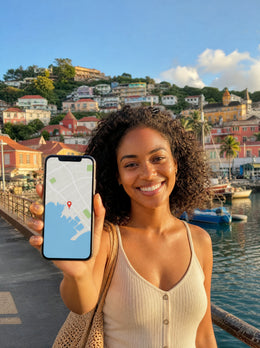
First and foremost, the most important disclaimer in this article: here I am talking about Grenada in the Caribbean, the island of Grenada, with its capital in Saint George's, not Granada of the Alhambra. If your trip is to Andalusia, this text is useless to you. If, however, you are going to the Spice Isle, to swim in Grand Anse and dive among the sculptures of Molinere, keep reading: I'll tell you how many GB you need for the real Grenada, without inflating the number to sell you a more expensive package.
The short answer: how many GB for 7-10 days
For 10 days in Grenada, the Caribbean island, most people will be fine with 3 GB: maps, WhatsApp, and some social media, with hotel Wi-Fi as backup. If you upload videos from the sculpture park daily, expect 10 GB; if you work remotely from the island, expect 20 GB.
That's the figure, and I'm not going to hide behind a thousand nuances. A typical trip to Grenada lasts between 7 and 10 days, is based in a hotel or apartment in the Grand Anse area, and is combined with half-day excursions. This means many hours on the beach, on a boat, or in the water, and those hours do not consume data because your phone is put away.
A realistic breakdown of those 3 GB for ten days:
- 600-900 MB for WhatsApp and messaging, including a few voice calls home.
- 300-500 MB for maps and navigation, if you don't download the map beforehand (if you do, it drops to less than 100 MB).
- 800 MB-1.2 GB for social media during downtime: airport, taxi, terrace.
- 300-500 MB for photos uploaded to the cloud, email, news, and miscellaneous queries.
If your profile doesn't fit that, jump straight to the table by profile and duration. And if you're still deciding on the size before looking at destinations, I have a general guide on how much data you need for travel, which works for any country.
Grenada (Caribbean) is not Granada (Spain): what island is this
I insist because it's the most expensive mistake in this article. There are two "Granadas" and they share a name in Spanish: the Andalusian city and the Caribbean country which in English is called Grenada. If you buy data for the wrong country, your phone won't connect, and you'll find out just as you land, which is the worst possible time.
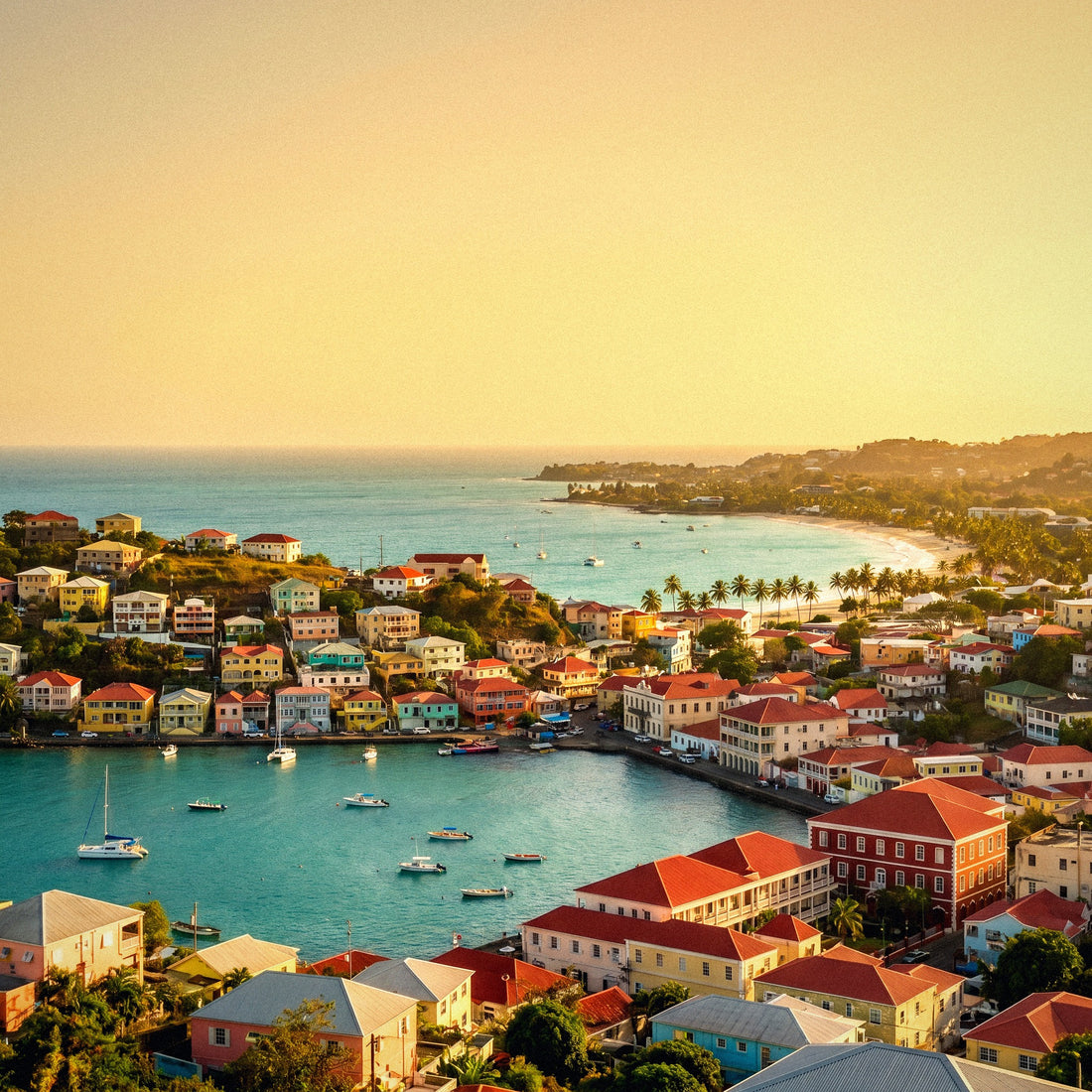
The Grenada in this article is an independent country in the southern Caribbean, north of Trinidad and Venezuela. It covers about 344 km², its capital is Saint George's—that horseshoe-shaped harbor with colorful houses that appears in all the photos—and it forms a single state with its sister islands Carriacou and Petite Martinique. It's called the Spice Isle because historically it has been one of the world's largest producers of nutmeg, which even appears on its flag.
How to tell in two seconds if it's your Grenada:
- If you fly to Maurice Bishop Airport (GND), with a stopover in London, Paris, New York, or Barbados: this is it.
- If your plan includes Grand Anse, Molinere, Annandale, or Carriacou: this is it.
- If your plan includes the Alhambra, the Albaicín, or Sierra Nevada: close this tab, you're in the wrong article.
Also pay attention to the practical side: a data plan for Grenada-country covers the Caribbean country, not Spain. And vice versa. If you also want to understand how to connect there—options, local networks, what to avoid—I explain that in detail in internet in Grenada. Here we continue with the gigabytes.
What really uses data, with figures
The feeling of "my data is draining on its own" almost always comes from two or three specific apps. The rest is noise. This table uses actual average mobile consumption, not computer consumption, and is useful for any destination, although I'll apply it to Grenada below.
| Activity | Approximate Consumption | In 10 days of travel |
|---|---|---|
| WhatsApp, messages and occasional photos | 5-20 MB per day | 50-200 MB |
| Voice call via WhatsApp | 0.5-1 MB per minute | 60-120 MB (2 h in total) |
| Video call | 5-12 MB per minute | 300-700 MB (1 h in total) |
| Maps with live navigation | 3-5 MB per hour | 60-150 MB |
| Offline downloaded maps | Almost 0 MB (download: 50-150 MB) | Less than 100 MB |
| Instagram or TikTok scrolling | 250-700 MB per hour | 1-4 GB if you spend 30 min daily |
| Upload 20 photos to the cloud | 60-100 MB | 600 MB-1 GB (daily) |
| Upload a 1-minute video in 1080p | 60-150 MB | 1-3 GB if you upload 2 daily |
| Streaming video at 480p | 250-350 MB per hour | Careful: it skyrockets |
| Streaming video at 1080p | 1.5-2.5 GB per hour | Only via Wi-Fi |
| Streaming music (normal quality) | 40-80 MB per hour | 400-800 MB |
| Browsing, email, and news | 10-25 MB per hour | 200-400 MB |
The takeaway is clear: text and maps won't break the bank, but video will. A single high-quality episode of a show consumes more data than your entire week of WhatsApp and navigation combined. If you want the extended figures and by app, I have them detailed in the data usage statistics by activity.
The important table: GB per profile and duration
This is the table you're looking for. It's calculated assuming what actually happens in Grenada: decent Wi-Fi at the accommodation and many hours a day without touching your phone, because you're in the water. If your hotel doesn't have Wi-Fi or you plan to ignore it, move up a tier.
| Profile | 5 days | 10 days | 15 days | 30 days |
|---|---|---|---|---|
| Tourist (maps and WhatsApp) | 1 GB | 2-3 GB | 3-5 GB | 5-8 GB |
| Photos and social media (daily stories) | 3 GB | 5 GB | 8 GB | 15 GB |
| Diving and video (uploading Molinere clips) | 5 GB | 10 GB | 15 GB | 25-30 GB |
| Digital nomad / remote work | 10 GB | 20 GB | 30 GB | 50 GB |
| Family sharing (2 adults + 2 children) | 5 GB | 10 GB | 15 GB | 25 GB |
Three caveats for proper interpretation:
- The "family" profile assumes that only one phone shares data via hotspot and that critical family members watch videos only on the hotel's Wi-Fi. If you let them watch YouTube in the car, multiply by two.
- The "digital nomad" profile includes work video calls, which are the most expensive of all: an hour-long meeting can use 500-900 MB.
- The "diving and video" profile is specific to Grenada. Returning from the sculpture park with twenty GoPro clips and uploading them without thinking is the fastest way to burn through a small data package.
My rule of thumb: choose the profile you think you are and stick to the lower end of the range. If you go over, you can top up in five minutes from the beach. No one has ever returned from a trip happy about having bought too many gigabytes.
Why Grenada changes the number
Each destination alters the figure for different reasons. In Grenada, there are four factors that increase it and three that decrease it, and it's important to understand them before deciding.
What increases consumption:
- Underwater video. Molinere is the island's big magnet: over a hundred sculptures by Jason deCaires Taylor just a few meters deep, visible with a snorkel. Everyone leaves with footage and wants to share it. That's where the gigabytes go.
- Journeys. The island is small, but the roads are narrow and slow; you'll spend quite a bit of time as a passenger looking at your phone.
- Excursion logistics. Booking the boat, talking to the guide on WhatsApp, checking ferry schedules to Carriacou, looking for a restaurant in Saint George's.
- Video calls home due to the time difference: when your day ends, it's early morning in Spain, so calls are concentrated in a few windows and tend to be long.
What decreases it: there are many hours on the beach, at waterfalls, and on boats with your phone put away; Wi-Fi in accommodations and restaurants in the tourist area works reasonably well; and the main excursions—Grand Anse, Annandale, the nutmeg trail—don't require staring at a screen. In a country where you have to translate signs or deal with taxi apps, consumption skyrockets; in Grenada, English is spoken and you walk or take pre-arranged taxis, so that extra expense doesn't exist.
Coverage and Wi-Fi zone by zone
Mobile coverage in Grenada is better than many people expect from a small island: there's 4G throughout the inhabited strip and the Saint George's and Grand Anse area is well covered. Gaps are found in the mountainous interior and in some parts of Carriacou. This table gives you a mental map.
| Area | Mobile Coverage | Wi-Fi | What to do |
|---|---|---|---|
| Saint George's and The Carenage | Good, stable 4G | In cafes and restaurants | Normal use without fear |
| Grand Anse and Morne Rouge | Best on the island | Hotels and beach bars | Do large uploads here |
| Maurice Bishop Airport (GND) | Good | Yes | Activate plan before takeoff |
| Interior: Grand Etang, jungle | Irregular, with dead zones | Practically none | Downloaded map mandatory |
| Annandale and waterfalls | Variable depending on the ravine | No | Don't count on uploading video there |
| Molinere Bay (by boat) | Connects from the coast | No | Upload photos upon return |
| Carriacou (Hillsborough, Tyrrel Bay) | 4G in towns, weak on remote beaches | In accommodations | Same country plan, no extras |
| Cruise out of port | No terrestrial network | Ship's (paid) | Airplane mode and wait |
That last point deserves a serious warning. If you arrive in Grenada by cruise, as soon as the ship leaves port, your mobile can connect to the maritime satellite network, which is billed separately at exorbitant prices. Keep your mobile in airplane mode while sailing and activate it when you set foot on land in Saint George's. And if the itinerary includes several islands, a single country plan won't work: look for a regional Caribbean one. Configuration details are in the eSIM for Grenada guide.
How to calculate your real consumption before you leave
All of the above are averages. Your actual number is on your own mobile and it takes two minutes to find it, so do it before buying anything.
On Android: Settings → Network & internet → Data usage (or "SIMs" depending on the brand), and check the usage for the last 30 days. On iPhone: Settings → Mobile Data, scroll down to "Current Period"; it's a good idea to reset statistics on the 1st of the month to get clean data.
Now, translate that number to your trip. The key is that at home, you use Wi-Fi many more hours than you think, and on a trip too: you'll sleep somewhere with Wi-Fi, you'll eat in places with Wi-Fi. But you'll spend more time out. The conversion I use, already adjusted for a beach trip like this:
| Your monthly home consumption | Estimated daily travel consumption | For 10 days in Grenada |
|---|---|---|
| Less than 2 GB per month | 100-150 MB per day | 2 GB is plenty |
| 2-5 GB per month | 200-350 MB per day | 3-5 GB |
| 5-15 GB per month | 400-700 MB per day | 5-8 GB |
| 15-30 GB per month | 0.8-1.2 GB per day | 10-12 GB |
| More than 30 GB per month | 1.5-2 GB per day | 15-20 GB |
If the number from the table and the number from your profile don't match, follow the higher of the two only if you're someone who doesn't think about data. If you usually monitor it, stick with the lower one: in Grenada, you'll be in the water, not watching series.
How to stretch your data on the island
With a few adjustments made before leaving home, consumption drops so much that you can almost always buy a smaller package. It's not magic; it's stopping your phone from doing things behind your back.
- Download the Grenada map offline using your home Wi-Fi. It takes up little space and virtually eliminates all navigation data usage, in addition to saving you in Grand Etang, where the signal fails.
- Backups only over Wi-Fi. This is the most data-saving tip: by default, Google Photos or iCloud can upload every photo and video as soon as you take them. Disable this for mobile data and let it upload overnight at the hotel.
- Activate Data Saver Mode (Android) or Low Data Mode (iPhone). This slows down pre-loads, background updates, and automatic video quality.
- Turn off automatic video playback on Instagram, TikTok, Facebook, and X. This is what causes 15 minutes of scrolling to consume 200 MB without you consciously watching anything.
- Download music, podcasts, and series before you leave. A long flight with a layover offers plenty of time, and consumption done at home is consumption you don't pay for abroad.
And a very simple habit that works by itself: do large uploads at the end of the day, once you're back at your accommodation, with Wi-Fi. Photos from Molinere will look just as good uploaded at nine at night as at eleven in the morning. I have more tips, including those for sharing across multiple devices, in the guide on how to save data while traveling.
If you run short (and why it's better that way)
Running out of data sounds like a disaster, but it's not. When your data package is used up, you simply stop browsing: there's no surprise bill, no overage charges, nothing happens. You still have the hotel Wi-Fi to reorganize, and within minutes you can add more data if you need it.
Going overboard, on the other hand, is wasted money. Travel data packages have an expiration date, so unused gigabytes don't carry over. Buying 20 GB "just in case" for ten days at the beach is, in practice, paying three times more to use five.
I much prefer you buy 3 GB and top up once than buy 20 GB and return home with 15 untouched. The first costs you a few extra euros if it happens; the second costs you much more, certainly and upfront.
To avoid unpleasant surprises, three habits:
- Check your usage on the third day. After 72 hours of travel, you'll know your real pace. Multiply by the remaining days and you'll know if you're cutting it close.
- Set an alert in your phone's settings at 80% of your plan. This way, you'll know before you run out, not after.
- Save Wi-Fi for heavy tasks. If you're running low, move uploads and updates to your accommodation and you'll last longer without needing to top up.
The only case where it's advisable to have extra data is for remote work: if you have meetings scheduled on your calendar, don't play with margins and buy the next tier. A dropped video call costs more than a few gigabytes.
Frequently Asked Questions
Is this guide about Granada (Andalusia) or the island of Grenada in the Caribbean?
The Caribbean country, Grenada in English, with its capital in Saint George's. It has nothing to do with the Spanish city of the Alhambra. They share a name in Spanish, which is why many people end up here by mistake, or worse: they buy data for the wrong country. If your destination is Andalusia, you need a plan for Spain or the European Union.
How many GB do I need for 7 days in Grenada?
2 GB is usually sufficient for a normal week-long trip if you use maps, WhatsApp, and some social media, relying on your accommodation's Wi-Fi. If you upload photos and videos daily, plan for 3-5 GB. Only go above that if you're working remotely from there or if you're someone who watches videos on the beach.
Does the same plan work for Carriacou and Petite Martinique?
Yes: they are part of the same country, so the Grenada plan covers them. Coverage changes, not the plan. In Hillsborough and Tyrrel Bay you'll have 4G without a problem; on isolated beaches and on the ferry journey, the signal comes and goes. This is another reason to have the map downloaded if you're renting something with wheels there.
What if Grenada is just a stop on my cruise?
Then you need coverage for all stops, not just Grenada. A single-country plan will keep you connected for the hours you spend ashore in Saint George's and nothing more. Furthermore, as soon as the ship leaves port, your phone might connect to the cruise ship's satellite network, which is billed separately and is extremely expensive: airplane mode while sailing.
Will I have coverage to upload videos of the underwater sculpture park?
From the boat or the beach, yes; underwater, obviously not. Molinere Bay is right on the west coast and gets a reasonable signal. Even so, my advice is not to upload anything there: a one-minute 1080p video is between 60 and 150 MB per clip, and there are many clips. Upload them at night with Wi-Fi.
Can I share data with my partner or children?
Yes, with your phone's hotspot, and it's usually more cost-effective than a plan per person. Budget about 10 GB for ten days for a family of four, provided the children's video streaming goes over the hotel's Wi-Fi. If everyone is going to be using their phone all day, a plan per person is better.
Do I need data if I rent a car and have the map downloaded?
With an offline map, you can navigate without data, but you still need a connection for other things. Your phone's GPS works without coverage. What doesn't work without data is real-time traffic, searching for a new place, notifying your accommodation that you'll be late, or resolving a flat tire. That's why even the most austere profile doesn't go below 1 GB.
How does buying data before traveling work?
The plan is installed on your phone from home and activated upon landing. There's no need to find a store in Saint George's or change your physical SIM card, so your usual number remains available for bank SMS. If you've never done it before, I explain it step-by-step in what an eSIM is.
Conclusion
To summarize directly, and always referring to the Caribbean island: for a normal 7-10 day trip to Grenada, 2-3 GB will be more than enough. Increase to 5 GB if you upload photos and stories daily, to 10 GB if you're sharing with family or coming out of the water with your camera full of Molinere video, and to 20 GB only if you're truly teleworking from there.
Download the map before you leave, save backups for the hotel Wi-Fi, and check your usage on the third day. With that, you'll reach the end of your trip with plenty of data, and if not, you can top up in five minutes from your lounge chair. Once you've decided, the plan is installed from home and activated upon landing: here's the eSIM for Grenada (Caribbean), with coverage also in Carriacou and Petite Martinique.