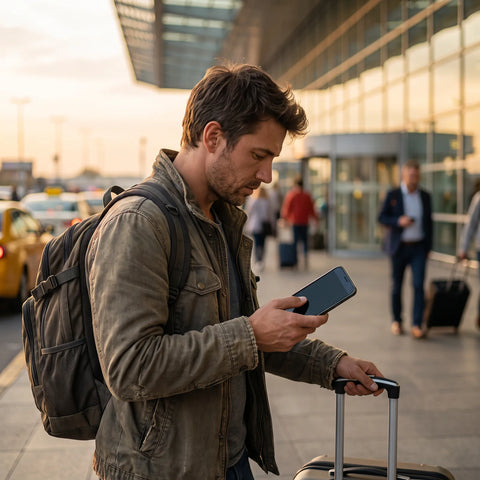
What is an eSIM and how does it work?
An eSIM is a chip integrated into the phone's circuit board that performs the same function as a physical SIM, but without the plastic card: instead of inserting it, you scan a QR code or install a digital profile, and your line becomes active. The result is the same as with a traditional SIM; only the way it reaches your device changes.
The word "eSIM" comes from "embedded SIM." The physical chip is already soldered inside the phone from the factory; all the operator does—whether BAIT, any other Mexican company, or an international provider—is send you an activation file (the profile) that is stored inside. That's why you can't "see" or touch an eSIM: it doesn't exist as an object; it exists as information.
This technology is already present in most mid-range and high-end phones launched from 2019-2020 onwards, and it coexists without problems with the physical SIM in dual-slot models: you can have a physical SIM for one line and an eSIM for another, both working simultaneously. This detail is more relevant than it seems, and we'll revisit it later, as it completely changes how to best manage connectivity when traveling.
How to get an eSIM on BAIT?
The general procedure to activate an eSIM with any Mexican operator, BAIT included, follows four steps: confirm that your phone is compatible, request the eSIM profile through the operator's app or point of sale, scan the QR code provided, and wait for the line to become active. This is the skeleton of the process for virtually any company offering eSIM in Mexico.
What does vary from one operator to another—and why you won't find it the same in two different articles—are the fine details: whether the process can only be done through the app, if you need to visit a physical point of sale, if it applies to new lines, portability, or both, and what documentation is required. Since these processes change over time and depend on the internal decisions of each company, the most reliable approach is to confirm directly through BAIT's official channels (their app or customer service) before proceeding, rather than relying on a generic guide that might be outdated.
If you've never used an eSIM and want to understand the basics before requesting it, it's advisable to review what an eSIM is and how to install it step-by-step in this installation guide.
How much does an eSIM cost on BAIT?
There isn't a single, stable figure that can be published as "the price" of an eSIM on BAIT: Mexican operators frequently adjust their promotions, activation costs, and conditions based on the plan you choose, and a figure written today could be obsolete in weeks. Any number you see online without a consultation date should make you doubt it, not trust it more.
It's reasonable to check the updated cost directly on BAIT's app or official website before deciding, because that's where the current price is reflected in real-time. What can be generally stated, and applies to most operators offering eSIM in Mexico, is that changing from a physical SIM to an eSIM (or activating a new line in eSIM format) rarely costs more than an equivalent physical SIM; it's usually tied to the plan you contract, not the technology itself.
The case of an eSIM intended for traveling outside Mexico is different; it doesn't replace your local line but is purchased separately to use data at your destination: that is a completely different product and price, which we address later in this article.

How can I convert my physical SIM to eSIM?
Converting a physical SIM to an eSIM means, in practice, deactivating the plastic chip and activating a digital profile for the same line or number in its place. The typical process, with minor variations depending on the operator, is as follows:
| Step | What it entails |
|---|---|
| 1. Check compatibility | Confirm that your phone model and operating system version support eSIM. |
| 2. Request the change | Request it in the operator's app or at a service point, indicating that you want to switch from physical SIM to eSIM. |
| 3. Receive the profile | The operator generates a unique QR code (or activation link) for your line. |
| 4. Scan and install | From your phone settings, add a new cellular plan and scan the QR. |
| 5. Confirm activation | The physical SIM is automatically deactivated, and the line starts working via eSIM. |
A point often overlooked: the activation QR can usually only be scanned once. If you close it without completing the installation or change phones afterwards, you almost always have to ask the operator for a new code, because the previous one has been invalidated for security reasons. It's advisable to do the entire process at once, with a good Wi-Fi connection and without rushing.
If your phone doesn't appear on the operator's compatibility list, you can check the general list of eSIM-compatible phones to confirm if the problem is with the device or the process.
What are the disadvantages of an eSIM?
The eSIM is not superior in all respects to the physical SIM; it has real limitations that should be known before switching, especially since some of them are irreversible once the line is activated.
| Situation | Physical SIM | eSIM |
|---|---|---|
| Changing phones | You remove the card and insert it into the new device in seconds. | You need to generate a new profile with the operator; it's not "transferred" manually. |
| Damaged or stolen phone | You retrieve the physical card and reinsert it into another device. | Depends on the operator reissuing the activation profile. |
| Old or very low-end devices | Compatible with practically any phone. | Only works on models that include it from the factory. |
| Dual line on the same phone | Requires devices with dual physical or hybrid slots. | Usually coexists with a physical SIM or another eSIM without extra hardware. |
| Reselling the phone | You take the card with you without further ado. | You must delete the profile before selling the device. |
The eSIM is not "better" or "worse" than the physical SIM in general: it's better for those who value the flexibility of changing providers without going to a store, and it's a hassle for those who change phones often or need to move their line between devices frequently.
You can see the rest of the comparison, with more details on coverage and portability, in eSIM vs. physical SIM, and if you already have an eSIM installed and it's not working, there are concrete solutions in common eSIM problems and how to resolve them.
Local eSIM vs. International eSIM: the difference nobody explains to you
This is where most people searching for "eSIM in BAIT" actually encounter two different products without realizing it. A local eSIM, like the one you would activate with BAIT or any Mexican operator, is tied to a Mexican cell phone number, a monthly plan, and network coverage within Mexico. It serves your daily needs: calls, messages, and data with your usual number.
An international eSIM or "travel eSIM" is something else: it usually doesn't come with its own phone number or voice line, but rather a data package that works in one or more countries outside of Mexico. It doesn't replace your BAIT line, doesn't change your number, and doesn't require portability. It's purchased separately, specifically for the time you'll be abroad, and ceases to be relevant as soon as you return.
Here's the detail almost no one mentions: since the eSIM doesn't occupy a physical slot, you can have your BAIT eSIM (or SIM) installed and, at the same time, a travel eSIM on the same phone, without deactivating either. With dual mode activated, your BAIT number continues to receive calls and SMS verification codes from your banks or apps, while the mobile data you actually use to browse at your destination runs through the travel eSIM, avoiding roaming. There's no need to choose between one and the other.
What happens to your BAIT eSIM if you leave Mexico?
When you cross the border with your BAIT line active, that eSIM technically continues to work, but it becomes dependent on the international roaming agreements the operator has with companies in the country where you are. In practice, this usually translates into data rates outside your usual plan, more limited coverage than that of a local operator at the destination, and—in some countries—the need to manually activate roaming before you leave.
This is not a defect of BAIT in particular: it's how international roaming generally works with any originating operator. That's why many people who travel end up looking for an alternative that doesn't depend on these operator agreements, but rather on buying data directly for the destination country, activated as a second eSIM without touching the main line.
You can review how traditional roaming compares to this alternative in eSIM vs. international roaming, including when one is more convenient than the other.

How a travel eSIM works (with a real example)
Imagine you are traveling from Mexico City to Bogotá for a week, for work or vacation. Before leaving, instead of leaving your local line's roaming activated and waiting to see what rate you get charged, you purchase a data eSIM for Colombia online. The provider sends you a QR code by email. While still in Mexico, with Wi-Fi, you scan it and the profile is installed—but inactive—on your phone.
Upon landing in Bogotá, you activate that eSIM from your phone's settings (or it activates automatically, depending on the provider) and start having mobile data with local Colombian coverage, without touching your Mexican line. Your BAIT number remains installed on the same phone: if someone calls you or you receive an SMS verification code, it still arrives normally, while everything that involves browsing, using maps, or sending messages over the internet runs through the travel eSIM. When you return to Mexico, you simply stop using that profile; there's no need to actively cancel anything or pay anyone in advance for a service you won't be using anymore.
That is, in essence, the difference between "having an eSIM" in general and specifically having an eSIM designed for travel: the first replaces a line, the second solves a specific data need in a particular destination.
How to activate a travel eSIM before leaving
| Aspect | International roaming (with your local line) | Travel eSIM (separate data package) |
|---|---|---|
| Phone number | The same as always | Does not come with its own number; it's data only |
| Depends on | Agreements between your operator and the local operator of the destination | The provider from whom you purchased the data package |
| Activation | Sometimes automatic, sometimes needs to be activated with your operator before traveling | Purchased and installed before leaving; activated upon arrival |
| Your local line meanwhile | Is the same one you use for everything | Remains installed separately; receives calls and SMS normally |
To activate a travel eSIM, the recommended order is: first, buy it a few days before your trip, not at the airport without Wi-Fi. Second, install the profile (scan the QR) while you still have reliable Wi-Fi, even if you don't activate it yet. Third, leave it in "installed but inactive" mode until you land, so you don't waste validity while still in Mexico. And fourth, activate it at your destination and select its mobile data as the primary data line, leaving your local line only for calls and SMS.
A travel eSIM provider like PuraSIM offers coverage in more than 200 destinations, with activation in approximately 1 minute once you arrive, up to 180 days from purchase to activate it when you need it, and 24/7 support in all languages via email and WhatsApp if something doesn't work as expected.
Frequently Asked Questions
Does BAIT have eSIM in Mexico?
BAIT is a Mexican mobile operator and, like a good portion of companies in the sector, offers the eSIM option in addition to the traditional physical SIM. The exact requirements and availability by plan type should be confirmed directly with their official channels, as these details change over time.
Can I use my BAIT eSIM in another country?
Technically, yes, through international roaming, but that implies relying on your operator's agreements with companies in the country you are in, with rates and coverage that are usually less convenient than those of a local line in the destination. That's why many people prefer a separate travel eSIM just for the days they are abroad.
Which phones are compatible with eSIM?
Most mid-range and high-end models launched from 2019-2020 onwards include it, but it varies by brand and specific model. Before requesting it, it's advisable to check the complete list of compatible phones mentioned earlier in this article to confirm your exact device.
Can I have two active eSIMs at the same time?
On phones that support dual SIM, yes: you can have your local eSIM and a travel eSIM installed and active at the same time, each serving a different function (main line and data at destination, for example). The limit of stored and simultaneously active profiles depends on the phone model.
What happens if I lose my phone with an eSIM installed?
Unlike a physical SIM, you cannot remove the chip and put it in another device. You must contact the operator who provided you with that eSIM so they can generate a new activation profile for the replacement phone.
Does a travel eSIM replace my BAIT line?
No. A typical travel eSIM only provides mobile data for the destination, without its own phone number. Your BAIT line remains installed on the same phone and continues to receive calls and SMS normally while you use the travel eSIM for browsing.
Do I need Wi-Fi to activate an eSIM?
To install the profile (scan the QR), it's advisable to have stable Wi-Fi or data, so it's best to do it before traveling. The final activation, once the profile is installed, usually no longer requires Wi-Fi.
How long does a travel eSIM remain installed before needing to be used?
It depends on the provider. In the case of PuraSIM, you have up to 180 days from purchase to activate it, which allows you to buy it in advance and activate it just when you land, without rush.
Conclusion
If you were looking to understand how the eSIM works on BAIT for your everyday line in Mexico, the recommendation is simple: confirm the process and current cost directly with BAIT, because these details change, and no external guide will always have them updated. But if behind that search there was actually a different question—what to do with mobile data when leaving the country—the answer is not with your local operator, but with a separate travel eSIM, which activates in minutes and doesn't affect your main line.
To take that next step without getting lost in theory, the definitive eSIM travel guide summarizes the entire process from start to finish, and the international eSIM collection lets you see at a glance which destinations are available and choose the one that corresponds to your next trip.