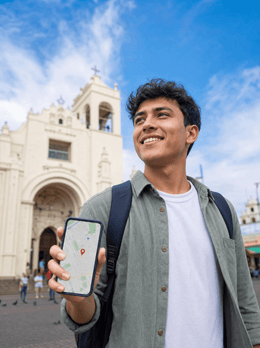
If you're planning a trip to El Salvador—surfing on the coast, coffee in the mountains, and that unique blend of beach and adventure—there's one practical detail worth sorting before you fly: how to get internet in El Salvador without overpaying or getting stranded hunting for signal. In this guide I compare, straight up, every way to stay connected—from your regular carrier's roaming to a local Salvadoran SIM—so you can choose wisely and leave the airport already connected with your map running.
How connection works in El Salvador
El Salvador is a small country and surprisingly easy to get around, and that shows in the connectivity too: distances are short and tourist areas are well covered. One thing you'll like is that the country has been dollarized since 2001, so you pay everything in US dollars, including any card or top-up, with no currency headaches.
The mobile network is split mainly between two carriers: Tigo (which absorbed Movistar) and Claro. Between them they cover San Salvador, the Pacific surf coast and the Ruta de las Flores towns really well, with solid 4G and 5G already showing up in the capital. Where it gets patchy is in deep mountain areas and the winding coffee-country roads.
My opening advice: separate two decisions. One is how you connect—roaming, Wi-Fi, local SIM or eSIM—which sets your price and convenience. The other is where you'll be each day, which decides whether you'll have good signal. It's worth planning your connection before you pack so you're not improvising fresh off the plane. With that mental map you'll dodge the two typical traveller surprises: a bloated bill when you get home and the classic "I've got nothing here" on a mountain road.
Four ways to stay connected
To get internet in El Salvador you have four paths: roaming from your regular carrier, Wi-Fi at hotels and hostels, a local Salvadoran SIM bought with your passport, or an eSIM you activate before you travel. eSIM is usually the most practical; local SIM is cheapest for longer stays.
Each has its moment, which is why I break them into four very different paths instead of selling you just one. Before I dig into the detail, here's a quick snapshot so you can see at a glance where each option fits based on how many days you're staying, your budget and how keen you are to deal with paperwork.
| Option | Rough cost | Convenience | Best for |
|---|---|---|---|
| Roaming from your carrier | High (per MB or bundles) | Zero admin | Very short trips |
| Hotel/hostel Wi-Fi | Free | Only at your accommodation | Occasional use |
| Local Salvadoran SIM | Low (SIM from ~$2–5) | Needs passport and a shop | Longer stays |
| Travel eSIM | Mid-low | Activates itself | Most travellers |
None is "the best" in the abstract: it depends on how many days you're staying, whether you're travelling solo or with others, and how much coverage you need outside the main tourist routes. In the sections below I break down all four with real prices and the fine print.

Roaming with your regular carrier
First important heads-up: El Salvador is not part of the European Union, so the "roam like home" rate you use in France or Portugal doesn't apply here. As soon as your phone connects to a Salvadoran network, you're on international roaming rates, which for many Spanish carriers means paying per megabyte at prices ranging, depending on the company, from several euros per MB to daily packages that eat through your budget in a couple of days.
The only real upside is convenience: you land, turn on your phone, and it works without touching a thing. But that convenience comes at a cost, and often it's the surprise bill when you get back home that pushes people to look for alternatives. Before you rely on it, call your carrier and ask the exact price outside the EU, no beating around the bush.
If you're still considering it, check the temporary travel passes some carriers sell for "zone 2" or "rest of the world": sometimes they work for two or three days. To understand how all this is calculated, check out my guide on how much international roaming costs, and if you want a direct head-to-head, my comparison of eSIM vs. roaming lays out the numbers.
Wi-Fi at hotels, hostels, and cafés
Free Wi-Fi is your ally for anything that isn't urgent. The surfer hostels in El Tunco and El Zonte, hotels in San Salvador, and plenty of specialty coffee shops in the capital and along the Ruta de las Flores offer decent Wi-Fi. For uploading photos, making video calls at night, or finalizing plans for the next day, using the hostel Wi-Fi in the evening is more than enough and costs nothing.
The problem shows up when you leave your accommodation. Wi-Fi doesn't come with you on the road, on the beach when you want to check the surf report, or when you need the map to find a hidden entrance. And in some coastal hostels the connection is slow and shared among many guests, so don't count on it for serious work.
Another downside is security: on open networks, it's best not to enter banking details without a VPN. My advice is to treat Wi-Fi as a complement, never as your only connection. If you want to see why portable Wi-Fi doesn't fully solve the issue either, take a look at my comparison of eSIM vs. pocket Wi-Fi, where I explain the hassle of batteries and deposits.
Local Salvadoran SIM: Tigo and Claro
A local SIM is the cheapest option if you're staying many days or using a lot of data. The two major carriers are Tigo, with the best national coverage —including the surf coast and the Ruta de las Flores—, and Claro, very reliable in San Salvador though a bit weaker on 4G in rural areas. As a price reference, Tigo typically offers packages of 8 GB for around $8 or 25 GB for around $20 per month, and Claro is around 8 GB for $9.
The catch is the paperwork. By law, you have to register the SIM with your passport, so you'll need to queue up with your passport in hand at an official store. You'll find them at San Salvador Airport (Óscar Arnulfo Romero), in shopping malls, and even in shops around the Bitcoin Beach area. The SIM costs a few dollars and top-ups start low, but you'll have to manage with the carrier's app and the registration process.
If you're traveling for a month or living very locally, it's worth it. For a one- or two-week tourist trip, many people prefer to skip the paperwork. I compare it in detail in my article on eSIM vs. local SIM so you can see when each one makes sense.
The eSIM, my recommended option
For the vast majority of trips to El Salvador, my recommendation is a data eSIM. It's a digital SIM you buy online, receive by email, and install by scanning a QR: you can activate it from your sofa at home a few days before you fly and land in San Salvador already connected, with no need to hunt for shops or register anything with your passport. If you've never used one, my guide on what an eSIM is walks you through it step by step.
The advantages are clear. You keep your regular number active in your phone's physical SIM slot (for bank texts or calls), while data runs on the digital line. No plastic to lose, no deposit, and if you choose well, you'll connect to the network with the best coverage in the area. The only requirement is that your phone is compatible—something almost all models from recent years meet.
The honest trade-off: for very long stays and huge data use, a local rechargeable SIM can work out a bit cheaper per GB. But when you add up the convenience, no paperwork, and not depending on a shop, it wins for the average traveller. You'll find all the fine print in my eSIM guide for El Salvador.

Real coverage by area
This is the section most people skip and then regret. The good news for El Salvador is that the areas where you'll move around as a tourist are, in general, well covered: you'll have more than enough signal in the capital and across most of the coast. San Salvador has smooth 4G and rolling out 5G, and the big beach destinations handle daily use well.
Where you should dial back expectations is in the mountains: the coffee region of the Flowers Route works well in the towns, but signal drops on the winding roads between valleys, and on the northern peaks—Cerro El Pital and surroundings—it can disappear entirely. As a quick reference, this table sums up what to expect.
| Area | Mobile coverage | What to expect |
|---|---|---|
| San Salvador | Very good (4G/5G) | Smooth connection at all times |
| Surf coast (El Tunco, El Zonte, La Libertad) | Good (4G) | More than enough for browsing and social media |
| Flowers Route (towns) | Acceptable | Good in town, patchy between valleys |
| Suchitoto and lake | Good in town centre | Signal somewhat irregular on the shore |
| Cerro El Pital and high north | Scarce or none | Prepare to be offline |
Bottom line: where there's network, you'll connect without issue, and where there isn't, no magic will help. Plan mountain trips knowing some stretches will have no signal.
Surf, Flowers Route and Bitcoin Beach
El Salvador's tourist heart is its surf coast, and there the connection delivers. In El Tunco, El Zonte, La Libertad, Punta Roca or Playa El Cuco there's 4G aplenty to check the swell forecast, pull up a map, upload your session video and make video calls. Being able to check the swell forecast from the sand changes any surfer's logistics, and you won't have trouble here except in very hidden coves.
El Zonte is famous as "Bitcoin Beach": the country adopted Bitcoin as legal tender in 2021 and, after the February 2025 reform, its acceptance became voluntary. For you as a traveller, what really matters isn't the monetary policy, but having stable data to use payment apps, maps and messaging. With good connection, paying for a coffee in crypto or dollars is equally straightforward.
On the Flowers Route—Ataco, Apaneca, Juayúa, Nahuizalco—you'll have good signal in the plazas and markets, but it gets patchy on the curves between towns. Download your maps before heading up the mountain.
With that mix—highly connected coast and patchy mountains—the rule is simple: enjoy your data where you have it and have a plan B for the high stretches.
How much data you really need
The million-dollar question. The good news is that figuring out your gigs is easier than it looks if you break it down by how you use it. As a rule of thumb, the average traveler uses about 1 GB per day: light use (maps, messaging, some web browsing) is around 0.4 GB, while heavy use with social media, video, and uploading surf clips can hit 2.5 GB daily or more.
For a typical one- or two-week trip, that works out to a range of 7 to 25 GB. If you lean on the accommodation's Wi-Fi at night, you'll stay at the low end; if you're live-streaming and video-calling every day, aim for the high end or a generous plan. Here it is in a table to make it clear.
| Profile | Daily usage | 7-14 days |
|---|---|---|
| Light (maps and chat) | ~0.4 GB | 3-6 GB |
| Medium (social and browsing) | ~1 GB | 7-15 GB |
| Heavy (video and live streaming) | ~2.5 GB | 18-35 GB |
My tip: since you'll have Wi-Fi at night on the coast and you'll use less in the mountains, don't inflate your estimate thinking you'll max out every day. And if you're unsure, go for a plan with some wiggle room or a top-up option; running out the day before you leave is the classic avoidable headache.
How to choose, activate, and never lose signal
Choosing well comes down to three things: your travel days, your estimated gigs, and the coverage you need outside the city. If you're moving between San Salvador and the surf coast, almost any option will work and convenience matters more; if you're spending days in the coffee-growing mountains, prioritize the network with the best reach. The smart move is to get everything set before you take off rather than improvising at the airport.
With an eSIM, the process is quick. Here are the steps I follow:
- Check your phone is compatible (phone settings or manufacturer's website).
- Buy a plan with the GB and days that work for you, a few days before you fly.
- Install the profile by scanning the QR you get by email, while on Wi-Fi at home.
- Set the eSIM line for "data" and keep your regular SIM for calls and SMS.
- When you land, turn on data roaming and you're good to go.
And a couple of habits for the patchy spots: download offline maps of the mountain areas, save reservations and tickets on your phone in case there's no signal when you arrive, and bring a power bank — hunting for signal drains the battery. With that, you'll leave the airport with the map working and the trip covered from start to finish.
Frequently asked questions
Does my regular carrier's roaming work in El Salvador?
Yes, but at international roaming prices, not European rates. El Salvador isn't in the EU, so "roam like home" doesn't apply. Check the exact cost per MB or the travel pass before you go, because it usually adds up fast.
Do I need my passport to get connected?
Only if you buy a local Salvadoran SIM: the law requires you to register it with your passport at an official store. With a travel eSIM or roaming, no in-person paperwork or extra documents are needed.
Is there good coverage on the surf coast?
Yes. El Tunco, El Zonte, La Libertad, Punta Roca, and El Cuco have solid 4G, enough for surf reports, maps, social media, and video calls. Only in very hidden coves might the signal be weak.
Which Salvadoran carrier has the best coverage?
Tigo has the widest national reach, including the surf coast and the Ruta de las Flores. Claro works great in San Salvador but loses some steam in the countryside and mountains.
Can I use Bitcoin and payment apps without issues?
The key for that is stable data, and you'll have plenty on the coast. Since 2025, accepting Bitcoin is voluntary for businesses, so also carry some US dollars in cash just in case.
How many gigs should I get for ten days?
For moderate use, 7 to 12 GB is usually enough; if you're taking lots of photos, video, or live-streaming, aim for 15-25 GB. Remember you'll have Wi-Fi at your accommodation at night, so don't overestimate.
Can I keep using WhatsApp with my regular number?
Yes. With a data eSIM, you keep your regular number on the physical SIM for SMS and calls, and WhatsApp keeps working with that number using the data from the eSIM. You won't lose your account or chats.
Conclusion
To sum up the map: roaming is convenient but expensive, Wi-Fi is free but stays at your accommodation, a local SIM is good value if you're staying a while but requires a passport and paperwork, and an eSIM is the sweet spot for most travelers. And on the ground, the Salvadoran lesson is clear: in San Salvador and on the surf coast you're well covered, and only in the high mountains is it worth downloading maps and accepting some dead zones.
If you want to forget about it and arrive connected from the first minute, check out the eSIM for El Salvador from PuraSIM: buy it, install it at home, and land in San Salvador with the map working. Safe travels and enjoy the waves.