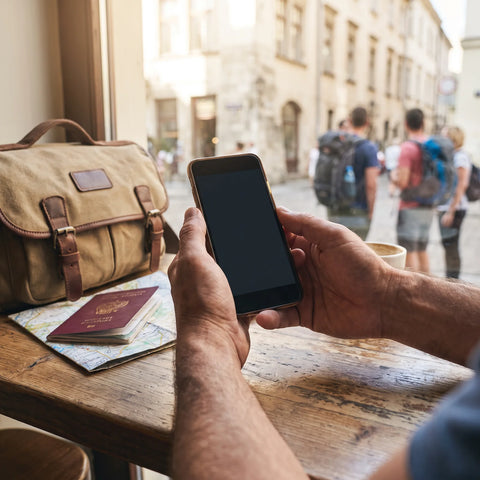
How roaming works when traveling from Chile to Brazil
Roaming is the service that keeps your phone connected to a network when you leave Chile. Your operator —WOM, in this case— partners with a Brazilian network, such as TIM, Claro, or Vivo, so that your line works there. The outcome depends on the plan you have, it's not the same for everyone.
For this agreement to work, your phone will look for one of these Brazilian networks as soon as you land and connect to it automatically, provided that roaming is enabled in your plan. This is where many travelers get a surprise: not all WOM plans include data roaming activated by default, and the conditions change depending on the destination. If your plan doesn't cover it, your phone might lose data as soon as you cross the border, although calls and text messages may still work in a different way.
This isn't a problem exclusive to WOM: it's how roaming generally works for any Latin American operator, unlike blocks like the European Union, where regional agreements equalize conditions between countries. In Latin America, each operator negotiates independently, and this makes the experience vary from one trip to another.
How to activate roaming in Brazil with WOM
The first step, before anything else, is to check on your operator's app or website if your current plan includes international roaming and if Brazil is within the coverage. This information changes over time, so the most reliable source is always your own operator, consulted close to your travel date, not an old article or publication.
Generally speaking, activating roaming usually involves one of these paths: contracting or activating a specific roaming package from the app before leaving Chile, allowing your phone to automatically connect to a Brazilian network if your plan already includes it, or calling customer service to confirm that your line is enabled for international use. None of the three are universal: it depends on the plan, and that's why it's advisable to confirm it in advance and not at the airport, when it's already too late to solve a problem.
A practical recommendation, regardless of the operator: activate airplane mode upon landing and re-activate it only after confirming that roaming is working. This prevents your phone from trying to connect on its own, draining battery searching for a network, and in some cases, incurring charges before you know if the service is actually active.
Is roaming free in Brazil?
There's no single answer, because it depends entirely on the plan contracted in Chile. Unlike the European Union, where there's a framework that avoids extra roaming charges within the block, in Latin America there's no equivalent agreement between Chile and Brazil. This means that "free" only applies if your specific plan includes it at no additional cost, and you need to confirm this with your operator, not take it for granted.
What is consistent is that data roaming, when not included, is often the service that most quickly leads to bill surprises, because background data consumption —updates, notifications, maps— continues to run even if you're not actively using your phone. Therefore, if you're not sure your plan covers Brazil free of charge, the simplest option to avoid surprises is to turn off mobile data upon landing and rely on Wi-Fi until you resolve the doubt.
Roaming isn't a service that you "activate and that's it": it's a commercial agreement between two operators that can have data limits, reduced speed, or a cost that only appears on your bill the following month. Confirming it before traveling is simpler than resolving it afterward.

What countries does WOM roaming cover?
The roaming coverage of any operator —including WOM— is updated quite frequently according to the agreements it maintains with networks in other countries, so the exact list of covered destinations, and under what conditions, is information that only your operator can confirm at the time of your trip. Any list published in an article may become outdated.
What you can do is a simple check before each trip: go to your operator's app or website, look for the international roaming section, and confirm two things: if the country you're traveling to is covered, and if the plan you have active includes that benefit at no extra cost. This two-minute check prevents most connectivity problems upon arrival.
A real example: from Santiago to Rio de Janeiro
Imagine a typical trip: you leave Santiago on a Thursday night, land in Rio de Janeiro the next day, and have four days before returning. You need your phone to order a car from the airport, locate your hotel on the map, send your location to your family, and probably resolve any unexpected issues via WhatsApp.
If your WOM plan includes roaming for Brazil, your phone will connect automatically, and everything will work without you having to do anything extra, although it's advisable to check the speed and data limit included, as it's usually lower than your normal plan in Chile. If your plan doesn't include it, or you're not sure, you'll get off the plane without data: the map won't load, the car app won't find your location, and you'll end up relying on the airport's Wi-Fi to sort out the first few minutes, which are often the most important of the entire trip.
That second scenario —landing without certainty about connectivity— is the most common among travelers who didn't check their plan in advance, and it's exactly the problem that an independent data connection, contracted before leaving, solves, as it doesn't depend on what your Chilean operator has negotiated with a Brazilian network.
What to do if roaming isn't enough in Brazil
When your operator's roaming doesn't cover your destination, has a cost you'd prefer to avoid, or you simply don't want to rely on everything going as planned, there's an alternative that doesn't replace your Chilean line, but complements it: a separate mobile data connection, specifically designed for the country you're visiting.
This alternative is called an eSIM, and it's a technology that many cell phones already incorporate, although not all travelers know it exists or how to use it. Unlike traditional roaming, it doesn't depend on an agreement between your Chilean operator and a Brazilian one: it's a data profile that you buy directly for the destination, installs in minutes, and works in parallel with your physical line, without affecting it.
What is an eSIM and how does it differ from roaming?
An eSIM (digital or electronic SIM) performs the same function as the physical SIM card you already know, but without the plastic chip: it's a profile that is installed on your phone using a QR code or a link, and gives the device access to a local data network in the country where you're going to use it. You can check the full explanation in what is an eSIM if you want to understand the technology in more detail.
The difference with roaming is its origin: roaming depends on your Chilean operator having a current agreement with a Brazilian operator and the conditions of your current plan. An eSIM, on the other hand, is a connection you buy directly for that trip, regardless of what your Chilean plan includes or doesn't. Both can coexist: your WOM line remains active for calls and messages if your plan allows it, while the eSIM is only responsible for data. You can check the complete comparison in eSIM vs. roaming.
A detail that often causes confusion: the eSIM does not replace your physical chip nor does it require you to remove it from your phone. Compatible devices allow both lines to be active at the same time, each serving a different function. You can check which models are compatible in eSIM compatible phones before deciding.

How to get your phone ready for Brazil, step-by-step
The complete process, from deciding to use an eSIM until you land connected, has few steps and none require going to a physical store. The following table summarizes the recommended order.
| Step | What to do | When to do it |
|---|---|---|
| 1 | Confirm that your phone is eSIM compatible | Before buying the plan |
| 2 | Buy the eSIM for Brazil from your phone or computer | Days or weeks before traveling |
| 3 | Install the profile by scanning the QR code, connected to Wi-Fi | At home, calmly, before the flight |
| 4 | Activate it manually upon landing in Brazil | Connected to the airport Wi-Fi |
| 5 | If something doesn't work, write via email or WhatsApp | Anytime, 24/7 support is available |
The installation itself takes a few minutes, and you can review the complete process in how to install an eSIM. A subtle detail: it is not necessary to activate it before leaving Chile. You can buy it and install the profile calmly at home, and leave it inactive until you land, because you have 180 days from the purchase to do so. This means that the data plan does not start running while you are packing or during the flight, but only when you decide to turn it on, connected to the Brazilian airport's Wi-Fi.
Roaming vs. eSIM for Brazil: a comparison
Neither option is "better" in the abstract: it depends on what you need for that particular trip. This table summarizes the most practical differences.
| Aspect | Roaming with your Chilean operator | eSIM for Brazil |
|---|---|---|
| Activation | Depends on the plan: some require activation before traveling, others connect automatically | Activates from your phone in approximately 1 minute, when you decide |
| Depends on | The agreement between WOM and the Brazilian operator, current at that time | The data plan you purchased, without relying on third-party agreements |
| Your Chilean number | Remains active for calls and SMS if the plan includes it | Remains active on the physical line, in parallel, unaffected |
| Coverage | Limited to countries with an active agreement with your operator | More than 200 destinations, useful if the trip includes more than one country |
| Support if something goes wrong | Your originating operator's usual customer service channel | Email and WhatsApp available 24/7, in your language |
If your WOM plan already includes confirmed roaming for Brazil and you're comfortable with that, there's no need to complicate it. But if you're not sure, if your plan doesn't cover it, or if the trip includes more than one country and you don't want to check the coverage of each one separately, an eSIM resolves that uncertainty before you even get on the plane. You can check the difference compared to a traditional physical SIM in eSIM vs. physical SIM.
Frequently Asked Questions
Do I need to deactivate WOM roaming if I use an eSIM in Brazil?
It's not mandatory, but it's usually a good idea to deactivate data roaming on your physical line to prevent both connections from competing or generating unexpected charges. Calls and SMS from your Chilean number can continue to work according to your plan, while the eSIM only handles data.
Can I use WhatsApp and Instagram with the eSIM in Brazil?
Yes. The eSIM provides a normal data connection, so any application you use with Wi-Fi or mobile data works the same: WhatsApp, maps, social media, email, or whatever you need during your trip.
Which phones are compatible with eSIM?
Most mid-range and high-end models launched in recent years are compatible, but it varies by brand and model. Before buying, check the guide on eSIM compatible phones to confirm yours.
Do I lose my Chilean number if I install an eSIM?
No. The eSIM is installed as an additional line; it doesn't replace your physical chip. Your WOM number continues to function independently while the eSIM provides data for Brazil.
Can I buy the eSIM after landing in Brazil?
Yes, as long as you have Wi-Fi available upon arrival—for example, at the airport—to complete the purchase and installation. Even so, it's simpler to do it before traveling, calmly, and leave it ready to activate only upon landing.
What happens if my eSIM stops working in Brazil?
You can write via email or WhatsApp: support is available 24 hours a day, in different languages, to help you resolve installation or connection problems during your trip.
Is the eSIM only for Brazil or also for other countries?
There are country-specific eSIMs and also regional options, depending on your itinerary. If your trip includes more than one destination, it's advisable to check the available alternatives before only purchasing the Brazil plan.
Conclusion
WOM roaming can work well in Brazil if your plan includes it and you confirmed it before traveling, but it depends on an agreement between operators that is not always guaranteed or the same from one month to another. When you don't have that certainty, or simply prefer not to rely on it, an eSIM gives you an independent data connection, contracted by you, that activates in minutes and doesn't interfere with your Chilean number.
If your next destination is Brazil, you can check the data plan for that country on eSIM for Brazil, install it calmly before your trip, and activate it only when you land, without losing any of the 180 days you have available from the purchase. And if you have questions about how the whole process works from scratch, the guide to roaming in Brazil is a good starting point.