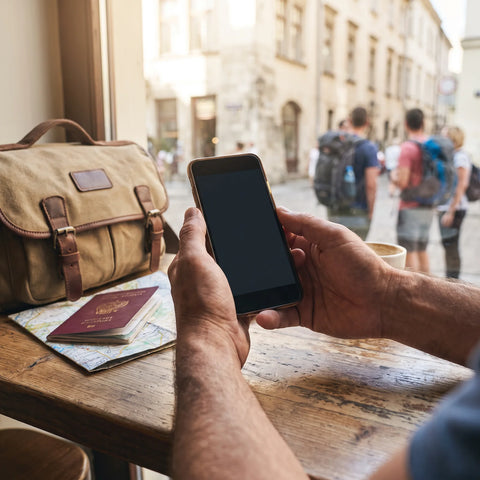
If you already know you'll need data and the only thing left is to decide on the package size, this guide is about that: how many GB you need for Brazil without running out or wasting money. Brazil has a peculiarity that changes the number compared to other destinations: it's huge, you travel by plane, and there your phone isn't just for maps and photos, it's the tool you use to talk to absolutely everyone.
The short answer: how many GB for Brazil
For 10 days in Brazil, most people will be fine with 5 GB. If you post daily stories, upload videos, and don't use Wi-Fi, plan for 10 GB. If you're teleworking from Rio or São Paulo, estimate 20 GB. A trip to the Amazon or Pantanal: you'll use less, not more.
That's the figure that works for 80% of the trips I see. And yes, I'm aware that saying "5 GB is plenty" isn't the best sales pitch. But I prefer you buy just enough and top up if necessary, rather than paying for 20 GB and coming home with 14 unused. Unused GBs are not refundable.
The reason the number is relatively low is simple: on a normal trip to Brazil, you sleep in places with Wi-Fi, spend hours on the beach or on a bus without looking at your phone, and the apps you use most—maps, messaging, transport—are those that use the least data. What really boosts consumption isn't the country, it's you: video. An hour of scrolling on TikTok uses more data than three entire days of maps and messages combined.
That said, Brazil has three or four real peculiarities that push the number up and which are worth understanding before choosing. Let's go through them, and then I'll give you the table by profile and duration, which is what you're really looking for.
Why Brazil uses more data than you expect
The first peculiarity has a name: WhatsApp. In Spain we use it a lot; in Brazil it's on another level. Around 85% of Brazilians with internet access use it, and more than 8 out of 10 users say they have spoken with a company through the app, according to Opinion Box's annual study on WhatsApp usage in the country. Two-thirds have hired a service directly through it.
What does that mean for you as a traveler? That the guesthouse confirms your reservation via WhatsApp. That the boat tour in Paraty sends you the departure time via WhatsApp. That the restaurant sends you the menu, the guide sends you their location, and the driver tells you they're downstairs. It's not a leisure app; it's the country's customer service infrastructure. And since everyone communicates by audio, you'll receive many more voice notes than you're used to.
The good news: WhatsApp text and audio use very little data. The bad news: it will keep your phone active all day, and with it, other apps.
The second peculiarity is scale. Brazil is traversed by plane, with internal flights of three or four hours and long waits at Guarulhos, Congonhas, or Galeão. That's where people burn through data without realizing it: airport, boredom, video. And the third is that in Rio and São Paulo you'll be glued to Uber and 99, the local alternative, as well as Google Maps to avoid getting into trouble.

How much data each activity will use there
Here's the detail almost no one checks before buying. These are approximate data consumption figures per activity, applied to what you actually do on a trip to Brazil. I'm rounding up so the estimate is conservative.
| Activity | Approximate consumption | On a typical day in Brazil |
|---|---|---|
| Google Maps navigation | 5-10 MB/hour | 30-60 MB |
| WhatsApp text only | 1-3 MB/hour | ~20 MB |
| WhatsApp voice notes | ~0.3 MB/minute | 10-25 MB |
| WhatsApp voice call | ~1 MB/minute (60 MB/h) | 30-60 MB |
| Video call home | 200-600 MB/hour | 100-300 MB |
| Instagram or TikTok, scrolling | 600-840 MB/hour | 300-700 MB |
| Upload 20 photos to family chat | 60-100 MB | ~100 MB |
| Upload a 1-minute video | 50-150 MB | 150-450 MB |
| Music streaming | 60-150 MB/hour | 100-300 MB |
| Video in 480p / in HD | 0.5-0.7 GB/h / 1.5-3 GB/h | As much as you dare |
| Order an Uber or a 99 | 2-5 MB per trip | 10-25 MB |
| Translate a menu with the camera | 5-10 MB/hour | ~20 MB |
Notice the pattern: everything functional fits into 150-200 MB per day. Maps, messages, taxis, translations, and a couple of calls. What breaks the bank is social media and video uploads. If you want a detailed breakdown of how much each application consumes, I've developed it in the guide on mobile data usage statistics by activity.
The three Brazils and their three data consumptions
This is what makes Brazil unlike a trip to Italy or Thailand: there isn't just one Brazil. There are at least three, and each one uses data differently. Most itineraries mix two, so take a weighted average by days, don't just use the worst case for the whole trip.
| Area | What you do with your phone | Estimated daily consumption |
|---|---|---|
| Rio, São Paulo, Brasília, Curitiba | Constant Uber and 99, Maps open, social media, looking for places on the go | 400-900 MB |
| Coastal Northeast: Bahia, Fortaleza, Maceió, Jericoacoara | Fewer maps, more photos and videos, uploads at night | 250-600 MB |
| Amazon, Pantanal, interior | Almost nothing: no coverage outside large centers | 0-150 MB |
In the capitals, the network works fine: 4G covers the vast majority of the population and there is 5G in the central areas of São Paulo, Rio, Salvador, Recife, Fortaleza, Brasília, and Curitiba. Be careful, because high speed means apps load video in higher quality and you use more data without changing your habits.
In the Northeast, the pace slows down. You spend hours on the beach, your phone in your backpack, and consumption is concentrated on nighttime photo uploads. In the Amazon and Pantanal, you simply won't be able to use data: outside cities like Manaus, mobile coverage is virtually nonexistent and lodges rely on satellite links. If your itinerary includes four days in the jungle, that's four days of zero data cost. Discount them.
Recommendation by profile and duration
This is the important table. Find your profile, cross-reference with the number of days you'll be there, and you'll have the number. It's calculated assuming an urban or coastal itinerary, with decent Wi-Fi at the accommodation most nights.
| Profile | 5 days | 10 days | 15 days | 30 days |
|---|---|---|---|---|
| Map and WhatsApp tourist | 3 GB | 5 GB | 8 GB | 15 GB |
| Photos and social media (daily stories) | 5 GB | 10 GB | 15 GB | 25 GB |
| Digital nomad / remote work | 10 GB | 20 GB | 30 GB | 50 GB |
| Family sharing one phone | 10 GB | 20 GB | 25 GB | 40 GB |
A couple of honest nuances about this table. The "map and WhatsApp tourist" profile is more common than people think: if your plan is to see Rio, visit Christ the Redeemer and Sugarloaf Mountain, dine out, and send photos to the family group at night, you're in that category. 5 GB for ten days will be plenty.
The "family sharing" profile assumes one phone acts as a hotspot for tablets and your partner's phone. In this case, it's wise to have extra data, because other devices do things on their own: updates, backups, video in the back seat. And if you're a digital nomad, add video calls: half an hour of daily meetings is already about 150-300 MB. If you're torn between two profiles, choose the higher one and adjust with what I explain in the general guide on how much data you need for travel, which includes the full mental calculator.
Carnival and large events: saturated networks
If you travel during Carnival, Réveillon, or coincide with a major game, increase your estimate by 50%. Not because the country changes, but because you change: you record video nonstop, upload stories every half hour, share your real-time location to avoid losing the group, and send audio messages in a bloc where you can't hear anything. A Carnival day in Salvador or downtown Rio can easily go up to 1.5 GB.
And then there's saturation. When tens of thousands of people gather in a few blocks, all connected to the same antennas, the speed plummets. It's a known effect of any mobile network: the cell's bandwidth is shared. It's not that you consume more gigabytes by being in the crowd; it's that uploads fail, retry, and take an eternity.
My advice for Carnival: upload photos and videos at night, from your accommodation. You won't spend less or more, but it will work. Trying to upload a reel in the middle of a bloc is a waste of time and battery at the same time.
Speaking of battery: at massive events, it's your real limit, not the data. A phone searching for a signal in a saturated cell heats up and drains quickly. Bring an external battery, put it on airplane mode for a while if you don't need it, and agree on a physical meeting point just in case. It's the classic backup plan, and for Carnival, it's still the best.

Brazilian Wi-Fi: where to trust and where not to
This is key to calibrating your package, because every night of decent Wi-Fi means one less day of mobile data consumption. In Brazil, Wi-Fi quality is very unevenly distributed, and there's a fairly clear pattern between city and beach.
| Where | What to expect | Can you count on it? |
|---|---|---|
| Urban hotels (Rio, São Paulo) | Fiber, works well even for video calls | Yes |
| Shopping malls and city cafes | Free, fast, sometimes requires registration | Yes |
| Airports | Free, functional for messages and browsing | Almost always |
| Northeast beach pousadas | Shared, drops at night when everyone connects | For messages, yes; for video uploads, no |
| Amazon or Pantanal lodges | Satellite, slow, intermittent | Only to signal you're alive |
The practical conclusion: if your trip is urban, you can feel confident with the lower end of the profile table, because you'll have good Wi-Fi every night. If your trip is from pousada to pousada in Bahia or Alagoas, move up a notch, because you won't be able to offload heavy tasks to Wi-Fi, and those photo uploads will end up using mobile data.
An important warning: don't leave automatic backups for Google Photos or iCloud on "Wi-Fi and data". In a guesthouse with weak Wi-Fi, your phone tries to upload, fails, and when you go out, it finishes the job with your mobile data without warning you. This is the number one cause of mid-trip scares.
Calculate your own consumption before flying
Everything above is an average. You have much better data: your own history. And you have it on your phone, for free, in two minutes.
- iPhone: Settings > Mobile Data. Scroll all the way down, look at "Current Period," and if you've never reset it, tap "Reset Statistics" and check again in a week.
- Android: Settings > Network & internet > SIM > App data usage. There you can select the date range and see the full month, app by app.
Take your consumption from the last 30 days and divide it by 30. That's your daily usage at home, where you have Wi-Fi at work and on the couch. You'll use more while traveling, so multiply by 1.3 or 1.5, and then by the number of travel days. If you get a number very different from my table, trust yours: you know yourself best.
A real-life example: if you use 6 GB per month with your Spanish plan, that's 200 MB per day. Multiplied by 1.4, that's 280 MB daily for travel, which over ten days is 2.8 GB. You see why I say 5 GB is more than enough for most: even with plenty of margin, you're still below that.
Do this calculation for your partner's phone too if you're sharing. And don't rely on the feeling of "I don't use much data", because almost no one has that calibrated. The number is in the settings; check it before buying anything.
How to stretch your GBs in Brazil
With four adjustments made before leaving home, a small package performs like a large one. These are the ones that really move the needle, ordered by impact:
- Offline maps. In Google Maps, download the areas of Rio, São Paulo, Salvador, or wherever you're going. They weigh between 100 and 300 MB each, so do it on your home Wi-Fi. Then you can navigate without using hardly any data.
- Offline Portuguese in the translator. Download the language pack and you'll be able to translate menus and signs with the camera offline. Brazil is the country where you'll use it the most.
- Backups only via Wi-Fi. Google Photos and iCloud, both. This is the change that saves the most gigabytes.
- Data saver mode. Activate it in the system and also within Instagram and TikTok, where it's called "data usage." You lower the video quality and consumption drops by half.
- No autoplay. Turn off automatic video playback on social media and in the browser.
- Downloads before internal flights. Series, podcasts, and playlists at the hotel, not at Guarulhos.
- Disable app updates while traveling. A single update can take up 300 MB.
With this, an average traveler goes from using 600 MB a day to consuming 250-350 MB, without giving up anything important. I have the long list, with screenshots and some finer tricks, in the tips for saving data while traveling, which I recommend reviewing the night before you fly. Ten minutes well spent.
What happens if you run out
Not much, and that's precisely the point. With a prepaid plan, when you run out of gigabytes, the data connection simply stops working: there's no surprise bill or overage charges. You still have Wi-Fi at the hotel, and topping up is a matter of a couple of minutes from there. You won't be incommunicado in Copacabana; you'll just be without data until you reach a Wi-Fi network.
That's why my recommendation is always the same: buy just enough and top up if necessary. If you're torn between 5 and 10 GB for ten days, get 5. If halfway through the trip you find you're running low, add more. It doesn't work the other way around: unused gigabytes expire with the plan and are not refunded. That's money up in smoke.
And if you like having a safety net, keep an unactivated backup plan handy. With current technology, you can have several profiles saved on your phone and activate the one you need without changing anything physical or going to a store; if you're not sure how this works, I explain it step-by-step in what an eSIM is. The important thing is that running out is no longer a drama; it's a two-minute process you can resolve from your room.
Frequently asked questions
The most common questions I get about data in Brazil, answered directly. If yours isn't here, check out the sister guide on connectivity in internet in Brazil, where I compare connection options.
How many GB do I need for 10 days in Brazil?
5 GB is plenty for most people. If you post on social media daily and upload videos, go for 10 GB. You only need more if you're going to work remotely or share the connection with several family devices.
Is 5 GB enough for Rio de Janeiro?
Yes, for a week in Rio, 5 GB is more than enough. Rio is one of the areas that consume the most due to constant use of Uber, 99, and Google Maps, but that's still low data usage: about 400-900 MB per day including social media, and you'll sleep with good Wi-Fi.
How much data does WhatsApp consume in Brazil?
Much less than people fear: 20-50 MB per day of intense use. Text is almost free, and audios are around 0.3 MB per minute. What does consume a lot are video calls (200-600 MB/hour) and sending high-quality photos and videos.
Do I need data in the Amazon or Pantanal?
You practically won't be able to use it there. Outside of cities like Manaus, mobile coverage is almost nonexistent, and lodges rely on satellite connections. Subtract those days from your calculation and download maps before you go.
How many GB for Carnival?
Add 50% to your normal estimate. A day of blocos can easily reach 1.5 GB between video, stories, and shared location. For a week of Carnival in Rio or Salvador, estimate 10 GB, and upload material at night from your accommodation.
Can I share data with my partner or family?
Yes, by activating your phone's personal hotspot. It works well, but expect consumption to multiply: connected devices perform updates and backups on their own. For two people for ten days, estimate about 20 GB if you're going to watch videos.
Do Uber and 99 consume data?
Hardly any: between 2 and 5 MB per trip. Ordering the car, tracking it on the map, and paying barely uses data. Even if you use four or five rides a day in São Paulo, you won't reach 25 MB. Worry about video, not taxis.
What happens if I run out of GB halfway through my trip?
Nothing serious: your data connection will simply be cut off. There are no extra charges or surprises on your bill. You connect to the hotel's Wi-Fi, recharge in a couple of minutes, and continue. That's why it's better to buy just enough rather than too much.
Conclusion
To summarize directly: for a normal 10-day trip to Brazil, 5 GB is plenty for maps, WhatsApp, Uber, 99, and sending photos to the family group. If you post daily, 10 GB. If you work remotely from there or share with family, 20 GB. And if your route passes through the Amazon or Pantanal, subtract those days from your calculation because there's simply no network to use there.
What truly determines your number isn't Brazil, it's how much video you consume and how many nights you sleep with good Wi-Fi. Check your consumption from the last month in your settings, multiply it by 1.4, and buy that much. If you run short, you can recharge in two minutes from your hotel; if you buy too much, that money won't come back.
Once you're clear, here are our data plans for Brazil, with activation before leaving home so you land in Galeão already connected. And if you're still deciding which type of connection suits you, take a look at the complete comparison in the eSIM guide for Brazil.