If you've already decided that you're taking data to Azerbaijan and the only thing left is to choose the package size, this guide is all about that: how many GB you really need for Azerbaijan based on how you travel, not based on what suits anyone's sales agenda. I'll give you the number in the first section and then justify it with real consumption per activity and with the country's specificities: the decent hotel Wi-Fi in Baku, the Caucasus roads where you spend nothing because there's simply no signal, and Grand Prix week, which is the only time of the year I'd increase the number without hesitation.
The short answer: how many GB for Azerbaijan
For 10 days in Azerbaijan, most people will be fine with 3 GB: maps, WhatsApp, some Instagram, and the hotel Wi-Fi in Baku for anything heavy. If you upload video daily or travel during Grand Prix week, consider 5 or 8 GB. And if you telecommute from there, 15 GB or more.
That's the number, and I'm not going to sugarcoat it. Azerbaijan is a destination where the average traveler spends less than they imagine, for three reasons I detail below: Baku hotels have working Wi-Fi, a good portion of the trip is spent on the road to places where there's barely any signal, and the classic tourist circuit (Icherisheher, Maiden Tower, the promenade, Flame Towers) is covered on foot, looking at the real world and not a screen.
That said, there's one profile that does go overboard: the one who records vertical video every day and uploads it immediately. In that case, the number skyrockets, because uploading footage weighs much more than consuming it. If you recognize yourself in that description, jump straight to the profile table.
If you have a more general question and are still unsure about the method for calculating the size for any destination, I have a parent article with the complete formula: how much data do I need for travel. Here, I'm focusing on the specifics of Azerbaijan, which is what you came here for.
What each activity you'll do there actually consumes
Most people overestimate how much data their phone consumes on a trip because they lump everything together. Running Google Maps is not the same as watching Reels. These are the approximate figures I work with, ordered from what consumes almost nothing to what devours everything.
| Activity | Approximate consumption | What happens in Azerbaijan |
|---|---|---|
| WhatsApp text only and audio messages | 1-3 MB per hour | It's the app you'll use most and consumes the least |
| Maps with navigation (Google or Yandex) | 5-15 MB per hour | In the alleys of Icherisheher, GPS drifts and reloads more map data |
| Translator with camera | 2-5 MB per query | Useful for menus and signs in Azerbaijani Latin alphabet |
| Browsing, email, reservations, taxi apps | 20-40 MB per hour | Ordering a car via app costs very little data |
| Voice call via WhatsApp | 20-30 MB per hour | Perfectly manageable daily |
| Streaming music | 50-90 MB per hour | Journeys to Sheki are long: download it beforehand |
| Uploading a photo | 3-5 MB each | A hundred photos of the skyline will use less than half a gigabyte |
| Instagram or Facebook browsing the feed | 150-250 MB per hour | This is where real spending begins |
| Video call | 250-350 MB per hour | Showing the Flame Towers live has a cost |
| Uploading a one-minute video | 60-100 MB | The most expensive per second of use |
| TikTok or Reels non-stop | 700-900 MB per hour | The devourer. If you're doing this, calculate separately |
| Streaming video | 500 MB to 1.5 GB per hour | Save it for hotel Wi-Fi, no exceptions |
Notice the jump: between WhatsApp and TikTok there's a difference of several hundred times. That's why the right question isn't "how many days am I going" but "what am I going to do with my phone." If you want the figures broken down app by app, I have them expanded in the mobile data usage statistics by activity.
How many GB according to your profile and trip duration
This is the table that will really help you with your purchase. Choose the row that most resembles you and the column for the number of days you'll be traveling. The figures already include a reasonable margin, so there's no need to round up again.
| Traveler profile | 5 days | 10 days | 15 days | 30 days |
|---|---|---|---|---|
| Map and WhatsApp tourist | 1 GB | 2 GB | 3 GB | 5 GB |
| Photos and social media (uploads daily) | 3 GB | 5 GB | 8 GB | 15 GB |
| Digital nomad or telecommuting | 8 GB | 15 GB | 20 GB | 30 GB or more |
| Family sharing (2-4 mobiles) | 5 GB | 10 GB | 15 GB | 25 GB |
A typical trip to Azerbaijan lasts between five and eight days, often with two or three nights in Baku and a getaway to the Caucasus. For that format, the average tourist uses between 1 and 3 GB. If you're unsure between two rows, stick with 3 GB for ten days: it's the default number I give to those who can't categorize themselves and it's almost never short.
Be careful with the family row: it's not a mathematical sum of phones, because in a group there's always one person leading the way with the map and restaurant searches while the rest follow. By sharing a single plan via hotspot, actual consumption is usually lower than you fear, but it's wise to allow for a margin because the person sharing doesn't control what others are doing.
My rule for Azerbaijan: calculate one-third of what you would spend in a destination without hotel Wi-Fi. Here, the hotel in Baku does half the work for you.
Why Azerbaijan lowers the number (and when it raises it)
Each country changes the equation. Azerbaijan has a quite favorable combination for your data budget, and it's worth understanding why before overbuying.
First, Wi-Fi. Baku hotels, including mid-range ones, work well, and many cafes in the city center and on the promenade have open connections. This means you can push all the heavy tasks (backups, uploading the day's camera roll, watching a series, updating apps) to the evening without touching your data package. Second, standard apps work normally, so you don't have to add the extra data cost of using a VPN in other destinations. And third, the country is compact: much of your time is spent walking through the old town or on the road, and in neither case is your phone really working.
What does increase the number: recording and uploading video daily, telecommuting with video calls, sharing your plan with family, and especially, coinciding with the Grand Prix. It also adds up if you combine Azerbaijan with Georgia on the same trip, because you'll need coverage for both countries and it's better to look for a plan that covers the entire region instead of buying twice.
| Typical travel situation | Effect on your GB |
|---|---|
| Hotel in Baku with decent Wi-Fi | Subtracts a lot: all heavy tasks go via Wi-Fi |
| Only Baku and Absheron Peninsula, 4-5 days | Subtracts: short distances and many photos, little video |
| Excursion to Gobustan and mud volcanoes | Subtracts: half a day with almost no phone use |
| Road to Sheki or Quba | Neutral: you spend little, but requires downloaded maps |
| Baku Grand Prix week | Adds 2-3 GB for photos, videos, and stories |
| Uploading vertical video daily | Adds around 1 GB for each active day |
| Work video calls | Adds 1-2 GB per day of meetings |
| Combining with Georgia | You need regional coverage, not just Azerbaijani |
If you also want to understand which connection option suits you before deciding on the size, it's broken down in my guide to internet in Azerbaijan. Here, we're assuming you already know how you're going to connect.
Baku Grand Prix week
The Azerbaijan urban Grand Prix is the big exception to this article. During that weekend, Baku fills up, the circuit literally passes in front of the Old City and Fountain Square, and everyone does exactly the same thing at the same time: record cars speeding past and upload it instantly.
This has two consequences for your calculation. The first is pure consumption: a day at the circuit can easily consume 1 GB or more between videos, stories, sending clips via WhatsApp, and looking up schedules and access. Multiply that by three event days and you already have an extra 2 or 3 GB on top of what you'd spend on a normal trip. The second is network-related: with tens of thousands of people concentrated in a few streets, the local antennas become saturated and everything runs slower. This doesn't consume more data by itself, but it does push you to reattempt uploads, and each failed reattempt does count.
My advice for those days is common sense: record everything you want but upload at night, from your hotel or apartment Wi-Fi. The photo reaches your friends just as well at eleven at night, and you avoid battling a collapsed network at the circuit. If you still want to publish live, add a couple of gigabytes to the number you get from the profile table and travel stress-free. It's the only scenario in the country where I prefer to overspend than underspend, because topping up surrounded by crowds and with a saturated network is inconvenient.
Outside Baku: Gobustan, Sheki, and Quba
Here's the part almost no one tells you about, which explains why the final number is lower than you fear: outside the capital, you'll spend very little, simply because there isn't always a network to spend data on.
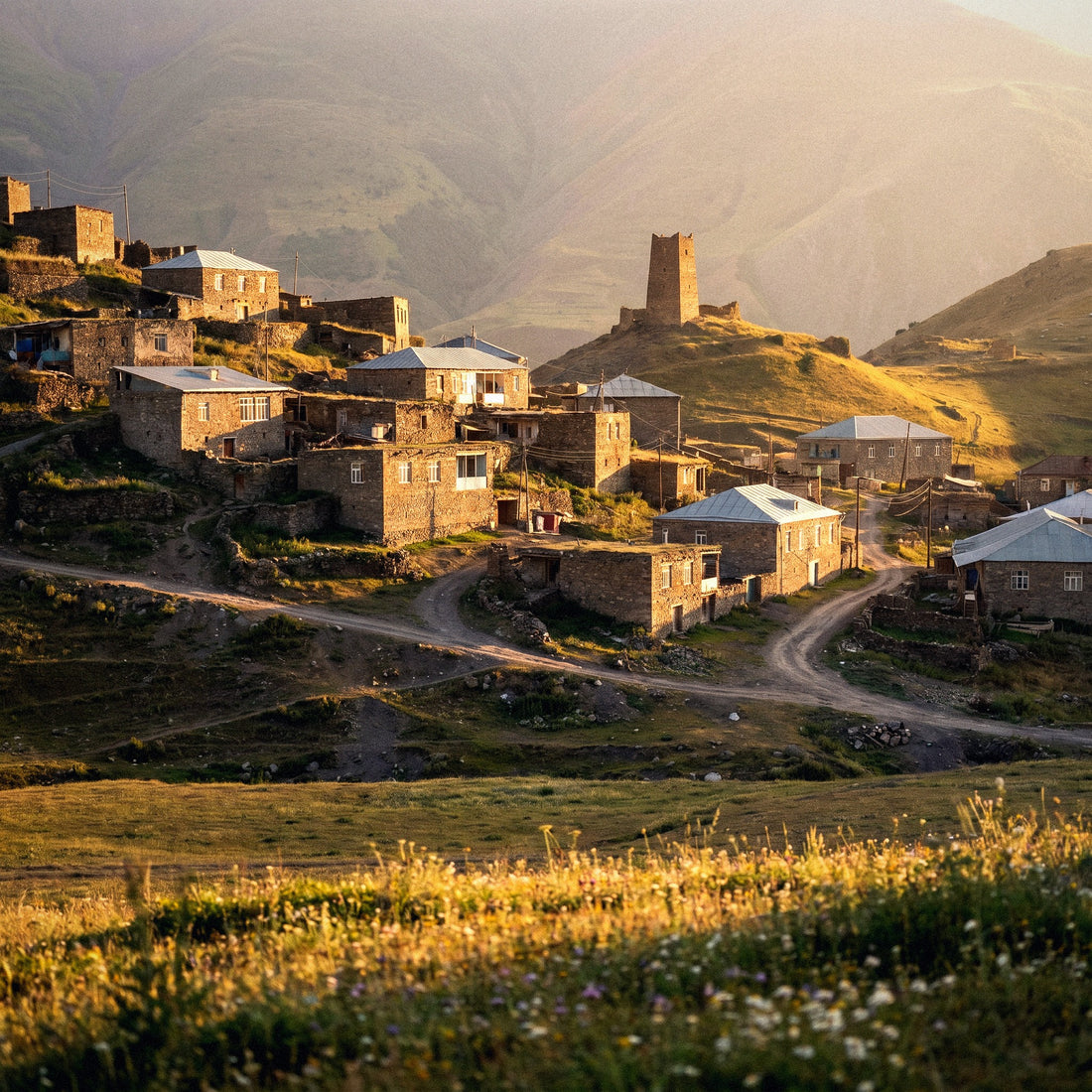
In Gobustan, among petroglyphs and mud volcanoes, you spend half a day in a lunar landscape where your phone is good for taking pictures and little else. On the road to Sheki, past Shamakhi, coverage starts to become patchy, and on the mountain climbs towards Quba, Xinaliq, or Shahdag, there are stretches where there simply is no signal with any operator. The coverage of the three local networks is good in Baku, Ganja, and medium-sized cities, and it loses consistency as you gain altitude.
The practical takeaway isn't "buy fewer gigabytes," it's prepare your trip not to depend on the network precisely when it's unavailable:
- Download the complete map of Azerbaijan in Google Maps before leaving the hotel, using Wi-Fi.
- Save your e-visa, tickets, and accommodation reservation as PDFs on your phone, not in the cloud.
- Download the translator's language pack to use it offline.
- Download music and podcasts for long road trips, which can last several hours.
- Set your last shared location before losing signal if you're traveling with others.
With that sorted, the mountains cease to be a problem and become a data break. If you're still deciding how to connect when you arrive, I have the details in the eSIM for Azerbaijan guide, with what you need to consider before buying.
Calculate your own consumption before leaving home
All the tables in the world are worth less than your own real data. And you have it for free on your phone, right now, in two minutes. This is the honest method to avoid buying blind.
On Android, go to Settings, then Network & internet, then Mobile data, and check the usage for the last full month. On iPhone, go to Settings, Mobile Data, and scroll down to the breakdown by app (it's a good idea to reset statistics on the first day of the month to get a clean measurement). Note down the monthly total and divide it by thirty: that's your actual daily consumption at home.
Now adjust that number for your trip with three simple corrections:
- Subtract what you'll do over Wi-Fi. At home, you might use data all day; in Baku, you'll sleep and have breakfast connected to the hotel.
- Add maps. When traveling, you use navigation much more than in your city, even if it consumes little data.
- Add or subtract social media. Some people post three times as much on vacation, while others disappear from the world. Be honest with yourself.
Multiply the result by the number of travel days and compare it with the profile table. If the two numbers are similar, you've got it right. If your calculation is much higher, it's almost always because you watch videos with data at home, and you won't replicate that on a seven-day trip walking along the Caspian promenade. Trust the corrected number more than the raw one.
Tips to stretch your GB in Azerbaijan
With four adjustments made the day before you fly, the same package will last you much longer. These aren't guru tricks; they're things I do on every trip.
- Data saver mode activated from day one, both system-wide and for each major app.
- Backups only via Wi-Fi. Google Photos and iCloud uploading your camera roll with mobile data is the number one drain on photo trips, and you'll be shooting a lot in Baku.
- Auto-play video disabled on Instagram, Facebook, X, and TikTok. This alone changes your feed from a devourer to a nibbler.
- WhatsApp auto-download set to manual. Family groups send heavy videos without warning.
- Video quality set to low or medium if you're going to watch anything with data, and music streaming at normal quality, not high.
- Offline maps of Baku and the north of the country downloaded via Wi-Fi before leaving.
- App updates only via Wi-Fi, which is the classic gigabyte that disappears without you knowing why.
These adjustments have a surprising effect: many people who used to overbuy discover that half the data is more than enough. And in a destination like this, where the accommodation's Wi-Fi is reliable, the margin you gain is huge. I have a long list with all the operating system adjustments in my guide on how to save data while traveling, if you want to fine-tune it before you fly.
If you run short: topping up is better than overspending
I'm going to be clear about this because it goes against selling more: it's better to buy just the right package and top up if necessary than to overbuy out of fear. Unused gigabytes are not refunded, and on a five-to-eight-day trip, the difference between getting it right and overspending is usually wasted money.
Running short in Azerbaijan is not a drama. When your data package runs out, you simply stop having data; there are no surprise bills or overage charges like with traditional roaming. And to recover, you have easy options: connect to the hotel's Wi-Fi or a café in downtown Baku and recharge from there in a couple of minutes. The purchase is digital, so you don't depend on finding a physical store or waiting in line.
Local Azerbaijani packages have reasonable prices, without being free, and always require going to an office with your passport, so digital recharging remains the fastest way once you're there. If you've never used this system and are wondering how it works internally, I'll explain it without technical jargon in what an eSIM is.
Golden rule: buy for the trip you are going to take, not for the worst imaginable scenario. To recharge takes two minutes; expired gigabytes do not come back.
Frequently Asked Questions
How many GB do I need for a week in Baku?
2 GB is enough for seven days if you use maps, WhatsApp, and some social media. This is the most common trip duration, and with the hotel's Wi-Fi for heavy use, there's plenty of margin. If you upload photos and videos daily, aim for 3 or 4 GB and you'll travel without checking the counter.
Is 1 GB enough for Azerbaijan?
Yes, if you go for four or five days and use your mobile for essential things. One gigabyte is enough for daily maps, WhatsApp, some searches, and voice calls. It's not enough for social media with video or long video calls. For a short, disciplined getaway, it's sufficient.
Is there free Wi-Fi in Baku?
Yes, and it's one of the reasons why you need fewer gigabytes here than you think. Baku hotels have working connections, and many cafes and shopping centers downtown offer open Wi-Fi. Take advantage of it for backups, photo uploads, and downloads, and save mobile data for outside.
Does coverage hold up outside Baku, in Sheki or Quba?
In cities and main roads, yes; in mountain climbs, not always. The three local networks cover Baku, Ganja, and medium-sized towns well, but past Shamakhi towards Sheki and on the high routes towards Quba, Xinaliq, or Shahdag there are stretches without signal. Carry downloaded maps and documents.
What happens if I run out of data mid-trip?
You simply stop browsing, with no surprise charges. You connect to any hotel or cafe Wi-Fi and recharge in a couple of minutes from your mobile. That's why I prefer to buy the right package: running short is fixed in two minutes, going over is never fixed.
Do I need data for the electronic visa?
Not for processing it, but it is advisable to have it downloaded. The Azerbaijani electronic visa is applied for online before traveling and arrives by email. Save it as a PDF on your mobile, along with tickets and hotel reservation, to show at customs without depending on having a connection upon landing.
What if I combine Azerbaijan with Georgia on the same trip?
You need a plan that covers both countries, not just an Azerbaijani one. This is a very common combination, and crossing the border with a package that only works on one side leaves you stranded just when you need the map most. Always check regional coverage before buying and adjust gigabytes to the total number of days.
How many GB if I go during Grand Prix week?
Add 2 or 3 GB to what your profile suggests. A circuit day easily consumes a gigabyte between videos, stories, and WhatsApp clips, and the network in the area is saturated by the number of people. Record everything you want and publish at night from Wi-Fi.
Conclusion
In summary, for a typical five-to-eight-day trip to Azerbaijan, 1 to 3 GB will more than cover tourists using maps, photos, and WhatsApp. Increase to 5 or 8 GB if you post daily or if your trip coincides with the Grand Prix, and only opt for 15 GB or more if you plan to work from there. It's a forgiving country: Baku's Wi-Fi is reliable, the Caucasus offers a break from connectivity, and the classic circuit is walkable.
Do your homework before flying (offline maps, Wi-Fi backups, auto-play off), buy the right size for your profile, and don't overthink it. If you have a little extra, even better; if you run short, you can recharge from the hotel in two minutes. Once you've decided, you can choose your data plan for Azerbaijan and activate it before leaving home, so you land in Baku with your phone already working.