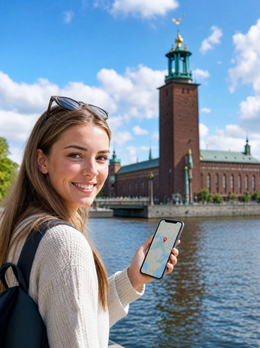
You've got your flight to Stockholm, your suitcase half-packed, and one pending question: how many GB to buy for Sweden without running out or wasting money. I'm not here to bore you with theory, but to give you a well-reasoned figure within the first thirty seconds and then explain why, in this particular country, that number is usually lower than you imagine.
The short answer: the GB you need
For 10 days in Sweden, most people will be fine with 3 GB. With maps, messaging, and some social media without video, 1-2 GB is enough; if you upload daily stories or share your connection with family, go up to 5 GB. For 4 or 5-day getaways, 1 GB is fine.
I'm not making up that number out of optimism: Sweden is one of the countries where you'll use the least mobile data in all of Europe. There's decent Wi-Fi in hotels, in almost all cafes, in museums, at airports, and even on long-distance trains. Your phone will spend many hours a day connected to a network that doesn't cost you a gigabyte.
What does consume data is the usual: navigating with the map open while looking for the ferry, sending photos of Gamla Stan via messaging, and watching videos while waiting for the metro. All of that, on a normal one-week trip, ranges between 100 and 300 MB per day. Multiply that, and you get the number.
My core advice, which I'll repeat below: it's much better to buy too little and top up than to buy too much just in case. Small packages are cheap, can be topped up in two minutes from your phone, and you won't have unused gigabytes expiring into oblivion. If you're debating between 3 and 10 GB for a week, get 3.
An honest warning: Sweden is in the EU, and your plan already covers you
Before you spend a single euro with me or anyone else: Sweden is in the European Union. If you're traveling with a Spanish plan—or from any EU country—roaming regulations require your operator to provide your home data allowance there at no extra charge. For a weekend getaway to Stockholm, you most likely won't need to buy anything. I'd rather tell you now than have you find out the hard way later.
The nuance lies in fair use limits. For unlimited plans, your operator applies a GB limit outside Spain that depends on what you pay monthly, and for prepaid plans, it's usually much lower than for contract plans. Check your customer area: it takes a minute and saves you surprises.
| Your Situation | Do you need separate data? | Why |
|---|---|---|
| Spanish contract plan with 20 GB or more | No | European roaming covers you at no extra cost |
| Prepaid or 3-5 GB/month plan | Probably yes | The limit outside Spain is lower than at home |
| Traveling from outside the EU (LatAm, UK...) | Yes | Your operator charges for roaming separately, and it's expensive |
| Company phone with data capped outside the country | Yes | You need your own data line |
| You want a backup if your main line fails | Optional | Cheap second line, without touching yours |
If your situation is one of the last three, keep reading. And if you want a complete comparison of connection options there, you'll find it in the internet in Sweden guide, which is where I explain the how. Here, we're focusing on the how much.
How much data the apps you'll use actually consume
Most people miscalculate their consumption because they think in terms of phone hours, not usage type. Half an hour of maps and half an hour of video are nothing alike: the difference can be a hundredfold. This is the table I use to estimate any trip, with figures rounded up to give you plenty of margin.
| Activity | Approximate Consumption | Note |
|---|---|---|
| Maps with active navigation | 10-30 MB per hour | Almost zero if you have the map downloaded |
| Messaging (text and loose photos) | 5-15 MB per day | The cheapest thing you'll do |
| Voice call over internet | 20-30 MB per hour | Tiny compared to video |
| Video call | 300-500 MB per hour | The big silent data guzzler |
| Social media with automatic video | 600-1,000 MB per hour | Continuous scrolling of reels or short videos |
| Upload 10 photos to cloud or chat | 30-50 MB | A 30s video is already 50-80 MB |
| Music streaming | 40-150 MB per hour | Depends on quality; high quality spikes it |
| Video streaming at 1080p | 1.5-3 GB per hour | At 480p, it drops to about 600 MB |
| Browsing and email | 20-60 MB per hour | With normal reading, no video |
| Paying with card or banking app | Less than 1 MB | Irrelevant, even if you pay twenty times |
If you want the long breakdown with more activities and methodology, I have it developed in the article on mobile data usage statistics by activity. The practical conclusion is simple: video is the only thing that really moves the needle. Everything else is crumbs.
The important table: GB by profile and by days
This is the heart of the article. Find your profile, cross-reference it with the number of days you're staying, and you'll have your number. The figures assume what actually happens in Sweden: that you'll be sleeping in places with Wi-Fi and spending a good amount of time connected to free networks.
| Travel Profile | 5 days | 10 days | 15 days | 30 days |
|---|---|---|---|---|
| Map and messaging tourist | 1 GB | 2 GB | 3 GB | 5 GB |
| Photos and social media | 3 GB | 5 GB | 8 GB | 15 GB |
| Digital nomad or remote work | 10 GB | 20 GB | 30 GB | 50 GB |
| Family sharing connection | 5 GB | 10 GB | 15 GB | 25 GB |
Three warnings for reading it correctly. One: the remote work profile is the only one where I recommend overshooting, because a two-hour video call with a client will consume almost a gigabyte, and you don't want to be rationing. Two: if you're traveling as a family and sharing the connection with two or three other phones, count everyone's consumption, not just yours. And three: if you watch series on your phone daily at home, don't fool yourself into thinking you won't in Sweden; add a couple of gigabytes.
For the rest of us mere mortals, I insist: the realistic figure for a week of tourism is around two gigabytes. If you want the general method applied to any country, you'll find it in the main guide on how much data I need for travel.
Why Sweden consumes less data than you think
Each destination has its own arithmetic, and Sweden's works in your favor. These are the specific reasons why the number here is lower:
- Wi-Fi everywhere and high quality. Hotels, cafes, libraries, museums, shopping centers, and airports. It's a country with excellent infrastructure, and open Wi-Fi is the norm, not the exception.
- Very good mobile coverage. Tele2 and Telenor announced 5G active over 90% of the country's surface and 99.9% of the population by 2025; Telia has the best coverage in the rural north. Good signal means fewer retries and less wasted data.
- You don't need a camera translator. In Sweden, almost everyone speaks English, and signage is very clear. You save on the constant real-time translation consumption you would experience in Asia.
- Short urban distances. Stockholm, Gothenburg, and Malmö are easy to walk; fewer minutes of active navigation.
- No need to circumvent internet blocks. No mandatory encrypted connections that inflate consumption by 10-15%.
The counterpoint: it's a practically cashless country. You pay with card or phone for everything from a 30-kronor coffee to a ferry ticket, and some businesses don't accept cash at all. Be aware, paying consumes negligible data—less than 1 MB per transaction—but it turns your phone into your wallet. Running out of battery or connection stops being an annoyance and becomes a real problem. That's why I always carry a physical backup card in my pocket, even though I have the Sweden eSIM activated.
Stockholm and the archipelago: the day that consumes the most
A typical day in Stockholm consumes the most data of the entire trip, and even then it's modest. Between the subway, island hopping in the center, and ferry trips to the archipelago, you'll have your map open many times and be constantly checking schedules. Here's a breakdown of a full day, measured with a sincere estimate:
| Time of day | Usage | Data |
|---|---|---|
| Morning: subway and museums | Maps, schedules, mobile tickets | 25-40 MB |
| Midday: lunch and messaging | Finding a place, reviews, chats | 20-30 MB |
| Afternoon: ferry to the archipelago | Schedules, ticket, some onboard scrolling | 80-150 MB |
| Evening: hotel | Everything via Wi-Fi | 0 MB |
| Total for the day | — | 125-220 MB |
Two practical notes. First, the ferry ride is downtime, and that's when people start watching videos: if you download a couple of episodes at the hotel the night before, that day you'll use 40 MB instead of 300. Second, the archipelago has more than 20,000 islands, and not all have the same signal; in the large ones with regular boat routes, you won't notice anything, but in the small ones, there might be weak spots. Save the return schedule as screenshots before you leave, because missing the last boat by not being able to load a website is a silly way to ruin a day.
Lapland: Northern Lights, cold, and the real problem
If you head up to Kiruna, Abisko, or the Icehotel in Jukkasjärvi, be prepared for a change of rules. In terms of data, Lapland consumes little: there's little temptation for coverage, you spend hours outside looking at the sky, and aurora prediction apps—Kp index, cloud cover, alerts—consume only a few MB a day. Not even with half-hourly checks will you reach 50 MB.
The problem isn't gigabytes. It's the battery. At twenty degrees below zero, a phone can go from 60% to off in a matter of minutes because the cold dramatically increases the internal resistance of the battery, and the phone protects itself by shutting down. I've seen people miss the aurora of a lifetime by taking their phone out of their pocket for five minutes.
Keep your phone close to your body, in an inside pocket under your coat, and only take it out for photos. Add an external battery pack, also close to your body, and don't try to charge your phone until it has returned to room temperature.
Regarding coverage: in Kiruna, Abisko, and larger towns, you'll have 4G without a problem, and major roads are covered. On snowmobile routes, dog sledding, or mountain trails, you might lose signal for long stretches. That's not a fault, it's geography. Download maps of the area and save your reservations to your phone before leaving the hotel, and activate low power mode as soon as you step outside. 2 GB for a week in Lapland will be more than enough.
Long train journeys north: download before you leave
From Stockholm to Kiruna is about a 16-17 hour train ride, and that journey can destroy any data calculation if you tackle it unprepared. Seventeen hours of streaming video at good quality would consume more than 25 GB – that's your entire package plus next year's.
The good news is that Swedish high-speed and long-distance trains have free Wi-Fi on board, and the country has invested heavily in coverage along the railway lines. The bad news is that the train's Wi-Fi draws from the same mobile network as your phone, so in the northern sections, between forests, it drops out. Don't rely on it for live work or watching series.
| Journey | Approx. Duration | If you stream video online | If you download beforehand |
|---|---|---|---|
| Stockholm - Gothenburg | 3 h | 3-5 GB | Less than 50 MB |
| Stockholm - Malmö | 4.5 h | 5-8 GB | Less than 80 MB |
| Stockholm - Kiruna (overnight) | 16-17 h | More than 25 GB | Less than 150 MB |
The conclusion is obvious: the night before a long journey, download series, podcasts, and music using the hotel's Wi-Fi. It's the only action that truly determines whether you'll have plenty of gigabytes or run out halfway through your trip. A long audiobook takes up the same amount of data as two minutes of high-definition video.
How to calculate your own consumption before traveling
The tables above are an average, but you are not an average. There's a home method that works much better than any of my estimates, and it involves looking at what you already do. On Android, you'll find it under Settings, Network & Internet, Mobile data usage; on iPhone, under Settings, Mobile Data, with a breakdown by app. Locate your consumption for the last full month.
Now divide by 30, and you have your actual daily consumption outside your home. Be careful with this step, because that number only includes what you spent on the mobile network, not what you spent on your home or office Wi-Fi. It's exactly what you need.
Then adjust with three honest corrections:
- Subtract work if you're not going to answer emails or join meetings on vacation. On a leisure trip, this significantly reduces consumption.
- Add 30% for maps. You don't navigate in your city; in Stockholm, you will.
- Subtract Swedish Wi-Fi. You'll be connected to free networks more hours than you think, especially at night in your accommodation.
Multiply the result by your travel days, round up, and compare it with my table. If you get similar figures, you're on the right track. If you get triple, you already know you're a video user and your number is in the social media row. Five minutes of digging in your settings is worth more than any online calculator because it measures your habits, not those of a theoretical traveler.
How to stretch your GBs and what happens if you run short
With these tips, a 3 GB package will last as long as a 10 GB one without you noticing any difference in your daily use:
- Download maps of Stockholm, Gothenburg, and northern areas before leaving home. This is the biggest and easiest saving.
- Back up only over Wi-Fi. Upload photos and videos to the cloud only when you are at the hotel; this is travelers' number one mistake.
- Disable video autoplay on social media. This alone can halve your scroll consumption.
- Lower video quality to 480p when you are out. On a mobile screen, it's barely noticeable.
- Activate the system's data-saving mode, which cuts off background app activity.
- Be selective with video calls. A voice call uses fifteen times less data than a video call.
What if you still run out of data in the middle of your trip? No big deal: you connect to the hotel or a café's Wi-Fi and recharge from your mobile in a couple of minutes, without changing any settings. That's why I advocate buying short: a small package plus a one-off top-up is always better than a large, half-used package. You can find more tips in the guide on how to save data while traveling, which applies just as well in Sweden as anywhere else.
Frequently Asked Questions
These are the questions I get asked over and over about data in Sweden, answered straightforwardly and with the numbers up front.
How many GB do I need for 7 days in Sweden?
2 GB is enough for a normal week of tourism. If you upload photos and videos to social media every day, aim for 3-4 GB. You would only exceed that if you plan to work via video call or share your connection with multiple phones.
Will my Spanish mobile plan's roaming work in Sweden?
Yes, Sweden is in the EU, and your operator must provide your data without surcharge. Check your plan's fair use limit, especially if it's a prepaid or unlimited plan. If you are traveling from outside the European Union, things change, and you should look into what an eSIM is before you leave.
Do Northern Lights apps use a lot of data?
No, just a few MB per day. Aurora prediction apps download Kp index and cloud cover data, which are light texts and maps. Even checking them every half hour for a week won't reach 300 MB. Data consumption in Lapland is not the issue.
Is free Wi-Fi available everywhere in Sweden?
Practically yes, and it's good quality. Hotels, cafes, libraries, museums, shopping centers, airports, and long-distance trains. This is one of the reasons why mobile data consumption here is so low compared to other destinations.
Do I need mobile data to pay in Sweden?
For contactless card payments, no; for almost everything else, it helps. Sweden is practically a cashless country, and many businesses do not accept bills. The local peer-to-peer payment app requires a Swedish bank account, so as a visitor, you'll be using your card.
Does data work well in Lapland and the archipelago?
Yes, in towns, along roads, and on regular ferry routes; with gaps outside of these areas. Kiruna, Abisko, and islands with regular boat service have good signal. On mountain trails, snowmobiles, or small islets, you might lose coverage for stretches.
What happens if I run out of data in the middle of my trip?
You connect to any Wi-Fi and top up in two minutes. You don't lose your number or have to reconfigure your phone. This is exactly why I recommend starting with a small package instead of buying too much out of fear.
Conclusion
To summarize directly: for a week of tourism in Sweden, 2 GB; for ten days with active social media, 3-5 GB; for a month of remote work, 50 GB. And if you're traveling from Spain or any other EU country with a decent plan, it's very likely you won won't need to buy anything, because your own line already covers you there. I'd rather lose a sale than have you feel cheated.
If your situation is different—you're coming from outside the European Union, your plan has low volume, your company phone is restricted, or you simply want a second backup line so you don't depend on anything in a country where your phone is your wallet—then it makes sense. Start with a small package, apply the tricks of downloaded maps, and download series the night before the train to Kiruna. Topping up on the go takes two minutes; nobody refunds the gigabytes you don't use. You can see the available packages for the eSIM for Sweden and choose the size that fits your needs.