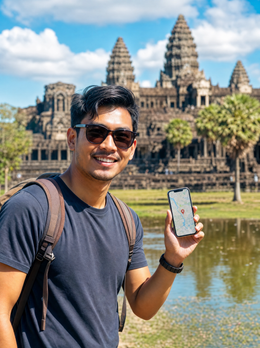
If you've already decided to buy data and all you need to know is how many GB you need for Cambodia, this guide is exactly for that. Cambodia is almost never a trip in itself: it's usually the four-to-seven-day leg you squeeze in between Vietnam and Thailand, with Angkor Wat at its center and your phone constantly in hand. That changes the calculation, and that's why the number that works here isn't the same as for a month in Europe. I'll give you the number soon and then explain where it comes from.
The short answer: how many GB for Cambodia
For the typical 4-7 days in Cambodia as part of a Southeast Asia itinerary, most people will be fine with 3 GB. If you plan to upload video from Angkor daily or share your phone, go up to 5 GB. And if you work remotely, count 1-1.5 GB per day.
That's the figure I see most people doing well with, and it's not an inflated number to sell more. Cambodia is one of the destinations in Southeast Asia where the least data is used, because Wi-Fi is everywhere you spend time stationary: the hotel, the breakfast cafe, the dinner restaurant, the island hostel. Your phone only uses mobile data during the in-between times, like in the tuk-tuk, at the temples, and during transfers.
If you prefer specifics: on a five-day trip with two full days in Angkor, maps all day, WhatsApp with home, some stories, and a few photos uploaded at night, it's normal to end up between 1.5 and 2.5 GB. With 3 GB, you'll sleep soundly and have a buffer for when things go wrong. The classic mistake isn't running out, it's buying 20 GB "just in case" and returning home having used two. If you want the general method I use for any destination, you can find it in the main guide on how much data you need for travel; here I'll go into Cambodian specifics.
Why you spend less than you think in Cambodia
There are three very specific things about this country that drive your consumption down, and it's good to understand them before choosing a package.
The first is Wi-Fi. In Siem Reap and Phnom Penh, it's rare to find a hotel, hostel, coffee shop, or restaurant that doesn't offer it for free, and it works: in the Siem Reap area, average speeds are more than enough for video calls and uploading daily content. This means that all heavy tasks—backups, photos to the cloud, watching a series, long video calls with family—fall under Wi-Fi without you having to plan much.
The second is the pace of travel. Cambodian days are about streets, temples, and tuk-tuks. You spend hours without looking at your phone except to take photos, and taking photos doesn't consume data: it consumes battery and memory. What consumes data is uploading them as you take them, and that's something you control.
The third is that local data is cheap. The three operators in the country (Smart, Cellcard, and Metfone) sell packages with many GBs for very little, so neither the country nor the connection options will break the bank. What can break the bank is arriving with nothing and turning on your phone with your home operator's roaming rates. If you're still deciding how to connect, I have a complete comparison in internet in Cambodia; this article assumes you've already decided and are just unsure about the size.
Angkor Wat: the day that spikes consumption
If there's one day you're going to go over the average, it's temple day. And it's usually two or three, not just one. You leave the hotel at 4:30 AM for sunrise at Angkor Wat, and from then on your phone doesn't rest: photos of the reflection in the pond, video at Ta Prohm, panoramas at Bayon, the message home with a photo, the Instagram story, the map so you don't get lost between the grand circuit and the small one.
The good news is that there's reasonable coverage within the complex: the main temples (Angkor Wat, Bayon, Ta Prohm) have decent 4G signal, and those on the outer circuit are more irregular. The other good news is that most of that day doesn't consume data. Taking photos and recording video is free in terms of gigabytes. What's expensive is automatic uploading.
A temple day with automatic backup turned on can easily go over 1 GB by itself. That same day, with uploads set to "Wi-Fi only," it stays at 150-250 MB. This is the setting that saves the most gigabytes in Cambodia and it's a one-time adjustment.
My practical recommendation: leave your cloud on Wi-Fi, shoot as much as you want, and upload the material at night from the hotel. If you like to post live, count 400-600 MB per temple day and add it to your total. And download the map of the Angkor area: between trees and ruins, an offline map will save you more often than cell coverage.
How much data each activity consumes
These are the figures I use, based on real mobile consumption, not laboratory tests. They'll help you make your own calculation in two minutes.
| Activity | Approximate Consumption | On a trip to Cambodia |
|---|---|---|
| Maps and navigation (Google Maps, Maps.me) | 3-5 MB per hour | Almost nothing; with offline map, zero |
| WhatsApp and Telegram (text and audio) | 2-5 MB per day | Negligible, use without fear |
| WhatsApp voice call | 30-60 MB per hour | Cheap; ideal for calling home |
| Video call | 300-700 MB per hour | Save it for hotel Wi-Fi |
| Social media (Instagram scroll, TikTok) | 600-900 MB per hour | The biggest data hog of the trip |
| Uploading photos (mobile, normal quality) | 3-5 MB per photo | 30 photos a day ≈ 100-150 MB |
| Uploading a one-minute high-quality video | 60-100 MB | Three Angkor videos ≈ 250 MB |
| Music streaming | 50-150 MB per hour | Download it before the bus ride |
| Video streaming (720p) | 600-900 MB per hour | Wi-Fi only, no exceptions |
| PassApp or Grab (ordering a tuk-tuk) | 5-10 MB per trip | Four trips a day ≈ 30 MB |
| Email, news, and web browsing | 10-20 MB per hour | Less relevant |
Notice the jump: half an hour of scrolling uses more data than three full days of maps and messaging. That's why two people with the same itinerary end up with consumption figures that differ by a factor of ten. If you want a detailed breakdown by application, with more categories, I have it in the article on mobile data usage statistics by activity.
Your number by profile and by days
This is the table that truly matters. Find your profile, cross-reference it with the number of days you'll be in the country, and you'll have your number. The figures are calculated for Cambodia, meaning they assume you'll have decent Wi-Fi most nights.
| Traveler Profile | 5 days | 10 days | 15 days | 30 days |
|---|---|---|---|---|
| Maps, WhatsApp, and little else | 1 GB | 2 GB | 3 GB | 5 GB |
| Normal tourist: maps, messaging, some social media and photos | 3 GB | 5 GB | 8 GB | 15 GB |
| Photos and social media: daily stories, video, posts on the go | 5 GB | 10 GB | 15 GB | 25 GB |
| Digital nomad or remote work (video calls outside the hotel) | 8 GB | 15 GB | 20 GB | 40 GB |
| Family or couple sharing a single plan | 5 GB | 10 GB | 15 GB | 30 GB |
Three honest nuances about this table. First: if your trip to Cambodia is the classic five days of Siem Reap plus Phnom Penh, the "normal tourist" row with 3 GB is accurate nine times out of ten. Second: the "digital nomad" row assumes you work from cafes with your own data; if you work from the hotel, which is typical, about half that amount will suffice. Third: sharing your phone with another person doesn't double consumption, it multiplies it by approximately 1.6, because maps and searches are shared between the two.
And one more thing. If your plan covers several countries, don't allocate gigabytes per country: allocate them by travel days. Cambodia almost always uses less data than Vietnam and considerably less than Thailand, because there are fewer dead hours on your phone and more Wi-Fi available.
Cambodia within an itinerary: Vietnam, Thailand, and the network jump
Here's the detail that causes the most trouble and that almost no one warns about. Very few people fly to Cambodia and then fly back home. The norm is Bangkok–Siem Reap, or Ho Chi Minh–Phnom Penh by bus, or finishing with the southern islands and heading towards Thailand. As soon as you cross a border, your phone connects to the new country's network, and if your plan was only for Cambodia, it stops providing data at that very moment.
The practical warning: when crossing a land border, the network change can take a few minutes and happen exactly where there's no Wi-Fi, which is the worst place to discover you've lost connection. Before getting on the bus, have your map downloaded, your destination accommodation noted on your phone, and if you have a regional plan, confirm that the new country is included.
| Typical Route | Days in Cambodia | What you need |
|---|---|---|
| Cambodia only (Siem Reap and Phnom Penh) | 4-6 | Country plan, 3 GB |
| Cambodia + Vietnam | 4-7 out of 15 | Regional Asia plan, 8-10 GB |
| Cambodia + Thailand | 4-5 out of 12 | Regional Asia plan, 8 GB |
| Long Southeast Asia route (3 or 4 countries) | 5-7 out of 30 | Regional 20 GB plan or top-ups per segment |
If you decide on a Cambodia-only plan and then continue your journey, it's fine: just buy another one when you arrive in the next country. The important thing is to know this before you cross, not in the middle of the road. In the eSIM guide for Cambodia, you'll find detailed information on what each type of plan covers and how to activate it before you fly.
Battambang, the coast, and the islands: where you won't spend much
There's a part of Cambodia where the problem isn't how many gigabytes you have, but having a signal to use them. And, interestingly, that works in favor of your wallet.
Battambang and the roads leading there have patchy coverage: good stretches in villages and long dead zones in between. On the coast, Sihanoukville has reasonable 4G in the beach strip and in the city, but as soon as you get on the ferry to Koh Rong or Koh Rong Sanloem, things change. On the islands, there's some signal near the main beaches and piers, and practically none inland or in coves on the other side. Many island accommodations rely on satellite Wi-Fi or generators at specific hours, so even Wi-Fi isn't a guaranteed salvation.
What does this mean for your calculation? That island days consume ridiculously little data, between 20 and 50 MB, because your phone spends most of its time searching for a network or directly in airplane mode. If your trip includes three days in Koh Rong, almost entirely subtract those days from your total.
What you do need to do is prepare beforehand: download the map of the area, save the address and phone number of your accommodation, and have the ferry schedule handy as a screenshot. On the islands, a screenshot is worth more than any data plan. And let people at home know you'll be less reachable, which saves worries.
Calculate your real consumption before leaving home
All of the above are averages. Your real number is in your pocket and can be checked in two minutes, without installing anything.
On Android: Settings, Connections or Network, Data usage, and there you'll see current month's and previous months' consumption, broken down by application. On iPhone: Settings, Mobile Data, and below that, a list of apps with what each has consumed since the last time you reset the counter (if you've never done it, the data might be years old, so pay attention to the period).
Take your consumption for a normal month, divide it by thirty, and you have your daily spending at home. Now adjust it to the Cambodian reality: subtract between a third and half, because at home you use mobile data all day, and in Cambodia you'll be on Wi-Fi for many hours. Multiply by the number of travel days, add a buffer the size of an extra day, and you'll have your figure, based on your data, not mine.
Real example from a friend who asked me last month: she used 9 GB per month in Spain, meaning 300 MB per day. Adjusted for Cambodia, about 180 MB daily. For six days, just over 1 GB. She bought 3 GB, did two temple days posting stories, and came back with almost half unused. That's the normal scenario, not the exception.
Tips for stretching your GBs in Cambodia
If you're cutting it close or simply want to have some left over, these adjustments yield the most in this specific destination. All are done once, before leaving, and then work automatically.
- Backups only on Wi-Fi. Google Photos, iCloud, WhatsApp, and Drive. This is the number one adjustment: on a photo-heavy trip like this, it can be the difference between 2 GB and 6 GB.
- Offline maps downloaded for Siem Reap, the Angkor complex, Phnom Penh, and the coastal area. Download them on Wi-Fi the night before and then navigate without using data.
- Offline Khmer in your translator. Download the language to translate signs and menus offline; live camera translation uses data, and you'll use it a lot in markets.
- Data Saver mode activated in your system and within Instagram, TikTok, and YouTube. It lowers video quality and stops autoplay, which is what eats up gigabytes without you realizing it.
- Music and series downloaded before the trip. The bus from Siem Reap to Phnom Penh is several hours: downloading your playlist at home easily saves you half a gigabyte.
- App updates only on Wi-Fi and automatic system updates disabled while traveling.
With these tips, a seven-day trip can easily stay below 2 GB even if you take a thousand photos. If you want the complete list, including less obvious adjustments, I've detailed it in the article on tips for saving data while traveling.
If you run short: recharging is better than overbuying
Now for the uncomfortable question: what if I run out of gigabytes in the middle of Angkor? Short answer: nothing major happens, and it's certainly a smaller problem than paying for gigabytes you won't use.
When you run out of data on a travel plan, your phone simply stops having internet outside of Wi-Fi. There's no surprise bill, no excess charges, nothing gets out of control. And in Cambodia, you always have Wi-Fi nearby: the hotel, the cafe, the restaurant where you eat. From there, you can buy a top-up or a new plan, and in a few minutes, you'll be connected again, without searching for a physical store or showing your passport.
That's why my advice is to buy conservatively and top up if necessary, rather than overbuying. Running short costs five minutes of management from your breakfast Wi-Fi; overbuying costs money you won't get back, because travel plans expire and gigabytes don't travel with you to the next destination.
Two warnings so you don't get caught off guard. One: check the plan's expiration date, not just the gigabytes; a thirty-day package is of little use if your trip is seven days and then you change countries. Two: have the plan installed before you fly, using your home Wi-Fi, and activate it upon landing. If this sounds like Greek to you, start with what an eSIM is and you'll understand in ten minutes.
Frequently asked questions
How many GB do I need for 7 days in Cambodia?
3 GB will be more than enough for a week. This covers maps, messaging, ordering tuk-tuks via PassApp or Grab, moderate social media use, and several days of temple visits. Only upgrade to 5 GB if you post videos daily or share your connection with another person.
Is there good coverage at Angkor Wat?
Yes, 4G signal is reasonable at the main temples. Angkor Wat, Bayon, and Ta Prohm have good coverage. Coverage is more inconsistent in the temples of the outer circuit and in some forested areas, so download an offline map of the area just in case.
Can I use the same plan for Vietnam and Thailand?
Only if you purchased a regional Asia plan. A country-specific plan stops working as soon as you cross the border and your phone connects to the new country's network. If you're traveling through several countries, a regional plan is better and prevents you from running out of data mid-journey.
Is it better to buy a local SIM in Cambodia?
Local data is cheap, yes, but you lose time and arrive disconnected. You have to find a store, register your passport, and swap out the physical card. The advantage of buying it at home is landing with internet working and keeping your usual number for WhatsApp.
How much data does a day of taking photos at the temples use?
Taking photos doesn't use data; uploading them does. A full day of shooting with automatic backup set to Wi-Fi only uses 150-250 MB. With automatic data upload enabled, the same day can exceed 1 GB. This setting saves the most gigabytes on this trip.
Is there Wi-Fi in hotels and restaurants in Cambodia?
In Siem Reap and Phnom Penh, it's almost universal and free. Hotels, hostels, cafes, and restaurants offer it, and it works well for video calls and uploading photos. In Battambang, the coast, and the islands, it's more irregular, and in Koh Rong, many accommodations have limited connection by the hour.
What happens if I run out of gigabytes halfway through my trip?
Nothing serious: you'll be without internet outside of Wi-Fi, with no extra charges. From the hotel or any cafe's Wi-Fi, you can buy a top-up and be connected again in minutes. That's why it's better to buy a conservative amount and top up if needed, instead of paying for excess gigabytes.
Do I need a VPN in Cambodia, and does it consume data?
For normal tourist use, it's not necessary. Regular apps and networks work without blocking. If you use it for security on public Wi-Fi, keep in mind that a VPN adds some data consumption beyond what you'd normally use, so save it for when you truly need it.
Conclusion
Cambodia is a cheap destination for data and generous with Wi-Fi, and that's reflected in the numbers. For the four to seven days that the Cambodian leg of a Southeast Asia trip usually lasts, 3 GB is almost always the right answer: it covers sunrises at Angkor, app-ordered tuk-tuks, maps between temples, and messages home, with plenty of room to spare. If you post videos every day or two people share a phone, go for 5 GB. If you work while connected, allow 1-1.5 GB per day. And if you're continuing to Vietnam or Thailand, a regional plan is better than a country-specific one, because the connection cuts off as soon as you cross the border.
The rest are four settings you adjust once: backups only via Wi-Fi, downloaded maps, offline Khmer in the translator, and data saving activated. With that, you'll come back with gigabytes to spare, which is exactly what I want for you. Get it ready before you fly and land in Siem Reap with internet working from the first minute: here's the eSIM for Cambodia, in the size you've decided on and activated in minutes.