If you've made it this far, it's because you already have your flight and just need to decide how many GB to buy for Denmark. I'll tell you upfront: it's one of the destinations where you'll use the least data in all of Europe. Copenhagen is full of free Wi-Fi, everything is done by bike with your phone on the handlebars, and distances are short. Here, I'm not comparing ways to connect; here, we're putting a number to your gigabytes.
The short answer, straight to the point
For 4-5 days in Copenhagen, 1 GB is enough for most people, and 3 GB will give you plenty of leeway, even if you upload photos daily. Only if you're staying 10 days or more, sharing with family, or teleworking, does it make sense to go over 5 GB. Danish Wi-Fi does the rest.
I know it sounds like little compared to what's sold out there, but that's what the numbers show. A typical trip to Copenhagen involves three or four days of cycling, maps, WhatsApp with family, a couple of stories, and many photos that upload themselves when you return to the hotel. Maps, which is what most people worry about, barely use any data: Google Maps navigation uses between 3 and 5 MB per hour, and goes up to 7-10 MB per hour with live traffic activated. Even if you cycle for six hours with your phone on, we're talking about less than 60 MB for the entire day.
What truly moves the needle are video and automatic cloud uploads, and you control those. That's why my advice is to buy a small amount and top up if necessary, instead of paying for 20 GB that you'll bring back untouched. If you want the background on how to connect there—local SIM, your usual plan, or an eSIM for Denmark—that's in the sister guide. Here, we're just focusing on the numbers.
Before buying anything: if you're from the EU, you're already covered
I'll be honest even if it means losing a sale: Denmark is in the European Union. If your phone line is Spanish (or from any EU country), the "Roam Like At Home" regulation allows you to use your data there at no extra cost, just like at home. And it's not something that will expire tomorrow: the regulation has been extended until 2032 and covers all 27 member states plus Iceland, Norway, and Liechtenstein.
So the first check isn't how many gigabytes to buy, but how many gigabytes you already have. Look at your plan: if you have 20 GB per month and only use eight, you absolutely don't need anything more for four days in Copenhagen.
That said, there are three cases where separate data makes sense:
- Plans with low volume abroad. The fair use policy allows operators to set a roaming data cap, different from what you use in your home country. If you have a cheap plan with few gigabytes, that cap might be as low as 2 or 3 GB.
- You're coming from outside the EU. Latin America, the UK, the United States: roaming costs money there, and it's expensive.
- You don't want to touch your main plan. Many people prefer to keep their main line for calls and bank SMS, and browse via another method.
If you've never used one, I explain what an eSIM is in five minutes. But if your Spanish plan already covers you, keep your money.
How much data each activity in Copenhagen actually uses
Here's the table I use to calculate any trip. These are average real consumption figures per hour or per day; your phone may vary depending on video quality and camera resolution, but the order of magnitude is this.
| Activity | Approximate Consumption | A normal day in Copenhagen |
|---|---|---|
| Google Maps navigation (cycling or walking) | 3-5 MB/hour; 7-10 MB/hour with live traffic | 30-60 MB |
| WhatsApp, text and audio messages | 5-15 MB/day | 10 MB |
| WhatsApp video call | ~300 MB/hour | 150 MB if you call for 30 min |
| Instagram, scrolling and stories | 600-900 MB/hour | 300-450 MB for 30 min |
| TikTok | 900 MB-1.2 GB/hour | Half an hour is already 500 MB |
| Uploading photos from phone | 3-5 MB per photo | 30 photos = 100-150 MB |
| Uploading a 1-minute 4K video | 300-400 MB | What three full days of maps consume |
| Streaming music (normal quality) | 50-100 MB/hour | 150 MB while cycling |
| Streaming video at 720p | ~1.2 GB/hour | Avoid it outside of Wi-Fi |
| Checking schedules, prices, and translating menus | 2-5 MB per query | 30-50 MB |
Notice the contrast: a single short 4K video uploaded to Instagram consumes more data than an entire week of cycling navigation. That's why the useful question isn't "how many gigabytes does Copenhagen consume," but "how much video will I be using." If you want more detailed data by activity, you can find it in mobile data usage statistics by activity, but with this table, you can already do your calculations. Add up your typical day and multiply it by the number of days you'll be traveling: that's the number, no mystery.
Why you'll use less data in Denmark than you think
Each destination changes the calculation, and Denmark lowers it for four very specific reasons.
Wi-Fi is excellent and everywhere. Cafes, museums, the City Hall, libraries, hotels, many restaurants: in Copenhagen, you'll find free Wi-Fi without even looking for it. And it's not the slow airport Wi-Fi that makes you give up; it's Wi-Fi that actually works. This means that backups, downloads, and video can all be done without touching your data.
You don't need a camera translator. This is huge and almost no one mentions it. In Japan or China, you spend your trip pointing your camera at menus. In Denmark, the level of English is very high, menus are often translated, and you won't spend a single megabyte on real-time translation.
Distances are ridiculously short. The center of Copenhagen can be covered entirely by bike in twenty minutes. There are no three hours of subway travel per day or endless journeys where you kill time on your phone, which is where people unknowingly burn through gigabytes.
Coverage is so good that you don't waste data. The Danish network covers over 99% of the population with 4G, and 5G is deployed in cities. In Copenhagen, speeds of 25-60 Mbps on 4G and 150-400 Mbps on 5G are common. A stable connection uses less data than a poor one: no retries, no partial loads, no videos that reload three times.
What really drives up data consumption on this trip
Now for the flip side. There are three things very specific to Copenhagen that will drive up your data bill, and it's good to be aware of them.
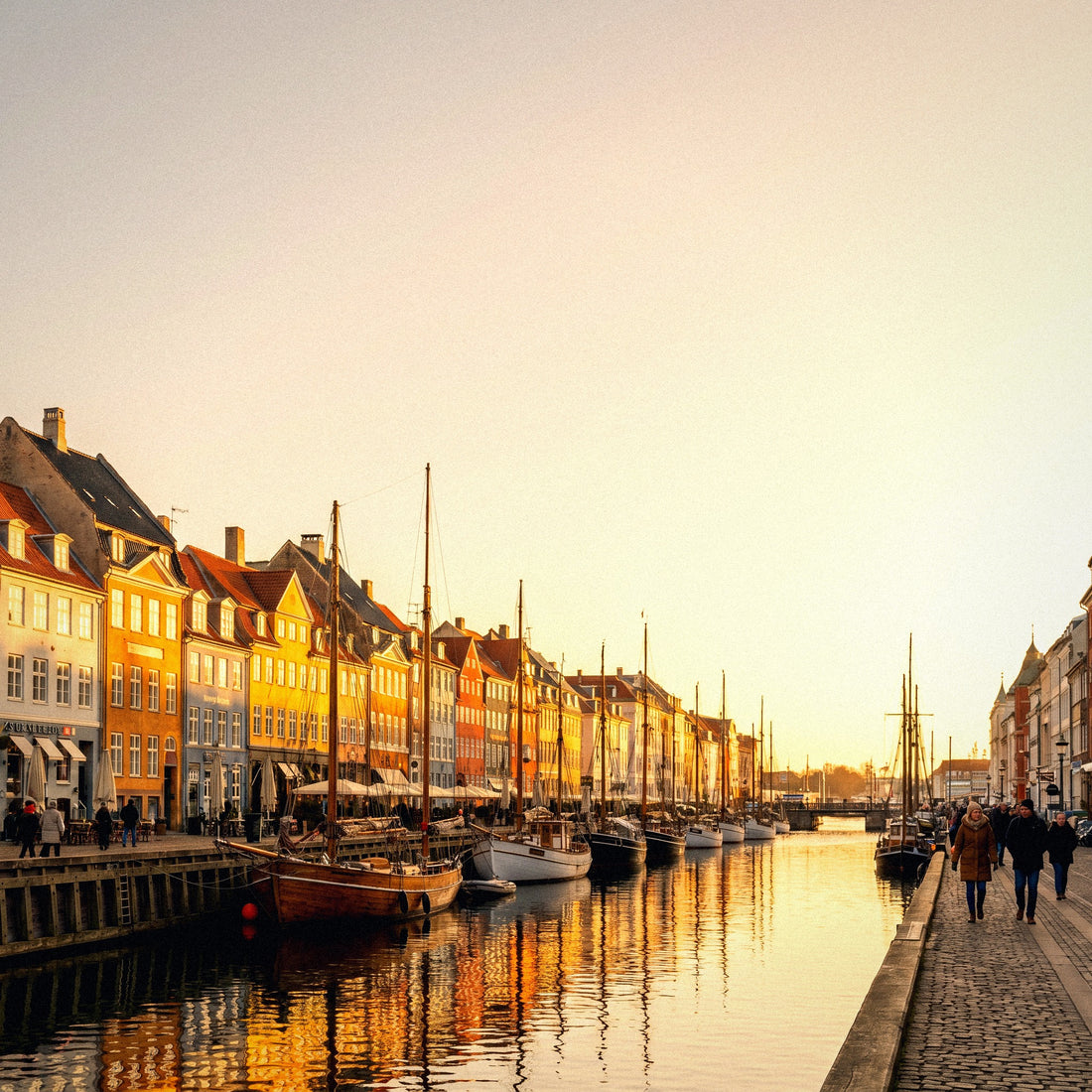
Photos. Nyhavn with its colorful houses, Tivoli at night, the canals, Christiania, the Little Mermaid. This is a destination where photo-taking goes way up, and the problem isn't the photos themselves: it's the automatic backup that activates as soon as you leave the hotel. Three hundred trip photos can be around 1 GB uploading without you even realizing it.
Prices. Denmark is expensive, and people constantly check currency conversions. A data-saving and time-saving trick: the Danish Krone is pegged to the Euro at around 7.46 DKK per Euro. Just divide by 7.5, and you have it. A 60 Krone beer is eight Euros. No need to open the converter forty times a day.
Biking. Cycling with your phone as a co-pilot means the screen is on for many hours. Maps use little data, but a phone on for six hours drains the battery, and a phone at 4% battery is useless.
In Copenhagen, the scarce resource isn't gigabytes, it's battery. Bring a portable charger and download your maps, and your data plan will last twice as long.
Disable automatic photo uploads and save them for hotel Wi-Fi: that single setting will save you more than any other tip in this guide.
How many GB depending on your profile and duration of stay
This is the important table. It's calculated with the realistic premise that you'll use Wi-Fi at night and in cafes, which is typical in Denmark. If you're someone who never connects to Wi-Fi, go up one tier.
| Profile | 5 days | 10 days | 15 days | 30 days |
|---|---|---|---|---|
| Map and WhatsApp Tourist (cycling, museums, little phone use) | 1 GB | 2 GB | 3 GB | 5 GB |
| Photos and Social Media (daily stories, scrolling in queues) | 3 GB | 5 GB | 8 GB | 15 GB |
| Family Sharing (2 adults + children with tablet) | 5 GB | 10 GB | 15 GB | 25 GB |
| Digital Nomad / Telework (video calls, files) | 10 GB | 20 GB | 30 GB | 50 GB or unlimited |
The important thing about this table is that most people who go to Copenhagen fall into the first row. Long weekend, all by bike, hotel Wi-Fi: 1 GB and you'll have plenty left over. If you upload a lot of stories, aim for 3 GB and you'll be well covered.
The family row goes up because kids' tablets in the hotel or on the train to Billund devour video, so a buffer is wise there. And the telework row goes up because an hour-long video call on Teams or Meet can easily exceed a gigabyte.
If you're unsure between two rows, choose the lower one only if you're going to watch video outside of Wi-Fi. To guide you with other destinations and see how the calculation changes, you have the general calculation of how much data you need for travel.
Malmö, Legoland, and leaving Copenhagen
Here's a technical detail that many people miss and that can ruin your day. Malmö is not in Denmark; it's in Sweden. Crossing the Øresund by train is convenient and takes just over half an hour, so many travelers include it in their trip almost without thinking. And that's the problem: a data plan purchased only for Denmark stops working as soon as the train crosses the bridge.
| Scenario | Country | Extra data added | What you need |
|---|---|---|---|
| Copenhagen by bike | Denmark | Almost none, 100-200 MB/day | Local coverage |
| Malmö excursion | Sweden | 200-300 MB for the day (maps and schedules) | Plan covering multiple European countries |
| Legoland and Billund | Denmark | 300-500 MB with kids and train | Local coverage |
| Jutland and Aarhus by car | Denmark | 50-100 MB/day if you have offline maps | Local coverage |
| North Zealand (Kronborg, Louisiana) | Denmark | 100 MB/day | Local coverage |
The solution is simple: if Malmö is in your plan, choose a package that covers several European countries instead of a single-country one, even if it costs a little more. It's exactly the same logic as if you're going to do Copenhagen and Stockholm. I detail this in the eSIM for Denmark guide.
For Legoland and Jutland, however, nothing changes: you're still in Denmark, and coverage outside cities is good. The only thing that increases there is the children's consumption in the back seat, and that's solved by downloading cartoons before leaving the hotel.
How to calculate your actual consumption before leaving home
All of the above are averages. Your exact number is in your pocket right now and can be calculated in two minutes.
On Android, go to Settings → Network & Internet → SIM → App data usage and check last month's cycle. On iPhone, go to Settings → Mobile Data, with details per application (remember to reset statistics from time to time, otherwise they accumulate forever). That number is what you spend without Wi-Fi in a normal month.
Divide it by 30 to get your daily average and multiply by 1.5, because away from home you rely more on your phone. For Denmark, that 1.5 is even generous, given the available Wi-Fi.
| What you spend per month at home | Your daily average | Daily average while traveling | For 10 days in Denmark |
|---|---|---|---|
| 3 GB/month | 100 MB/day | 150 MB/day | 1.5 GB |
| 6 GB/month | 200 MB/day | 300 MB/day | 3 GB |
| 15 GB/month | 500 MB/day | 750 MB/day | 7.5 GB |
| 30 GB/month | 1 GB/day | 1.5 GB/day | 15 GB |
If the result is much higher than the profile table, see which app is consuming it. It's almost always a single one: TikTok, Instagram, or photo backup. That personal data is more valuable than any generic recommendation, including mine. And do it before buying, not after.
How to stretch your data (and battery in winter)
With these adjustments, made before leaving home, a small package will last you the entire trip.
- Download the offline map of Copenhagen and the area you'll be visiting. In Google Maps, search for the city and select "Download." The Copenhagen map is small and eliminates 90% of navigation data consumption.
- Backups only via Wi-Fi. Google Photos, iCloud, WhatsApp: all three are configured similarly and are the usual culprits.
- Disable automatic video playback on Instagram, Facebook, and X. It's the setting with the best effort-to-saving ratio.
- Activate System Data Saver and the reduced data mode for each social network.
- Lower video quality to 480p outside of Wi-Fi: you go from 1.2 GB to less than 0.7 GB per hour.
And now for the Danish part: in winter, the cold drains your battery faster. Lithium batteries lose effective capacity in cold weather, and in Copenhagen in January, you'll be cycling in sub-zero temperatures. Your phone will shut off at 20% without warning. Keep it in an inside pocket, not on the exposed handlebar mount, and carry a power bank.
A dead phone doesn't use data, but it also won't take you to your hotel. You can find more tips in how to save data while traveling, and all of them apply here.
What happens if you run out
Let's get practical: running out of data in Denmark is the cheap mistake, and buying too much is the expensive one. It's exactly the opposite of what people fear.
If you run out of data in Copenhagen, what happens is that you lose connection until you reach the next cafe, which will be two blocks away and have free Wi-Fi. From there, you top up in two minutes and continue. It's not a breakdown; it's a five-minute setback.
If you overspend, on the other hand, the money is gone and won't come back. Travel data packages expire; the gigabytes you don't use aren't saved for next year.
I'd rather sell you 1 GB and have you top up if you need more, than sell you 10 GB and have you return home with eight unused. The latter is called overselling, and I'm not interested in it.
A couple of sensible precautions to avoid being stranded just when you need it:
- Have your hotel reservation and tickets downloaded, not just in your email.
- Save a screenshot of the map with your accommodation's address.
- Download your train or metro ticket before going down to the platform.
- Leave a buffer of 200-300 MB for your return day: the boarding pass and taxi to the airport.
Buy small, top up if necessary. In a country with this much Wi-Fi, it's the strategy that pays off.
Frequently Asked Questions
The questions I receive repeatedly about this destination, answered with a number in front.
How many GB do I need for a weekend in Copenhagen?
1 GB is more than enough for three or four days. Maps, WhatsApp, some social media, and a few searches won't even reach 200 MB per day if you sleep somewhere with Wi-Fi, which is practically everywhere in Copenhagen. Only those who upload daily videos without ever connecting to a network go over that amount.
Will my Spanish plan work in Denmark?
Yes, and at no extra cost: Denmark is in the EU, and roaming is regulated until 2032. Your gigabytes work there just like in Spain. The only thing you should check is your plan's fair usage limit, which might be lower than your national volume if you pay little per month. Check it in your customer area before buying anything.
Does a Danish data package work if I cross over to Malmö?
No: Malmö is in Sweden, and a single-country package stops working when you cross the bridge. If you have that excursion in your plan, purchase coverage that includes several European countries from the start. It's a change of a few euros that prevents you from being without maps in a country that isn't yours.
How many GB for Legoland and a family trip through Jutland?
Between 5 and 10 GB for a week shared between two adults and children. The consumption isn't generated by the parents; it's generated by tablets in the car or on the train. If you download cartoons and series on the hotel Wi-Fi the night before, that number easily halves.
Does Google Maps use a lot of data if I'm cycling all day?
No: between 3 and 10 MB per hour, depending on whether you have live traffic activated or not. An entire day cycling around Copenhagen is 30-60 MB. With the map downloaded, it drops almost to zero. What does suffer from the screen being on all day is the battery, not the gigabytes.
Does the cold Danish winter make data usage higher?
It doesn't affect data, but it does affect the battery: cold weather reduces the phone's effective capacity. In practice, the effect is the opposite: you use less data because the phone dies sooner. Keep it in your inner coat pocket and with an external battery if you're cycling in January.
Do I need data for public transport and to pay?
Yes, a little: tickets are bought and validated from your phone. Danish ticket apps and Bluetooth bike rentals require a connection at the time of purchase or unlock, although data consumption is low. For payment, contactless cards work everywhere and don't use data.
What do I do if I run out of data halfway through my trip?
You go into the first cafe with Wi-Fi and top up in two minutes. In Copenhagen, you're never far from a free network, so running short isn't a big deal. That's why I recommend buying the small package first: topping up is easy, but getting your money back for unused gigabytes is impossible.
Conclusion
Denmark is one of the few destinations where I can confidently tell you to buy little. For a weekend getaway to Copenhagen, 1 GB. For a week with photos and social media, 3 GB. For ten days with family, including Legoland, 10 GB. And if your Spanish plan already gives you plenty of roaming gigabytes, don't buy anything: use them and enjoy Nyhavn.
If you still prefer separate data —because you're coming from outside the EU, because your fair usage limit is low, or because you want to keep your main line free—, take the small package and top up if you run short. In a country full of free Wi-Fi, that's the decision that will cost you the least. And if you're crossing to Malmö, make sure your coverage includes Sweden before getting on the train.
Once you've decided, here are the plans with the sizes from this guide: eSIM for Denmark. Choose the one that makes sense for you, not the biggest one.