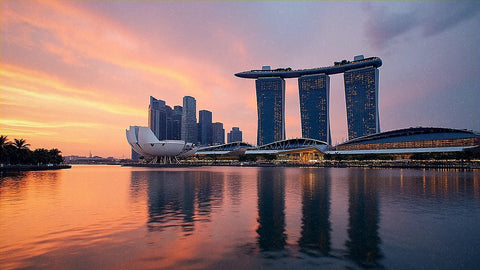
Singapore is one of the few destinations where the question of how many GB I need has a short and sweet answer: considerably less than you imagine. It's a city-state that can be explored in a few days, with free public Wi-Fi across half the island, and trips that are often a one to three-day layover on the way to Australia or Indonesia. Here's the data by profile and duration, without inflating it to sell you a larger package.
The short answer, in a paragraph
For 5 days in Singapore, most people will be fine with 3 GB. If you only use maps and WhatsApp, 1 GB will suffice; if you're uploading photos and videos daily, plan for 5 GB. Ten days of normal tourism are more than covered with 5 GB.
I know that answer sounds unambitious coming from someone who sells data, but it's what I would tell a friend. Singapore is not Morocco or Indonesia: here, public connectivity works, hotel and mall Wi-Fi is fast, and the country is so small that you spend many hours inside places with free internet. The result is that a tourist's actual consumption is well below the average for other destinations.
The other reason is duration. Almost no one spends three weeks in Singapore: the norm is 2 to 5 days, often coupled with another country. And when the trip is short, the package you need is small purely by arithmetic, even if the destination is expensive and you're constantly on your phone.
If you want the general criteria I use for any country, you can find it expanded in my guide on how much data I need for travel. Here I apply that criterion to the specific case of Singapore, which has peculiarities that significantly change the number compared to a classic Southeast Asian trip.
Why you spend less than you think in Singapore
The number one factor is Wireless@SG, the free public Wi-Fi network promoted by the country's telecommunications authority. It's not a symbolic experiment in a couple of plazas: there are more than 5,000 access points spread across metro stations, shopping malls, libraries, museums, hospitals, public buildings, and many hawker centers. If you add the hotel Wi-Fi and Changi Airport's Wi-Fi, you end up spending a huge part of the day connected without using a single megabyte from your package.
The second factor is language. In Singapore, English is an official language and is on all signs, menus, and ticket machines. This means you won't be using a camera translator every two minutes, which is exactly what drives up consumption in Japan, China, or Thailand. It's an invisible but very real saving.
The third is size. The island is just over 50 km from end to end, and almost everything you'll visit is 20-30 minutes away by metro. Fewer travel hours mean fewer hours of video and music to pass the time.
In Singapore, you use your phone for taking photos and checking prices, not for survival. That significantly reduces the data package you need.
That said, don't paint it rosy: registering for public Wi-Fi might require using their app and doesn't always connect on the first try. That's why I still recommend having your own data, even if it's a small amount. If you want to compare connection options, I explain it in internet in Singapore; here I focus on the package size.
How much each activity actually consumes
Before choosing a number, it's worth seeing where the megabytes come from. The usual surprise is that what seems most daunting (maps) consumes the least, and what we do without thinking (watching reels while waiting in line for the Merlion) is what devours the package.
| Activity | Approximate Consumption | What it means in Singapore |
|---|---|---|
| Google Maps navigating | 5-10 MB/hour | A full day of moving around: about 30-60 MB |
| WhatsApp text and photos | 2-5 MB/hour | Virtually irrelevant in the calculation |
| WhatsApp video call | 300 MB/hour (480 MB in HD) | Half an hour a day is already 150 MB |
| Instagram (feed, stories, reels) | ≈720 MB/hour | The biggest expense of a short trip |
| TikTok | ≈840 MB/hour | Half an hour on the subway = 420 MB |
| YouTube at 1080p | 1.5-3 GB/hour | Save it for hotel Wi-Fi |
| Spotify in high quality | ≈150 MB/hour | Better with downloaded playlists |
| Upload 10 photos to the cloud | 40-50 MB | Multiply by the number of days of the trip |
| Browsing and comparing prices | 30-60 MB/hour | Increases in an expensive destination like this |
| Work email and messaging | 10-15 MB/hour | Only significant if you work remotely |
Notice the contrast: a whole week of map navigation consumes less than a single hour of high-quality video. I have the full breakdown, with more apps and scenarios, in my mobile data usage statistics by activity. The practical conclusion is that your data bill is determined by video and uploads, not by the map.
What really drives up consumption in Singapore
If Wi-Fi saves you so many hours, why isn't 500 MB enough? Because Singapore has three habits that push consumption up:
- Non-stop photos and videos. Gardens by the Bay at night, the light show, the Marina Bay Sands infinity pool, Chinatown, Little India, Sentosa. It's a very photogenic destination and people record much more than usual. Each 30-second video you upload to social media is around 50-80 MB.
- Automatic backup. If your phone has cloud upload enabled with mobile data, 200 photos from a weekend can become almost 1 GB without you realizing it. This is the most expensive mistake of the trip.
- Comparing prices on the go. Singapore is expensive, and we all end up checking our phones to see if an entrance ticket, hotel, or dinner is better elsewhere. These are short but constant moments, and they add up.
Add transportation: although stations have Wi-Fi, inside the train car and on the street, you use your data to check routes, order a Grab, or pay with your phone. And unlike other countries, there are no dead zones here where consumption drops to zero: mobile coverage is excellent across the island, so your phone is always active. In places like Vietnam or Morocco, you spend hours without signal on long journeys, which, paradoxically, saves data.
The good news is that none of these expenses are enormous on their own. With a little thought, a full day of intense tourism stays within 300-500 MB.
Table: GB per profile and duration
This is the table that really matters. Find your profile, cross-reference with the number of days you're staying, and you'll have your number. These are calculated with a reasonable margin, not cutting it close.
| Profile | 5 days | 10 days | 15 days | 30 days |
|---|---|---|---|---|
| Map and WhatsApp tourist | 1 GB | 2 GB | 3 GB | 5 GB |
| Photos and social media (most common) | 3 GB | 5 GB | 8 GB | 15 GB |
| Digital nomad / remote work | 5 GB | 10 GB | 15 GB | 30 GB or unlimited |
| Family or couple sharing | 5 GB | 8 GB | 12 GB | 20 GB |
A couple of honest nuances about this table. The "map and WhatsApp" profile is genuinely insufficient for very few people: if you truly don't open Instagram or upload videos, 1 GB for five days is ample thanks to Wi-Fi. And the photo and social media profile is where 70% of travelers fall; that's why 3 GB is my default recommendation for a three to five-day getaway.
The remote work profile is the only one that changes the rules. Video calls, uploading files, and screen sharing quickly consume megabytes: half an hour of daily meetings is already 150 MB a day, and if you work from a café without decent Wi-Fi, it inflates the figure. In that case, it's worth having plenty of data.
Be careful with 30-day stays: if you stay for a month, you'll likely be in accommodation with fixed Wi-Fi, and daily consumption will drop significantly. Many people overspend by buying 50 GB for a month when half of that would have been enough.
Special case: 1 to 3-day layover
Singapore is probably the most common layover destination in the world. Many people land here on their way to Australia, Bali, or New Zealand and stay for one, two, or three days. This profile deserves its own table because buying 5 GB for 36 hours is a waste of money.
| Layover Type | What you do | Recommended GB |
|---|---|---|
| 6-12 h without leaving Changi | Waiting, charging, eating | 0.5-1 GB (the airport has free Wi-Fi) |
| 24 h going into the city | Marina Bay, dinner, return | 1 GB |
| 2 days | City Center, Gardens, Chinatown | 1-2 GB |
| 3 days with many photos and reels | Add Sentosa and upload content daily | 3 GB |
My advice for layovers: 1 GB covers the vast majority of 24 to 48-hour stops. With airport Wi-Fi, hotel Wi-Fi, and mall Wi-Fi, your own data only works on the street and in the subway, which is where you really need it.
An important logistical detail if you're on a layover: the metro stops running around midnight, so if you land in the early hours, you'll need to order a taxi or Grab from your phone, and for that, you need active data as soon as you land. That's exactly when you appreciate having the line already installed and activated before leaving home. If you're still not sure how that part works, I explain it step-by-step in the Singapore eSIM guide, with the activation part explained without jargon.
How to calculate your real consumption before you leave
All the tables in the world are worth less than your own data. And you have it for free in your pocket: your phone has been measuring how many megabytes you spend for months.
- On Android: Settings → Connections or Network & internet → Data usage. You'll see current cycle consumption and, by tapping on each app, the breakdown.
- On iPhone: Settings → Mobile Data. Scroll down to the app list. This counter is cumulative since the last time you reset it, so check the date at the bottom of the list.
Take your normal monthly consumption and divide it by 30 to get your daily average at home. Now apply the Singapore adjustment: on a short trip, you usually spend slightly more than at home due to photos and maps, but less due to all the available Wi-Fi. In practice, they largely balance each other out, so multiplying your daily average by the number of travel days and adding a 30% margin gives you a very reliable number.
Real example: if you use 4 GB a month at home, your average is about 130 MB a day. Five days would be 650 MB; with a 30% margin, about 850 MB. That means 1 GB would be enough. If you use 15 GB a month, your average is 500 MB daily, and for five days, you need 3 GB.
This calculation has a pitfall worth recognizing: at home, you're on Wi-Fi much more than when traveling. That's why the margin isn't a whim, and why I prefer you focus on your average and not the internet's average.
How to make your data last without suffering
With four adjustments made before flying, a 3 GB package performs like a 5 GB one. None of them force you to give up anything important.
- Download the offline map of Singapore. In Google Maps: search for the city → "Download map." The entire island takes up little space, and with that, navigation uses almost zero data.
- Backups only via Wi-Fi. Google Photos, iCloud, and Dropbox: check that uploads are restricted to Wi-Fi. This is the setting that saves the most megabytes during your trip.
- Disable automatic video playback on Instagram, Facebook, X, and TikTok. This can be done with two taps in the data settings of each app.
- Activate the system's Data Saver Mode and the "Data Saver" feature in video apps.
- Download music and series before you leave. A couple of Spotify playlists and a couple of episodes take up the same space on hotel Wi-Fi as on the street, but at the hotel, they're free.
- App updates only via Wi-Fi. A batch of updates can cost you several hundred megabytes at once.
An extra trick specific to here: take advantage of your accommodation's Wi-Fi at night for anything heavy (uploading the day's video, backing up photos, long video calls home) and save mobile data for lighter tasks. I have more ideas in my list of tricks to save data while traveling, but with these six, you'll reduce consumption by almost half.
What happens if you run out
Now for the part almost no one tells you: running out isn't a disaster, but overspending is wasted money. When you exhaust your data, the line stops providing internet, but you can top up in five minutes from your hotel's Wi-Fi or any shopping mall. You don't lose your number, you don't lose conversations, and you don't get stranded.
And in Singapore, that "getting stranded" is especially unlikely, because you have free Wi-Fi around almost every corner. It's different from running out of data in the middle of a valley in Morocco: here, in the worst case, you go into a mall, connect, and top up.
That's why my rule is simple:
- Buy the package recommended by the table for your profile.
- If halfway through the trip you see you're running low, top up.
- If you have data left over, learn from it for your next destination.
Buying 10 GB "just in case" for three days is the equivalent of checking a large suitcase for a weekend trip. The data you don't use is not refunded or saved for the next trip, so that excessive margin only feeds the bottom line of whoever sells it to you, and I prefer to tell you clearly. If you're new to this world and want to understand the underlying technology, here I explain what an eSIM is and why topping up is as easy as buying.
Sharing data with your partner or family
Many people travel to Singapore as a couple or family and wonder if it's better to have one line shared via hotspot or one for each person. My answer depends on how many of you there are and how you move around.
For two people who always stay together, sharing works well. One carries the data, activates the hotspot, and the other connects. With 5 GB for five days, both of you will have plenty. The real cost is battery life: keeping the hotspot on all day drains the phone of the person sharing, so be sure to bring an external battery, especially with the heat and humidity here, which don't help.
For three or more, or if you're splitting up during the day, a mobile line is better. As soon as one person goes to Sentosa and the other to Orchard Road, the one without a hotspot loses maps and WhatsApp. And in a destination where you'll be coordinating dinners, tickets, and meetups by message, that causes more problems than it saves.
With children or teenagers, calculate separately: a teenager's phone with video consumes easily double that of an adult on the same trip. If you share a single line, it's fair that whoever consumes more video has playback quality limited, or the common package will evaporate in two afternoons.
Frequently Asked Questions
The most common questions I get about data in Singapore, answered directly and with the number upfront.
How many GB do I need for 3 days in Singapore?
1 GB is plenty for most people, and 2 GB will give you complete peace of mind. Three days is enough for maps, messaging, Grab, and a few photos, and much of the time you'll be on hotel, subway, or mall Wi-Fi. Only go up to 3 GB if you post video daily.
Do I need data if public Wi-Fi is so good?
Yes, even if it's a small package. Free Wi-Fi is excellent inside buildings and stations, but you won't have it on the street, inside the train car, or waiting for a taxi late at night. Plus, registering for the public network sometimes requires going through their app. A 1-3 GB package is your safety net.
How many GB are used on average per day in Singapore?
Between 200 and 500 MB daily for a normal tourist. The low end is for those who only use maps and messaging; the high end is for those who upload photos and videos and check social media on every trip. You'll only exceed a gigabyte a day if you make long video calls or telework without Wi-Fi.
Is a VPN necessary in Singapore and does it consume extra data?
A VPN is not necessary for normal browsing. Regular websites and apps work without restrictions, unlike in China. If you still use a VPN for security on public Wi-Fi, expect a 5-15% increase in consumption due to encryption; for a 3 GB package, that's about 150-450 MB.
Can I use the same package if I travel to Malaysia or Indonesia?
Only if you buy a regional Asia plan, not a single-country plan. A Singapore package works in Singapore. If your itinerary includes Kuala Lumpur or Bali, look for a regional plan and add up the days for all countries; it's usually better than buying three separate packages.
What happens if I run out of data halfway through my trip?
You'll lose mobile internet, but you can recharge in five minutes. Connect to any free Wi-Fi, buy more data, and you're good to go. It's cheaper to fall short and recharge than to buy too much: unused gigabytes are not refunded or carried over to the next trip.
Do offline maps save me much in such a small island?
Yes: a downloaded map reduces navigation practically to zero. Even so, live navigation uses little data on its own, between 5 and 10 MB per hour. The truly big savings come from turning off automatic backups and video autoplay.
How many GB do I need if I telework from Singapore for a week?
Allow between 7 and 10 GB for seven days. Video calls are what drive everything up: half an hour daily is about 150 MB, and a two-hour meeting is close to a gigabyte. If you work from accommodation with Wi-Fi, 5 GB is more than enough for when you're out and about.
Conclusion
If you take away just one sentence: for a typical 3-5 day trip to Singapore, 3 GB is the right amount, and if you only use maps and messaging, 1 GB is plenty. For ten days of normal tourism, 5 GB. And for a 24 or 48-hour layover on your way to Australia or Indonesia, 1 GB covers what you need without wasting money.
Singapore is an expensive destination in almost everything but this. Public Wi-Fi is among the best in the world, English saves you a translator, and short distances do the rest. Buying a huge package here is one of the few things you can avoid without giving up anything, so stick to the number for your profile and recharge if you need to.
Once you've decided, choose your plan on the eSIM for Singapore and install it before you leave home: you land at Changi, activate it, and you'll have internet to order a taxi. No queues, no counters, and no overpaying.