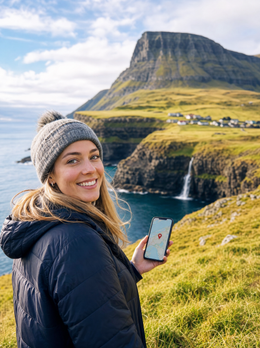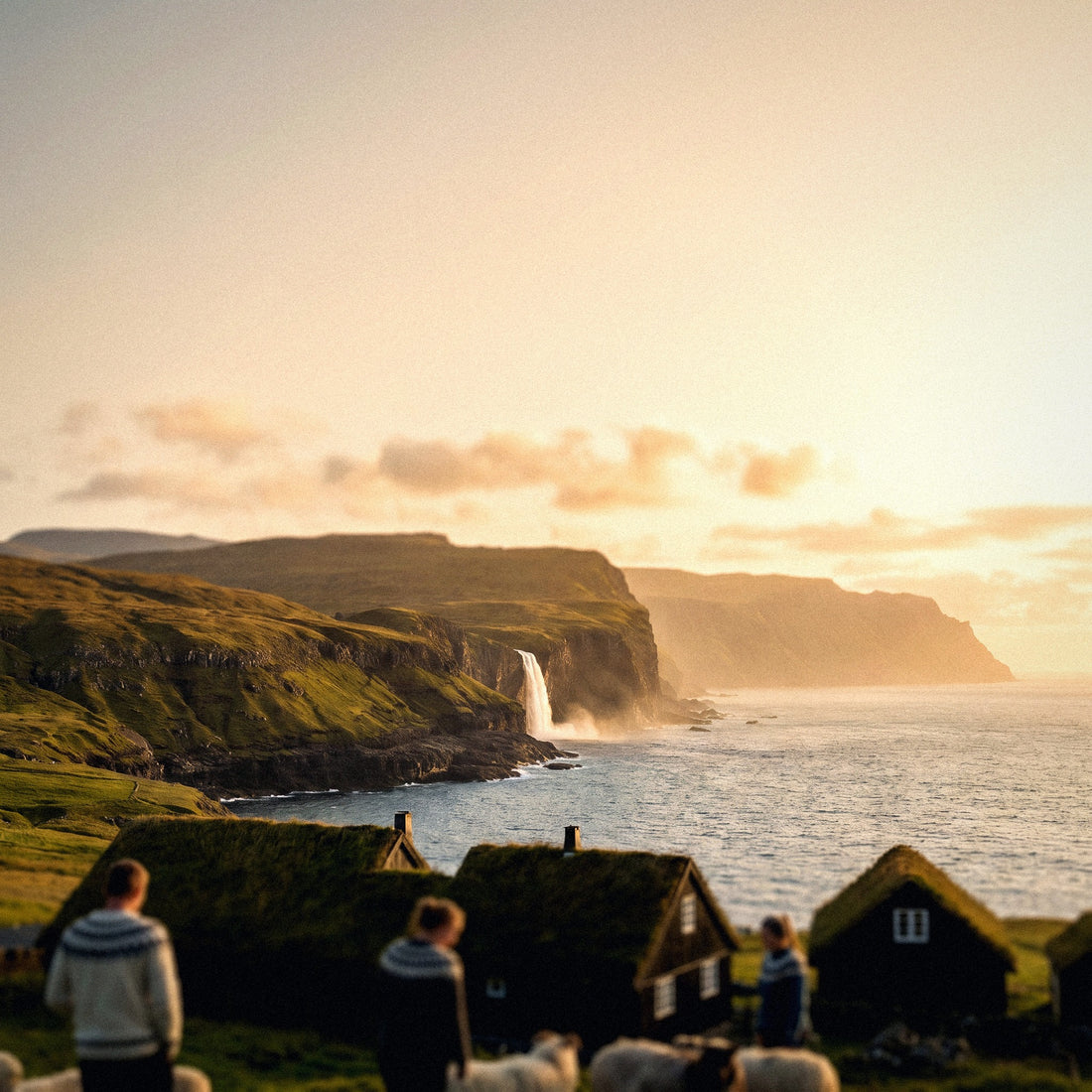
If you've already decided to use mobile data and just need to choose the right data package size, this guide is exactly about that: how many GB you need for the Faroe Islands without overspending or running out of data in the middle of a fjord. I'll give you the number upfront, no beating around the bush, and then explain why this particular archipelago changes the numbers compared to a normal trip to Europe. Spoiler: there's an administrative surprise here that catches many people off guard and that you should be aware of before turning on your phone when you land in Vágar.
The short answer: how many GB for the Faroes
For a typical 5 to 8-day trip to the Faroe Islands, 5 GB is more than enough for most people. If you use downloaded maps and WhatsApp, 3 GB will suffice; if you upload photos and videos daily or work from your accommodation, aim for 10 GB.
That's the answer, and I'm not going to hide it at the end of the article. I also say it with my hand on my heart: the Faroes are one of those destinations where people overbuy out of fear, and then return home with half the package untouched. The reason is simple: it's a trip of driving, hiking, and cliffs, not sitting in a cafe looking at your phone. You spend the day driving on single-lane roads, hiking to a viewpoint, and waiting for the clouds to part. You use your phone in short bursts: checking the forecast, verifying ferry times, sending a photo to the family group, and putting it back in your pocket.
Where your consumption can really skyrocket is in uploading content, because the Faroes are one of the most photogenic places in Europe and you'll be shooting much more than usual. If you have automatic backups enabled with mobile data, those 5 GB can evaporate in three days. This is the only realistic scenario where you might run short, and it can be fixed with two adjustments that I'll tell you about below. If you want a general framework for calculating data for any destination, you can find it in my guide on how much data you need for travel.
Warning: the Faroes are Danish, but European roaming does not apply
This is the part that causes the most grief, which is why I'm putting it early. The Faroe Islands are part of the Kingdom of Denmark, have their own flag, their own government, and their own currency (the Faroese króna, pegged to the Danish krone). But, and here's the detail, the Faroes were left out of the European Union when Denmark joined in 1973, and they do not belong to the European Economic Area either. They are not in the EEA, they are not in the EU, and therefore, they are not covered by the "roam like at home" regulation.
Translated into what matters to you: your Spanish tariff with "gigabytes throughout Europe" does not cover this destination. Your phone will connect just fine, you won't notice anything strange when you turn it on, and there's the trap: consumption is billed at international rates outside the European Union, which for many Spanish operators is around several euros per megabyte. With those rates, looking at the map for a while and uploading four photos can result in a three-figure bill when you return.
Just because a destination is "from Denmark" doesn't mean it's "from the EU." Greenland and the Faroes are classic examples: same passport, same king, different data tariff.
The same goes for data packages sold only for Denmark: many do not include the Faroes because the country code is different (FO, not DK). Before trusting anything, check that the archipelago literally appears in the coverage. In the companion article, I explain in detail all the ways to connect there and which one is best: internet in the Faroe Islands. And if you've never used a digital card, here I explain what an eSIM is in two minutes.
What each app actually consumes
Before deciding on a number, it's good to know what consumes the megabytes. People usually blame maps, but maps hardly consume anything: what consumes a lot is video, in any form. These figures are real orders of magnitude, measured in normal mobile usage; they vary depending on the configured quality and app version, but they are perfectly useful for sizing a trip.
| Activity | Approximate Consumption | What it means in the Faroes |
|---|---|---|
| Google Maps with map already downloaded | 2-5 MB/hour | Normal for road trips: almost free |
| Google Maps without downloading or in satellite view | 120-150 MB/hour | Expensive; easily avoided in 30 seconds |
| WhatsApp text only | 1-3 MB/day | Irrelevant |
| Send a photo via WhatsApp | 1-5 MB per photo | Adds up more than it seems |
| WhatsApp video call | 400-450 MB/hour | Do it from the hotel Wi-Fi |
| Instagram or TikTok browsing | 600-720 MB/hour | The biggest real risk |
| Upload a 15s story | 5-10 MB | Manageable daily |
| Spotify on high quality | ~150 MB/hour | Download playlists before leaving |
| YouTube or Netflix in HD | 500 MB-1 GB/hour | Wi-Fi only |
| Check weather forecast | 1-2 MB per check | Even if you check 20 times a day, negligible |
| Email and web browsing | 10-25 MB/hour | Not very relevant |
Notice the contrast: you can check the weather forecast fifty times a day for a week and not even reach 100 MB, while twenty minutes of scrolling through social media costs the same. If you want the long breakdown with more apps and more cases, I have it detailed in the mobile data usage statistics by activity.
A typical day of a Faroese road trip, in megabytes
Let's get down to earth. This is a realistic day in the Faroes: you wake up in Tórshavn, check the forecast (you'll check it a lot there, we'll get to that), drive to Gásadalur to see Múlafossur waterfall, stop in Saksun, do a short hike, eat at a place with Wi-Fi, return in the afternoon, and send photos home in the evening. In megabytes, that translates to something like this.
| Time of day | Usage | Consumption |
|---|---|---|
| Morning | Weather forecast, tides, and ferry schedules | 5-10 MB |
| Road trip | Navigation with downloaded map + pre-downloaded music | 10-20 MB |
| Viewpoints | Sending 10-15 photos via WhatsApp to the group | 30-60 MB |
| Lunch | A couple of stories and replying to messages | 20-30 MB |
| Afternoon | Twenty minutes of social media while waiting for the rain to stop | 200-250 MB |
| Evening | 10-minute video call (without Wi-Fi) | ~75 MB |
| Total for the day | Normal usage, no long video | 350-450 MB |
Multiply that by seven days and you get about 2.5-3 GB. That's the consumption of a normal person who uses their phone freely, without any special data-saving measures and without counting on the accommodation's Wi-Fi. With nighttime Wi-Fi accounted for, the figure easily drops by half. That's why I insist so much on not overbuying: fear makes people take 20 GB to a place where they'll only use two. If you're someone who watches series on their phone until they fall asleep, add that separately, because an hour of HD video is equivalent to two full days of everything else combined.
Recommendation by profile and duration
This table is the heart of the article. Find your profile, cross-reference it with the number of days you're staying, and you'll have your number. These calculations assume you're sleeping in places with Wi-Fi (which is common in the Faroes) and that automatic backups are configured to work only over Wi-Fi. If you don't plan to touch that setting, go up one tier.
| Traveler Profile | 5 days | 10 days | 15 days | 30 days |
|---|---|---|---|---|
| Map and WhatsApp tourist | 1 GB | 2 GB | 3 GB | 5 GB |
| Photos and social media (most common case) | 3 GB | 5 GB | 8 GB | 15 GB |
| Content creator: uploads video daily | 10 GB | 20 GB | 30 GB | 50 GB |
| Digital nomad / remote worker | 10 GB | 20 GB | 30 GB | 50 GB |
| Family sharing a host mobile | 5 GB | 10 GB | 15 GB | 25 GB |
If your trip is the classic 5-8 days and you don't know which row you fall into, take 5 GB and forget about it. This is the option I recommend to 80% of the people who ask me about the Faroes: it gives you room for a couple of days of uploading lots of photos, for a long video call if there's trouble at home, and for the accommodation Wi-Fi to be down one night, which also happens. And if you're one of those who barely looks at their phone on vacation, don't be convinced otherwise: with 3 GB, you'll make the whole trip without breaking a sweat. It's much cheaper to buy just enough and top up than to pay for gigabytes that return home with you unused.
Why the Faroes change the numbers
Each destination shifts the number for different reasons. These are the four important Faroese factors, and two of them work in your favor.
- Coverage is surprisingly good. This is the most reassuring fact, and many people don't believe it until they get there. The main operator, Føroya Tele, reports around 99.7% 4G coverage, and in 2024 completed the deployment of 5G, reaching 18 islands with 100% population coverage. There's signal on bridges, ferries, in underwater tunnels, and even on boats dozens of kilometers offshore. Even Mykines, the remote puffin island, has 4G. You won't be out of touch.
- It's a road trip with long stretches without using your phone. Underwater tunnels, winding roads, sheep in the middle of the asphalt, and ferry waits. Your phone is in the holder navigating, not consuming.
- The weather changes every hour, and you'll check it constantly. It's the most repeated action of the trip: opening the forecast before deciding which viewpoint to visit. The good news is that checking the weather costs ridiculously few megabytes.
- Good Wi-Fi in almost all accommodations. The country has an excellent fixed network, and most hotels, guesthouses, and apartments have plenty of connection.
The only factor that pushes the number up is the brutal volume of photos and videos you'll generate. Gásadalur, Saksun, Sørvágsvatn, the puffins of Mykines: you'll fill your gallery like on few other trips. And that leads to the next section, because that's the real risk.
Photos and videos: the black hole of your gigabytes
This is where people run out of data in the Faroes, and it's almost never from browsing. It's from automatic backup. Your phone is set to upload everything to iCloud or Google Photos, you shoot 200 photos and four videos on a spectacular day, and your phone starts uploading them in the background without you realizing it. Look at how much what you do weighs.
| Content | Approximate Weight |
|---|---|
| Normal mobile photo (HEIC/JPEG) | 2-4 MB |
| RAW or ProRAW photo | 25-45 MB |
| One minute of 1080p video | 60-90 MB |
| One minute of 4K video | 300-400 MB |
| 15-second story uploaded | 5-10 MB |
| 30-second Reel uploaded | 15-30 MB |
| Automatic backup of a busy day (150 photos + 3 videos) | 800 MB-1.5 GB |
A single day of automatic backup with 4K video can eat up an entire 5 GB package in two days. The solution takes thirty seconds and you do it before leaving home: on Android, go to Google Photos, backup settings, and select "Back up only over Wi-Fi"; on iPhone, go to Settings, your name, iCloud, Photos, and disable "Mobile Data" there. With that, your phone politely waits for you to arrive at your accommodation and uploads everything overnight. This is, by far, the setting that has the most impact on how many gigabytes you need for this particular trip.
Calculate your own consumption before leaving home
All of the above are averages, and you are not an average. The honest and accurate way to know how much data you need is to see how much you already use. You can do it on your phone, for free, in less than a minute.
- On Android: Settings, Network & internet, SIM or Data usage. You'll see current month's usage and a breakdown by app.
- On iPhone: Settings, Mobile Data. Scroll down to the app list; the counter accumulates since the last time you reset it, so reset it on a Monday and check it the following Monday.
Take your monthly consumption, divide it by 30, and multiply it by the number of travel days. That number is your honest starting point. Now adjust it with two Faroe-specific corrections. First, deduct between 40% and 60%: at home, you consume mobile data many hours a day on the subway, in the street, or at the office; there, you sleep with Wi-Fi, drive with a downloaded map, and spend hours hiking with your phone tucked away. Second, add extra for photos, which in a destination like this can be double what you shoot in a normal month.
Real example of how the calculation works out: if you use 12 GB per month, that's 400 MB per day; for eight days, it would be 3.2 GB; you deduct half for Wi-Fi and travel pace, leaving 1.6 GB; you add a gigabyte of margin for photos and unforeseen events, and you end up with 2.5-3 GB. There's your number, based on your own data and not mine. And if the result is much less than you expected, congratulations: you just saved yourself money.
How to stretch your data in the archipelago
Five things I do that double how long a data package lasts. None of them complicate your trip or force you to constantly monitor your usage.
- Download the offline map before you fly. In Google Maps, search for "Faroe Islands," tap on the name, and select "Download offline map." The entire archipelago takes up very little space, and GPS works without data. This is the biggest saver on a road trip.
- Backups only over Wi-Fi, as I mentioned above. If you do only one thing from this list, make it this one.
- Download music, podcasts, and a few episodes before you leave. Faroese roads offer many hours of soundtrack, and there's no point in paying for them via streaming.
- Disable automatic video playback on Instagram, TikTok, X, and Facebook, and activate the system's data saver mode. On Android, it's in Network & internet, Data saver; on iPhone, it's in Mobile Data, Low Data Mode.
- Video calls over Wi-Fi. A half-hour video call uses more data than a full day of browsing and messaging combined. Wait until you get to your accommodation and calmly show off the cliffs.
A specific note for Mykines: if you're taking the ferry or helicopter, download the schedules and your ticket to your phone, because while there is a connection, many people gather at the port at the same time. And another for the weather: local weather apps are very light, so consult them as much as you like. I have an entire guide with more tips like these: how to save data when traveling.
What happens if you run out of data
Reasonable question: what if I get overconfident, buy 3 GB, and run out in Klaksvík? Absolutely nothing serious happens. When you exhaust a travel data package, the service simply stops working: no surprise bill, no excess charges, no penalty. Your phone will be without internet until you recharge or connect to Wi-Fi.
And recharging can be done from your phone in a couple of minutes, with the only condition being that you have a connection at that moment. That's why the practical advice is to recharge from your accommodation's Wi-Fi, calmly at night, as soon as you see you have less than 20% left. You can also do it in advance if you're a planner.
Now for the important part, the honest one. Buying too much has no advantage: leftover gigabytes are not refunded, not saved for the next trip, and don't give you more speed. Buying just enough and recharging if needed costs the same or less, and most of the time, it's not even necessary. That's why I prefer to deliberately buy less and adjust on the fly, especially in a destination like this where accommodation Wi-Fi is good and mobile coverage is everywhere.
The only case where it is advisable to have a margin is if you are traveling alone, driving through isolated areas, and want to be sure you can call or seek help at any time. In that situation, an extra two or three gigabytes are cheap insurance. In the Faroe Islands, this matters: there are beautiful and very empty stretches of road, and even if there is a signal, a phone without data isn't much use for locating accommodation or reporting a delay.
Frequently asked questions
Can I use my Spanish data plan in the Faroe Islands?
No. The Faroe Islands are not in the European Union or the European Economic Area, so the European regulation that allows you to use your data in other countries does not apply there. Your operator will bill your consumption at international rates, which can be several euros per megabyte. This is the most expensive mistake made in this destination, and it happens precisely because the archipelago is Danish, and everyone assumes it's covered.
How many GB do I need for 7 days in the Faroe Islands?
5 GB is more than enough, and 3 GB will get you by perfectly if you use downloaded maps. A week of normal usage (weather forecast, navigation, WhatsApp with photos, and some social media daily) comes out to about 2.5-3 GB if you take advantage of the accommodation's Wi-Fi at night. You would only need more if you upload high-quality video daily or work remotely from there.
Is there coverage in Mykines, on the ferries, and in the subsea tunnels?
Yes, and better than you'd expect. The main operator declares about 99.7% 4G coverage, and since 2024, 5G has been rolled out across all 18 islands. The network reaches bridges, ferries, subsea tunnels, and even ships far offshore, and Mykines has 4G despite how remote it is. Still, have maps downloaded just in case, but the anxiety of "I'm going to be out of touch" in this destination is largely unfounded.
Do I need data to drive around the archipelago?
No, if you have the map downloaded. Your phone's GPS works offline, and the Faroes fit into a very small download. You need data for everything else: checking ferry schedules, booking a spot, checking the forecast before going to a viewpoint, and notifying your accommodation if you're running late. This is megabyte consumption, not gigabyte consumption.
Can I share data with my companion?
Yes, by using your phone as a hotspot. This is the most practical solution for couples or families: one phone carries the package and shares it, while the others connect to it. Keep in mind that consumption adds up, so if there are two of you, get about double; in the profile table, you'll find the family sharing row. Be careful with background data consumption on connected phones: check that they also have backup copies limited to Wi-Fi.
Will a data package for Denmark work for me?
Almost never. The Faroe Islands have their own country code (FO) and are usually excluded from plans sold for Denmark, just like Greenland. Before buying anything, search for the archipelago by name in the coverage list; if it's not explicitly written, assume it's not included. The same applies to many "Europe" packages: always check the fine print.
What if I travel in winter or go for the Northern Lights?
Consumption decreases, not increases. There are fewer daylight hours, fewer photos, and more time spent indoors at accommodation with Wi-Fi. What does change is that you'll check the weather forecast and road conditions more frequently, and you might look at an aurora activity map; both of these use negligible megabytes. The same recommendation of 3-5 GB for a week will be perfect for you.
When should I activate the data service?
Install it at home and activate it upon landing. Installation requires a connection, so do it with your Wi-Fi before you leave; activation is done at your destination, once your phone connects to the local network. This avoids the awkward moment of trying to configure anything at Vágar airport. You'll find the step-by-step guide in my eSIM for the Faroe Islands guide.
Conclusion
In summary, without embellishments: for a 5 to 8-day trip to the Faroe Islands, 5 GB is more than enough for the vast majority, and with 3 GB you can manage the entire trip if you use downloaded maps and take advantage of the accommodation's Wi-Fi. You only need to upgrade to 10 GB or more if you plan to upload video daily or work remotely from there. What is non-negotiable is having your own data: the Faroes are Danish but are outside the EU and EEA, and your European roaming plan does not cover you.
Make the two adjustments that really move the needle (offline map downloaded and backups only via Wi-Fi) and you'll find you have plenty of data. And if you run out, you can recharge in two minutes from your hotel's Wi-Fi without any drama. When you've decided, install it before leaving home with the PuraSIM eSIM for the Faroe Islands and spend your trip looking at cliffs instead of meters.