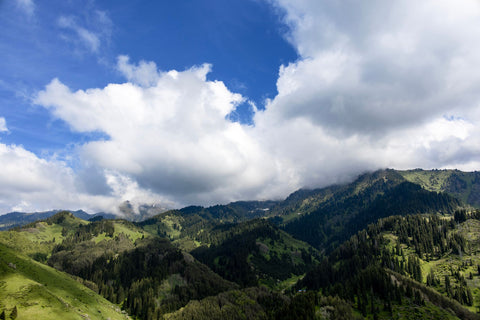
If you already know you're going to buy data and the only thing left is to decide on the size of the package, this guide is about that: how many GB do I need for Kazakhstan and how the number changes depending on how you travel. Kazakhstan is a curious case because it's the ninth-largest country in the world, but you'll spend most of your time in two very connected cities and a few excursions where your phone won't get reception even if you wanted it to. I'll give you the number, the why, and the tables so you can choose in two minutes.
The short answer: the figure that works for you
For 10 days in Kazakhstan, most people will be fine with 3 GB: maps, WhatsApp, occasional social media, and hotel Wi-Fi at night. If you upload stories daily, aim for 5 GB. If you work remotely or share your connection with family, calculate between 10 and 20 GB.
I know it sounds like little compared to what they try to sell you out there. I stand by it. A typical two-week trip through Almaty, Astana, and some excursions to the south will be 3-5 GB for a person who uses their phone like most people do: navigating the city, ordering a taxi, sending photos to the family group, checking Instagram while waiting, and little else. And that's assuming that in Kazakhstan, as almost everywhere else, hotels, hostels, and cafes have Wi-Fi.
The figures that do make me increase the package are others: long video calls every day, watching series with mobile data, sharing the connection with a laptop, or distributing internet among three or four family phones. In those cases, consumption multiplies by five or ten, and no table will save you if you don't take that into account.
If you want the general criteria before delving into the specifics of this country, you can find it in the guide on how much data I need for travel. Here, I'll go straight to what changes the number in Kazakhstan, which is quite a lot.
Why Kazakhstan doesn't consume data like other destinations
There are two forces pulling in opposite directions, which is why the final figure ends up being moderate.
The first pushes upwards: here, the mobile phone is the Swiss Army knife of travel. Signs, menus, and schedules are in Cyrillic, Kazakh, or Russian, so you'll use the camera translator much more than you think. Taxis are ordered via app (Yandex Go and inDrive are the two main ones), city maps are constantly consulted, and the local app 2GIS is the most used in the country for navigation. You'll add up micro-consumptions all day long.
The second pushes downwards, and it weighs more: a good part of your trip takes place without coverage or without the desire to check your phone. The Kazakh mobile network is fast where there are people — the national median is around 94 Mbps, and in Almaty and Astana, it rises to about 130, according to the Speedtest index — but coverage is measured over populated areas: Beeline talks about 98% of populated areas and Kcell about 89% of the population. Between cities, there are hundreds of kilometers of steppe where the signal disappears.
Translated to your package: you'll use data intensively for a few hours a day in the city and practically nothing during long excursions. If you want details on which operator has better reception and how the network works there, I explain it in internet in Kazakhstan.
What each app actually consumes
Before choosing a package, it's good to know what each thing is costing you. These are real average figures, in reliable orders of magnitude; they vary depending on the video quality you have set and the network speed.
| Activity | Approximate Consumption | What it means in Kazakhstan |
|---|---|---|
| Browsing with maps (Google Maps / 2GIS) | ~5 MB per hour | Irrelevant; with downloaded map, zero |
| WhatsApp text and single photos | 10-20 MB per day | The cheapest usage existing |
| WhatsApp voice call | 0.3-0.5 MB per minute (20-30 MB/hour) | You can call home daily without fear |
| Video call | 540 MB - 2.5 GB per hour | The biggest devourer of your package |
| Instagram or TikTok (continuous scrolling) | ~700 MB per hour | Half an hour a day is already 350 MB |
| Uploading 20 photos to the cloud | 80-100 MB | Save it for hotel Wi-Fi |
| Streaming music | 40-70 MB per hour | Ideal for long journeys if downloaded |
| Video at 480p | ~360 MB per hour | Enough on a mobile screen |
| Video at 1080p | ~1.5 GB per hour | One movie and you've used up the small package |
| Ordering a taxi via app | 5-10 MB per trip | You'll use it several times a day |
The conclusion from this table is always the same: what consumes data is not traveling, it's video. Maps, messaging, and taxis together rarely exceed 100 MB daily. You have the detailed breakdown in the mobile data usage statistics by activity.
How many GB depending on your profile and days
This is the table that really matters. Find your profile, cross-reference it with the number of days you'll be there, and you'll have the number. These are calculated for one person with Wi-Fi available at the accommodation, which is the normal situation in Almaty, Astana, Shymkent, or Turkistan.
| Travel Profile | 5 days | 10 days | 15 days | 30 days |
|---|---|---|---|---|
| Map and WhatsApp tourist | 1 GB | 2 GB | 3 GB | 5 GB |
| Photos and social media (daily stories) | 3 GB | 5 GB | 8 GB | 15 GB |
| Digital nomad / remote work | 10 GB | 20 GB | 30 GB | 50 GB |
| Family sharing one line | 5 GB | 10 GB | 15 GB | 25 GB |
Three nuances to avoid mistakes when choosing a row:
- Map and WhatsApp tourist means exactly that: you navigate, order taxis, send audio messages and photos, check email. If you also watch videos in bed, you are not this profile.
- Family sharing assumes two adults and one or two children using the same access point. Children watching videos account for 80% of the consumption: if you download cartoons for them before leaving, drop one entire row.
- Digital nomad includes work video calls. One hour of video meetings daily accounts for 20-25 GB in a month just from that.
If you're unsure between two rows, choose the lower one. Topping up is trivial, and having leftover data is wasted money, and I'll come back to that later.
Short layover in Almaty or Astana: a separate case
Kazakhstan is heavily used as a stopover to Asia, and this profile deserves its own calculation because none of the above applies to it. If you spend 12, 24, or 72 hours in Almaty or Astana before continuing your flight, you won't consume data like on a trip.
| Layover Duration | What you do | Recommended GB |
|---|---|---|
| 6-12 h (airport and city center only) | Maps, taxi, notify home | 500 MB |
| 24 h (one night in the city) | Previous + photos and some social media | 1 GB |
| 48 h | Full city, Medeu or Kok-Tobe | 1-2 GB |
| 72 h (city + Charyn or Big Almaty Lake) | Normal tourist with one excursion | 2-3 GB |
On a layover, the pattern changes: you concentrate almost all consumption in the first two hours, when you land, figure out how to get to the city center, order a taxi, announce your arrival, and check the schedule of your next flight. After that, it drops sharply.
A practical detail: if you're flying with a long layover and want to leave the airport, activate data before landing or as soon as you touch down. Airport Wi-Fi exists, but in the region, it's common for public Wi-Fi hotspots to require SMS confirmation to a local number, which you won't have. Arriving already connected saves you trouble. For short layovers, a small eSIM for Kazakhstan package is more than enough without paying for gigabytes you won't use.
Mountains, canyons, and steppes: the days you don't spend
Here is the most beautiful peculiarity of this destination: Kazakhstan has entire days when your data package doesn't move. Charyn Canyon is about three hours from Almaty by road; Kolsai and Kaindy lakes are even further; Big Almaty Lake climbs a mountain road where the signal comes and goes. And in Shymbulak, skiing, you don't even look at your phone except for a photo.
| Day Plan | Hours with Useful Coverage | Typical Consumption |
|---|---|---|
| Excursion to Charyn or the lakes | 2-4 real hours | 80-150 MB |
| Skiing or mountain day (Shymbulak, Medeu) | Intermittent | 100-200 MB |
| City day in Almaty or Astana | All day | 250-500 MB |
| Work from home day from the apartment | All day | 1.5-3 GB |
On a classic two-week trip to Kazakhstan, you will have four or five days of long excursions. These are four or five days that barely count towards your package: it's not that you save, it's that there's no network to spend data.
However, before leaving the city, download the map of the area and your route, because in the middle of the steppe, your phone won't rescue you. If the excursion includes very remote areas—or if you decide to go near Baikonur, which also requires permits and an organized tour—assume you'll be without data and take everything offline.
Domestic flights and long journeys
Kazakhstan is enormous, and you'll notice it in the travel times. Almaty and Astana are separated by over a thousand kilometers: a flight takes about two hours, including boarding, and an overnight train easily exceeds twelve hours. Add road trips of three, four, or five hours to reach the beautiful spots in the southeast.
That travel time is the great unknown in your calculation, because it can cost you 0 MB or 3 GB depending on what you do:
- If you're going to sleep or look out the window, don't count anything. The steppe is hypnotic, and coverage is sparse.
- If you're going to watch series, each hour at 1080p is 1.5 GB. Four hours on a train and you've already spent more than an entire week in the city.
- If you're going to listen to music or podcasts, 40-70 MB per hour. Little, but if downloaded beforehand, it's zero.
My recommendation is simple: the night before a long journey, using the hotel Wi-Fi, download whatever you want to watch and listen to. This is the decision that saves the most gigabytes throughout your trip, much more than any fine-tuning. On domestic flights, you'll also have your phone in airplane mode for half the journey, so don't even consider it for consumption.
And pay attention to the distribution between cities: if your plan is five days in Almaty, four in Astana, and a couple of excursions, you're looking at a trip with a lot of city time and good network. That profile will hit 4-5 GB in two weeks if you're someone who uploads content daily.
Calculate your own consumption before leaving home
All of the above are averages, and you are not an average. There's an honest way to get it right, and it only takes two minutes: check how much you actually consume on your own phone.
- On Android: Settings › Network & internet › SIM or Data usage › Mobile data usage. You'll see the total for the last month and the breakdown by app.
- On iPhone: Settings › Mobile Data, and scroll down to the app list. Reset the statistics on the 1st of a month to get a clear data point.
Take your monthly total, divide it by 30, and you'll have your actual daily consumption. Now apply two corrections for Kazakhstan:
- Subtract what you do at home using Wi-Fi and will also do there using Wi-Fi (backups, updates, watching series on the sofa).
- Subtract another 20-30% for excursion days without coverage.
- Add a bit for translator, maps, and taxis, which are used much more when traveling than at home.
In practice, almost everyone consumes less data when traveling than in their routine, because at home, the phone is connected to Wi-Fi half the day, but you also have many more idle hours to check it. If your daily average in Spain is 300 MB, your 10-day trip to Kazakhstan will not exceed 2-3 GB.
How to stretch your GB in Kazakhstan
If you're running low or simply want your small package to last for everything, these are the adjustments that really move the needle, ordered from greatest to least impact:
- Offline maps. Download Almaty, Astana, and the areas of your excursions in Google Maps, and also try 2GIS, which is the most used map app in the country and works offline. Double benefit: you save data and won't get stuck without a signal.
- Translator language packs. Download Russian (and Kazakh, if your app offers it) to translate menus and signs offline. It's one of the most used features here.
- Video at 480p and autoplay disabled on Instagram, TikTok, and X. You go from 1.5 GB per hour to 360 MB.
- Backups only over Wi-Fi. Google Photos and iCloud can upload hundreds of MB of trip photos without you even knowing.
- Data saver mode activated in the system: cuts background traffic from apps you're not using.
- App updates only over Wi-Fi. A single update can take up 200 MB.
With these six adjustments, it's realistic to cut consumption in half, and none of them will change your travel experience. If you want the long list with more tricks and screenshots of where each setting is, I have it in how to save data with your travel eSIM.
What happens if you run out
Not much, and that's precisely why I recommend aiming low. When you run out of data in a package, the line stops browsing, and that's it: no surprise bill, no excess charges, nothing extra charged. You simply connect to the hotel or café Wi-Fi, top up or buy another package in two minutes, and continue.
Compare that to the opposite scenario. If you buy 20 GB for a ten-day trip and only use 3 GB, you've paid for 17 GB that no one will refund you. In Kazakhstan, local data is also inexpensive—the ITU's reference basket of 5 GB, 140 minutes, and 20 SMS cost about $11.90 per month in 2025—so it's not a country where it makes sense to overbuy "just in case."
Running short costs two minutes and a few euros. Overbuying costs the entire unused package. Between these two errors, always choose the first.
My way of doing it: I start with the package stated in the table, look at the consumption on the third day, and extrapolate. By the third day, you'll know your real pace and still have time to top up without stress. If you see you're using double what you expected, recharge; if you see you're using half, relax and watch that episode on the train.
Frequently asked questions
How many GB do I need for 7 days in Kazakhstan?
2 GB is enough for a normal week of tourism, and 3 GB gives you plenty of leeway. Seven days are enough for Almaty, an excursion, and a trip to Astana; between the accommodation's Wi-Fi and the hours without coverage during excursions, it's hard to exceed that unless you watch videos with data. If you're traveling for work with video calls, increase to 10 GB for the same week.
Do I need more data because it's such a large country?
No: the size of Kazakhstan reduces consumption, it doesn't increase it. The enormous distances mean hours of travel through steppe and mountains where there's no network to use data. What you do need is foresight: download maps and entertainment before leaving the city, because when the signal disappears, no data package will help.
Is there good 4G coverage outside Almaty and Astana?
In cities and towns, yes, between them not always. The country's average mobile speed is around 94 Mbps, and in the two large cities, it rises to about 130, but coverage is measured over populated areas: Beeline cites around 98% of populated areas and Kcell 89% of the population. There is usually signal on main roads; in the interior of the steppe and in some mountain valleys, there isn't.
How many GB for a 24-hour layover?
1 GB is more than enough for a one-day layover in Almaty or Astana. You'll use almost all of it upon landing: maps, ordering a taxi, notifying home, and checking your next flight. A 500 MB package is enough if you only go out for a few hours to the city center. Keep in mind that some public Wi-Fi networks in the region require SMS verification to a local number, so it's good to arrive already connected.
Can I share data with my partner?
Yes, by tethering from your mobile, but count double the gigabytes. Two people using a single line consume practically double that of one, even if they share the same routes. For two people for ten days in Kazakhstan, estimate 5 GB if you mostly use maps and messaging, and 10 GB if you also upload content daily. Make sure the second mobile doesn't use the opportunity to upload its backups.
Do I use more data for the translator and Cyrillic?
A little more, but much less than you fear: a few MB per query. Translating a sign or a menu with the camera uses tiny amounts compared to a minute of video. Still, downloading the Russian language pack before traveling allows the translator to work offline, which is truly useful when you're in a village with no signal.
What if I run out of data in the middle of the trip?
You top up from the hotel Wi-Fi in a couple of minutes and continue. There are no penalties or out-of-package consumption: the connection simply stops. That's why I recommend starting small and expanding if necessary. If you've never used one of these digital lines, I explain how they work in what is an eSIM.
How many GB do I need if I go skiing in Shymbulak?
Less than you think: a day of skiing is around 100-200 MB. Between the cable car, the descents, and occupied hands, the mobile comes out of the pocket for photos and little else. The real consumption of a mountain day is the photos you upload at night, and those fit perfectly on the hotel Wi-Fi in Almaty.
Conclusion
If I had to stick with just one number for Kazakhstan, it would be this: 3 GB for ten days covers most travelers with a margin. Increase to 5 GB if you post daily, and only go over 10 GB if you work remotely, make long video calls, or share internet among several family mobiles. Other profiles are overbuying.
The reason is the country's geography itself: many highly connected cities, many roads with nothing, normal Wi-Fi in accommodations, and entire excursions where the mobile doesn't even ring. Download maps and the translator before leaving Almaty, save backups for Wi-Fi, and don't overcomplicate it.
When you've decided, choose the size wisely and not out of fear: you can see the packages and prices on the eSIM data for Kazakhstan, activate it before leaving home, and land in Almaty or Astana already connected. If you run short, you can top up in two minutes. Have a good trip through the steppe.