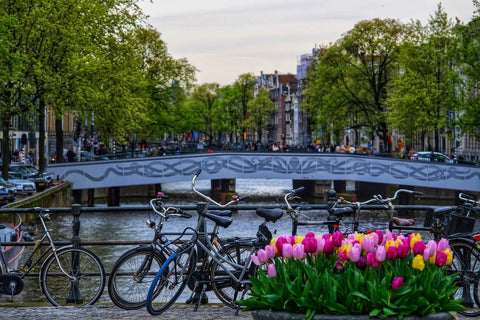
If you already have your flight to Amsterdam and just need to decide how many GB to buy for the Netherlands, I'll summarize it for you in one line: far fewer than you think. Here's the actual calculation, activity by activity, with the detail that you'll do almost everything by bike there and with free Wi-Fi readily available. And also the specific cases where it is worth buying data separately.
The number, straight to the point
For a 3 or 4-day trip to Amsterdam, most people will find 1 GB more than enough, and 3 GB will be comfortable for almost everyone. With Dutch Wi-Fi and downloaded maps, a day of cycling, museum visits, and photos will consume 150-250 MB. Only if you upload video daily will you need 5 GB.
That's the answer, and I won't hide it at the end of the article. The reason is that the Netherlands is probably the European destination where you least need to be loaded with gigabytes: short distances, free Wi-Fi in hotels, cafes, museums, and much of the public transport, and mobile usage that, in practice, is limited to maps, WhatsApp, and camera.
Beware, "1 GB is enough" does not mean "don't buy anything." It means that the small package makes sense, and paying for 10 or 20 GB for a long weekend is a waste of money. If you're deciding between 1 GB and 3 GB, take the 3 GB for peace of mind: the price difference is usually about the cost of a coffee and saves you the anxiety of constantly checking your usage.
If you're coming from another destination and want the general framework for calculating this for any trip, I've developed it in the main guide on how much data I need for travel. Here, I focus on what specifically changes the number in the Netherlands, which is quite a lot.
Honest warning: if you have a Spanish line, EU roaming already covers you
I'm going to say what almost no eSIM website says: the Netherlands is in the European Union, so if you have a normal Spanish line, your monthly gigabytes work there just like in Madrid, at no extra cost. Buying data "just in case" for a weekend in Amsterdam is, for many people, an unnecessary expense.
Operators are obligated to give you a minimum amount of data for European roaming, and from 2026, that minimum is calculated by dividing your monthly tariff price without VAT by €1.10 and multiplying by two. In other words: a €15/month tariff gives you around 22 GB usable in the EU. For four days of cycling and museums, that's a huge margin.
My criterion: in an EU country, an eSIM doesn't compete with your tariff; it competes with running out of data. Buy it if your situation is one of those in the table, not out of habit.
| Your situation | Do you need separate data? |
|---|---|
| Spanish line with plenty of gigabytes each month | No. Use your EU roaming and that's it |
| Very cheap tariff or prepaid that you already deplete in Spain | Yes, small backup package |
| Old prepaid that charges roaming separately | Yes, check conditions beforehand |
| Company phone with roaming blocked | Yes, this is the most typical case |
| Arriving from outside the EU (Latin America, UK, Switzerland) | Yes, definitely |
| Tablet or second phone without a line | Yes, small package |
| Long stay: more days abroad than in Spain | Yes, the fair use policy might cut you off |
If you want to understand all the ways to connect there and not just the package size, you can find that comparison in internet in the Netherlands.
How much each app actually consumes
Here's the core of the calculation. People vastly overestimate what maps consume and underestimate what social media consumes. These are approximate consumption figures per hour of active use, not just having your phone in your pocket.
| Activity | Approximate consumption | In 4 days in Amsterdam |
|---|---|---|
| Google Maps navigation | 3-10 MB per hour | 60-120 MB (3 h/day) |
| WhatsApp: text, audio, and photos | 5-10 MB per day | 20-40 MB |
| WhatsApp: voice call | ~1 MB per minute | 30 MB (30 min) |
| WhatsApp: video call | ~440 MB per hour | 220 MB (30 min) |
| Instagram (feed, stories, reels) | ~720 MB per hour | 1.4 GB (30 min/day) |
| TikTok | 800 MB to 2 GB per hour | 1.6-4 GB (30 min/day) |
| Spotify | 72 MB/h normal, ~150 MB/h high quality | 150-600 MB |
| Streaming video | 0.5-0.7 GB/h at 480p; 1.5-3 GB/h in HD | Avoid without Wi-Fi |
| Email and web browsing | 10-20 MB per hour | 100-200 MB |
| Showing an entrance QR or paying for the tram | Kilobytes | Irrelevant |
Notice the jump: half an hour of daily reels consumes ten times more than three hours of navigation by bike. That's why the package size is determined by your relationship with video, not the destination. If you want a complete breakdown per application, I have it measured in the article on mobile data usage statistics by activity.
Amsterdam by bike: GPS is not the villain
The typical travel profile is this: you rent a bike on the first day, and from then on, you move around with your phone on the handlebars for hours, crossing bridges, dodging trams, and turning every two streets. Intuitively, it seems like that would eat up your entire data package. Well, it doesn't.
Google Maps downloads map tiles once and then only requests traffic and route recalculations. In bike mode, there's no traffic to check, so you're at the lower end of the range: around 3 to 5 MB per hour. Four hours cycling with navigation on is about 20 MB. Less than sending five photos via WhatsApp.
What does consume battery and data is having the screen on all the time, because with the screen active, other background apps wake up. That's the invisible consumption that people attribute to GPS. Two tricks I always use:
- Download the offline map of Amsterdam before leaving the hotel: it's about 100-200 MB via Wi-Fi, and then you navigate almost at no cost.
- Activate the system's Data Saver Mode, which cuts background refreshing while you're cycling.
- Buienradar, the rain radar app everyone there checks every two hours, consumes a couple of MB a day. Nothing.
- For the tram and metro, you don't need data: you pay by tapping a contactless card or your phone to the reader, and that works even with your phone in airplane mode.
Museums, queues, and tickets on your phone
The Rijksmuseum, the Van Gogh Museum, and Anne Frank House operate with timed entry tickets and QR codes on your phone. This is where people get nervous: "what if I run out of data right in the queue?" It's a reasonable fear, but the solution isn't to buy more gigabytes; it's not to depend on the connection.
A ticket QR code weighs only a few kilobytes, and once downloaded, you have it. What consumes data is opening email, loading the museum's website, or waiting for a third-party app to refresh with people queuing behind you. So, the night before, with hotel Wi-Fi:
- Save each ticket to Wallet or download the PDF to your phone.
- Take a screenshot of the code. It's not pretty, but it always works and doesn't require a network.
- Note the exact entry time in your calendar, including the address.
Add a practical detail: in the queues at Museumplein, many people refresh their phones at the same time, and the network is slow even if you have plenty of coverage. It's not your data package; it's cell saturation. With your ticket already downloaded, it won't matter to you.
Museum audio guides usually use their own Wi-Fi or a downloadable app, so they don't count either. In total, a day at three museums with everything prepared won't even reach 30 MB of actual consumption. Budget zero for this.
Canals and tulips: photos do consume data
And now we come to the real data hog of the trip. Amsterdam is a city that photographs itself: tilted houses, bikes stacked against a railing, reflections in the water at sunset, and, if you go in spring, tulip fields or Keukenhof. You're going to take hundreds of photos. What determines your consumption isn't taking them, it's what you do with them.
| Action | Approximate weight |
|---|---|
| A photo from a modern phone | 3-6 MB |
| 30-second 4K video | 90-180 MB |
| Sending a photo via WhatsApp (compressed) | 100-300 KB |
| Automatic backup of 40 photos in original quality | 150-250 MB |
| The same 40 photos in "storage saver" | 40-60 MB |
| Uploading an Instagram story | 5-10 MB |
| Uploading a 30-second reel | 20-50 MB |
Automatic backup in original quality is the classic trap: four days of photos can easily be 1 GB or more uploading by itself, without you even realizing it, while you're cycling. And on top of that, over the mobile network, which is precisely what you want to avoid.
The solution takes thirty seconds: go into Google Photos or iCloud settings and set backup to Wi-Fi only. With that, your thousand photos of canals will sync at night in the hotel, and your data plan won't even notice. Share via WhatsApp during the day, as it's compressed and weighs a tenth as much.
Dutch Wi-Fi reduces the number
This is the factor that makes the Netherlands require fewer gigabytes than almost any other destination. Wi-Fi coverage is excellent and free in a surprising number of places: hotels and hostels, cafes and "brown bars," public libraries, museums, Schiphol Airport, much of the long-distance trains, and many shops in the city center.
In practice, this means your phone spends many more hours connected via Wi-Fi than via the mobile network. You have breakfast with Wi-Fi, the museum has Wi-Fi, you return to the hotel and there's Wi-Fi. The mobile network only works during commutes, which is exactly when you use maps and messaging, i.e., what consumes the least data.
My honest recommendation is to take advantage of it in an organized way, not by chance:
- Leave app and system updates for Wi-Fi only. An iOS or Android device updating automatically over the mobile network can consume 2-4 GB in one go.
- Download at night what you plan to consume the next day: podcasts, offline music, the series for your return flight.
- Be wary of open Wi-Fi networks without passwords for making payments or accessing your bank.
With this routine, many travelers finish four days in Amsterdam having used less than 500 MB of mobile data. That's why recommending a large package here would frankly seem like selling smoke, and if you're interested in how to set up and activate a small one, I explain it in the eSIM Netherlands guide.
How many GB per profile and per day
This is the table you came for. Find your profile, cross-reference it with the number of days, and there you have your number. These are calculated assuming what I've just told you: Wi-Fi available at night, downloaded maps, and backups disabled on the mobile network.
| Profile | 3-4 days | 5 days | 10 days | 15 days | 30 days |
|---|---|---|---|---|---|
| Tourist (maps and WhatsApp) | 1 GB | 1 GB | 2 GB | 3 GB | 5 GB |
| Photos and social media | 2 GB | 3 GB | 5 GB | 8 GB | 15 GB |
| Family sharing connection | 3 GB | 5 GB | 10 GB | 15 GB | 25 GB |
| Digital nomad or remote work | 5 GB | 7 GB | 15 GB | 20 GB | 40 GB |
A couple of nuances that are worth more than the table:
- The "family" profile assumes one adult shares via Wi-Fi hotspot with children watching videos. If the kids have their own data, move down a step.
- The "digital nomad" is marked high due to video calls: a one-hour meeting via Meet or Zoom alone consumes 0.5-1.5 GB. If you work from accommodation with Wi-Fi, your actual consumption is closer to that of a tourist.
- If you're staying for 15 or 30 days, we're no longer talking about a short trip: also review your Spanish operator's fair use policy, because after a certain number of days abroad, they might issue a warning.
A rule I always apply: choose the package that covers your normal day, not your worst imaginable day. For the worst day, there's topping up, which takes two minutes.
And yes, I am aware that the best-selling row would be the very top one, but for four days cycling, it's the one that aligns with the truth.
Trains to Rotterdam, Utrecht… and Bruges
Almost no one stays only in Amsterdam. The country is small, and trains are fast and frequent: Utrecht is half an hour away, Rotterdam just over forty minutes, The Hague and Haarlem are close by. And many people take the opportunity to cross to Bruges or Antwerp, which are a couple of hours away.
Two specific warnings for your GB calculation:
- The train journey is phone time. Forty minutes scrolling through feeds can be 400-500 MB if you get into reels. Download music or podcasts before boarding, and that part of the journey will cost you nothing.
- Bruges and Antwerp are in Belgium. A package purchased only for the Netherlands will not work when you cross the border. If your plan includes Belgium, you need a regional Europe package, not a country-specific one. This is the most common mistake and is detected when you get off the train, which is the worst time.
Coverage on the route is good for almost the entire journey, so don't count on "dead zones" to save you data, as happens in mountain destinations. Here, you'll be connected from door to door.
Regarding on-board Wi-Fi: it's usually available on long-distance trains, it's free, and it's perfectly adequate for messaging and email, though it might struggle with video when the carriage is full. I use it for work and save the mobile network for maps upon arrival. With that, a full-day excursion to Rotterdam costs me 100-150 MB, including photos I send to the family group.
How to know your real consumption in five minutes
All of the above are averages. Your actual consumption is already measured in your pocket, and you don't have to believe me: check it yourself.
On Android, go to Settings > Network & internet > SIM > App data usage. On iPhone, go to Settings > Mobile Data, and scroll down to the app list. You'll see the total for the period and a breakdown of which app consumed it. On iPhone, it's good to tap "Reset Statistics" at the beginning of a month for the number to be meaningful, otherwise, it accumulates since you bought the phone.
With that information, the calculation is straightforward:
- Divide your monthly consumption by 30 to find your actual MB per day.
- Multiply by the number of travel days.
- Subtract between 40% and 60%, because in Amsterdam you'll be out more and connected to public Wi-Fi more than in your normal routine.
- Round up to the nearest available package.
Real-world example for normal people: if you use 6 GB per month in Spain, that's 200 MB per day; for four days, 800 MB; minus half for Wi-Fi, 400 MB. Buy 1 GB, and you'll have some left over. If you use 25 GB per month, you're into video and social media, and then you'll need 2-3 GB for the same trip.
This method is much more accurate than any generic recommendation, including my own, because it's based on how you use your phone, not how the average person uses it.
Making your data last and what happens if you run out
If you still want to stick with the smallest package, these measures will halve your consumption without you feeling like you're missing out on anything:
- Offline maps of Amsterdam and any city you visit, downloaded via Wi-Fi.
- Photo backups only via Wi-Fi. This is by far the biggest data saver.
- Low-quality video and auto-play disabled on Instagram, TikTok, and X.
- System data saver mode activated throughout the trip.
- App and system updates, Wi-Fi only.
- Music and podcasts downloaded the night before.
What if you run out? Nothing serious happens: you can top up from your phone in a couple of minutes and continue. That's why I always say that it's better to run short and top up than to overbuy. If you buy 10 GB for a weekend and only use 800 MB, you've paid for nine gigabytes that will expire; if you buy 1 GB and are short 300 MB, you add a small package and have spent less overall.
The only precaution: don't wait until you're at zero to top up. Set the consumption alert to 80% and top up using the hotel Wi-Fi, calmly, not in the middle of the street in the rain. You have all the specific settings, step by step, in how to save data on your trip, which is where I explain each option with screenshots and without technical jargon.
Frequently asked questions
How many GB do I need for 4 days in Amsterdam?
1 GB is fine for most people, and 3 GB is more than enough for almost everyone. A typical day of cycling, museums, and photos uses between 150 and 250 MB if you have photo backups set to Wi-Fi and maps downloaded. Only daily video streamers or remote workers need more.
Do I need to buy data if the Netherlands is in the EU?
If you have a Spanish line with enough gigabytes, no: your plan works there at no extra cost. It's worth buying separately if you're coming from outside the EU, if you have a company phone with roaming blocked, if your prepaid plan doesn't include it, if you're traveling with a tablet, or if you usually run out of data before the end of the month.
How much data does Google Maps use when cycling in Amsterdam?
Between 3 and 10 MB per hour, and in bike mode, you're at the lower end. Four hours of navigation is about 20 MB, less than sending five photos. If you download the city map via Wi-Fi before you leave, data consumption drops almost to zero, and your battery also lasts longer.
Is Amsterdam's Wi-Fi enough not to buy anything?
Almost, but I don't recommend it. There's free Wi-Fi in hotels, cafes, museums, Schiphol, and many trains, covering 80% of your consumption. The remaining 20% are precisely the critical moments: looking up an address while cycling, letting someone know you're running late, or ordering a taxi late at night. A small package is enough for that.
Does a Netherlands package work if I go to Bruges for a day?
No: Bruges is in Belgium, and a single-country package stops working when you cross the border. If your plan includes Belgium, Germany, or any jump outside the country, get a regional Europe package. It costs little more and prevents the classic data blackout just as you get off the train.
Can I share data with my partner or family?
Yes, by activating your phone's Wi-Fi hotspot, and it's the cheapest way for two people to travel with a single package. Keep in mind that consumption adds up, so move up a notch in the profile table. However, sharing drains battery heavily: carry a power bank if you're going to be out all day.
What happens if I run out of data halfway through my trip?
You top up from your phone in a couple of minutes and continue, without changing anything else. That's why it's better to buy a small amount and expand if needed, instead of paying in advance for gigabytes that will expire unused. Do it with the accommodation's Wi-Fi and set an alert at 80% consumption so you're not caught unaware.
Is my phone compatible?
Almost all mid-range and high-end phones from recent years are, and you should check before buying. You need an unlocked device compatible with digital profiles; it's explained and listed with models in what is an eSIM, along with how to check it in thirty seconds from your settings.
Conclusion
The Netherlands is one of the few destinations where my advice is to spend less, not more. For a 3 or 4-day trip to Amsterdam, 1 GB covers most people, and 3 GB leaves room for photos, social media, and some unexpected needs. If you extend to ten days or travel with family sharing a connection, go up to 5-10 GB; and only if you work remotely with daily video calls does it make sense to go beyond that.
Before buying anything, check if your Spanish line already covers you: within the EU, often it does. And if your situation is one that isn't covered—company phone, prepaid without roaming, tablet, or arriving from outside Europe—get the small package, activate Wi-Fi-only backups, and forget about the counter.
Once you're clear, here are the packages for the Netherlands, with the option to start with the smallest and expand if you need to.