If you already know that you're going to buy data and just need to decide on the amount, this guide is for you: how many GB you'll need for Pakistan based on your travel style, without overspending or falling short. I won't repeat how to connect here—that's covered in the sister guide—, I'll go straight to the number and why this particular country changes the calculation.
The quick number for Pakistan
For 10 days in Pakistan, most people will be fine with 5 GB. If you're only moving around Lahore, Karachi, or Islamabad with maps and WhatsApp, 3 GB will do; if you go north—Hunza, Skardu, the Karakoram Highway—you'll spend less than you think, because half the route has no coverage.
That's the short answer, but it's worth understanding where it comes from. Pakistan is a two-speed destination: in big cities you have decent 4G and Wi-Fi in hotels and cafes, so you spend as much as on any trip. As soon as you head north, coverage becomes intermittent or disappears for hours, and your consumption drops on its own. That's why it doesn't make sense to buy a huge package thinking about the mountains: there, your phone spends more time searching for a signal than using data.
My honest advice: size it for your city days, not for the entire trip. A classic two-week tourist with an urban base and some trips to the north will be very comfortable with between 5 and 8 GB. If you work on the road or share with family, increase it; if you're almost entirely trekking, decrease it. And don't inflate the number out of fear: you can always recharge in minutes, while no one will refund you for overpaying. If you want the general framework for the calculation, you can find it in the parent guide on how much data to take when traveling.
Why Pakistan changes the number
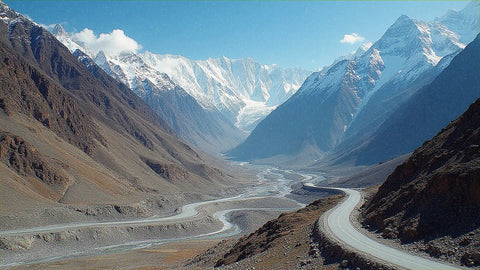
Almost no destination distributes coverage as unevenly as Pakistan, and that's precisely what influences your GB number. In Lahore, Karachi, and Islamabad, you have a good mobile network and Wi-Fi everywhere; there, you spend as you would in any big city. The twist comes when you go north: the Karakoram Highway and the northern valleys (Hunza, Skardu, the eight-thousander area) have weak or directly non-existent signal for long stretches.
In practice, half a day on the road north passes without data: you take hundreds of landscape photos that stay in your camera roll and are uploaded later, when you get Wi-Fi. On high-altitude treks, there is simply no network. It sounds like a problem, but for your wallet, it's the opposite: the mountain itself saves you data. People overbuy because they associate "adventure" with "high consumption," when the opposite is true.
Two useful nuances of this destination. One: you'll mainly use taxi apps (Careem, inDrive) and maps in the city, where there is coverage, so that consumption falls on your urban days. Two: always have your maps downloaded offline before heading north, because you won't be able to load them on the fly. If you're still unsure how to connect (roaming, local SIM, or eSIM), I break that down in the internet in Pakistan guide; here, we'll continue with gigabytes.
How much data each activity consumes
Before you set your number, look at what really eats up data. These are actual consumption figures per activity; you'll be surprised how little maps and WhatsApp consume compared to video. With this table in mind, calculating your own case is almost automatic.
| Activity | Approximate Consumption |
|---|---|
| Google Maps (navigation) | 5-10 MB per hour |
| WhatsApp (messages and photos) | 1-5 MB per day |
| WhatsApp voice call | ~30 MB per hour |
| Video call (WhatsApp/FaceTime) | 250-500 MB per hour |
| Social media without video (Instagram feed) | 100-200 MB per hour |
| Social media with video (Reels, TikTok) | 600-840 MB per hour |
| Uploading photos to the cloud | 3-5 MB per photo |
| Music streaming (Spotify) | 50-100 MB per hour |
| Standard video (YouTube/Netflix 480p) | 0.5-0.7 GB per hour |
| HD video (1080p) | up to 3 GB per hour |
The takeaway is clear: maps, messaging, and music barely scratch your plan, while video is what devours your gigabytes. A tourist using maps and WhatsApp can spend an entire day with less than 100 MB; however, two hours of Reels or an afternoon of streaming shows on data will consume more than a whole week of navigation. If you want the detailed breakdown by app, you can find it in the data usage statistics by activity.
A typical day: gigabytes by type of day
App averages are fine, but in Pakistan, it's more helpful to think by type of day, because coverage determines almost as much as your usage. A day exploring Lahore isn't the same as a full day in a van on the Karakoram Highway or a trek where your phone can't even get a signal. This table translates your itinerary into real data.
| Type of day | What you do | Approx. Data |
|---|---|---|
| City day (Lahore/Karachi/Islamabad) | Maps, Careem/inDrive, WhatsApp, some social media | 250-500 MB |
| Road day (Karakoram Highway) | Lots of photos, offline maps, intermittent coverage | 100-250 MB |
| Trekking or high mountain day | Almost no signal; photos uploaded later | 0-50 MB |
| Rest day with Wi-Fi at accommodation | Calls home using data only if no Wi-Fi | 50-150 MB |
Add up the days of your route and you'll have your almost exact number. A real example: 14 days with 6 in cities, 4 on the road north, and 4 trekking will barely exceed 3-4 GB, even if you take a thousand photos. Notice the pattern: a trekking day hardly counts, and those are precisely the days people overestimate. That's why I insist: size it for your urban days and treat the north as "free" data. If your trip is a family visit based in a city, count more days of the first type and increase the total slightly.
Your recommendation by profile and duration
Here's the heart of the guide. Choose the profile that best matches you and cross-reference it with the number of days you'll be traveling. These figures have ample margin for normal use; if you think they're giving you too much, remember that in Pakistan, the north pulls the averages down, so for very mountainous itineraries, you can drop a whole step.
| Profile | 5 days | 10 days | 15 days | 30 days |
|---|---|---|---|---|
| Map and WhatsApp Tourist | 1-2 GB | 3 GB | 5 GB | 8-10 GB |
| Photo and Social Media User | 3 GB | 5 GB | 8 GB | 15 GB |
| Digital Nomad / Remote Worker | 5 GB | 10 GB | 15-20 GB | 30 GB or more |
| Family Sharing a Plan | 5 GB | 10 GB | 15 GB | 25-30 GB |
This is the table that matters, so read it with your itinerary in front of you. The classic two-week tourist will be comfortable with 5 GB. The photo and social media user, who uploads stories daily, will go up to 8 GB. If you work remotely—video calls, uploading files, tethering to a laptop—aim directly for 10-15 GB, because video calls consume the most. And if several of you are traveling and sharing a single connection, count the plan as if it were for "one heavy user" and add extra margin. In all cases, it's better to slightly underestimate and recharge than to buy a behemoth you won't use up.
In Pakistan, the greatest data saving comes from the geography: as soon as you leave the cities and head towards Hunza or Skardu, your phone loses signal and your consumption plummets. Don't buy thinking about the north; buy thinking about your city days.
The PTA (IMEI) registration hassle and why you skip it
Here's a detail almost no one tells you about, and it could ruin your trip. Pakistan has a system called DIRBS: if you insert a local SIM into a phone brought from abroad, the country registers your IMEI, and after a few weeks, requires you to officially register it with the PTA and, in many cases, pay an import tax. If you don't, the phone stops working with Pakistani SIMs from one day to the next.
There is a temporary free registration for tourists (around 120 days), but it involves a portal, passport, customs, and paperwork, and for short stays, it's a hassle that sometimes gets stuck. The good news: data plans that work as roaming—your phone connects to local networks without using a national SIM—are exempt from this registration. This means that with a travel eSIM, you arrive, connect, and leave without going through a counter or risking your IMEI being blocked or taxes being claimed.
For me, that's the strong argument in this specific destination: it's not just convenience, it's avoiding a process with a real risk of leaving you without a phone. If you're not sure how a digital card works, I explain it in what an eSIM is, and the country-specific plan is in the Pakistan eSIM guide. Whatever your choice, keep this in mind before buying a cheap local SIM.
Internet and network outages: have a backup plan
A practical note, without going into politics. In Pakistan, there have been episodes of internet and social media outages and restrictions, especially during times of tension and in certain regions: mobile data suspensions for days and temporary blocks of platforms like X or WhatsApp. This is not typical of daily tourism, but it happens, and it's good to know before traveling with a single connection as your only link to the world.
What does this mean for your GBs? Little in quantity, but a lot in strategy: the lesson isn't to buy more data, but to always have a backup plan. An outage doesn't consume your plan, it simply leaves you without service for a while; what you want is not to depend on a single option for something important like notifying someone you've arrived safely or managing a flight.
My specific recommendations:
- Download offline maps of your route and save addresses and reservations locally, so you don't rely on the network at a bad time.
- Have a secondary connection method handy (for example, hotel Wi-Fi in addition to your data) and share your itinerary with someone before heading north.
- Don't put all communication on a single app: if one platform goes down, make sure you have another one through which you can be reached.
Calculate your own consumption before you go
The table by profile is a good starting point, but you have a much better piece of data: your own history. The most honest and reliable trick to getting the GBs right is to look at how much you actually spend at home and extrapolate that to your trip. You can check it yourself in two minutes without installing anything.
On Android, go to Settings > Network & internet > SIM/Data usage and look at the last month's consumption. On iPhone, go to Settings > Cellular and scroll down to the total for the period (it's a good idea to reset it to zero on the first day of the month for a clean figure). Divide by 30 and you'll have your average daily consumption.
Now adjust it to your trip with common sense:
- Subtract what you do at home via Wi-Fi and will continue to do via Wi-Fi there (streaming shows in the hotel, backups). That won't touch your plan.
- Add the tourist extras: more maps, more photos, more searches and translations on the go.
- Subtract the days in the north and trekking, where you already know there will be little to no coverage.
With this, you have a much better personal estimate than any average. If, for example, you get 300 MB per day of actual use and you travel for 10 days with 3 days in the mountains, you're looking at 2-2.5 GB; round up to the nearest commercial plan and you're good to go. This method works for any destination, but in Pakistan it's especially accurate because the days without signal clearly reduce the total.
How to stretch your GBs (and what happens if you run short)
If you want to make every megabyte count, stretching your gigabytes is easy with four adjustments that are barely noticeable in the experience. In a destination like Pakistan, where there are also stretches without coverage, these habits will give you extra peace of mind:
- Offline maps: download areas before you leave; navigating on a saved map uses almost no data and works without a signal.
- Lower video quality to 480p on YouTube and social media; switching from HD to standard can divide consumption by four or five.
- Backups and uploads only via Wi-Fi: let photos and backups wait for the hotel, don't upload them using data in the middle of the road.
- Disable auto-play on Instagram, TikTok, and YouTube, and enable your phone's Data Saver Mode.
You can find the complete list in the guide to data-saving tips. And what if you still run short? It's not a drama: it's almost always better to run short and recharge than to overspend. Buying a huge plan "just in case" is money you rarely get back, while extending or adding another package can be done in minutes from your phone, without going to any store. Running short costs you two taps; overspending, an entire wasted plan. That's why my recommendation is to go for the adjusted figure in the tables and keep recharging as a safety net.
Frequently Asked Questions
How many GB do I need for 10 days in Pakistan?
Most people will be fine with 5 GB for 10 days. If you only use maps and WhatsApp in the city, 3 GB is enough; if you upload to social media daily or work remotely, aim for 8-10 GB. The north adds little consumption because it has no coverage.
Will my phone work in the north (Hunza, Skardu, Karakoram Highway)?
Only intermittently and in towns. In Gilgit, Karimabad, or Skardu, you'll get a signal, but between stretches of the Karakoram Highway and on high-altitude treks, coverage is weak or non-existent. Download maps and don't count on data in the mountains.
Do I need to register my phone with the PTA if I use an eSIM?
No. The DIRBS/PTA registration and its potential tax affect phones with local Pakistani SIMs. A travel digital card connects as a roaming device and is exempt, so you avoid the paperwork and the risk of your IMEI being blocked.
What do I do if I run out of data halfway through my trip?
Recharge and continue, in minutes. Extending the plan or adding another package can be done from your phone without going to any store. That's why it's advisable to buy an adjusted amount: recharging is quick and overspending is wasted money.
Can I share the eSIM with my family?
Yes, by activating the hotspot. One member carries the plan and shares it via Wi-Fi with the rest. Estimate consumption as if it were for a heavy user and add extra margin: for a family of four, 10-15 GB over two weeks is usually fine if you don't overuse video.
What if the internet is cut off or a social network is blocked?
It has happened in isolated incidents, so have a backup plan. An outage doesn't consume your data, it just leaves you without service for a while. Download maps and reservations locally and don't rely on a single app for communication, especially before isolating yourself in the north.
Is a cheap local SIM better, or an eSIM?
It depends on how much paperwork you can handle. A local SIM has very cheap data, but requires PTA IMEI registration, a physical store, and a passport. An eSIM costs a bit more per gigabyte but you activate it before you leave and skip all the bureaucracy. For short trips, the convenience usually outweighs the cost.
Conclusion
In a nutshell: for a typical one or two-week trip to Pakistan, 5 GB will cover a tourist's maps and photos, 8 GB for someone who's always on social media, and 10-15 GB for those who work remotely or share with family. Gauge your usage by your city days, treat the north as almost free data, and keep recharging as a safety net instead of overbuying. And don't forget this country's specific quirks: with a digital card, you skip the IMEI PTA registration, and it's wise to carry offline maps in case of network outages. If you're clear on this, get your data activated from home with PuraSIM's Pakistan eSIM and land connected from the very first minute.