You’ve decided to buy data for your trip, and you only have one question left: how many GB do you need for Trinidad and Tobago without running out or overpaying? Here's my well-reasoned answer, without getting bogged down in theory, designed for a country that is actually two very different trips: one urban and industrial island, and another of beaches and calm.
The quick answer: how many GB do you need
For a typical 7-10 day trip to Trinidad and Tobago, most people will be fine with 3-5 GB using maps, WhatsApp, and some social media. If you're going during Carnival and recording a lot of video, or if you're working remotely, aim for 10-15 GB.
That range covers almost everyone, and I'm giving it to you upfront so you don't have to read to the end. The rest of the article is for fine-tuning based on your habits: someone who only checks maps to avoid getting lost doesn't use as much data as someone who uploads stories every half hour. My approach is simple and honest: a figure with a margin, not just the bare minimum. I'd rather you have half a gigabyte left over than be stranded looking for Wi-Fi on your last day.
If you're still deciding how much data to bring to any destination, not just this one, you'll find my general hub on how much data you need for travel helpful, where I explain the underlying logic. Here, I'm going straight to Trinidad and Tobago, which has its own specificities: two islands with different consumption patterns, and one month of the year, February, that changes everything. Let's start by understanding why this destination doesn't fit a generic recommendation.
Why two islands change the number
For your phone, Trinidad and Tobago is two trips in one. Trinidad is urban, industrial, and business-oriented: Port of Spain, traffic, offices, oil, and gas. There, you'll constantly use map and traffic apps, order taxis, check schedules, and if you're there for work, you'll be chained to video calls and emails with attachments. That consumes data, and it consumes it consistently throughout the day.
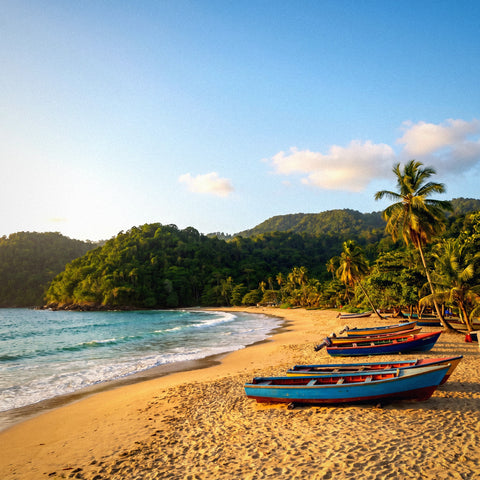
Tobago is the opposite: beaches, diving in Buccoo Reef, Pigeon Point, and a slow pace. Your phone will get a rest there. You'll spend hours in the water or lounging, without scrolling, and for many of those hours, you won't even have good signal, so consumption drops sharply. It's a destination where, paradoxically, the "real vacation" part uses less data than the urban part.
Between the two, there's a flight or ferry, and you can't count on stable data there either. The practical consequence: if your trip is mostly Trinidad and work, increase the data; if it's mostly Tobago and beaches, decrease it. A 60% urban Trinidad and 40% beach Tobago balances well within that 3-5 GB range for ten days. If you want to understand how to connect on each island (card options, network, and compatibility), you can find it in my guide to internet in Trinidad and Tobago. Here, we'll continue with gigabytes.
The Carnival factor: the month that skyrockets your consumption
If you're traveling in February, ignore all of the above for a moment: Trinidad Carnival is the month that skyrockets your consumption. It's THE event of the country, and it's not just any party: it's entire days of parades, music, and street life where half the world records videos and uploads them instantly. Your consumption multiplies for two reasons.
The first, obvious: you record and upload a lot. One minute of video uploaded to social media eats up 40-50 MB, and during Carnival, you don't upload one minute, you upload dozens a day. The second is more insidious: the network gets saturated. With hundreds of thousands of people in the same area hitting the same antenna, speeds drop, uploads reattempt, and everything takes longer. You don't use more gigabytes due to congestion itself, but you end up uploading at worse times and using data where you would have used Wi-Fi before.
During Carnival, the rule is simple: upload your videos at night from your accommodation with Wi-Fi and save your data for essentials during the parade.
| How you experience Carnival | Video you upload | Extra GB to add |
|---|---|---|
| Watching and some short videos | Little | +1-2 GB |
| Recording and uploading daily stories | A lot | +3-5 GB |
| Creator, live streams and long Reels | Very much | +8-10 GB |
How much each activity consumes
Before deciding on your figure, it's worth seeing where the gigabytes come from. These are approximate and real figures per activity; they vary depending on video quality and signal, but they give you the correct order of magnitude for calculation. The key that almost no one understands: text and maps consume very little, and all real consumption is in video, both watching it and uploading it.
| Activity | Approximate consumption |
|---|---|
| WhatsApp messages (text and photos) | 5-15 MB per day |
| Maps and GPS navigation | ~5 MB per hour |
| Social media (Instagram/TikTok scrolling) | 600-900 MB per hour |
| Uploading photos and stories | ~5 MB per photo; 40-50 MB per minute of video |
| Voice call via WhatsApp | ~30 MB per hour |
| Video call | 300-500 MB per hour |
| Music streaming | 60-100 MB per hour |
| Video streaming (SD to HD) | 700 MB to 3 GB per hour |
Notice the jump: an hour of maps is 5 MB, but an hour of social media scrolling is 150 times more. That's why someone who "only uses their phone for maps and WhatsApp" spends very little, and someone who lives on social media needs a lot more. If you want the app-by-app detail, I break it down in my data usage statistics by activity. With this table, you can estimate your typical day and multiply by your travel days.
How many GB depending on your profile and number of days
This table is the heart of this guide. Choose the profile that best matches you and cross-reference it with the number of days you'll be traveling. These are already rounded-up gigabytes, with a margin for unforeseen events, for Trinidad and Tobago outside of Carnival (if you're going in February, add what's in the previous table).
| Profile | 5 days | 10 days | 15 days | 30 days |
|---|---|---|---|---|
| Tourist using maps and WhatsApp | 1-2 GB | 3 GB | 5 GB | 8 GB |
| Photos and social media | 3 GB | 5 GB | 8 GB | 15 GB |
| Digital nomad / remote worker | 8 GB | 15 GB | 20 GB | 40 GB |
| Family sharing (hotspot) | 8 GB | 15 GB | 20 GB | 40 GB |
A couple of nuances that are worth gold. If your trip is for business and short (two or three days in Port of Spain), don't be scared by the remote work profile: if you don't make long video calls, 3-5 GB will be more than enough for email, messaging, and some maps. The "nomad" profile only applies if you're going to make daily video calls or use a hotspot for your laptop. And if you share a connection as a family via hotspot, count everyone's consumption together: that's where gigabytes really skyrocket, because each phone adds up. For most leisure trips of 7-10 days, the top row or the second row is where you'll find your fit.
Real coverage: Trinidad vs Tobago
Coverage matters for gigabytes because where there's no signal, you don't use data. And in this country, it's uneven: good in urban Trinidad, weaker in some rural areas of Tobago. The two main operators provide 4G/LTE in the areas where you'll be most of the time, with 5G expanding in cities.
| Area | Coverage | What to expect |
|---|---|---|
| Port of Spain, San Fernando, Chaguanas, Arima | Solid 4G/LTE, 5G growing | Everything works; you'll spend as expected |
| Interior and rural areas of Trinidad | Irregular 4G | Weaker signal; some forced savings |
| Crown Point and Scarborough (Tobago) | Good 4G/LTE | Tourist area well covered |
| Beaches and remote corners of Tobago | Weak or none at times | You'll barely use data there |
| Ferry between islands | Intermittent | Don't count on stable data |
The practical takeaway is reassuring: beach hours in Tobago, which are the most intimidating when calculating, are precisely the ones that consume the least, because you're either without signal or simply not looking at your phone. What is advisable is to have your route map downloaded before leaving the city. If you want to know which product fits and how to install it on each island, you can find it in my guide to the Trinidad and Tobago eSIM, with specific steps.
Calculate your own consumption before traveling
All of the above are averages, but the most honest data is in your pocket. Before buying anything, check how much you actually spend in a normal month at home; it's the best predictor of what you'll spend abroad. On an iPhone, go to Settings, Mobile Data, and check the total for the period. On Android, in Settings, Connections or Network, Data Usage. You'll see your monthly consumption and, if you scroll down, a breakdown by app.
The trick to extrapolate: divide your monthly consumption by 30 to get your daily average, and adjust. When traveling, you usually use more maps and more social media (everything is new and you want to share it), but also more hotel and restaurant Wi-Fi, and less long video watching at home. For most people, these two effects almost cancel each other out, so your daily home average multiplied by the number of travel days is a very reliable estimate.
- Monthly home consumption ÷ 30 = your daily average.
- Daily average × travel days = basis for your calculation.
- Add a 20-30% margin and round up.
If all this talk of gigabytes and virtual cards sounds like Greek to you, start with the basics in what an eSIM is and then come back with the clear figure.
Tips for stretching your data in Trinidad and Tobago
With a few adjustments, the same amount of gigabytes will last you much longer. The most important for this destination: download maps before you leave. In Google Maps, you can save the Port of Spain and Tobago areas offline; navigating with an offline map uses almost no data and saves you in rural areas without signal.
- Offline maps of both islands before landing: almost all navigation consumption disappears.
- Backups only over Wi-Fi: photos should upload to the cloud at night from the hotel, not using data.
- Lower video quality on YouTube, Instagram, and TikTok to standard definition; on a mobile screen, it's barely noticeable, and you save half or more.
- Disable auto-play for videos on social media and "Autoplay" in your browser.
- Activate Data Saver Mode on your system and in each key app.
- Upload Carnival videos at night, with Wi-Fi and without a saturated network.
With these habits, a "photos and social media" profile can live comfortably with the light tourist's data allowance. I have an entire guide dedicated to this, with more subtle tips, on how to save data on your phone while traveling. By applying half of them, you'll hardly run short.
What happens if you run short (and why it's not a big deal)
Here's my most honest advice: running short isn't a disaster. It's better to buy a moderate package and top up if necessary than to pay in advance for a lot of gigabytes you won't use. Leftover data doesn't travel home with you; data you run short of can be fixed in two minutes.
I prefer to sell you 5 GB and have you top up one day, rather than selling you 20 GB and half of it going unused. Credibility matters more to me than a large package.
If you see that you're nearing the limit, you'll notice it before it runs out, and topping up is instant: you don't have to look for a store or change anything on your phone; it's done from the phone itself. That's why my default recommendation is to aim for the lower-to-middle end of the range and leave the door open for a top-up. The only exception is Carnival: there, it's advisable to have plenty from the start, because with a saturated network, you won't want to be worrying about topping up in the middle of the parade. For the rest of the trip, adjust and relax: running short can be fixed; overspending cannot be recovered.
Frequently asked questions
I'll answer the most common questions about how many gigabytes to bring to this destination.
How many GB do I need for 7 days in Trinidad and Tobago?
3 GB is good for a week if you use maps, WhatsApp, and some social media. If you upload a lot of videos or work remotely, increase to 5-8 GB. Outside of Carnival, you'll hardly exceed that.
What about a short business trip?
For two or three days of work in Port of Spain, 3-5 GB is plenty for email, messaging, and maps. You'll only need more if you make long video calls every day; in that case, count 500 MB per hour of video call.
How much data does Carnival really consume?
Add between 3 and 5 GB extra per week if you record and upload daily. Uploaded video is what drives everything; upload at night with Wi-Fi so that the saturated network during the parade doesn't force you to overspend.
Do I use a lot on Tobago's beaches?
On the contrary: it's where you'll use the least. Between not checking your phone as much and having weak or no signal in remote areas, beach hours barely consume data. The real consumption is in urban Trinidad.
Is 1 GB enough for me?
Only if you're a minimal user: offline maps, text-only WhatsApp, and little else, on a 4-5 day trip. For most, it's too little; with 3 GB, you'll be much more at ease for little difference.
What do I do if I run out of data there?
Topping up is instant and done from your phone. You don't need to go to any store or change anything. That's why it's better to buy a moderate amount and top up if needed, instead of overpaying for gigabytes at the beginning.
Do I need data on the ferry or flight between islands?
Don't count on a stable connection during the journey. The signal on the ferry is intermittent, and there's no signal on the flight. Download what you want to watch or read beforehand and take advantage of not using any data during the crossing.
Is hotel Wi-Fi good for everything?
Use it for heavy tasks: photo backups, updates, and video uploads. This saves your gigabytes for when you're out and about, which is where you really need them: maps, taxis, and messaging on the go.
Conclusion
To summarize so you have a clear figure: for a normal 7-10 day trip to Trinidad and Tobago, 3-5 GB covers almost everyone; increase to 10-15 GB only if you're going during Carnival and recording a lot or if you're working remotely. Remember that Tobago consumes less data than you might think, and urban Trinidad is what drives data usage. Adjust to the lower end, apply a couple of data-saving tricks, and keep topping up as a safety net: that way, you'll avoid bill shocks and dead gigabytes. Once you have your number, get your Trinidad and Tobago eSIM and relax from the moment you land.