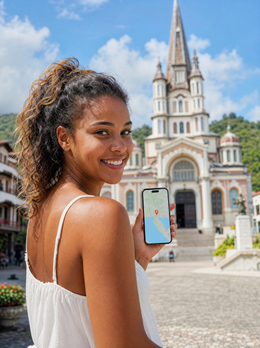

In summary: The Martinique eSIM gives you 4G/5G internet as soon as you land in Fort-de-France, without roaming, without searching for a store or paperwork. You install it at home via Wi-Fi, activate the data when you get off the plane, and you'll have coverage all along the tourist coast; in the mountainous interior, it's advisable to have maps downloaded.
You're flying to the Antilles and want to step into Fort-de-France with Google Maps open and no nasty surprises on your bill. The eSIM for Martinique gives you data from minute one: you install it at home, land, and you're already connected, without having to find an internet café or rely on hotel Wi-Fi. In this guide, you'll see what coverage the island has, how many gigabytes you really need, and how to get it ready before you leave.
Does an eSIM work in Martinique?
Yes. Martinique is an overseas French department in the Caribbean, so it uses the same 4G and 5G mobile networks you would see in mainland France. A travel eSIM connects to these networks in guest mode, gives you internet as soon as you land, and you don't need to change anything about your physical card or your home number.
The advantage over buying a local SIM is that you don't waste time looking for a store in Le Lamentin or filling out paperwork with your passport. The eSIM is already installed on your mobile, with a data plan contracted for the exact days you are on the island. Being a downloadable digital chip, you can have everything sorted from your couch a week before flying.

Coverage and operators on the island
Coverage in Martinique is solid along the entire tourist coast and very good in cities. The main networks are Orange Caraïbe, SFR Caraïbe, and Free, heirs to the large French operators. Your eSIM relies on the best available signal at all times, without you having to manually select it.
These are the areas where you can expect good 4G/5G signal:
- Fort-de-France and Le Lamentin: powerful urban coverage, ideal for working or video calls.
- Les Trois-Îlets and Sainte-Anne: beach and hotel area, good signal on the shore.
- Mount Pelée and northern villages: decent road coverage, with some weak spots between mountains and jungle.
- Les Anses-d'Arlet beaches: sufficient signal for maps and messaging, though low in very isolated coves.
In the mountainous interior and on hiking trails, the signal drops. Download offline maps of the island before heading into the northern rainforest.
How many GB do you need depending on your trip?
To answer quickly: a week of tourism in Martinique is well covered with 3-5 GB. If you make a lot of video calls, upload photos to social media, or work from the beach, increase to 10 GB or a renewable plan. For two weeks of a road trip, aim for 10-15 GB with plenty of room to spare.
This table gives you a realistic reference based on your travel style:
| Traveler Profile | Daily Use | Recommended Plan |
|---|---|---|
| Beach getaway (1 week) | Maps, WhatsApp, some social media | 3-5 GB |
| Active tourism (10 days) | Photos, browsing, light streaming | 8-10 GB |
| Remote work (2 weeks) | Daily video calls and email | 15 GB or renewable |
| Family with multiple mobiles | Share data via hotspot | High plan or multiple eSIMs |
If in doubt, go for the intermediate plan: you can always top up in a minute from the app if you run short, without changing your eSIM.

How to activate your eSIM step by step
Activating your Martinique eSIM takes minutes and is best done with Wi-Fi before you leave home. The general process is the same on iPhone and Android, and you only need to do it once.
- Purchase your plan and you will instantly receive a QR code via email.
- In Settings > Mobile Data > Add eSIM, scan the QR (or use one-tap installation).
- Label the line as "Travel" to distinguish it from your Spanish number.
- Upon landing in Martinique, activate data for that line and turn on eSIM data roaming.
If it's your first time, our general guide on how to install an eSIM will be helpful, and to avoid surprises, check beforehand that your phone supports eSIM (iPhones since XS and most high-end Androids do). On recent iPhones, the process is almost automatic.
Price: eSIM vs. roaming
Here's the key to saving money. Although Martinique is French territory, your Spanish rate does not include free roaming outside the European Economic Area, and the Antilles are outside. Many operators charge high daily or per-megabyte rates if you activate roaming without further thought.
The eSIM works the other way around: you pay a fixed price upfront and know exactly how much it will cost you. No surprise bills when you get home. If you want to understand the difference well, we explain it in eSIM versus roaming, and if it sounds strange that a French territory is charged as outside the EU, here is the explanation of what data roaming is and why each operator draws its zone in its own way.
Practical rule: if your destination is not on your operator's European roaming list, an eSIM is almost always cheaper and more peaceful than activating your company's roaming.
If your trip doesn't end in Martinique and you continue to mainland France or any other EU country, buy your Europe eSIM in advance: this way you won't be without a plan when changing territory or improvising by looking for Wi-Fi at the connecting airport.
Tips to avoid running out of data
With your connection sorted, these tricks will help you stretch your gigabytes throughout your trip around the island:
- Download offline maps of Fort-de-France and the southern beaches before you leave.
- Use your accommodation's Wi-Fi to upload photos and update apps at night.
- Download music and series before long excursions to the north.
- Share via hotspot with your partner or family instead of buying multiple lines, if your plan allows it.
- Disable automatic updates for apps you won't use on the island: they consume gigabytes in the background without you noticing. You'll find more tips like this in our guide on how to save data with an eSIM on a trip.
With these habits, a mid-range plan is more than enough for a week's vacation. And if you go over, recharging the eSIM is immediate and won't leave you stranded in the middle of your trip.
What internet is useful for on the island
Having data in Martinique isn't just about looking at your phone: it's what allows you to make the most of the island without friction. With connectivity from the very first minute, you can book a catamaran excursion to Diamant, check ferry schedules, or hail a taxi when the bus isn't convenient, all on the go.
These are the uses you'll appreciate most during your trip:
- Navigating with your rental car along the coastal road to Saint-Pierre and the volcanic north.
- Translating Creole menus and speaking with locals even if your French is rusty.
- Checking the weather and tides before heading to a cove or snorkeling.
- Sharing live location with your family while exploring remote areas.
On an island where public transport is limited and many beaches are far away, being constantly connected saves you time and trouble. That's why it's worth arriving with your eSIM already active instead of improvising and looking for Wi-Fi.
Myths and common mistakes with the eSIM in Martinique
Before buying, it's worth dispelling some ideas circulating in travel forums that could leave you stranded at the worst possible moment.
- "Since Martinique is French territory, my European rate works the same as in France." Not always. Many Spanish operators treat the French Antilles as outside their EU roaming zone, even though administratively they are part of France. Check your operator's rate zone before relying on typical roaming: if Martinique is not explicitly listed in the Europe zone, be prepared to pay more per megabyte.
- "I need to remove my physical SIM to use the eSIM." False. Your phone works with dual SIM: your Spanish line remains active for calls and SMS while the eSIM handles data. You just need to mark the eSIM as the data line for roaming and leave the physical one for everything else.
- "The Martinique eSIM also works if I take a day trip to Saint Lucia or Dominica." No. As soon as you cross to another island with different operators—which is common if you take a ferry from Fort-de-France—you leave the coverage of your French plan. If you plan to hop to another Caribbean island, check beforehand if you need another eSIM or an international chip for that part of the trip.
- "The entire island has the same coverage." This is not the case: the Fort-de-France–Le Lamentin–Trois-Îlets triangle has excellent coverage, but on the trails of Mount Pelée or descending into the northern jungle, the signal cuts out at times, no matter what plan you have.
- "It's best to install the eSIM at Aimé Césaire airport as soon as you get off the plane." This is the worst option, even if it works: the airport Wi-Fi is usually overloaded with people doing the same thing right after a long flight. Install it at home with your usual Wi-Fi and activate it only upon landing; the installation process takes less than five minutes if you do it calmly, without queues or rushes.
If you've never used a virtual eSIM, keep in mind that it's not a physical card sent to you by mail: it's a digital profile you download, so there's no waiting for parcel delivery or in-store pickup before flying.
Frequently asked questions
Does the Martinique eSIM also work in Guadeloupe?
It depends on the plan. Many Martinique eSIMs only cover the island, but there are regional French Caribbean plans that include Guadeloupe and other islands. Check the coverage details before purchasing if you plan to travel between several Antilles islands on the same trip.
Can I still use WhatsApp with my usual number?
Yes. The eSIM only provides data: your Spanish number remains active on your main SIM, and WhatsApp works the same, linked to that number. You simply use the eSIM's data to connect, without changing anything in your messaging applications.
When should I activate the eSIM, before or upon arrival?
Install it at home with Wi-Fi, but don't turn on data until you land in Martinique. This way, the plan starts counting when you actually use it. On iPhone and Android, you can have the line ready and only activate it when you get off the plane.
Do I need to register my details or passport?
No. One of the advantages of a travel eSIM is that you don't need to register with a document, as is the case with some local SIMs. You buy the plan, receive the QR, and you're all set, with no paperwork or queues at Le Lamentin airport.
What speed will I have on the island?
In tourist areas and cities, you will have 4G and, in many areas, 5G, with plenty of speed for maps, streaming, and video calls. In mountainous routes to the north, the signal drops, so it is advisable to download maps and content before excursions.
What happens if I run out of data in the middle of my trip around the island?
You can top up your eSIM instantly from the app, without going to any store or waiting to find Wi-Fi: all you need is some coverage, even if it's weak, to complete the top-up. If you're not sure how much you'll consume or if you're staying for more than a week, a renewable plan saves you this worry.
Do I need Wi-Fi to install the eSIM, or can I do it with mobile data?
Ideally, you should install it at home with Wi-Fi before flying, so you don't use up your Spanish data plan to download the profile. You can also install it with mobile data if you need to while traveling, but it's more convenient to sort it out calmly before packing your suitcase.
Conclusion
Martinique is a dream destination, and there's no reason to arrive disconnected. With an eSIM, you'll have internet as soon as you land, a fixed price, and zero paperwork. Choose your gigabytes according to your days and usage, install it at home, and relax. Book your eSIM for Martinique now and land in Fort-de-France with data already working.