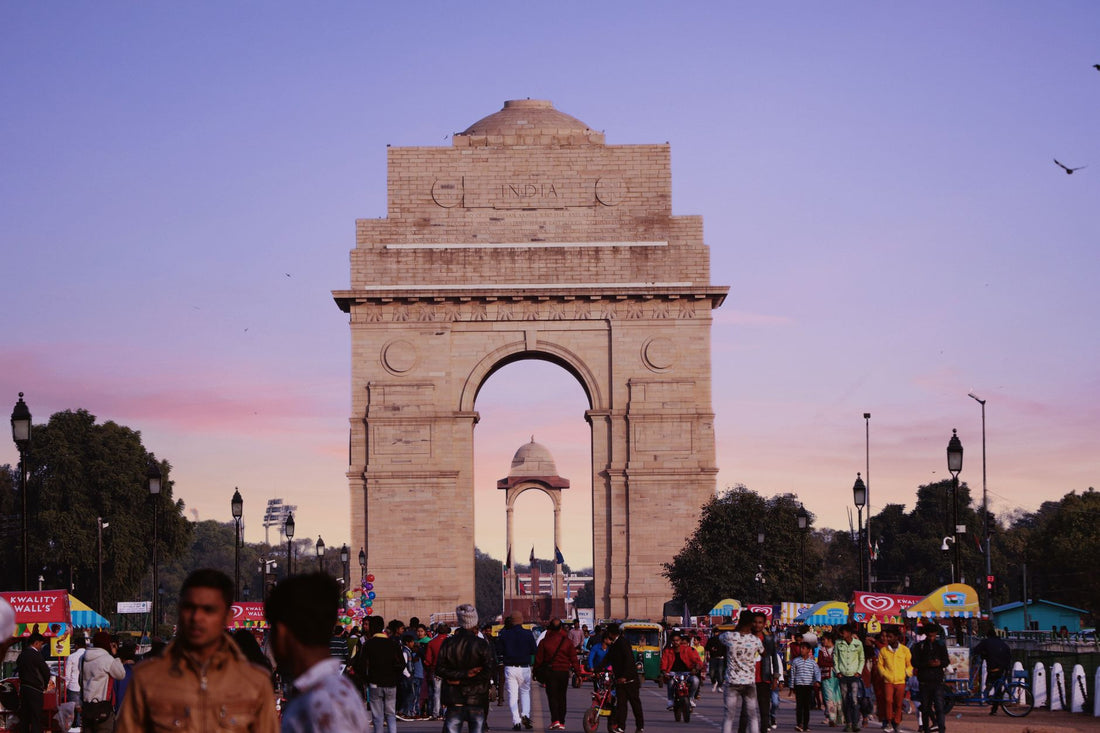
In short: an eSIM for New Delhi gives you mobile data as soon as you land at Indira Gandhi Airport, without having to search for a SIM card store or go through the passport registration required for local Indian prepaid SIMs. You install the profile via Wi-Fi before flying, activate roaming upon arrival, and browse with 4G or 5G right from the terminal.
What is an eSIM for New Delhi and why you should get one
An eSIM for New Delhi is a digital profile that replaces the physical SIM card and connects to Indian mobile networks via technical roaming, without you having to change anything inside your phone. You install it with Wi-Fi before leaving home and keep it stored until you land. You'll leave Terminal 3 of Indira Gandhi Airport with your phone already looking for a taxi, ordering an Uber, or opening Google Maps, without queuing at any counter.
The difference compared to buying a physical SIM at your destination is particularly noticeable in India, because prepaid tourist SIMs require passport registration, a passport-sized photo, and, in many cases, several hours of waiting until the line is actually activated. With an eSIM, you skip that entire process: the profile is already issued, and all you need to do is turn on data roaming. If this is your first time using this type of technology, it's a good idea to review how a virtual eSIM works beforehand so you understand the concepts clearly and don't waste time on activation day.

Another common question is whether it's worth it compared to an international physical chip bought before traveling. Generally, the eSIM wins in terms of convenience because you don't have to change cards or risk losing your own, although each case has its nuances: you can find a detailed breakdown in international chip vs. eSIM if you're still undecided between the two options.
Coverage and operators in the capital
New Delhi has some of the best mobile coverage in the country, which makes sense as it is the capital and one of the largest megacities in the world. Major local operators provide stable 4G service in virtually the entire metropolitan area, and in central and business districts, 5G is already quite widespread. Your eSIM relies on these same networks via roaming, so in Connaught Place, Khan Market, or the diplomatic zone, you'll have plenty of signal from the very first minute.
You might experience occasional drops in the narrower alleys of Old Delhi, inside thick-walled temples, and on the metro during certain peak hours when the network is congested due to the volume of people. Even so, the Delhi Metro maintains good signal in most stations, and for the megacity as a whole, including neighboring Gurgaon (Gurugram) and Noida, coverage is consistently solid.
Tip: Manually activate 4G/LTE in your phone's mobile network settings. If you leave the network on "automatic" and your phone latches onto a slower network, you'll notice Google Maps stuttering just when you need it most, for example, rushing out of the metro.
If your trip to India isn't limited to the capital, keep in mind that network quality varies significantly from one region of the country to another. It's worth first understanding what data roaming is and how your eSIM manages it, because this mechanism is precisely what allows you to move from Delhi to another Indian city without touching any additional settings.
How much data you need for Delhi
It depends on how much you use your phone, but Delhi is a city where you'll be using a lot of data: maps to navigate long avenues, a translator for signs in Hindi, transport apps, and constant messaging to coordinate taxis and meet up with fellow travelers. An average tourist spending three to five days in the capital usually feels comfortable with these approximate ranges:
| Days in Delhi | Light usage (maps + chat) | Medium usage (social media + photos) | Heavy usage (video + hotspot) |
|---|---|---|---|
| 2-3 days | 1-2 GB | 3 GB | 5 GB |
| 4-5 days | 3 GB | 5 GB | 8-10 GB |
| 1 week | 5 GB | 8 GB | 15 GB |
If Delhi is just your entry point to a longer tour of the country, estimate on the higher side and choose a plan with extra GBs and validity days, instead of trying to make every byte count each night at the hotel.
A simple trick to stretch your GBs without sacrificing anything essential: lower video quality on social media when you're away from Wi-Fi, and disable automatic app updates while roaming. You can find more tips like these, easy to apply in any destination, in how to save data with an eSIM on a trip.

How to activate your eSIM upon landing at Indira Gandhi
Ideally, you should install the eSIM profile with Wi-Fi before leaving Spain, for example at home or in the departure lounge at Barajas, and leave data activation until you land. The installation literally takes a minute: you scan the QR code or press the direct installation button depending on your phone model, and the profile is saved, waiting.
As soon as you land at Indira Gandhi Airport, follow this order:
- Turn on your phone and disable airplane mode.
- Go to Settings → Mobile Data and select the eSIM line.
- Activate data roaming on that specific line, not your Spanish line.
- Wait one or two minutes for the phone to automatically connect to the local network.
If this is your first time installing such a profile, you can find the step-by-step process with screenshots in how to install an eSIM. And remember: keep your eSIM data activated and your Spanish line data deactivated so that your usual operator's expensive roaming doesn't kick in as soon as you turn on your phone on Indian soil.
Internet by neighborhoods: from Old Delhi to Gurgaon
Delhi is huge, and each area has its own connection rhythm, so it's good to know what to expect depending on where you're moving.
Connaught Place and Colonial New Delhi
In Connaught Place and the Colonial New Delhi area, you'll find excellent service: it's an area of offices, hotels, and embassies with ample network coverage at any time of day.
Hauz Khas and Saket
Trendy neighborhoods with cafes, shops, and a lively nightlife. Coverage is good for uploading photos or making video calls without interruptions.
Chandni Chowk and Old Delhi
In the labyrinth of Chandni Chowk, amidst crowded stalls and narrow alleys, the signal holds up but can be erratic due to population density and the thickness of ancient walls. Download an offline map of this area before venturing in, not when you're already lost looking for the exit.
Gurgaon (Gurugram) and Noida
If your trip includes work or meetings in these technological hubs of the metropolitan area, good news: they have some of the best 4G/5G coverage in the entire region, designed for the business sector concentrated there.
Traveler's tip: Save the Old Delhi area and your hotel location offline in Google Maps before you start walking. Even if your eSIM works perfectly, a downloaded map can save you in market interiors where the signal becomes temperamental for a while.
Myths and what almost no one tells you
There are a few circulating ideas about staying connected in Delhi that should be clarified before you're caught by surprise:
"In Delhi, everything is paid with a mobile, I don't need cash"
This is a half-truth. QR payments are everywhere, but this system relies on an Indian bank account and phone number, which a tourist with an eSIM does not have access to. Always carry some cash and a physical backup card; the eSIM gives you internet, not access to that local payment network.
Keep your physical SIM for verification SMS
If your bank or an app sends you SMS codes to your Spanish number, don't lose sight of it: you can leave the physical SIM in your phone (without data, only for calls and SMS) while using the eSIM for browsing. This way, you continue to receive those codes without activating your usual operator's expensive voice and data roaming.
Some platforms may be temporarily restricted
India has at times restricted access to certain applications and services for regulatory reasons specific to the country, which change from time to time. If you work with or depend on a specific app during your trip, it's advisable to have an alternative ready and understand how to add an extra layer of privacy to your connection; we explain this in detail in eSIM, VPN, and privacy on your travels.
Heat and dust also affect the signal, not just walls
During periods of intense heat or dust storms that sometimes cover the city, it is common to notice that the network is somewhat slower than usual outdoors. This is not a failure of the eSIM or the operator: it is the local infrastructure reacting to extreme conditions, something that happens with any line, local or traveler's.
You don't have to wait for Wi-Fi at the hotel to activate anything
Many people install the eSIM profile and then, out of caution, wait until they get to the hotel to activate data. There's no need: as soon as you activate roaming for that line at the airport, you'll have coverage to order a taxi right from the terminal, without depending on airport Wi-Fi or anyone else.
Common mistakes and how to avoid them
One of the most common oversights is forgetting to activate data roaming on the eSIM line: without that step, the profile is installed but doesn't connect, and many people think the eSIM "isn't working" when in reality a switch just needs to be flipped. Another classic is leaving the Spanish line as primary for data and incurring expensive roaming charges without realizing it until the bill arrives. Review why it's better to leave traditional roaming behind for an eSIM to understand the cost difference from the root.
Other frequent blunders: not installing the profile before traveling (if you land without available Wi-Fi, activating everything from scratch is harder and depends on the airport having an open network), or assuming you'll have internet during the flight to sort everything out in the air. Install it with time, at home, calmly, and arrive in Delhi with the work already done.
Frequently asked questions
Do I need to register the eSIM with my passport in India?
No. The travel eSIM comes pre-registered and ready to use, so you avoid the passport and photo registration process required by local Indian prepaid SIMs for tourists, which can sometimes take hours to activate. You install the profile, activate data, and browse.
Can I use WhatsApp and make calls with the eSIM in Delhi?
Yes. The eSIM gives you data, and with data, WhatsApp, Telegram, and video calls work normally. For voice calls, use WhatsApp or any similar app; the data eSIM does not include a local number for traditional telephone network calls.
How many GB does Google Maps use in Delhi?
Little: map consumption is moderate, about 0.5 GB per week of normal use. What significantly increases data usage is video on social media, video calls, and sharing your connection via hotspot. For just maps and messaging, a couple of GB will cover several days without a problem.
Does the eSIM work on the Delhi Metro?
In most stations, yes, because the mobile network provides coverage in the Delhi Metro's underground. You might experience occasional cuts in tunnels or during peak hours due to congestion, but generally, you'll be able to browse during your journey without major issues.
Can the same eSIM be used for Agra and Jaipur?
Yes, if you choose a national coverage plan for all of India, not just Delhi. This type of plan also covers the so-called Golden Triangle, including Agra and Jaipur. When purchasing, check that the plan has national coverage and enough GB for your entire route.
What if my eSIM runs out of data halfway through my trip?
It depends on the provider, but typically you can top up your plan or buy a new one directly from your phone, without needing Wi-Fi if you have some connection left. That's why it's advisable to buy with a buffer from the beginning instead of adjusting to the exact limit of days you think you'll need.
Do I need a special phone to use an eSIM in India?
You need your phone to be eSIM-compatible, which most mid-range and high-end phones from recent years already are. You don't need any special phone just for being in India: if your phone supports eSIM in Spain, it will support it in Delhi too.
Conclusion
New Delhi is much more enjoyable when you have internet from minute one: maps, taxis, and a translator always at hand, without depending on hotel Wi-Fi or queuing at a phone company counter as soon as you get off the flight. Install the profile before leaving, activate roaming upon landing at Indira Gandhi, and forget about queues and paperwork. If your trip continues beyond the capital, check out the eSIM for all of India before booking, and get your connection ready before boarding the plane to arrive in Delhi already connected.