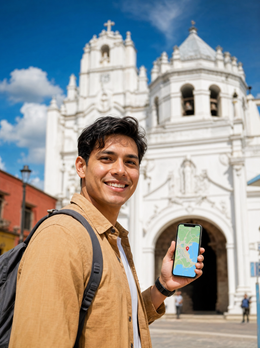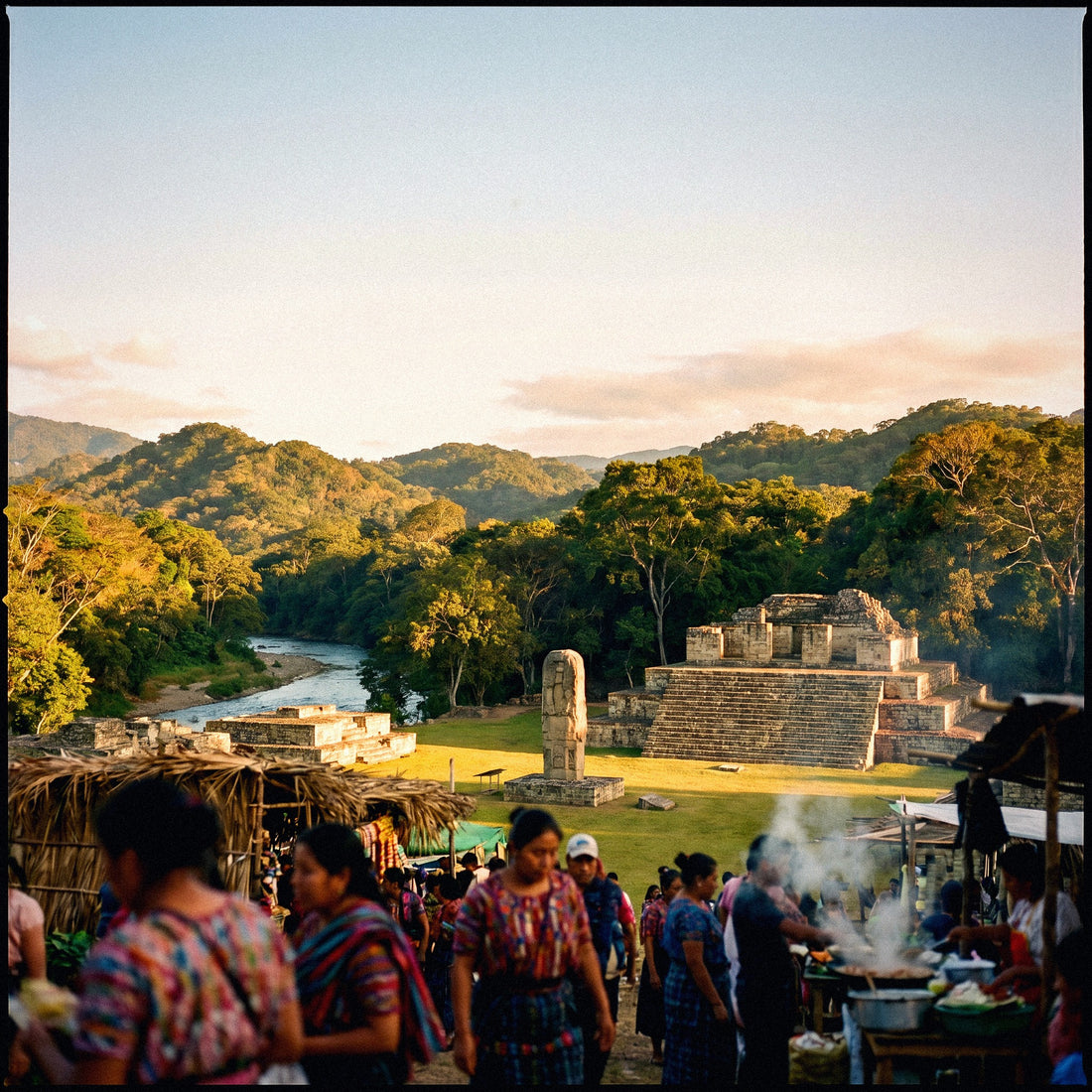
If you're planning your trip to Honduras, between diving in Roatán, the Mayan ruins of Copán, and the hustle and bustle of San Pedro Sula, there's one detail worth sorting out before you fly: how to get internet in Honduras without paying a fortune or getting stranded in the middle of the island. In this guide, I compare, transparently, all the ways to connect—from your usual operator's roaming to a local Honduran SIM—so you can choose wisely and stay connected with your mobile always at hand from the moment you land.
The four ways to connect
To have internet in Honduras, you have four options: roaming with your Spanish operator, hotel and resort Wi-Fi, a local Honduran SIM purchased with your passport, and an eSIM that you activate before traveling. For most tourists, the eSIM is the most convenient and balanced option.
I've chosen to separate them into four distinct paths instead of just selling you one, because each has its moment depending on how many days you're staying and how much hassle you want. A backpacker spending a month in La Ceiba doesn't need the same thing as someone going for five days to a resort in Roatán. Here's a quick overview.
| Option | Estimated cost | Convenience | Ideal for |
|---|---|---|---|
| Spanish roaming | High (per MB or daily passes) | Zero management | Very short trips |
| Hotel/resort Wi-Fi | Free | Only at accommodation | Occasional checks |
| Local Honduran SIM | Low (from ~1-2 $ for the SIM) | Passport and physical store | Long stays |
| Travel eSIM | Medium-low | Activates itself | Most travelers |
None is "the best" in abstract: it depends on your route and how much coverage you need outside of cities. In the following sections, I break down all four with real prices and their fine print, so your decision comes naturally.
How the Honduran mobile network works
Honduras is, for practical purposes for a tourist, a country of two operators: Tigo, market leader with close to 60% share, and Claro, with about 39%. In the Bay Islands, local brands like Max or Reytel also appear, but for a traveler, it makes sense to rely on the two major ones. Before choosing how to connect, it's advisable to plan your connection before leaving home, because coverage here is heavily dictated by geography.
The 4G network reaches about 90% of populated areas, including the Bay Islands, and works well in cities and tourist routes. 5G is still anecdotal: it only appears in some urban centers and you cannot count on it for your trip. As background data, 2G covers almost all municipalities, but 3G and 4G are concentrated where people live and work.
The distribution by zones also matters: Claro dominates the Bay Islands (almost complete coverage in Roatán and Utila), while Tigo shines in large cities. Honduras is mountainous, so as soon as you move away from main roads and urban centers, the signal becomes irregular with any company.
Roaming with your Spanish operator
First important warning: Honduras is not part of the European Union, so the "roam like home" tariff you use in France or Portugal does not apply here. As soon as your mobile connects to a Honduran network, you enter international roaming rates, which with many Spanish operators are charged per individual megabyte at frightening prices or through daily passes that eat up your budget in two days.
Roaming has one great advantage: you do absolutely nothing. You land, turn on your phone, and it works. But that convenience comes at a high price, and very often it is the surprise bill upon returning that pushes people to look for alternatives for their next trip. Before relying on it, call your operator and ask for the exact price outside the EU, without settling for "don't worry, it's included."
If you're still considering it, check the temporary travel bundles that some operators sell for "zone 2" or "rest of the world," because for two or three individual days, they can sometimes be worthwhile. To understand how all this is calculated, I recommend my guide on how much international roaming costs, and if you want a direct comparison with numbers, I have a comparison of eSIM versus roaming.
Hotel and resort Wi-Fi
Free Wi-Fi is your ally for anything that isn't urgent. Almost all hotels and resorts in Roatán, Utila, La Ceiba, San Pedro Sula, and Tegucigalpa offer Wi-Fi, and many restaurants and cafes do too. For uploading dive photos, making a video call at night, or planning the next day, using the lobby Wi-Fi at night is more than enough and costs you nothing.
The problem is quality and range. In Roatán, the island's Wi-Fi is often slow: it's a connection shared among many guests, speed drops during peak hours, and in more secluded dive resorts, it sometimes only works well in reception. And as soon as you leave the hotel, Wi-Fi doesn't follow you: not on the boat to the reef, nor on the road to Copán, nor when you need a map to avoid getting lost.
Another drawback is security: on open networks, it's best not to enter banking details without a VPN. My advice is to treat Wi-Fi as a complement, never as your sole network. If you value portable Wi-Fi as an alternative, check out my comparison of eSIM vs. pocket Wi-Fi, where I explain the battery and deposit issues.
Local Honduran SIM: Tigo and Claro
A local SIM is the cheapest option if you're staying for many days or consume a lot of data. The two useful operators for a tourist are Tigo and Claro, and the cards are surprisingly affordable: a Claro SIM costs around 25 HNL (≈$1) and a Tigo SIM costs about 50 HNL (≈$2). The 50 HNL "Tigo Chip" usually includes 1 GB of data, unlimited messaging WhatsApp, and on-net minutes for a few days; Claro offers similar packages that you can top up.
The downside is the management. By law, buying a prepaid SIM in Honduras requires registering it with your passport, so you'll have to wait in line with your passport in hand at an official store. You can buy one at the airports in San Pedro Sula or Tegucigalpa, although prices tend to be inflated there; an official Tigo or Claro store in the city center is usually better. As a reference, a week with about 2 GB of data on Tigo can cost around $15.
If you're traveling for a month, living locally, or need a Honduran number for administrative purposes, the process is worthwhile. For a one or two-week tourist trip, many travelers prefer to avoid the queue and registration. I compare this in detail in my article on eSIM vs. local SIM, with the advantages and disadvantages of each clearly laid out.
The eSIM, my recommended option
For the vast majority of trips to Honduras, my recommendation is a data eSIM. It's a digital SIM that you buy online, receive by email, and install by scanning a QR code: you can activate it from your couch at home a few days before flying and land in San Pedro Sula or Roatán already connected, without looking for stores or dealing with passport procedures. If you've never used one, I explain it step-by-step in my guide on what an eSIM is.
The advantages are clear. You keep your Spanish number active in the physical slot of your phone (to receive bank SMS or calls), while data goes through the eSIM, relying on the network with the best coverage in the area. There's no plastic to lose, no deposit, and you're not dependent on any store's hours. The only requirement is that your phone is compatible, which applies to almost all models from recent years.
There's another key detail for Honduras: local operators do not sell eSIMs to tourists upon arrival, so you need to purchase it before traveling. The honest counterpoint is that, for very long stays, a rechargeable local SIM might be slightly cheaper per GB. Even so, combining convenience and zero paperwork, the eSIM wins for the average traveler. You can find the fine print in my eSIM guide for Honduras.
Actual coverage by areas of the country
This is the section that most people skip and then regret. In San Pedro Sula, Tegucigalpa, and tourist centers, coverage is good; the problem arises in the mountains or very remote areas, where it's normal to lose coverage between mountains with any operator. It's important to distinguish by destination, because Roatán is not the same as a village in the interior.
On deep-sea diving boats, on mountain stretches towards Copán, and especially in La Mosquitia, don't count on reliable signal. Download maps and notify your loved ones before disconnecting.
As a quick reference, this table summarizes what to expect in the most common destinations. Remember that in the Bay Islands, Claro usually performs better, while in the city, Tigo works very well.
| Area | Mobile coverage | What to expect |
|---|---|---|
| San Pedro Sula and Tegucigalpa | Very good (4G) | Smooth connection at all times |
| Roatán and Utila (Bay Islands) | Good (better with Claro) | Good on land, weak at sea |
| Copán Ruinas and Santa Rosa | Acceptable-good | Decent in the town and ruins |
| Rural and mountainous areas | Irregular | Cuts and variable speed |
| La Mosquitia | Scarce or none | Be prepared to be disconnected |
The moral of the story: where there's a network, you'll connect without issue, and where there isn't, no magic is possible. Plan your mountain and diving days assuming periods without signal, and you won't have any surprises.
How much data you really need
The million-dollar question. The good news is that calculating gigabytes wisely is easier than it seems if you separate by type of usage. As a general rule, an average traveler uses about 1 GB per day: light use (maps, messaging, and some web browsing) is around 0.4 GB, while intensive use with social media, video, and uploading dive photos can go up to 2.5 GB daily or more.
For a typical one or two-week trip, that translates to a range of between 7 and 30 GB. If you use hotel Wi-Fi a lot at night, you'll stay on the lower end; if you do live streams and video calls every day, aim for the higher end or a generous plan with a top-up option. Here it is in a table for a quick glance.
| Profile | Daily consumption | 7-14 days |
|---|---|---|
| Light (maps and chat) | ~0.4 GB | 3-6 GB |
| Medium (social media and browsing) | ~1 GB | 7-15 GB |
| Intensive (video and live streams) | ~2.5 GB | 18-35 GB |
My trick: since you'll be without data while diving and in the mountains anyway, don't inflate your estimate by thinking you'll consume a lot every day. And if in doubt, go for a plan with a margin; running out on the second to last day is a common annoyance that's perfectly avoidable.
How to choose and activate your connection
Choosing well means combining three pieces of information: travel days, estimated gigabytes, and the coverage you need outside the city. If your route involves a lot of mountains or islands, prioritize an option that relies on the network with the best coverage in that area. If you're moving between cities and well-known resorts, almost any option will work, and convenience will be more important. The best thing is to get everything ready before takeoff and not improvise at the airport.
With an eSIM, the process is quick. These are the steps I follow:
- Check that your phone is eSIM compatible (in your phone settings or on the manufacturer's website).
- Purchase the plan with the GB and days that suit you, a few days before flying.
- Install the profile by scanning the QR code you receive by email, using Wi-Fi at home.
- Set the eSIM for "data" and your Spanish SIM for calls and SMS.
- Upon landing, activate data roaming for the eSIM and you're good to go.
A practical tip: install the profile at home, but don't activate it until you arrive, to avoid using up plan days prematurely. And keep a screenshot of the QR code handy just in case. With that, you'll leave San Pedro Sula Airport (or Roatán Airport) with Google Maps working and without wasting time looking for where to buy a signal.
Tips for Roatán, Copán, and the interior
Even with the best connection, in Honduras you're bound to have periods without coverage, and a couple of habits can make all the difference. The most important: download offline maps from Google Maps for all areas of your route before leaving the hotel. Having offline maps downloaded will save you from getting lost on mountain roads to Copán or on unmarked coastal turnoffs.
Other habits that have saved me from more than one tight spot:
- Inform your family about which days you'll be unreachable (diving days, mountain treks).
- Download tickets, reservations, and electronic passes to your phone in case there's no network when you arrive at the ruins.
- Save music playlists or podcasts offline for long road trips.
- Carry a power bank: searching for a signal in fringe areas significantly drains your phone's battery.
- In Roatán, prioritize Claro for the best performance on the island.
A surprising bonus: more and more dive hotels are installing satellite Wi-Fi (like Starlink), so you might have a connection where even mobile data doesn't reach. Don't count on it, but it's a relief. Combining mobile data for daily use, Wi-Fi for heavy tasks, and these little tricks for gaps, your trip will be covered without any surprises.
Frequently asked questions
Does my Spanish operator's roaming work in Honduras?
Yes, but at international roaming prices, not European rates. Honduras is not in the EU, so "roam like home" does not apply. Check the exact cost per MB or the travel pass before you leave, as it's usually expensive for more than a couple of days.
Do I need my passport to get a connection?
Only if you buy a local Honduran SIM: by law, you must register it with your passport at an official Tigo or Claro store. With a travel eSIM or roaming, no in-person procedures or documents are needed in the country.
Will I have coverage in Roatán and the Bay Islands?
Yes, on land, 4G coverage is good, and Claro usually performs better than Tigo on the islands. It's weaker offshore, on diving boats. For the hotel and town, you'll be fine; for dives, assume you'll be without signal.
And is there internet in the Copán ruins?
In the town of Copán Ruinas and the archaeological zone, coverage is acceptable-good. It gets tricky on the mountainous stretches of the road and some inland villages. Download offline maps just in case before you set off.
How many gigabytes should I contract for ten days?
For average use, between 7 and 15 GB is usually enough; if you take many photos, videos, or do live streams, aim for 20 GB or more. Remember that while diving and in the mountains you won't consume data, so don't inflate your estimate by thinking you'll spend every day.
Can I continue using WhatsApp with my usual number?
Yes. With a data eSIM, you keep your Spanish number active in the physical SIM for SMS and calls, and WhatsApp continues to work with that number using the eSIM's data. You won't lose your account or your chats at any point during your trip.
When is a local SIM card better than an eSIM?
A local SIM card is better for long stays (a month or more) or if you use a lot of data, because the price per GB can be lower. For trips of one or two weeks, the eSIM wins for convenience: no queues, no passport, and activated before you fly.
Conclusion
To summarize the map: roaming is convenient but expensive, Wi-Fi is free but stays at the hotel, a local SIM card is worthwhile if you stay for a long time but requires a passport and queuing, and an eSIM is the sweet spot for most. And above all, the Honduran lesson: in cities and on islands you'll have plenty of signal, but in the mountains and offshore, assume you'll be without signal and download your maps.
If you want to forget about it and arrive connected from the first minute, check out PuraSIM's eSIM for Honduras: buy it, install it at home, and land in San Pedro Sula or Roatán with Google Maps working. Have a good trip and see you among reefs and Mayan ruins.