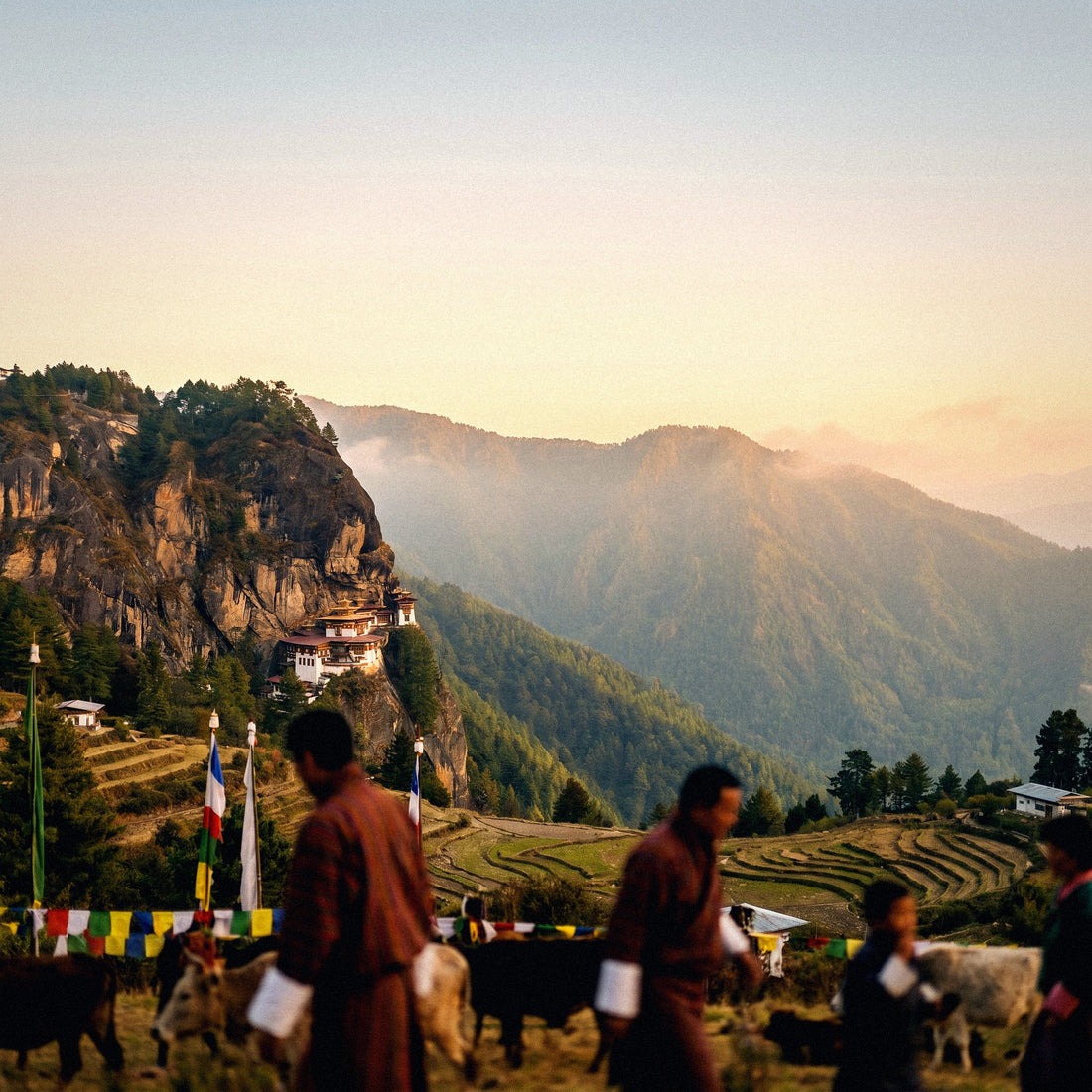
If you've already booked your trip and just need to decide how many GB to buy for Bhutan, this guide goes straight to the number. Bhutan is a unique destination in a good way: you travel with an authorized operator, a fixed itinerary, and a guide, so your data consumption is much more controlled than you might imagine. Here’s the number, a table by profile, and the country's specific characteristics that really move the needle.
How many GB do I need for Bhutan: the short answer
For a typical 8-10 day trip to Bhutan, most people will find 3 GB more than enough: the route is guided, you sleep in hotels with Wi-Fi, and for much of the day you're in temples, on the road, or in the mountains without coverage. With 5 GB, you'll be comfortable even uploading photos daily.
I know that figure sounds low compared to what people buy for Thailand or Japan. But Bhutan is not like those trips. There, you move around alone, decide on the fly, rely on maps and a translator all the time, and end up connected eight or ten hours a day. In Bhutan, the itinerary is already set before you arrive, someone drives and explains, and your mobile phone becomes essentially a camera with WhatsApp.
My honest recommendation by duration, for a normal profile that takes photos, sends messages, and checks social media at night:
- 5 days or less: 1-2 GB.
- 7-10 days (standard trip): 3 GB.
- 12-15 days with trekking or extension: 5 GB.
- More than 20 days or if working remotely: 10 GB or more.
If you're coming from reading the general data calculation for travel, apply a 30-40% reduction here to whatever you get: Bhutan is one of the few destinations where the trip format itself saves you gigabytes. The rest of the article is to help you understand why, and to adjust the number to your specific case instead of buying blindly.
Before buying data: ask what your package includes
This is the most useful advice in the entire article, and I have no qualms about giving it even though we sell data: before buying anything, write to your agency or local operator and ask what the package includes in terms of connectivity. In Bhutan, the trip is booked through an authorized operator, and many of them include a local SIM card, portable Wi-Fi in the vehicle, or at least help with SIM activation upon arrival in Paro. If you already have it covered, don't spend twice.
When you write, ask for three specific things so you don't end up with a meaningless "yes, there's internet":
- Whether they include a local SIM or portable Wi-Fi, and if it's per person or one for the whole group.
- How many GB it comes with and what happens when it runs out.
- If there's Wi-Fi in all accommodations on the itinerary or only in city hotels.
That third question is what changes the final number the most. The same nine-day trip could end up using 1 GB or 6 GB depending on whether you always stay in hotels in Thimphu and Paro or spend nights in farmstays and high valleys.
If the operator includes a local SIM, your data purchase ceases to be "the internet for the trip" and becomes a cheap backup plan for the airport, transit, and days when the local SIM fails.
If you still prefer to arrive connected from minute one without relying on anyone, that's where a digital line for Bhutan makes sense: you activate it before you leave and don't depend on queues or counter hours. But ask first.
Why you'll use less data in Bhutan than you think
Four country-specific factors push your consumption down, and it's worth understanding them because they are why I recommend a small package instead of the typical "buy 10 GB just in case."
One: you don't navigate. In most destinations, Google Maps and transport apps are the invisible expense that eats up your data. In Bhutan, your guide drives. You don't look for routes, don't hail a taxi, don't check train schedules, don't compare restaurants at two in the afternoon when hungry. All of that, which in a free trip amounts to hundreds of megabytes spread across micro-uses, simply doesn't happen here.
Two: there's Wi-Fi where you sleep. Mid-to-high-range hotels in Thimphu, Paro, and Punakha have reasonable Wi-Fi, and since the itinerary is fixed, you know in advance where you'll be sleeping. Photo uploads, backups, and long video calls fit perfectly there.
Three: you spend hours without coverage. Journeys from valley to valley are along mountain roads with long stretches of no signal. That means hours with your phone in your pocket. A day on the road in Bhutan can cost you less data than an hour in an airport.
Four: the trip itself encourages disconnecting. It sounds like a brochure, but it's real: among dzongs, monasteries, and viewpoints, people end up using their phones almost exclusively for taking photos.
If you want details on how the network works there, I break it down in the internet in Bhutan guide. Here, I'll stick to the conclusion: the trip format is your best data saver.
How much each activity consumes: real figures
To decide your GB wisely, you need to know what each thing consumes. These are figures from real-world use, not laboratory tests, and they apply equally in Bhutan as anywhere else: what changes is how many hours you spend on each activity.
| Activity | Approximate Consumption | How often you'll use it in Bhutan |
|---|---|---|
| Maps with navigation (no satellite) | 3-5 MB/hour | Very little: guide drives | Satellite view maps | 120-150 MB/hour | Avoid it altogether |
| WhatsApp (text and photos only) | 10-20 MB/day | Daily |
| WhatsApp voice call | 0.5-1 MB/minute | Occasional |
| WhatsApp video call | 5-12 MB/minute (300-700 MB/hour) | Better with hotel Wi-Fi |
| Instagram or TikTok scrolling | 700 MB - 1 GB/hour | This will deplete your package |
| Upload 20 photos to home phone | 100-150 MB | Every evening if you don't wait for Wi-Fi |
| Upload a 1-minute video | 80-120 MB | Be careful at Tiger's Nest |
| Music streaming, normal quality | 40-70 MB/hour | Long journeys |
| Video at 480p | ~550 MB/hour | Only over Wi-Fi |
| Video at 1080p | 2-3 GB/hour | Never with mobile data |
| Work video call (Meet, Zoom) | 600-1,200 MB/hour | Only if working remotely |
| Email and normal web browsing | 10-30 MB/hour | Occasionally |
The quick takeaway: anything that isn't video is small change. Messaging, maps, email, and music will cost you about 50-100 MB per day. Video and endless scrolling are the only things capable of emptying a 3 GB package in two evenings. I have a more detailed breakdown in the data usage statistics by activity, but with this table, you can already do your math: sum your actual hours, not your imagined hours.
How many GB per traveler profile and trip duration
This is the table you're looking for. It's calculated for a trip to Bhutan under usual conditions: hotels with Wi-Fi most nights, a guided route, and several daily hours without coverage or without the urge to check your phone.
| Profile | 5 days | 10 days | 15 days | 30 days |
|---|---|---|---|---|
| Maps and WhatsApp, little else | 1 GB | 2 GB | 3 GB | 5 GB |
| Photos and social media daily | 2 GB | 3 GB | 5 GB | 10 GB |
| Family or couple sharing a line | 3 GB | 5 GB | 8 GB | 15 GB |
| Remote work or content creator | 5 GB | 10 GB | 15 GB | 20-30 GB |
How to use it correctly:
- Choose the row by your actual behavior, not by what you'd like to have. If you use 15 GB a month at home, you're not in the first profile.
- Sharing a phone adds, but doesn't multiply. Two people with a single hotspot use more than one, but much less than two separate lines, because they share maps and queries.
- If your itinerary includes multi-day trekking, go down a step: you'll use practically zero data on those days.
- If you stay in rural accommodations without decent Wi-Fi, go up a step: everything you were going to upload via Wi-Fi will end up using your mobile data.
A concrete example to show you the order of magnitude. Ten days, photos and social media profile: about 80 MB daily for messaging, maps, and email (800 MB), half an hour daily of social media outside the hotel (about 350 MB daily just on city days, let's say 1.5 GB), and some quick photo uploads (400 MB). Total: around 2.7 GB. That's why 3 GB is the default figure I recommend for the standard trip.
Paro, Thimphu, and Punakha: where there's coverage and where there isn't
Bhutan has two network operators, B-Mobile and TashiCell, and both offer 4G in population centers. Coverage is better than people expect in the valleys and worse than expected as you gain altitude. This table helps you understand when you'll actually use data and when your phone will be silent.
| Area or trip moment | Coverage | What it means for your data |
|---|---|---|
| Paro Airport and Paro Valley | Stable 4G | This is where you'll use the most: arrival, messages, photos |
| Thimphu (capital) | Good 4G | High consumption if you go out at night |
| Punakha and Wangdue | 4G in town, irregular in the valley | Enough for messaging and maps |
| Mountain roads and passes | Intermittent or none | Hours without using any data |
| High-altitude trails and trekking | Practically none | Zero consumption; download everything beforehand |
| Eastern valleys (Bumthang, Trongsa) | Coverage in town, weak outside | Low consumption |
| High-end city hotels | Decent Wi-Fi | Use it for uploads and backups |
| Rural accommodations and farmstays | Weak or non-existent Wi-Fi | You'll rely on data here |
The practical consequence is that your data consumption in Bhutan isn't a flat line: it's peaks in Paro and Thimphu and almost blank days in between. That's why calculations like "X MB per day multiplied by trip days" are far off for this particular destination.
And an honest note about speed: Bhutan's 4G is good for messaging, maps, and social media, but don't expect European speeds for uploading heavy video. If you're a content creator, assume large uploads will take time and plan them for when you're at the hotel.
Tiger's Nest: half a day of photos and poor signal
Taktsang, the Tiger's Nest monastery, deserves its own section because it's the day you'll take the most photos of your entire trip, and at the same time, one of the days you'll use the least data. It seems contradictory, but there's an explanation.
The ascent takes between two and three hours one way, with a stop at the intermediate cafeteria, and another similar duration for the descent. A long half-day. During the ascent, the signal is intermittent: there are stretches with some network looking out over the valley and others where you have nothing. Almost everyone does the same thing: take two hundred photos and thirty videos, and publish them later, when they return to their hotel in Paro.
That's the key to consumption. Taking photos doesn't consume data. What consumes data is the automatic backup to Google Photos or iCloud firing off as soon as you get a signal. Two hundred photos from a modern phone are easily 1.5-2 GB: that is, more than half your package in a single afternoon, and without you even touching your phone.
What I do on Tiger's Nest day:
- Set photo backups to "Wi-Fi only" before leaving the hotel.
- Download the map of the Paro area the night before.
- Keep my phone in airplane mode during the ascent: it saves battery, which drains very quickly in the cold, and prevents the phone from wasting power searching for a network.
- Send the "we're at the top" message from the cafeteria, which usually has some signal, and save the rest for the night.
If you control automatic backups that day, you control 40% of your entire trip's consumption.
Calculate your real consumption before leaving home
Tables are good, but your phone already knows how much you use. It's the most reliable data available and it's two taps away. Do it before buying anything.
On Android: Settings > Network & internet > SIM or Data usage. You'll see current cycle usage and a breakdown by app. On iPhone: Settings > Mobile Data, with details per app; be careful, the counter there might have been accumulating for months or years, so check the "Last Reset" date, and if it doesn't fit, reset it and measure for a clean week.
With that number, the calculation is simple:
- Take your consumption from a normal month and divide it by 30 to get your daily average.
- Multiply it by the number of travel days.
- Subtract 40% for the Bhutan effect: hotel Wi-Fi, hours without coverage, and guided days without searching for anything.
- Round up to the next available package.
Real example: if you use 9 GB per month, that's 300 MB per day. For ten days, it would be 3 GB, minus 40% leaves 1.8 GB, and rounding up, you buy 2 or 3 GB. It matches the table, and now the number is yours, not mine.
An important nuance: that monthly home consumption includes Wi-Fi hours at work and on the couch, so the daily average for mobile data is often inflated... or vice versa, if you live off Wi-Fi at home, you'll underestimate. That's why the best test is a weekend away from home without connecting to any network: measure those two days and you'll have your pure traveler consumption.
How to make your data last in Bhutan
With four adjustments made in ten minutes, a 3 GB package will last an entire trip without you having to think about it. These are the ones that really move the needle, not the typical filler advice.
| What to do | When | How much you save |
|---|---|---|
| Photos backups only via Wi-Fi | Before leaving home | 1-2 GB for the entire trip |
| Download offline map of Bhutan | The night before flying | 200-400 MB |
| Disable video autoplay on social media | Before leaving | 500 MB - 1 GB |
| Activate mobile data saver mode | Upon landing in Paro | 15-30% of total |
| App updates only on Wi-Fi | Before leaving | 300 MB - 1 GB |
| Downloaded music and podcasts | The night before | 300-500 MB on journeys |
| Translator with downloaded language | Before leaving | Little, but works offline |
| WhatsApp video quality on "data saver" | Before leaving | 100-300 MB |
Two things that are especially relevant for this destination. First: download the offline map for all of Bhutan, not just Paro. It takes up little space and will save you in valleys where there's no signal, as well as letting you follow your route and see the names of places you're passing. Second: download music and podcasts before you fly. The journeys between valleys are long and winding, and that's precisely when people start mindlessly scrolling.
The trick that has saved me the most data in all my travels is not a technical one: it's keeping my phone put away during journeys and looking out the window. In Bhutan, it's also objectively a better plan.
I have more ideas in the guide on how to save data while traveling, but with the first three items in the table, you'll already achieve 80% of the savings.
What happens if you run short
Let's talk about the part no one likes to explain when selling data: what happens if you underestimate. And the answer is, not much, which is why I recommend starting small.
When you run out of a data package, you won't be overcharged or receive any surprise bills: you simply stop browsing. Your phone will still work, you'll still have Wi-Fi at the hotel, and you can buy more data right then and there from the hotel's network. On a trip to Bhutan, this is especially convenient, because every night you return to a place with a connection.
Compare the two possible errors:
- You run short: you lose five minutes topping up from the hotel's Wi-Fi. Real cost: the price of those extra GBs, which you've already decided you need.
- You overbuy: you pay in advance for GBs you won't use, and which expire at the end of the plan. Real cost: wasted money.
Since travel in Bhutan is short, guided, and includes Wi-Fi every night, the risk of being stranded without a connection at a critical moment is very low: you have your guide, your hotel, and the local operator. That's why here, more than in any other destination, the sensible strategy is to buy the small package and top up only if necessary.
A practical detail: activate the consumption alert in your phone settings with a limit at, say, 70% of your GBs. This way, you'll find out in time instead of discovering it on the last day. If you have more than half the package left when you get home, take it as a learning experience for your next trip, not a problem.
Frequently Asked Questions
The questions I constantly receive about data in Bhutan, answered directly and without inflating figures.
Is 3 GB enough for 10 days in Bhutan?
Yes, for most travelers, 3 GB is more than enough for ten days in Bhutan. The trip is guided, you sleep in hotels with Wi-Fi, and you spend hours without coverage on the road and in the mountains. It only falls short if you make long video calls using data or upload videos to social media every day without waiting for Wi-Fi.
Do I need data if my agency already includes a SIM or Wi-Fi?
Not necessarily, which is why it's a good idea to ask before buying. Many Bhutanese operators include a local SIM card or Wi-Fi in the vehicle. If that's the case for you, a small data package can serve as a backup plan for arrival, layovers, and days when the local network fails, but it doesn't need to be large.
Is there coverage at Tiger's Nest?
There is intermittent signal on the way up and very little at the top. You will have stretches with network looking out over the valley and others with none. Don't count on publishing live: take photos, enjoy the ascent, and upload the material at night from your hotel's Wi-Fi in Paro. You'll save data and battery.
Does hotel Wi-Fi work in Bhutan?
In mid-to-high-end hotels in Thimphu, Paro, and Punakha, yes, and it's sufficient. It's enough for messaging, social media, uploading photos, and some video calls. In rural accommodations, farmstays, and eastern valleys, it's weak or nonexistent, so check your itinerary: the more rural nights, the more personal data you'll need.
How many GB do I need if I travel with family and share a connection?
Estimate about 5 GB for ten days sharing a hotspot between two or three people. Sharing adds up, but it doesn't multiply: maps and searches are done only once. What does skyrocket is video, so agree with the kids that YouTube and Netflix are only watched on Wi-Fi.
What uses the most data on a trip to Bhutan?
Automatic photo backups, by far. A day of monasteries and landscapes leaves hundreds of photos that your phone tries to upload to the cloud as soon as it gets a signal, and that's one or two gigabytes without you even realizing it. Set them to "Wi-Fi only" before you leave home and the problem disappears.
Can I top up data while already in Bhutan?
Yes, you can extend your plan from the destination itself without any problem. It's done from the hotel's Wi-Fi in a couple of minutes and without any in-person procedures. This is precisely what makes the strategy of buying small viable: if you run short, you extend it that same night and continue as if nothing happened.
Is my phone suitable for using a digital line in Bhutan?
If your phone is a mid-range or high-end model from recent years, almost certainly yes. Compatibility depends on the model and whether it's locked by your carrier. I explain it step-by-step in the guide on what an eSIM is, with a checklist you can run through in two minutes.
Conclusion
To summarize the important points: for a standard 8-10 day trip to Bhutan, I recommend 3 GB. 2 GB is fine if you're mostly using maps and WhatsApp; 5 GB is more than enough even if you upload photos every afternoon. And before buying anything, ask your agency what their package includes: if they already provide a local SIM or Wi-Fi in the vehicle, a small backup plan is more than sufficient.
Bhutan is one of the few destinations where I can honestly say that most people buy twice as much data as they need. The fixed itinerary, the guide at the wheel, hotels with Wi-Fi, and hours in the mountains without signal do the work for you. Start small and top up if necessary: the cheap mistake is running short, the expensive one is overbuying.
Once you have your number, you can activate your data for Bhutan before you fly and land in Paro already connected, without queues or counters. Choose the package the table suggests, not what fear dictates, and save any leftover gigabytes for your next trip.