If you've made it this far, it's because you've already decided you're going to use data and you just need to choose the package size: the real question is how many GB you need for Qatar, not whether or not to connect. And for this destination, the answer is smaller than people expect, for two very specific reasons: most travelers pass through Doha on a layover of a few hours, and the country is full of free, working Wi-Fi. I'll give you the numbers, an important warning about WhatsApp calls, and tables to help you choose in two minutes.
The short answer: how many gigabytes for Qatar
For an 8 to 12-hour layover in Doha, 1 GB is more than enough, and if you don't leave the airport, you can even get by with zero. For a 3 or 4-day tourist visit, most people will be fine with 3 GB. Only if you work remotely or share a connection with your family does it make sense to go up to 10 GB or more.
I know that a data store article should push you towards the bigger package. I'm not going to do that, because in Qatar the honest number is small and I'd rather you come back to buy from us than oversell you once. Qatar is a tiny country—it fits entirely within the province of Seville—where almost everything you'll visit is less than half an hour from your hotel. There are no long bus journeys with your phone in hand, no full days of driving, no need for a camera translator for every sign because practically everything is also in English.
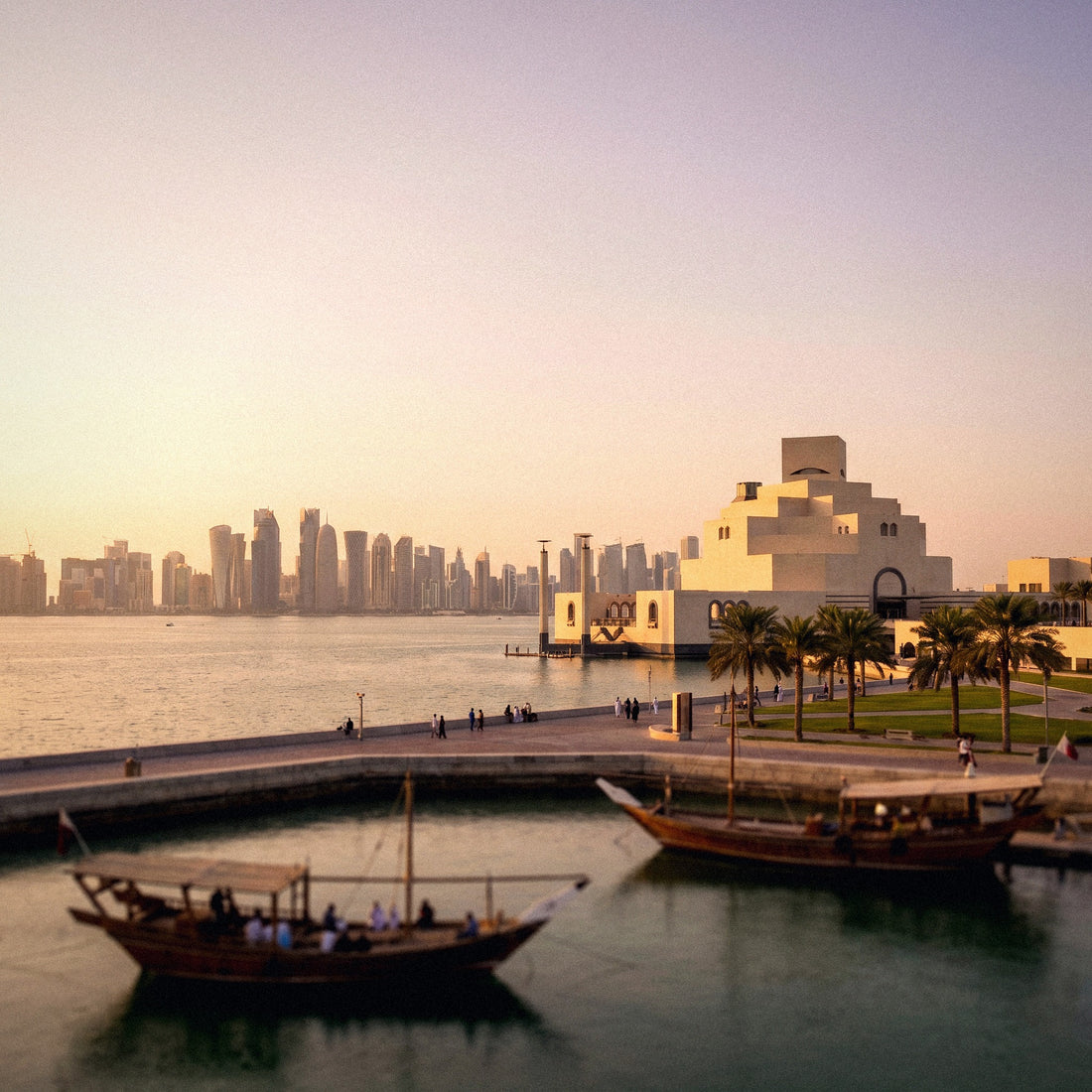
What there is, however, is lots of photos and short videos: the Corniche at sunset, the Museum of Islamic Art, Souq Waqif at night, the sand dunes of the inland sea. That's where your data consumption goes, and especially in the automatic backups that upload those photos without you even realizing it. If you control that, you control 70% of your data bill. If you want the general overview before diving into the specifics of Qatar, in the guide on how much data you need for travel, you'll find the method applied to any destination.
If your trip is a layover in Doha, this is for you
I'll start here because you're probably the majority. Millions of people set foot in Qatar just to change planes with Qatar Airways on their way to Asia, Oceania, or Africa, with typical wait times of 8 to 12 hours. And for that profile, the honest recommendation is inconvenient for someone selling gigabytes: you need very little data, or none at all.
Hamad Airport offers free Wi-Fi, no password, and no practical limit: you look for the #HIAQatar network, accept, and you're in. Sessions last about 4 hours, and you can reconnect without any problem, so a long wait is covered entirely without spending a single megabyte from your package. It is, without exaggeration, one of the best airport Wi-Fi networks in the world.
So why buy anything? For three very specific reasons: to have a connection the exact minute you land and want to notify home, not to depend on the portal if the Wi-Fi gets saturated during peak hours, and especially if you're going out to see the city during your layover. With an 8-hour transit, there's plenty of time to go down to Souq Waqif and return.
| Type of layover | What I recommend | Why |
|---|---|---|
| Less than 4h, no exit | 0 GB | Airport Wi-Fi covers it entirely |
| 8-12h, no exit | 0-1 GB | Just for convenience when landing and taking off |
| 8-12h, going out to Doha | 1 GB | Maps, taxi, and photos for 5-6 hours |
| Long layover with hotel night | 1-2 GB | Hotel gives you Wi-Fi; you only spend on the street |
If this is your case, look for the smallest package we have, and that's it. In the guide to eSIM for Qatar, you'll find how to activate it before takeoff so it connects automatically when you land.
The warning that changes the calculation: VoIP calls are restricted
This is what almost no one tells you and what truly impacts your gigabyte usage. In Qatar, voice and video calls within applications—WhatsApp, FaceTime, Skype, Viber, and similar—are blocked at the network level by local operators, Ooredoo and Vodafone Qatar, following the rules of the Qatari regulator. It's not a fault with your phone or your data package: it's a country restriction, just like in the Emirates.
What works perfectly normally is chat: text messages, photos, voice notes, locations, and statuses. What's blocked is the call button.
What does this mean for your gigabytes? Two opposing things that almost cancel each other out. On the one hand, you save on the most expensive expense of all: a WhatsApp video call consumes about 300 MB per hour, and if you can't make it, you don't spend it. On the other hand, people replace those calls with floods of voice notes, photos, and short videos to family groups, which add up to more than it seems.
The usual alternative is a VPN, which often allows these calls. Be aware: encrypting traffic adds approximately 5% to 15% extra consumption, so if you plan to use a VPN daily, add that margin to your calculation. My practical advice: assume that app calls won't work for you and organize communication via messages. If they do work, even better. And for other connection questions in the country, you'll find them in the internet in Qatar guide.
How much each activity consumes
Before choosing a package, it's good to have a realistic idea of the magnitudes, because almost everyone makes the same mistake: they think maps consume a lot and photos consume little, and it's the exact opposite. Navigating with Google Maps for a whole hour is a ridiculous 5 MB; uploading thirty photos from the souk to the cloud is 100 or 150 MB at once.
| Activity | Approximate consumption | On your trip to Qatar |
|---|---|---|
| Google Maps navigation | 5 MB/hour | Irrelevant; download them anyway |
| WhatsApp text only | 2-5 MB/hour | Your main use here, due to call blocking |
| Voice notes and photos via WhatsApp | 20-40 MB/hour | Increases significantly if you replace calls with audios |
| WhatsApp video call | 300 MB/hour | Restricted in Qatar; in practice, 0 |
| Instagram or TikTok browsing | 100-150 MB/hour | Up to 1 GB/hour if it's non-stop reels |
| Uploading a phone photo | 3-5 MB each | The big drain: many photos are taken here |
| Uploading a 1-minute video | 60-100 MB | A single video of the Corniche = 20 photos |
| Streaming music | 40 MB/hour (normal quality) | Up to 150 MB/hour in high quality |
| 1080p video | 1.5-3 GB/hour | Save it for hotel Wi-Fi, no exceptions |
| Email and web browsing | 10-25 MB/hour | Bookings, tickets, looking for a restaurant |
With this table, the calculation stops being guesswork and becomes addition. If you want the numbers broken down by application and in more detail, I have them compiled in the mobile data usage statistics by activity.
Qatar has a lot of free Wi-Fi, and that saves you gigabytes
This is the second reason why you need less data in Qatar than in almost any other destination. The country has invested heavily in connectivity, and it shows: free Wi-Fi isn't a brochure promise, it works and it's fast. And every hour you spend connected to a free network is an hour that doesn't deduct from your package.
| Where you are | Free Wi-Fi | What to do there |
|---|---|---|
| Hamad Airport | Yes, no password | Everything: video, backups, updates |
| Hotel | Yes, almost always | Upload photos of the day and make backups |
| Shopping centers (Villaggio, Place Vendôme...) | Yes, common | Rest from the heat and use the network |
| Cafes and restaurants | Very frequent | Plan the afternoon, send videos |
| Museums and Katara | Frequent | Audio guides and consultations |
| Souq Waqif and Corniche | Irregular | Here you use your own data |
| Doha Metro | Variable | Good mobile coverage in tunnels |
| Desert and inland sea | No | Downloaded maps are mandatory |
The practical consequence is clear: on a normal trip, between the hotel at night and stops to escape the midday heat, you'll spend more than half the day connected to Wi-Fi. That's why the figures in the following table are lower than what you'd see for a destination with poor Wi-Fi. And that's why I insist so much on one thing: configure your photo backups to only activate with Wi-Fi, and the hotel will do the work for free while you sleep.
The important table: GB per profile and travel days
Here is the heart of the article. These figures already assume the above: that you sleep in a place with Wi-Fi, that app video calls don't work for you, and that you're not watching series using data. Find your row and your days, and that's your number.
| Profile | 5 days | 10 days | 15 days | 30 days |
|---|---|---|---|---|
| Tourist with maps and WhatsApp | 1 GB | 2 GB | 3 GB | 5 GB |
| Photos and social media | 3 GB | 5 GB | 8 GB | 15 GB |
| Digital nomad / remote work | 5 GB | 10 GB | 20 GB | 30 GB or unlimited |
| Family sharing connection | 5 GB | 10 GB | 15 GB | 25 GB |
An important nuance: almost no one spends fifteen or thirty days in Qatar. Typical visits are 2 to 4 days, either standalone or linked to a layover. For that case, which is common, remember this: 2 days → 1 GB; 3 days → 2 GB; 4 days → 3 GB if you take many photos, and 1 or 2 GB if you barely touch your phone.
The remote work profile is the only one that skyrockets, and not because of Qatar but because of the work itself: Zoom or Teams video conferences—which do work, because restrictions affect messaging apps, not corporate platforms—can consume between 500 MB and 1.5 GB per hour. If you're going to have daily meetings from a cafe, calculate on the high side and rest easy. If you do them from the hotel with its Wi-Fi, you return to the normal tourist row.
A full day in Doha, MB by MB
The tables by profile are good, but they really click when you see a real day broken down. This is a typical day for an active tourist in Doha, one who leaves the hotel at nine and returns at midnight, with a visit to the Museum of Islamic Art, a stroll along the Corniche, lunch in Msheireb, and an evening at Souq Waqif.
| Time of day | What you do | Data |
|---|---|---|
| Morning | Maps to the museum, tickets, messages | 25 MB |
| Museum and MIA Park | Photos, some inquiries, a couple of stories | 60 MB |
| Midday | Find restaurant, taxi with Karwa or Uber | 30 MB |
| Afternoon | Social media at the air-conditioned cafe | 90 MB |
| Sunset on the Corniche | Many photos and a video of the skyline | 100 MB |
| Night at the souq | Messages, voice notes, more photos | 50 MB |
| Journeys | Music while walking or on the metro | 40 MB |
| Total for the day | Tourist with photos and social media | ≈ 395 MB |
Notice the result: a fairly intense day, with the phone in hand for half the day, stays below 400 MB. Multiply that by four days and you get 1.6 GB, which, rounded up, is the 2 or 3 GB from the previous table. If on that same day you don't touch Instagram, you drop below 250 MB without effort.
And now the counterexample, so you can see where the danger lies: if that night, once at the hotel, your phone decides to upload the 120 photos and 6 videos of the day to the cloud using mobile data instead of Wi-Fi, you'll use between 800 MB and 1.5 GB in one go. That single adjustment is worth more than everything else combined.
How to know your actual consumption before leaving home
All of the above are averages, and you are not an average. The honest way to get it right is to look at your own numbers, and it only takes two minutes. On an iPhone, go to Settings, Mobile Data, and at the bottom, you'll see the current period's consumption and a breakdown by app. On Android, Settings, Network & internet, Data usage, with monthly details.
Take your mobile data consumption from your last full month, divide it by 30, and you'll have your actual daily figure at home. That number is your starting point. Now adjust it for Qatar:
- Subtract between 30% and 40% for the free Wi-Fi at the hotel, airport, and shopping centers.
- Subtract video calls if you're someone who calls via WhatsApp daily: you won't be able to do that there.
- Add between 40% and 60% if you take many photos and upload them, which is almost everyone in this destination.
- Add 10% if you plan to use a VPN continuously.
- Ignore Spotify and YouTube if you have them downloaded at home before leaving.
An example with numbers: if you use 6 GB per month at home, that's 200 MB per day. With Qatari Wi-Fi, that drops to about 130 MB, and if you take many photos, it goes back up to about 200 MB. Four days is 800 MB, so 2 GB will be more than enough, and 3 GB will give you plenty of leeway. This calculation, made with your data and not mine, is the one that never fails.
Desert, inland sea, and excursions: where you won't spend much
The classic Qatar excursion is a trip to the inland sea, Khor Al Udeid, about 80 kilometers south of Doha: dunes, 4x4 safari, a camp, and that strange and beautiful place where the sea meets the desert. There's also the drive through Zekreet and Richard Serra's sculptures in the western desert. And there, coverage changes.
The good news for your wallet: in the desert, you'll spend very little data, because the signal is irregular among the dunes and because you'll be looking at the landscape, not your phone. A full day excursion rarely goes over 100 or 150 MB, almost all of it photos that will be uploaded later.
The three precautions that do matter:
- Download the entire offline map of Qatar before leaving the hotel. It's about 100 MB, requires Wi-Fi, and will save you if you lose your group.
- Khor Al Udeid is next to the border with Saudi Arabia, and in border areas, your phone might connect to a network from the neighboring country. Check that your plan only covers Qatar, and if you're concerned, manually set the network or enable airplane mode while in the dunes.
- Bring an external battery pack. Searching for a signal where there isn't one drains a phone's battery fastest, and with 40-degree weather, the battery lasts even less.
Put another way: excursions are not the reason to buy more data. The reason, if any, is Doha's urban life, not the desert. If you're going on a safari, spend your time downloading maps and music, not upgrading your data plan.
How to stretch your data in Qatar
Assuming you've already bought your plan and want it to last, these are the settings that really move the needle, ordered by impact from greatest to least. The first three are worth all the others combined.
- Backups only via Wi-Fi. Google Photos, iCloud, OneDrive, and WhatsApp. This is the number one setting in a destination where you'll take hundreds of photos.
- Data saver mode activated from day one, both system-wide and for Instagram, TikTok, and YouTube separately.
- No automatic video playback on social media: this is what consumes data without you even asking for it.
- Doha and Qatar maps downloaded before you leave, along with the translator if you plan to use it.
- Music and series downloaded at home: a long flight and a wait at Hamad go well with an offline library.
- Video at 480p if you have to watch something using data. The difference compared to 1080p is up to six times less consumption.
- App updates only via Wi-Fi, otherwise a single update can consume 500 MB.
- Beware of 5G: Qatar has an excellent and very fast network, which causes apps to automatically increase video quality. If you're running low on data, limit your phone to 4G.
With these tips, a daily consumption of 400 MB can easily be reduced to 150 MB. I have the complete list, with screenshots and specific settings by operating system, in the guide on tricks to save data while traveling.
What happens if you run out of data
Let me be clear: running out of data in Qatar is not a big deal. It can be resolved in two minutes with your phone in hand, because buying more data just means logging into your account, choosing another plan, and activating it. There's no need to find a store, show your passport, or argue at an airport counter. If you've never done it, what is an eSIM explains it step-by-step.
I'd much rather you buy 3 GB and top up, than buy 20 GB and have 17 left over. What's left over doesn't come back, and someone who feels ripped off won't return.
Plus, there's a detail in your favor: in Qatar, the moment you would run out of data almost always catches you somewhere with Wi-Fi, because the country is full of it. Hotel, shopping mall, cafe, or airport. This means you won't even be disconnected while you top up.
It is advisable not to wait until you have zero data: set your phone's consumption warning to 80% and top up with a buffer, especially on your return flight day, when you need your boarding pass, a taxi to the airport, and perhaps a gate change. That's the only time during your trip when running out of data is truly annoying.
And a common sense warning: don't buy the giant package out of fear. The fear of running out of data is the best sales pitch eSIM stores have, and it's a bad advisor. Buy according to your calculation, monitor your consumption for the first two days, and decide with real data.
Frequently Asked Questions
Do I need data if I'm only transiting through Doha?
No, you don't need it. Hamad Airport has free, password-free, and re-connectable Wi-Fi, which covers a 12-hour layover without a problem. Only buy 1 GB if you plan to leave to see the city or if you want immediate connection upon landing without relying on the airport portal. It's one of the few destinations where the honest answer is zero.
Do WhatsApp calls work in Qatar?
No, WhatsApp voice and video calls are restricted in Qatar. Local operators block VoIP from messaging apps due to regulatory mandates. Messages, photos, voice notes, and statuses work normally. Many travelers use a VPN as an alternative, which adds a small extra data consumption.
How much data for 4 days in Doha?
3 GB should be plenty for 4 days. An intense day of tourism with photos and social media uses about 400 MB, so four days is less than 2 GB in reality. If you primarily use maps and messages, 1 or 2 GB will be more than enough. Only go above that if you're working remotely or sharing your connection.
What if I'm traveling with children and sharing the connection?
Multiply by two, not by the number of people. Children with tablets consume a lot of video, but they will almost always do that in the hotel with Wi-Fi. For a family of four for a week, between 8 and 10 GB is a realistic figure if you also use a hotspot during travels.
Is a VPN necessary in Qatar?
It's not mandatory, but many people use it for app calls. Qatar does not require a VPN for browsing or social media, which work normally. Its common use is to bypass VoIP blocking. Keep in mind that encrypting traffic adds between 5% and 15% in additional consumption.
What consumes the most data on a trip to Qatar?
Automatic photo backups, by far. A day of photos and videos in Doha can weigh more than 1 GB if uploaded only via mobile data. Next come social media with automatic video playback. Maps and messages are almost irrelevant: 5 MB per hour of navigation.
Can I top up if I run out of data there?
Yes, in two minutes and from your phone. You log into your account, choose another plan, and activate it. And since free Wi-Fi is available almost everywhere in Qatar—any hotel, shopping mall, or cafe—you'll have a way to do it even without data. That's why I recommend buying a smaller plan and topping up if needed.
Will I have good coverage in the desert and the inland sea?
Spotty, and it doesn't matter because you'll barely use data there. In the dunes of Khor Al Udeid, the signal comes and goes. Download an offline map and bring an external battery. An important detail: being close to the border with Saudi Arabia, your phone might connect to a network from the neighboring country, so it's good to check this.
Conclusion
Qatar is one of those destinations where the honest number is small, and I prefer to tell you even if we sell larger packages. If you're transiting through Doha, 1 GB is plenty, and if you don't leave the airport, you don't even need that. If you're visiting for 3 or 4 days, 3 GB will amply cover photos of the Museum of Islamic Art, the souk, the Corniche, and the desert. Only if you work remotely or share a connection as a family does it make sense to go for 10 GB or more.
Remember the two things that make this destination different: free Wi-Fi is abundant and good, and WhatsApp and FaceTime calls won't work, so your consumption will go towards messages and photos instead of video calls. Set up your backup copies to only happen via Wi-Fi, and you'll have solved 70% of the problem.
Once you've decided, choose your package calmly and activate it before leaving home: that way, you land in Hamad with connectivity and without having to search for anything. You have all the options and prices in the PuraSIM eSIM for Qatar, and if you run out, you can top up in two minutes from your mobile phone.