If you've already decided to take data with you on your trip and the only thing left is to figure out how many GB to buy for Zambia, you're in the right place. Zambia is an unusual destination in this regard: actual consumption is nothing like a European getaway, because there will be entire days when your phone won't see a signal. Here's the number, why, and a table by profile so you can choose in two minutes.
The quick answer: the GB you need
For 10-14 days in Zambia, most people will be fine with 3 GB if they're using maps and WhatsApp, and 5 GB if they upload photos and stories daily. On safari days, you'll barely use any data: there's no coverage in the bush. Only remote work requires 10 GB or more.
I'm telling you this clearly because it's what I would have liked to read before a trip of this kind. The classic Zambia itinerary—Livingstone and the Falls, a few days in South Luangwa, maybe Lower Zambezi, a quick stop in Lusaka—has a very distinct consumption pattern: two or three days of heavy phone use and many days of almost none.
That changes the calculation completely. If you apply the usual mental rule of "1 GB per day of travel," in Zambia you'll go way over and pay for data that will remain unused in your suitcase. The actual average for a normal traveler here is closer to 250-400 MB per day of travel, even including the good coverage days.
My practical recommendation, and what I follow: buy less, check your consumption halfway through the trip, and top up if necessary. It's cheaper to err on the low side than on the high side, and topping up takes a minute from your phone as long as you have a signal or the accommodation's Wi-Fi. In the following sections, you'll see where these numbers come from and in what specific cases it's worth upgrading.
Why Zambia uses less data than you think
The main reason is geographical. Zambia has good mobile coverage in cities and in the tourist area of Livingstone, but the national parks are true wilderness: within South Luangwa or Lower Zambezi, there are huge stretches with no signal, and that includes the vehicle, the river, and almost everything you'll be doing between six in the morning and lunchtime. A phone without coverage doesn't consume data, no matter how many apps you have open.
The second reason is the pace of the trip. On a safari, you wake up before dawn, go out for four hours, come back for lunch, take a nap, and go out again until sunset. The actual phone time is fifteen minutes at night in the lodge's common area, usually with the only Wi-Fi antenna serving the entire camp. Even if you wanted to spend more, you wouldn't have the time.
The third is that much of what you will do with your phone is cheap in terms of data: photos saved locally, maps you can download, text messages to let people know you're okay. The expensive stuff—high-definition video, uploading long clips, video calls—is usually saved for when you have decent Wi-Fi again.
If you're used to calculating data for other destinations, I recommend checking the general guide on how much data you need for travel: that's where the basic method is, and here I'm adapting it to the specific case of Zambia.
How much each app actually uses
These are the figures I use for calculations. They are not optimistic sales estimates: they are typical measured consumptions, and I've provided them per hour or per day so you can put together your own sum without a scientific calculator.
| Activity | Approximate Consumption | Translated to your trip |
|---|---|---|
| Google Maps navigating online | 5-10 MB per hour | Ridiculous. And with downloaded maps, almost zero |
| WhatsApp: text, audio, and photos | 10-25 MB per day | A whole 14-day trip fits in 300 MB |
| WhatsApp voice call | 30 MB per hour | Half an hour daily call home: 200 MB in two weeks |
| WhatsApp video call | 250-300 MB per hour | This really hurts: better to do them over Wi-Fi |
| Instagram or TikTok browsing feed | 600 MB - 1.2 GB per hour | The big data guzzler. Half an hour a day is already 4-8 GB |
| Uploading 20 photos to a friend's phone | 60-100 MB | Cheap if you don't do it every two hours |
| Uploading a 1-minute video in 1080p | 100-150 MB | The elephant clip costs you what 5 days of WhatsApp would |
| Spotify at normal quality | 40-70 MB per hour | Better to download playlists before leaving |
| YouTube at 480p | 300-500 MB per hour | One episode on the road and half a gigabyte is gone |
| Email and web browsing | 10-20 MB per hour | Insignificant compared to video |
The conclusion is obvious: what determines your data bill is not the number of days, it's how much video you consume with the screen vertical. A traveler who doesn't use social media consumes ten times less than one who does, on the same itinerary and with the same phone. If you want a complete breakdown by app, I have it expanded in the mobile data usage statistics by activity.
Livingstone and Victoria Falls: your highest consumption day
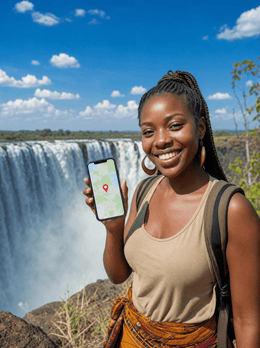
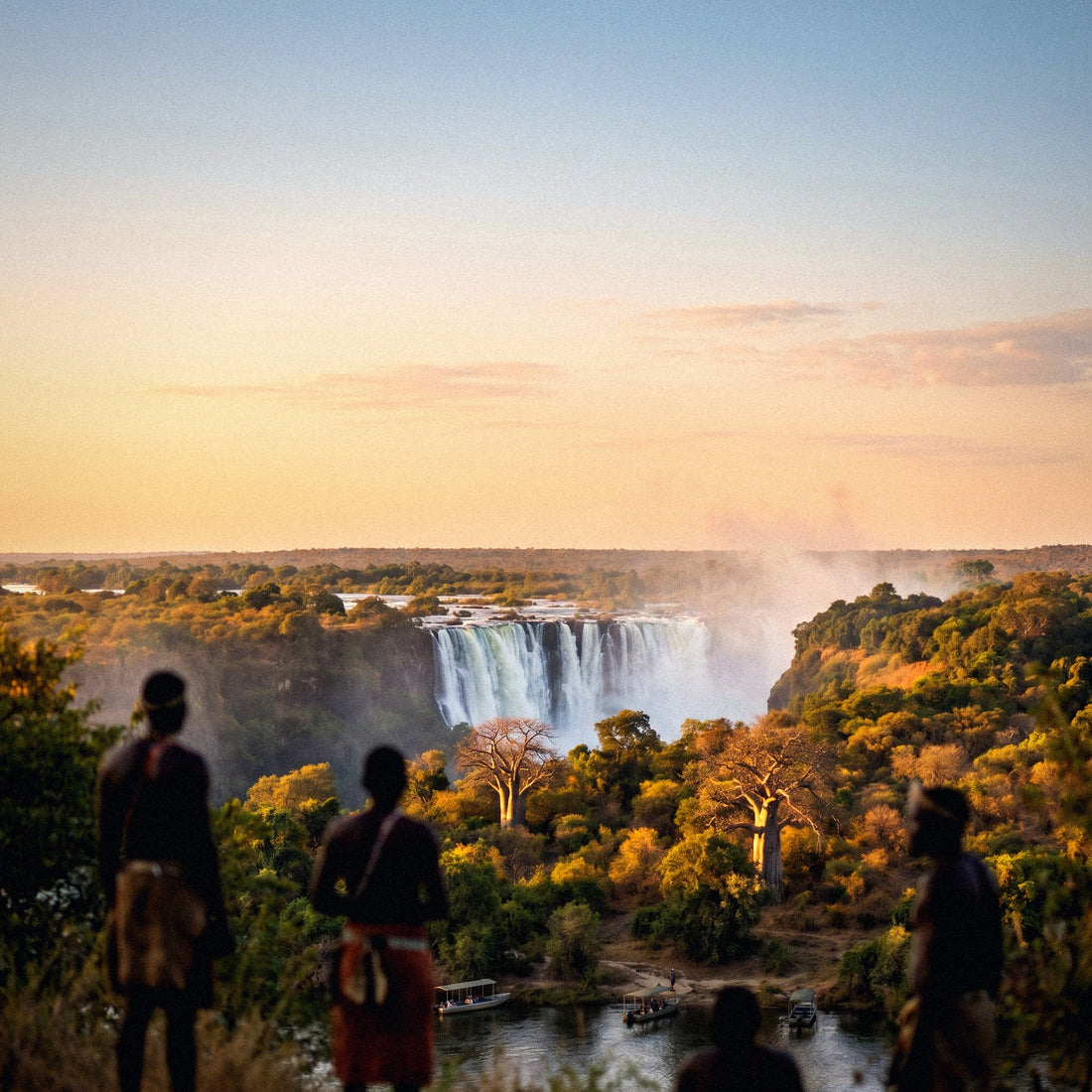
This is the day you need to budget well. Livingstone and the viewpoints on the Zambian side of Victoria Falls have good mobile coverage, and therein lies the problem: it's precisely where you'll want to record everything. Knife Edge Bridge, the mist rainbow, the helicopter, the bridge jump if you dare, Devil's Pool in low water season. It's the most photogenic setting of the entire trip, and on top of that, you have a signal to share it live.
A full day at the falls uploading material can easily reach 500 MB - 1 GB if you post video stories, send clips via WhatsApp to family, and even make some video calls to show it live. That's more than you'll spend during the entire safari week combined.
My trick is simple and doesn't detract from the experience: record everything you want, but let backups wait until night. Publishing two compressed stories costs a few MB; uploading original 4K videos costs hundreds. The difference between the two is an adjustment, not a sacrifice.
Also keep in mind that during the high water season (March to May), the mist soaks everything, and many end up putting their phones away for a good while. And that hotels and lodges in Livingstone usually have reasonable Wi-Fi, so you can save the large photo uploads for the end of the day without touching your data plan.
Beware of the bridge: your phone might switch to Zimbabwe's network
This warning is worth more than any table in this guide. Victoria Falls is divided by the border: you are in Livingstone, Zambia, but across the bridge is Victoria Falls town, Zimbabwe, just over a kilometer as the crow flies. Zimbabwean antennas reach the Zambian side perfectly, especially on the bridge and at viewpoints closer to the gorge.
What does that mean? That your phone, seeking the strongest signal, might connect to a Zimbabwean network without warning you. And Zimbabwe is another country with different rates. With your Spanish operator's roaming line, this jump can put you in a different price bracket than you had contracted. With a data package bought only for Zambia, what happens is simpler but equally annoying: you lose connection until your phone returns to the Zambian network.
The solution takes thirty seconds: in your mobile network settings, deactivate automatic operator selection and manually choose a Zambian network (MTN Zambia, Airtel Zambia, or Zamtel) while you are in the bridge area. If you are actually crossing into Zimbabwe to see the falls from the other side, it makes sense to have coverage for both countries, not to rely on the jump.
I'll leave you the details of operators, bands, and connection options in the internet in Zambia guide, which is the sister article to this one.
Safari in South Luangwa and Lower Zambezi: almost zero data
Here's the good news for your wallet. Safari days in South Luangwa and Lower Zambezi barely use any data, and not because of your discipline: there's simply no network. Inside the park, on game drives, on the walking safaris for which South Luangwa is famous, and on canoe trips down the Zambezi, your phone will be without mobile coverage most of the time. Zero consumption, zero worry.
What many lodges do have is satellite Wi-Fi. It works, but it's important to understand how: there's only one antenna for the entire camp, it's usually in the common area (dining room, lounge, or reception) and doesn't reach the tents, and the bandwidth is shared among all guests. At nine at night, with half the camp connected simultaneously, it's slow. It's more than enough for sending messages and checking email; don't count on it for uploading that leopard video.
In five days of safari in the Luangwa Valley, you might use less data than in an afternoon at an airport in Madrid. And honestly, that's part of what you came for.
Budget 20-50 MB per safari day and you'll have plenty left over. The only things you should have sorted out before entering the park are the basics: downloaded maps, the lodge's number written down, and music or podcasts already saved on your phone, because you won't be able to download anything inside the park.
Lusaka, transfers, and road trip days
Between parks, there are transfers, and in Zambia, they are long. Lusaka functions as a hub: almost everyone passes through its airport to fly to Mfuwe (South Luangwa) or to catch a small plane to Lower Zambezi. Some also do the road trip to Chipata, which is many hours by car.
On these days, consumption picks up, but less than it seems: on the road, coverage comes and goes, and what's mostly used is messaging to coordinate with guides and transfers. The trap lies in airport waits, where it's easy to scroll through social media without realizing and burn through what you've spent in five days in just two hours.
| Type of day | Typical consumption | What triggers it |
|---|---|---|
| Day in Livingstone and falls | 400 MB - 1 GB | Video stories and live video calls |
| Safari day in the park | 20-50 MB | Nothing: almost no coverage all day |
| Transfer or road day | 150-300 MB | Airport waits and music streaming |
| Day in Lusaka | 200-400 MB | Maps, app taxis, email, and social media |
| Rest day at the lodge | 50-150 MB | A bit of messaging at night |
Add up your itinerary with this table and you'll have your personal figure, which will almost always be lower than you expected. If you get an intermediate number, round up to the next tier and don't overthink it: a 20% margin covers any unforeseen event without you paying for a giant package.
The master table: GB by profile and duration
This is the table you've been looking for. It's calculated with Zambia's actual pattern, meaning it assumes that some of your days will be on safari and will consume almost nothing. Find your profile, find your duration, and that's your package.
| Traveler Profile | 5 days | 10 days | 15 days | 30 days |
|---|---|---|---|---|
| Maps and WhatsApp Tourist | 1 GB | 2 GB | 3 GB | 5 GB |
| Photos and Social Media (daily stories) | 3 GB | 5 GB | 8 GB | 15 GB |
| Digital Nomad / Remote Work | 6 GB | 12 GB | 20 GB | 40 GB |
| Family sharing a hotspot | 5 GB | 10 GB | 15 GB | 25 GB |
Three important nuances. First: the typical Zambia trip is 10 to 14 days, so the 10-day column is what most people look at, and there the honest range is 2 to 5 GB for a normal traveler. Second: the remote work profile is the only one that spikes, and even then, understand that on park days you won't be able to work even if you have plenty of gigabytes, because the lodge's Wi-Fi isn't enough for smooth video conferences.
Third, for families: if you're going to share the connection from a single phone, count the consumption of everyone who will connect, and especially that of children with video during dead transfer times. That's where costs skyrocket. With a quality limit set from day one, that figure is halved.
If you combine Zambia with Botswana, Zimbabwe, or Namibia
Few people come only to Zambia. The most common combination is the Falls on the Livingstone side, crossing to Chobe in Botswana, and then Zimbabwe or Namibia's Caprivi. If that's your case, the GB question changes: it's no longer just how many, but also where they're valid.
| Itinerary type | What suits you | Indicative GB |
|---|---|---|
| Zambia only, 10-14 days | Country package | 3-5 GB |
| Zambia + Zimbabwe (both sides of the falls) | Coverage for both countries | 5-8 GB |
| Zambia + Botswana (Chobe, Okavango) | Regional coverage | 5-10 GB |
| Long Southern Africa trip, 3 weeks or more | Broad regional coverage | 10-20 GB |
The classic mistake is to buy a single-country package and discover at the border that you're out of communication precisely when you need it most: managing visas, looking for the transfer, or notifying the lodge that you're running late. If you're going to cross borders, sort out the connection for each country before leaving home, not at the border post.
And if your trip is only to Zambia, don't pay for coverage you won't use: a country package will be better for you. You can find details on which operators are used and how activation works in the eSIM for Zambia guide, with step-by-step practical information.
Calculate your actual consumption before flying
Everything above is an average. Your actual consumption could be half or double, and you have a way to find out without guessing: check what you're currently using at home.
On Android, go to Settings, Network & internet, SIM, and look for app data usage. On iPhone, Settings, Cellular, and scroll down to Current Period (it's a good idea to reset the statistics on the 1st of the month so the number means something). There you'll see the MB from the last month and, even better, the breakdown by application.
Now adjust that number for your trip with three simple corrections:
- Subtract your daily commute: At home, you use data on the subway or bus on your way to work. In Zambia, those hours are spent in a vehicle with no coverage.
- Subtract home and office Wi-Fi: When traveling, you spend more hours out, but hotels and lodges also have Wi-Fi for heavy usage.
- Add peaks: Days at the falls and airports are what stand out from the average.
With these three corrections, most people end up with a number similar to 60-70% of their usual monthly consumption, spread across their travel days. This is the most reliable calculation you can make without overcomplicating things, and it doesn't even take five minutes.
If this is also your first time using digital data on your phone and you want to understand exactly what you're buying, I explain it in plain language in what is an eSIM.
How to stretch your GBs and what happens if you run short
With four adjustments made before takeoff, a small package performs like one twice its size. These are the ones that really move the needle:
- Offline maps: Download the Livingstone, Lusaka, Mfuwe, and Lower Zambezi areas in Google Maps. GPS works without data, so you won't use a single MB navigating.
- Backups only on Wi-Fi: This is the number one mistake. Google Photos or iCloud uploading your 300 safari photos over mobile data will eat up an entire package in one afternoon.
- Disable auto-play video on Instagram, TikTok, X, and Facebook, and lower video quality to the minimum.
- Activate the system's Data Saver Mode and limit background usage for apps you don't need while traveling.
- Download before you leave: music, podcasts, series, and that long chapter for road trips.
And what if you still run short? Don't worry: recharging takes a minute and you can do it from the hotel or lodge Wi-Fi. That's why I insist on buying low. Running short has a cheap solution; going over does not, because no one refunds the gigabytes you didn't use. And if the world ends, there's always the reception Wi-Fi for emergencies. I have more tips gathered in how to save data while traveling.
Frequently Asked Questions
The most common questions I get about data in Zambia, answered without embellishment or fine print.
Is 3 GB enough for 10 days in Zambia?
Yes, for most travelers, 3 GB is more than enough for 10 days in Zambia. With downloaded maps, WhatsApp, and normal social media use, you'll be fine, because you consume virtually nothing on safari days. It only falls short if you make long video calls daily or upload high-quality videos without waiting for Wi-Fi.
Is there coverage at Victoria Falls on the Livingstone side?
Yes, the tourist area of Livingstone and the viewpoints on the Zambian side have good mobile coverage. It's one of the best areas in the country along with Lusaka: you'll be able to post, send videos, and make video calls from the viewpoints themselves. Inside the gorge and in the mist, the signal may weaken, but it recovers when you go up.
What happens if my phone connects to the Zimbabwe network on the bridge?
You are in another country for billing purposes, even if you haven't crossed. With your operator's line, it might mean a different price than contracted; with a Zambia-only package, you simply lose data. Disable automatic network selection and manually choose MTN, Airtel, or Zamtel Zambia while on the bridge.
Do safari lodges in South Luangwa have Wi-Fi?
Many do, via satellite, but it's slow and shared by the entire camp. It's usually only in the common area, not in the tents, and it's worse at night because everyone connects at once. It's enough for messages and email; don't count on it for uploading videos or work video conferences.
How many GB do I need if I'm going to work remotely from Zambia?
Count on 10-12 GB for 10 days and 20 GB for 15 days if you work daily. And be realistic with the itinerary: on days inside the parks, you won't be able to truly work, with or without gigabytes. If you have important meetings, schedule them on days in Lusaka or Livingstone.
Does the same package work if I cross into Botswana, Zimbabwe, or Namibia?
Only if you have purchased regional or specific coverage for those countries. A country-specific package only works in Zambia. If your route includes Chobe, Victoria Falls town, or Caprivi, decide before you leave how you'll cover each leg: improvising at the border is exactly when it's worst to be without a connection.
Do I use data even if my phone has no coverage in the bush?
No: no signal means no consumption. What does happen is that as soon as you regain coverage when returning to the lodge or the road, all apps synchronize at once, and that's when you use a chunk of data. That's why it's advisable to limit background data for heavy applications.
What do I do if I run out of data halfway through my trip?
Top up, it takes about a minute. You can do it from the hotel, lodge, or a café in Livingstone or Lusaka, without having to buy anything from a physical store or change cards. That's why I always recommend starting small: extending is easy, having too much is throwing money away.
Conclusion
If I had to summarize it in one sentence: for the classic 10-14 day trip to Zambia, 3 GB is enough for a traveler who uses maps and messaging, and 5 GB will give you peace of mind if you post daily. Only if you work remotely or share the connection with family does it make sense to go for 10 GB or more. Safari days in South Luangwa and Lower Zambezi work in your favor: no coverage means no consumption, and that's why Zambia is cheaper for data than almost any other two-week destination.
Remember the two things that will really save your trip: downloaded maps before entering the parks, and manual network selection in the bridge area so your phone doesn't connect to Zimbabwe without permission.
When you've decided, activate your data for Zambia here and get it ready before you take off, using home Wi-Fi. You'll land in Lusaka or Livingstone with connection from the first minute and without looking for stores at the airport.